
No project description provided

Project description
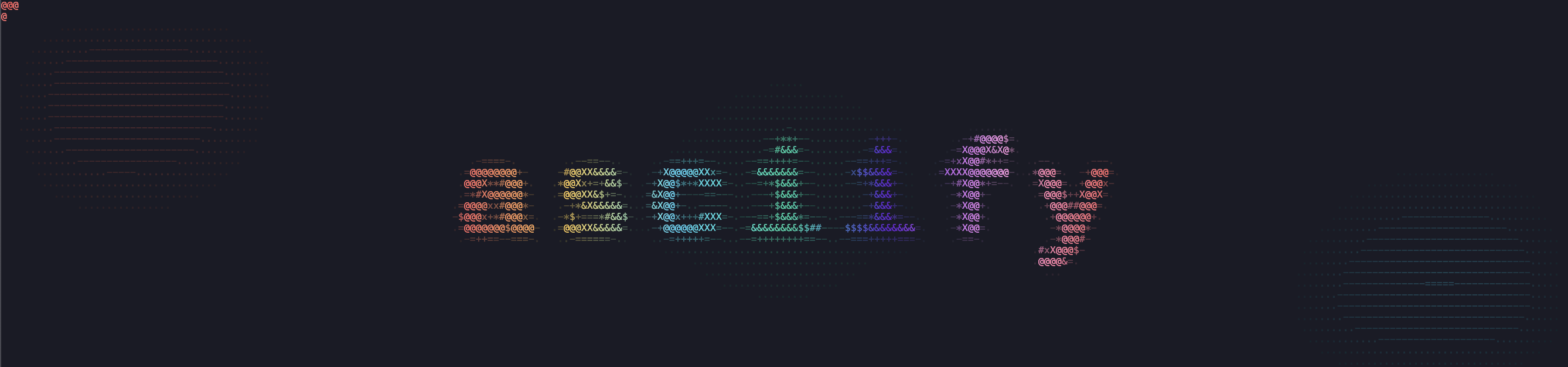





This package allows you to turn images (only .jpg and .png tested) into ASCII art drawings.
Inspired by ascii-view.
Documentation
Full documentation is available at: asciify-them.readthedocs.io
Features
- CLI: This software can be accessed both as a Python library and as a CLI;
- Colored output: ANSI color codes allow to print colors (requires a modern terminal);
- Resizing flexibility: Images are scaled to keep aspect ratio and fit the image to the terminal, but both options can be disabled;
- Edge detection: Sobel and Canny algorithm are used to highlight edges;
- Output flexibility: Resulting images can be saved in a file (both using the terminal to determine optimal size or providing custom height and/or width).
Installation
The package can be installed through PyPi:
# using pip
pip install asciify-them

# or using uv
uv tool install asciify-them
But also from source:
git clone https://github.com/ndrscalia/asciify-them
cd <repo-dir>
python -m venv .venv
source .venv/bin/activate
pip install -e .
The software can also be used without installing it through uv:
uvx --from asciify-them asciify path/to/image [OPTIONS]
Usage
This package requires a terminal emulator with true color support (e.g. kitty, alacritty, iTerm2).
CLI
The only required argument is the path to the image:
asciify <path/to/image> [OPTIONS]
The following options are available:
-bw, --black_white: Set the output to black&white.-e, --edges: Enable edge detection.-w, --width: Provide custom width. If not specified, terminal's size is going to determine this value. This value can be specified only whenf_type='wide'.-he, --height: Provide custom height. If not specified, terminal's size is going to determine this value. This value can be specified only whenf_type='tall'.-ar, --no_aspect_ratio: Disable original aspect ratio's protection.-f, --factor_type: Choose the downsampling factor type among the following values:in_terminal,wide,tall.-b, --blur: Provide a list with kernel size as a tuple, std for x axis, std for y axis. For more details refere to the docs forcv2.GaussianBlur. Changing the dafault values allow to tweak edge detection.ct, --canny_threshold: Provide edges detection threshold as a tuple. For more details refer to the docs forcv2.Canny.-at, --angles_threshold: Provide kernel size for angles calculation as an integer.-o, --output: Provide the output's path. If not specified, uses stdout (e.g.: terminal).-A, --aspect_ratio_correction: Provide the value by witch to divide the terminal's detected aspect ratio to account for line spacing.
Details
The different factors available are meant for different scenarios:
in_terminalallows to keep the output inside the terminal keeping aspect ratio;wideis better suited for images which are wider than taller but the output does not stay in the terminal. This option is also optimal for conversion to.pngthrough ansee, regardless of the relation between height and width;tallis better suited for images which are taller than wider but the output does not stay in the terminal; If aspect ratio's protection is disabled, output will be squished by a factor to stay in the terminal.
Python library
This package can also be used as a python library. Most of the API is exposed to the user, but a convenient wrapper is also available for simpler use cases.
from asciify import asciify

# Minimal use
result = asciify("path/to/image")
print(result)

# More advanced use
result = asciify(
    "path/to/image",
    color_mode="bw",
    edges_detection=True,
    f_type="tall",
    aspect_ratio_correction=1.20
)

with open("output.txt", "w") as f:
    f.write(result)
The .txt output can be used with ansee to get a .png file out of it.
If needed, the core classes can be used as follows:
from asciify import ImgeProcessor, Renderer, DEFAULT_CHARSET

processor = ImgProcessor(image_path)

if not height and not width:
    term_height, term_width = processor.calculate_print_size()
else:
    term_height, term_width = height, width

ds_f = processor.calculate_downsample_factor(
    term_height=term_height,
    term_width=term_width,
    keep_aspect_ratio=keep_aspect_ratio,
    f_type=f_type
)

ds_img = processor.downsample_image(
    f=ds_f,
    keep_aspect_ratio=keep_aspect_ratio,
    aspect_ratio_correction=1.10
)

img_hsv = processor.convert_to_hsv(image=ds_img)

angles = processor.calculate_angles(
    image=ds_img,
    k_size=angles_thresh
)

edges = processor.detect_edges(
    image=ds_img,
    blur=blur,
    canny_thresh=canny_thresh
)

renderer = Renderer(
    color_mode=color_mode,
    charset=DEFAULT_CHARSET
)

if edges_detection:
    return renderer.draw_in_ascii_with_edges(img_hsv=img_hsv, angles=angles, edges=edges)
else:
    return renderer.draw_in_ascii(img_hsv=img_hsv)
Examples
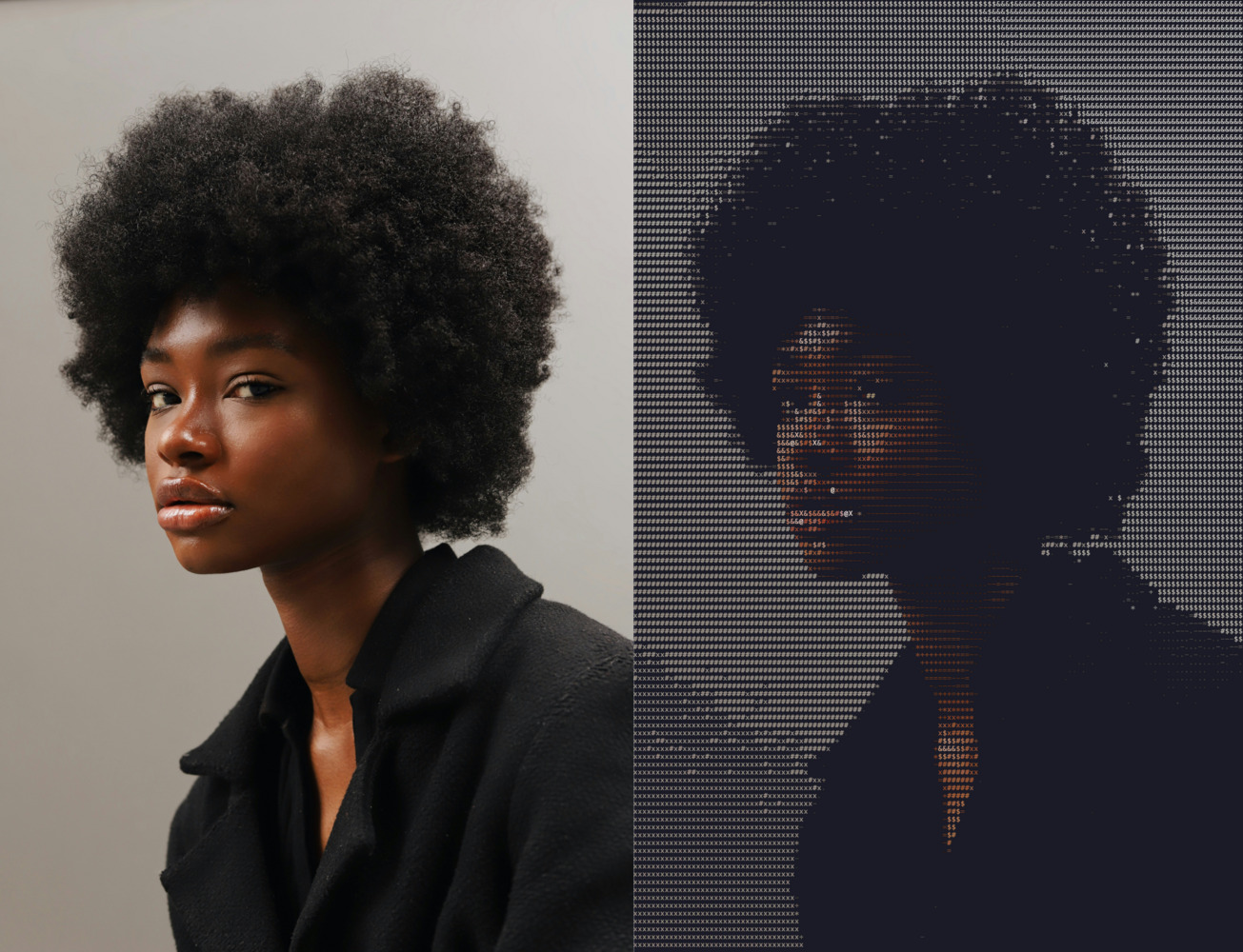
Testing
To test the codebase check tests/README.md.
Changelog
- 1.0.3
- Add aspect ratio correction flag to account for line spacing.
- 1.0.2
- Windows fix to get terminal size even when stdout is not the terminal.
- 1.0.1
- Improved width factor for better aspect-ratio's protection.
- 1.0.0
- First working version.
Future updates and possible contributions
- Allow custom charset with different number of characters;
- Allow tuning brightness for better piping to ansee;
- Improve edges' detection.


Download files
Download the file for your platform. If you're not sure which to choose, learn more about installing packages.
Source Distribution
Built Distribution
Filter files by name, interpreter, ABI, and platform.
If you're not sure about the file name format, learn more about wheel file names.
Copy a direct link to the current filters
File details
Details for the file asciify_them-1.0.3.tar.gz.
File metadata
- Download URL: asciify_them-1.0.3.tar.gz
- Upload date:
- Size: 16.7 kB
- Tags: Source
- Uploaded using Trusted Publishing? No
- Uploaded via: twine/6.2.0 CPython/3.14.0
File hashes
| Algorithm | Hash digest | |
|---|---|---|
| SHA256 |
7e62cae863ea6ba0fa8ab78cc85d1a899c76fb4b4afbaa3cf32a604421e21b90
|
|
| MD5 |
7624e0bff3206c0acc94089af6ee381b
|
|
| BLAKE2b-256 |
530a7b97c83a897c73037774b4b524cfa3679c664ad29cf55437ca298d8c3869
|
File details
Details for the file asciify_them-1.0.3-py3-none-any.whl.
File metadata
- Download URL: asciify_them-1.0.3-py3-none-any.whl
- Upload date:
- Size: 12.6 kB
- Tags: Python 3
- Uploaded using Trusted Publishing? No
- Uploaded via: twine/6.2.0 CPython/3.14.0
File hashes
| Algorithm | Hash digest | |
|---|---|---|
| SHA256 |
0f599a5160d7da2b2c214a68c0b7d933f4cc0e2c638a6391d58272e854101ce0
|
|
| MD5 |
4f97e6087dc52715fe30169c843ee8d3
|
|
| BLAKE2b-256 |
4a495389c7464b8f72da303d02386c280db29a894470caac9f48f5dd90fbeee2
|






