
ASCIIMATICS
Asciimatics is a package to help people create full-screen text UIs (from interactive forms to ASCII animations) on any platform. It is licensed under the Apache Software Foundation License 2.0.
Why?
Why not? It brings a little joy to anyone who was programming in the 80s… Oh and it provides a single cross-platform Python class to do all the low-level console function you could ask for, including:
Coloured/styled text - including 256 colour terminals and unicode characters (even CJK languages)
Cursor positioning
Keyboard input (without blocking or echoing) including unicode support
Mouse input (terminal permitting)
Detecting and handling when the console resizes
Screen scraping
In addition, it provides some simple, high-level APIs to provide more complex features including:
Anti-aliased ASCII line-drawing
Image to ASCII conversion - including JPEG and GIF formats
Many animation effects - e.g. sprites, particle systems, banners, etc.
Various widgets for text UIs - e.g. buttons, text boxes, radio buttons, etc.
Currently this package has been proven to work on CentOS 6 & 7, Raspbian (i.e. Debian wheezy), Ubuntu 14.04, Windows 7, 8 & 10, OSX 10.11 and Android Marshmallow (courtesy of https://termux.com), though it should also work for any other platform that provides a working curses implementation.
It should be implementation agnostic and has been successfully tested on CPython and PyPy2.
(Please let me know if you successfully verified it on other platforms so that I can update this list).
Installation
Asciimatics supports Python version 3. For the precise list of tested versions, refer to pypi. The last version of asciimatics to support Python 2 is v1.14.
To install asciimatics, simply install with pip as follows:
$ pip install asciimaticsThis should install all your dependencies for you. If you don’t use pip or it fails to install them, you can install the dependencies directly using the packages listed in requirements.txt. Additionally, Windows users (who aren’t using pip) will need to install pywin32.
How to use it?
To use the low-level API, simply create a Screen and use it to print coloured text at any location, or get mouse/keyboard input. For example, here is a variant on the classic “hello world”:
from random import randint
from asciimatics.screen import Screen

def demo(screen):
    while True:
        screen.print_at('Hello world!',
                        randint(0, screen.width), randint(0, screen.height),
                        colour=randint(0, screen.colours - 1),
                        bg=randint(0, screen.colours - 1))
        ev = screen.get_key()
        if ev in (ord('Q'), ord('q')):
            return
        screen.refresh()

Screen.wrapper(demo)
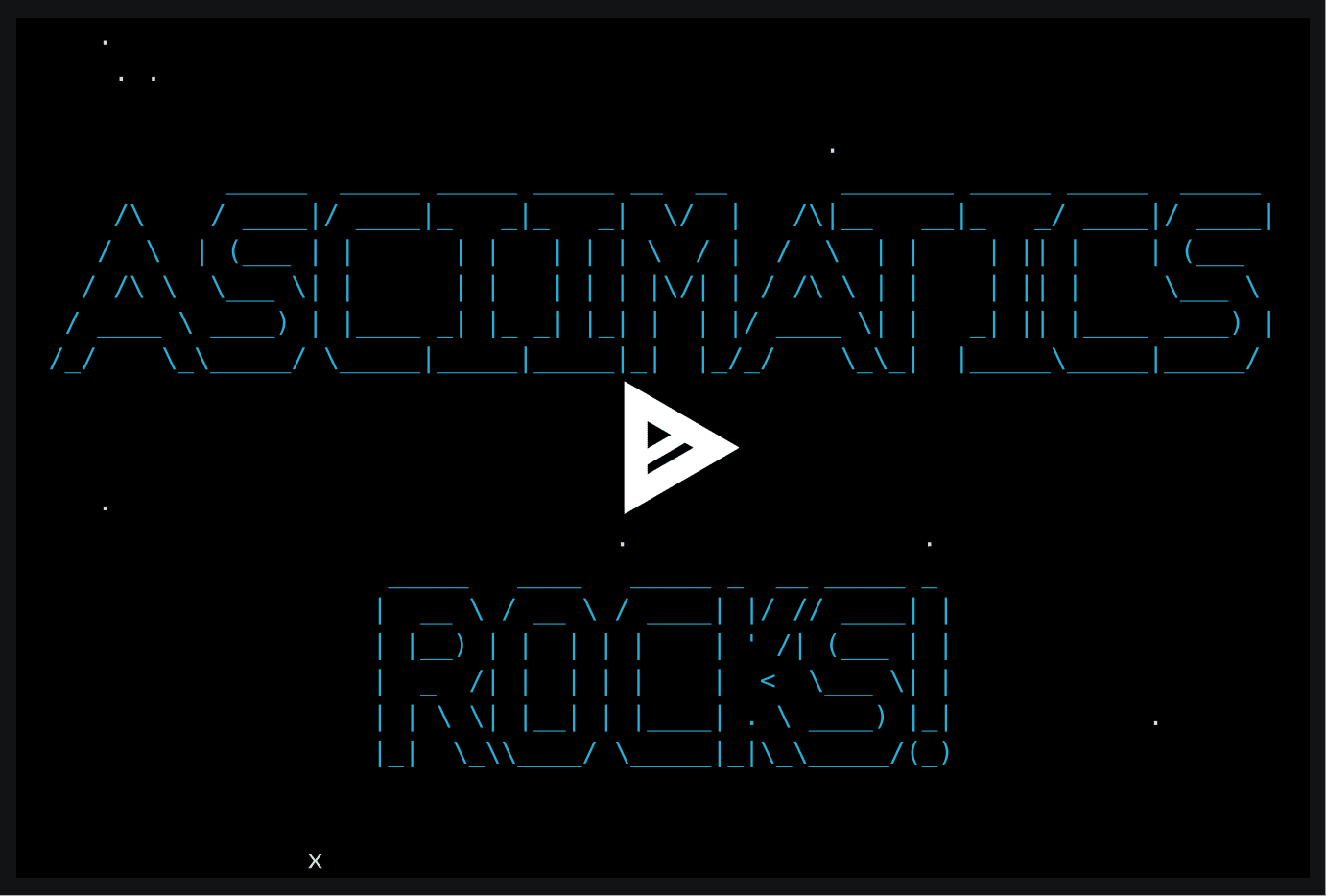
That same code works on Windows, OSX and Linux and paves the way for all the higher level features. These still need the Screen, but now you also create a Scene using some Effects and then get the Screen to play it. For example, this code:
from asciimatics.effects import Cycle, Stars
from asciimatics.renderers import FigletText
from asciimatics.scene import Scene
from asciimatics.screen import Screen

def demo(screen):
    effects = [
        Cycle(
            screen,
            FigletText("ASCIIMATICS", font='big'),
            int(screen.height / 2 - 8)),
        Cycle(
            screen,
            FigletText("ROCKS!", font='big'),
            int(screen.height / 2 + 3)),
        Stars(screen, 200)
    ]
    screen.play([Scene(effects, 500)])

Screen.wrapper(demo)
should produce something like this:
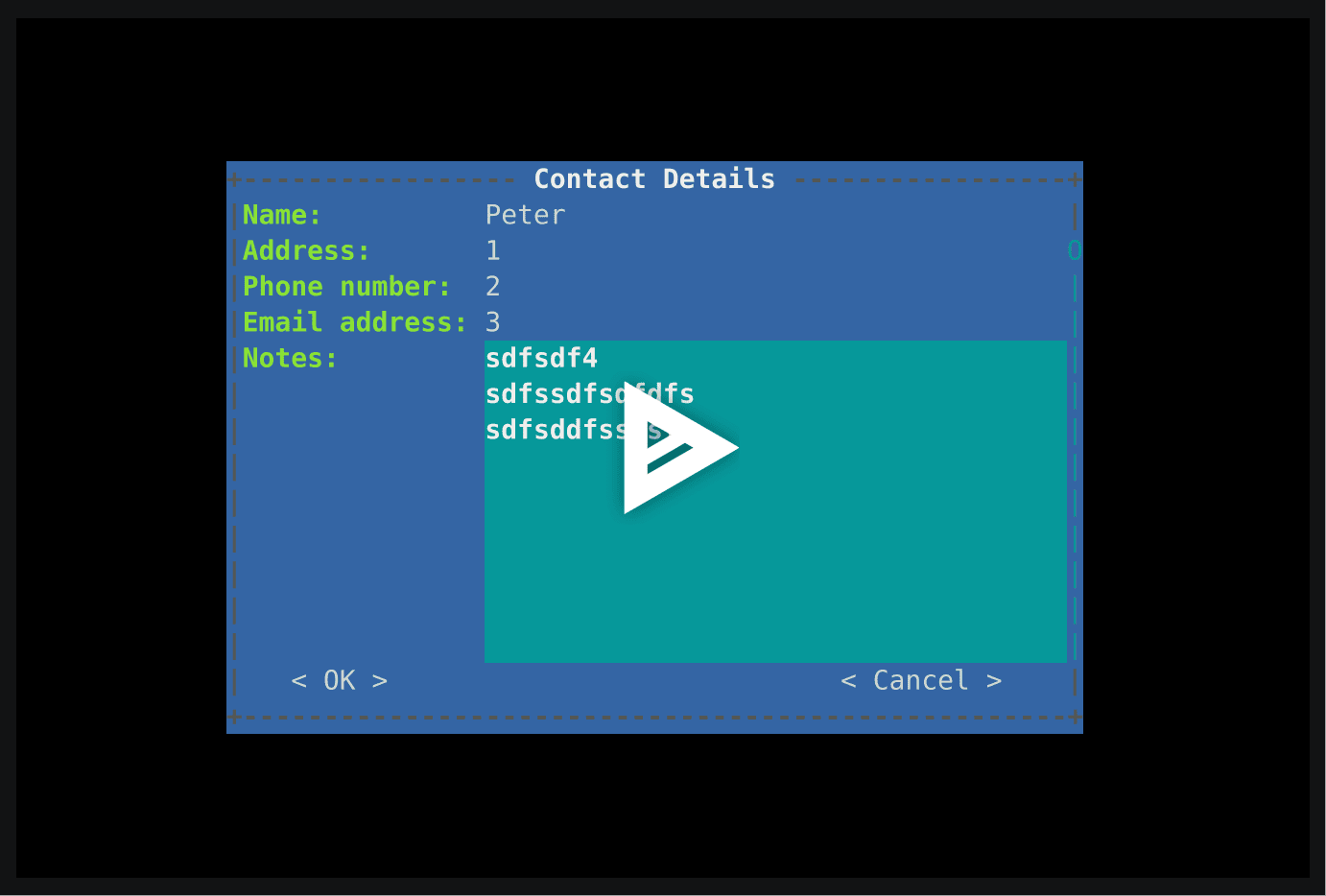
Or maybe you’re looking to create a TUI? In which case this simple code will give you this:
Documentation
Full documentation of all the above (and more!) is available at http://asciimatics.readthedocs.org/
More examples
More examples of what you can do are available in the project samples directory, hosted on GitHub. See https://github.com/peterbrittain/asciimatics/tree/v1.15/samples.
To view them, simply download these files and then simply run them directly with python. Alternatively, you can browse recordings of many of the samples in the gallery at https://github.com/peterbrittain/asciimatics/wiki.
Bugs and enhancements
If you have a problem, please check out the troubleshooting guide at http://asciimatics.readthedocs.io/en/latest/troubleshooting.html. If this doesn’t solve your problem, you can report bugs (or submit enhancement requests) at https://github.com/peterbrittain/asciimatics/issues.
Alternatively, if you just have some questions, feel free to drop in at https://gitter.im/asciimatics/Lobby.
Contributing to the project
If you’d like to take part in this project (and see your name in the credits!), check out the guidance at http://asciimatics.readthedocs.org/en/latest/contributing.html
1 maintainer

Metadata
1 maintainer
Release files for asciimatics 1.15.0
For a detailed explanation of source distributions (sdists) and built distributions (wheels), please see the package formats documentation.
Source distribution (sdist)
| File | Size | Uploaded | Provenance | |
|---|---|---|---|---|
| asciimatics-1.15.0.tar.gz | 2.6 MB | Without provenance | Details |
Built distribution (wheel)
| File | Interpreter | ABI | Platform | Reset |
|---|---|---|---|---|
| asciimatics-1.15.0-py3-none-any.whl | Python 3 | none | any | Details |
Total release size: 2.8 MB
Release files / asciimatics-1.15.0.tar.gz
| Download URL | asciimatics-1.15.0.tar.gz |
|---|---|
| Size | 2.6 MB |
| Tags | Source |
|
SHA-256 checksum How to use checksums |
cfdd398042727519d8b73e62b8ef82c0becfed4eb420899c3b96c98d0b96821a
|
|
BLAKE2b-256 checksum How to use checksums |
dd2e146aca5e940c3b0df5c93c99e6eefe9c52e1e70a0e91fc98d2b466de61a4
|
| Upload date | |
|
Uploaded using Trusted Publishing? What is trusted publishing? |
Yes |
| Uploaded via |
twine/4.0.2 CPython/3.11.6
|
Release files / asciimatics-1.15.0-py3-none-any.whl
| Download URL | asciimatics-1.15.0-py3-none-any.whl |
|---|---|
| Size | 137.3 kB |
| Tags | Python 3 |
|
SHA-256 checksum How to use checksums |
0fe068a6bed522929bd04bb5b8a2fb6ebf0aef1b7a9b3843cf71030a34bc38d5
|
|
BLAKE2b-256 checksum How to use checksums |
35bf9cad857b630c840738003eb24c1adb63490a1024ec40a9dcc3a753300c38
|
| Upload date | |
|
Uploaded using Trusted Publishing? What is trusted publishing? |
Yes |
| Uploaded via |
twine/4.0.2 CPython/3.11.6
|
Security for asciimatics 1.15.0
Provenance
Provenance describes where a file came from. On PyPI, provenance is shared via attestations, which provide a verifiable record of the build or publishing details. View details, limitations and caveats.
No provenance found
None of the files in this release were uploaded with provenance metadata.
A note on package security
PyPI is a repository for distributing packages, not a service for auditing them. While third-party security researchers and our staff do their best to detect and remove malicious packages, PyPI cannot guarantee the quality, security or suitability of any given package.














