
UNKNOWN

Project description
Asciimatics is a package to help people create simple ASCII animations on any platform. It is licensed under the Apache Software Foundation License 2.0.
It originated from some work that I did on PiConga to create a retro text credits roll for the project. This worked so well, I re-used it for another project. At that point I felt it might be fun to share with others.
Why?
Why not? It brings a little joy to anyone who was programming in the 80s… Oh and it provides a single cross-platform Python class to do all the console function you could ask for, including:
Coloured/styled text - including 256 colour terminals
Cursor positioning
Keyboard input (without blocking or echoing)
Mouse input (terminal permitting)
Detecting and handling when the console resizes
Screen scraping
Anti-aliased ASCII line-drawing
Image to ASCII conversion
Many animation effects
Currently this API has been proven to work on CentOS 6 & 7, Raspbian (i.e. Debian wheezy) and Windows 7 & 8, though it should also work for any platform that provides a working curses implementation.
(Please let me know if you successfully verified it on other platforms so that I can update this list).
Installation
To install asciimatics, simply:
$ pip install asciimaticsHow to use it?
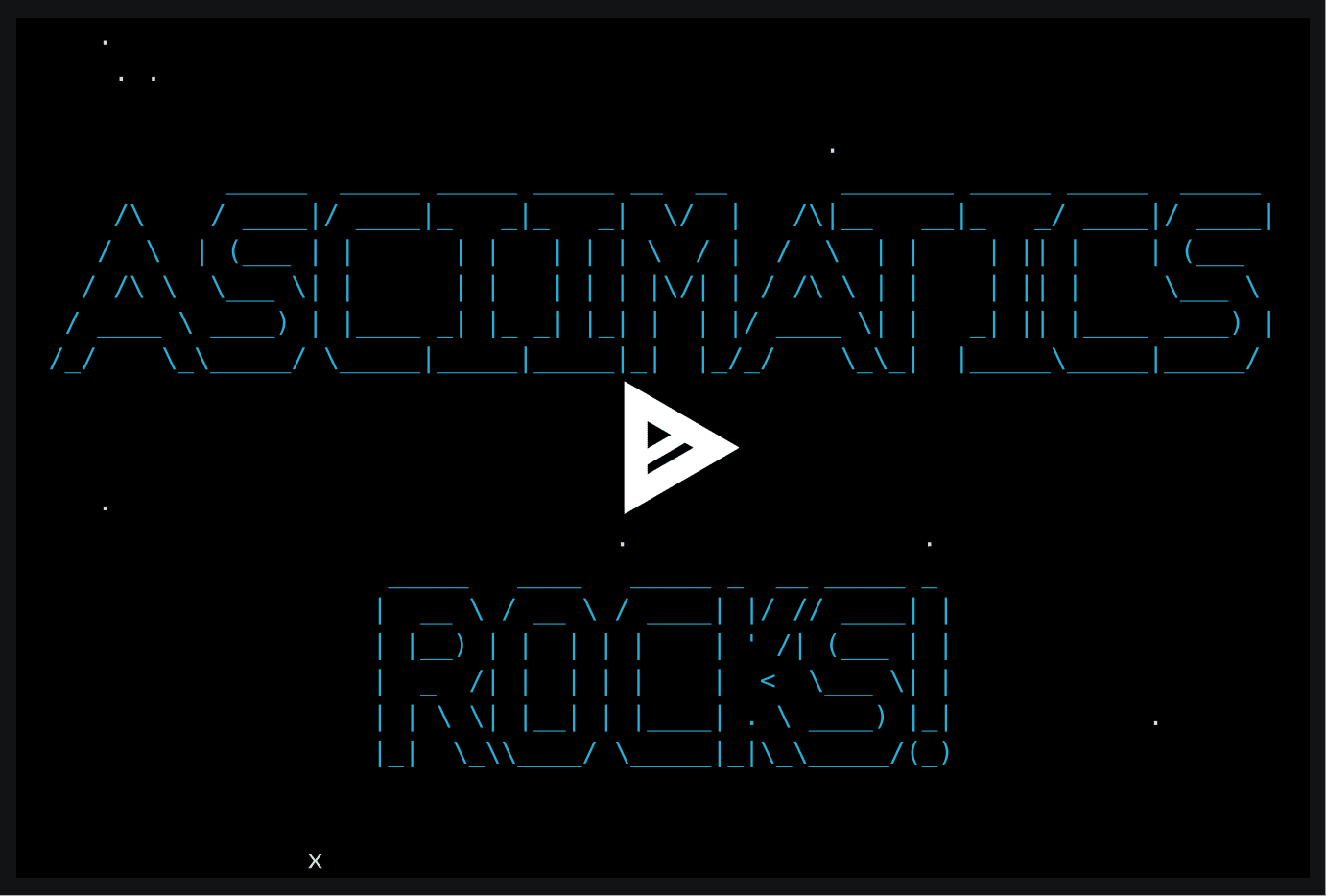
Create a Screen, put together a Scene using some Effects and then get the Screen to play it.
from asciimatics.effects import Cycle, Stars
from asciimatics.renderers import FigletText
from asciimatics.scene import Scene
from asciimatics.screen import Screen

def demo(screen):
    effects = [
        Cycle(
            screen,
            FigletText("ASCIIMATICS", font='big'),
            screen.height / 2 - 8),
        Cycle(
            screen,
            FigletText("ROCKS!", font='big'),
            screen.height / 2 + 3),
        Stars(screen, 200)
    ]
    screen.play([Scene(effects, 500)])

Screen.wrapper(demo)
And you should see something like this:
Documentation
Documentation is available at http://asciimatics.readthedocs.org/
More Examples
More examples of what you can do are available in the project samples directory, hosted on GitHub. See https://github.com/peterbrittain/asciimatics/tree/master/samples.
Alternatively, you can browse the gallery at https://github.com/peterbrittain/asciimatics/wiki.
Bugs and enhancements
You can report bugs and submit enhancement requests at https://github.com/peterbrittain/asciimatics/issues
Contributing to the project
If you’d like to take part in this project (and see your name in the credits!), check out the guidance at http://asciimatics.readthedocs.org/en/latest/intro.html#contributing-to-this-project.
Release history Release notifications | RSS feed


Download files
Download the file for your platform. If you're not sure which to choose, learn more about installing packages.
Source Distribution
File details
Details for the file asciimatics-1.4.0.tar.gz.
File metadata
- Download URL: asciimatics-1.4.0.tar.gz
- Upload date:
- Size: 30.7 kB
- Tags: Source
- Uploaded using Trusted Publishing? No
File hashes
| Algorithm | Hash digest | |
|---|---|---|
| SHA256 |
ef1f916de9d73f855b07fd2fd3fbd27c29d9efed3ab25bdbe074de6b7e3e3037
|
|
| MD5 |
8d0a0002140b8719cadc0369e12e86be
|
|
| BLAKE2b-256 |
027ecbc622d1ae4eefe9b6cc79a8dbcd2a86a01491395f5f00f43a3ce08a3d56
|






