
Ask Video
A tool to chat with YouTube and Bilibili videos using AI.
Features
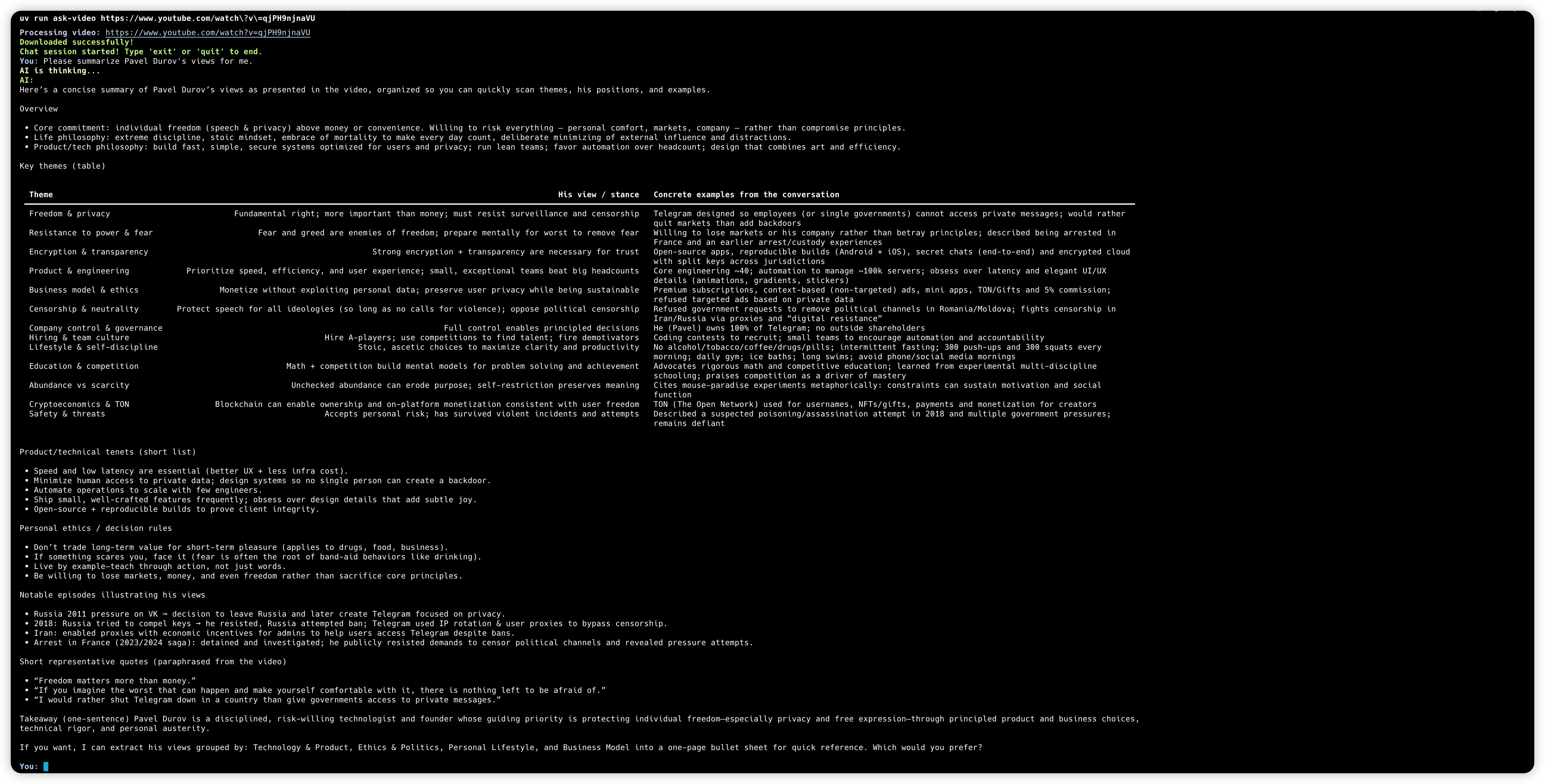
- Video Download: Automatically fetches video from YouTube and Bilibili videos.
- AI Chat: Uses OpenAI (or compatible) models to answer questions based on the video content.
- Streaming Output: Responses are streamed in real-time for a better user experience.
- Cross-Platform: Works on macOS, Linux, and Windows.
Usage
You can run this tool directly using uvx without installing it manually.
Prerequisites
You need to have uv installed.
Running the Tool
-
Set your OpenAI API Key: You need to provide your OpenAI API key. You can do this by setting an environment variable.
export OPENAI_API_KEY=your_api_key_here
If you are using a custom OpenAI-compatible provider (like DeepSeek, Moonshot, etc.), you can also set the base URL and model:
export OPENAI_BASE_URL=https://api.example.com/v1
export OPENAI_MODEL_ID=gpt-5-mini-2025-08-07
-
Run with
uvx:uvx ask-video <VIDEO_URL>
Example:
uvx ask-video https://www.youtube.com/watch?v=qjPH9njnaVU
Development
To develop or contribute to this project:
-
Clone the repository:
git clone https://github.com/jtsang4/ask-video.git
cd ask-video
-
Install dependencies:
uv sync -
Run locally:
uv run ask-video <URL>
License
This project is licensed under the MIT License. See the LICENSE file for details.
1 maintainer

Metadata
1 maintainer
Release files for ask-video 0.2.0
For a detailed explanation of source distributions (sdists) and built distributions (wheels), please see the package formats documentation.
Source distribution (sdist)
| File | Size | Uploaded | Provenance | |
|---|---|---|---|---|
| ask_video-0.2.0.tar.gz | 5.2 kB | Without provenance | Details |
Built distribution (wheel)
| File | Interpreter | ABI | Platform | Reset |
|---|---|---|---|---|
| ask_video-0.2.0-py3-none-any.whl | Python 3 | none | any | Details |
Total release size: 12.9 kB
Release files / ask_video-0.2.0.tar.gz
| Download URL | ask_video-0.2.0.tar.gz |
|---|---|
| Size | 5.2 kB |
| Tags | Source |
|
SHA-256 checksum How to use checksums |
e2a791e5748fb7e2f60a3747641f1580c95175db588d2cef7c1b8bfe5c2d8015
|
|
BLAKE2b-256 checksum How to use checksums |
e236055be3ab9d77026da946816578b5b8a41c9b3566160131d7b0822e5c5654
|
| Upload date | |
|
Uploaded using Trusted Publishing? What is trusted publishing? |
No |
| Uploaded via |
uv/0.9.11 {"installer":{"name":"uv","version":"0.9.11"},"python":null,"implementation":{"name":null,"version":null},"distro":{"name":"macOS","version":null,"id":null,"libc":null},"system":{"name":null,"release":null},"cpu":null,"openssl_version":null,"setuptools_version":null,"rustc_version":null,"ci":null}
|
Release files / ask_video-0.2.0-py3-none-any.whl
| Download URL | ask_video-0.2.0-py3-none-any.whl |
|---|---|
| Size | 7.7 kB |
| Tags | Python 3 |
|
SHA-256 checksum How to use checksums |
68e14d8691ca1f37687f7589a6a56d50df64041d042427d6841933a163795648
|
|
BLAKE2b-256 checksum How to use checksums |
b347d2c6dfe4ffd544d83049d40c2e6c1def17491a79b5c245d9e523f721d86e
|
| Upload date | |
|
Uploaded using Trusted Publishing? What is trusted publishing? |
No |
| Uploaded via |
uv/0.9.11 {"installer":{"name":"uv","version":"0.9.11"},"python":null,"implementation":{"name":null,"version":null},"distro":{"name":"macOS","version":null,"id":null,"libc":null},"system":{"name":null,"release":null},"cpu":null,"openssl_version":null,"setuptools_version":null,"rustc_version":null,"ci":null}
|
Security for ask-video 0.2.0
Provenance
Provenance describes where a file came from. On PyPI, provenance is shared via attestations, which provide a verifiable record of the build or publishing details. View details, limitations and caveats.
No provenance found
None of the files in this release were uploaded with provenance metadata.
A note on package security
PyPI is a repository for distributing packages, not a service for auditing them. While third-party security researchers and our staff do their best to detect and remove malicious packages, PyPI cannot guarantee the quality, security or suitability of any given package.














