
askwol 🦉
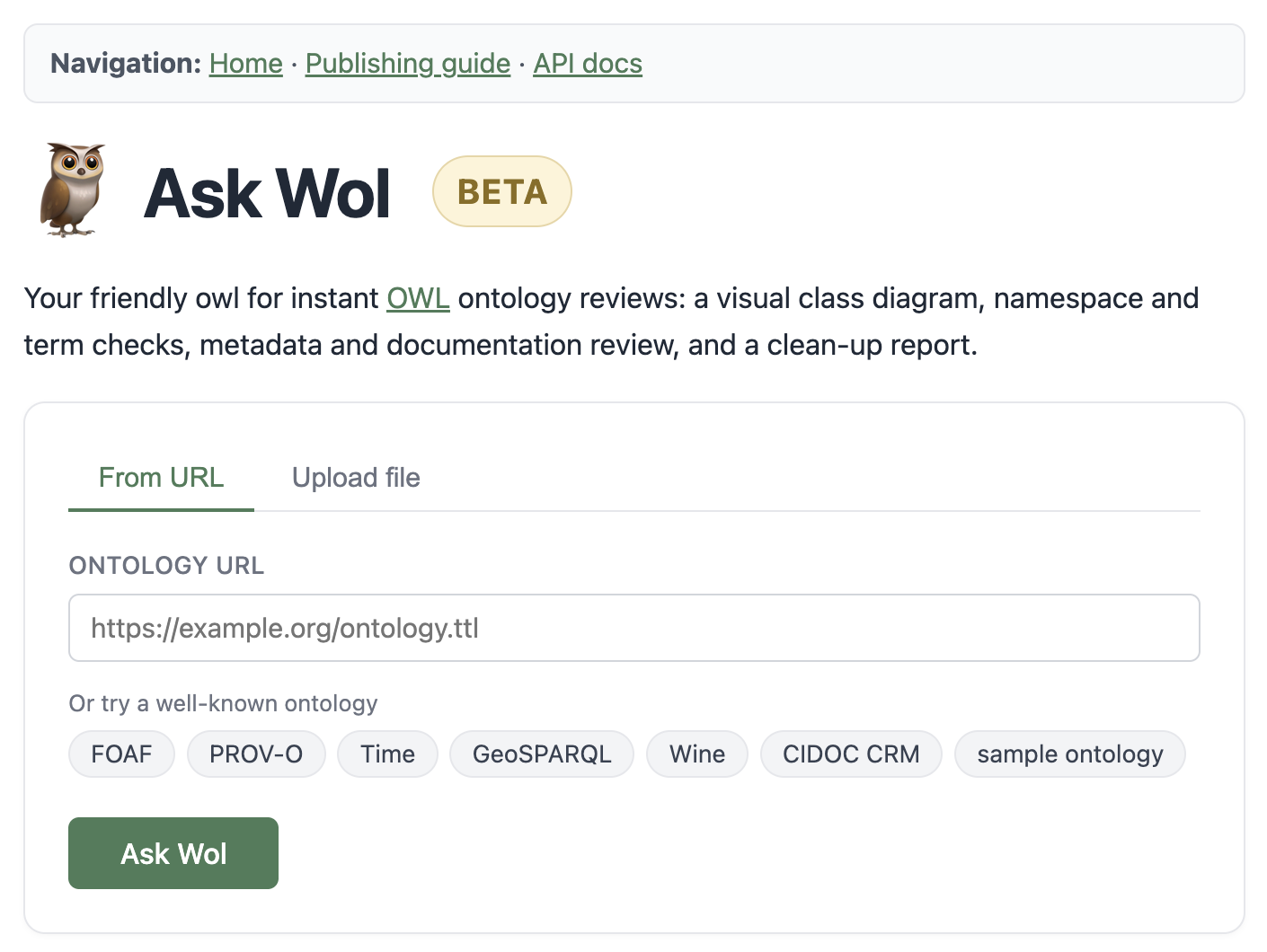
Drop in an OWL ontology - get back a class diagram, namespace and term checks, metadata review, and a clean-up report. In seconds.




👉 Try it live: https://lod-4tu.tudelft.nl/askwol/
Why askwol?
The W3C originally planned to call their Web Ontology Language WOL. Tim Finin proposed rearranging it to OWL, since "owls are associated with wisdom." Fittingly, Owl from Milne's Winnie-the-Pooh (see E. H. Shepard's original illustration) famously misspells his own name as "Wol."
So the name went WOL → OWL → and, for a tool that asks Owl for a wise second opinion on your ontology, back to askwol. Wollie, to friends.
What do you get?
An interactive class diagram of your ontology, plus a single HTML report (or JSON via the API) with one section per automated check, grouped into five areas: ontology basics, namespaces & reuse, term structure, term documentation, and logic. Every section links to a matching entry in the built-in publishing guide at /guide, so a failing check always tells you why the convention exists.
See the full, always-up-to-date list of checks on the live app or in the publishing guide.
Quick start
Install from PyPI with pipx (Python 3.10+):
pipx install askwol
askwol check your-ontology.ttl
For the Python API or local Web UI, install into a virtual environment instead:
python -m venv .venv
source .venv/bin/activate   # may differ depending on your shell
pip install askwol
Or for development:
git clone https://github.com/TDCC-NES/askwol.git
cd askwol
python -m venv .venv
source .venv/bin/activate   # may differ depending on your shell
pip install -e ".[dev]"   # Python 3.10+
Usage
CLI
# Rich terminal output
askwol check ontology.ttl

# Markdown / JSON report
askwol check ontology.ttl --format markdown -o report.md
askwol check ontology.ttl --format json

# Options
askwol check ontology.ttl --timeout 60        # default: 30s
askwol check ontology.ttl --skip-resolution   # parse only
Exit codes: 0 all pass, 1 issues found.
Web UI
Run the Web UI locally
With the virtual environment activated:
python -m uvicorn askwol.web:app --port 8000
Open http://127.0.0.1:8000.
For development with automatic reloading:
python -m uvicorn askwol.web:app --reload --reload-dir src --port 8000
Open http://127.0.0.1:8000/. Endpoints: GET / (upload form), POST /validate (HTML report), POST /api/validate (JSON), GET /guide (publishing guide), GET /health, GET /docs (Swagger / OpenAPI).
Deployment (Docker)
The repo ships with a Dockerfile and docker-compose.yml so that the web app can be deployed on any Linux server with Docker.
Run locally
# build and start detached
docker compose up -d --build

# rebuild AND recreate after code changes
# (plain `--build` can reuse the old container, leaving stale code running)
docker compose up -d --build --force-recreate

# logs / stop
docker compose logs -f askwol
docker compose down
Then open http://localhost:8000. If the page still looks stale after a rebuild, hard-refresh the browser (Cmd/Ctrl+Shift+R) to clear cached assets.
Development with hot-reload
docker-compose.override.yml.example bind-mounts src/ and runs uvicorn with
--reload. Copy it once and Compose merges it automatically:
cp docker-compose.override.yml.example docker-compose.override.yml
docker compose up --build      # first run, and whenever deps change
# edit files under src/askwol/ - uvicorn reloads on save
The override file is gitignored, so it never reaches the server.
Deploy on a server
Prerequisites: a Linux host with Docker, a domain pointing to it, and a reverse proxy such as Caddy, Apache mod_proxy, or Nginx Reverse Proxy.
# on the server
git clone https://github.com/TDCC-NES/askwol.git /opt/askwol
cd /opt/askwol
# do NOT copy docker-compose.override.yml.example here - without it, the
# production CMD from the Dockerfile (2 workers, no reload) is used.
docker compose up -d --build --force-recreate
The container binds to 127.0.0.1:8000 only. Point your reverse proxy at it, e.g. a minimal Caddyfile:
askwol.example.com {
    encode zstd gzip
    request_body { max_size 25MB }
    reverse_proxy 127.0.0.1:8000
}
Caddy will obtain a Let's Encrypt certificate automatically. Updates:
cd /opt/askwol && git pull && docker compose up -d --build --force-recreate
Serving under a sub-path
If askwol sits at the root of a domain (https://askwol.example.com/), nothing
extra is needed.
If you serve it under a path prefix (e.g. https://server/askwol/), set
ASKWOL_ROOT_PATH to that prefix. askwol then rewrites its internal navigation
links to include the prefix, so every internal link resolves correctly without
relying on JavaScript or a trailing slash.
# docker-compose.override.yml, or an .env file
environment:
  - ASKWOL_ROOT_PATH=/askwol
Point the reverse proxy at 127.0.0.1:8000 and strip the prefix before
forwarding, e.g. with Caddy:
server.example.com {
    handle_path /askwol/* {
        reverse_proxy 127.0.0.1:8000
    }
}
Security notes: askwol fetches arbitrary URLs (namespace resolution + URL upload). Outbound requests to private, loopback, and other internal IP ranges are blocked automatically (SSRF guard in resolver.py). Each client IP is capped at ASKWOL_RATE_LIMIT requests per minute (default 20; set to 0 to disable) on /validate and /api/validate. Uploads are capped at 20 MB in the app itself; also enforce a request-size limit on the reverse proxy as defence-in-depth.
Validation limits: each validation runs in its own isolated process, never inline in a web worker, so a slow or hung ontology can be killed without affecting other requests. A hard timeout (ASKWOL_VALIDATION_TIMEOUT, default 300 seconds) kills a job outright and returns a 504. A global concurrency limit (ASKWOL_MAX_CONCURRENT_VALIDATIONS, default 2; keep at or below the host's CPU core count) caps how many validations run at once, and rejects excess requests immediately with a 503 instead of queueing them. Generous size caps (ASKWOL_MAX_TRIPLES default 500000, ASKWOL_MAX_NAMESPACES default 500, ASKWOL_MAX_IMPORTS default 200) reject oversized ontologies right after parsing, before any expensive check runs. /validate, /api/validate, and the CLI all share the same validation pipeline and the same limits. If your reverse proxy sets its own timeout for these routes, set it comfortably above ASKWOL_VALIDATION_TIMEOUT so askwol's own timeout response is what clients actually see.
Usage tracking
A lightweight, privacy-friendly tracker logs each validation request to a local SQLite database. No cookies, no JavaScript, no third-party services. IPs are hashed with a per-database secret so they cannot be recovered from the stored data.
Recorded per event: timestamp, request kind (validate, validate_upload, or validate_api), source (the submitted URL or filename), HTTP status, duration in ms, and a truncated SHA-256 hash of the client IP.
Environment variables:
| Variable | Default | Purpose |
|---|---|---|
ASKWOL_USAGE_DB |
data/usage.db |
Path to the SQLite file. Local runs and the Docker setup both write here (/data/usage.db in the container maps to ./data/ on the host). |
ASKWOL_STATS_TOKEN |
(unset) | Required to view the /stats JSON dashboard. If unset, /stats returns 503. |
ASKWOL_USAGE_DISABLED |
(unset) | Set to 1 to disable tracking entirely. |
Enable the dashboard:
echo "ASKWOL_STATS_TOKEN=$(openssl rand -hex 32)" >> .env
docker compose up -d
curl "http://127.0.0.1:8000/stats?token=$(grep ASKWOL_STATS_TOKEN .env | cut -d= -f2)"
Returns aggregated usage counts: total events, unique IP hashes, and events per day (all-time), plus the most-validated sources, split into URLs and uploaded files.
Python API
import asyncio
from askwol.parser import parse_ontology
from askwol.cache import OntologyCache
from askwol.resolver import resolve_all_namespaces
from askwol.term_validator import validate_terms

parsed = parse_ontology("ontology.ttl")
cache = OntologyCache()
checks = asyncio.run(resolve_all_namespaces(parsed.namespaces, cache))

for prefix, uri in parsed.namespaces.items():
    for r in validate_terms(prefix, uri, parsed.terms_by_namespace.get(prefix, set()), cache):
        print(f"{r.prefix}:{r.local_name} -> {r.status}")
Supported formats
Turtle (.ttl), RDF/XML (.rdf, .owl), JSON-LD (.jsonld), N-Triples (.nt), N3 (.n3)
Tests
pytest tests/ -v
The test suite covers every check on good and bad inputs, HTML report
rendering, and the FastAPI routes via TestClient, plus a pinned smoke test
on html/ontologies/broken.ttl that fails if any
check ever stops detecting issues (clean counterpart:
html/ontologies/sample.ttl). Drop either into
the upload form at http://localhost:8000/ to see a full report.
Licence
MIT - see LICENSE.
1 maintainer

Metadata
1 maintainer
Release files for askwol 0.1.2
For a detailed explanation of source distributions (sdists) and built distributions (wheels), please see the package formats documentation.
Source distribution (sdist)
| File | Size | Uploaded | |
|---|---|---|---|
| askwol-0.1.2.tar.gz | 458.1 kB | Details |
Built distribution (wheel)
| File | Interpreter | ABI | Platform | Reset |
|---|---|---|---|---|
| askwol-0.1.2-py3-none-any.whl | Python 3 | none | any | Details |
Total release size: 600.1 kB
Release files / askwol-0.1.2.tar.gz
| Download URL | askwol-0.1.2.tar.gz |
|---|---|
| Size | 458.1 kB |
| Tags | Source |
|
SHA-256 checksum How to use checksums |
761e79d067f0f7ab9a22907edff643416c0b6945da7fd517f2837f40bfe5d849
|
|
BLAKE2b-256 checksum How to use checksums |
5c342071db7e2288da5c13f2620f8941b07fc3c19f8275564338c710d540ef0c
|
| Upload date | |
|
Uploaded using Trusted Publishing? What is trusted publishing? |
Yes |
| Uploaded via |
twine/7.0.0 CPython/3.13.14
|
Provenance
Provenance describes where a file came from. On PyPI, provenance is shared via attestations, which provide a verifiable record of the build or publishing details. View details, limitations and caveats.


PyPI Publish Attestation
PyPI verified that this artifact, at this checksum, originated from the publisher listed below.
Signed by GitHub Actions, verified by PyPI on Oct 2, 2026.
Transparency logRelease files / askwol-0.1.2-py3-none-any.whl
| Download URL | askwol-0.1.2-py3-none-any.whl |
|---|---|
| Size | 142.0 kB |
| Tags | Python 3 |
|
SHA-256 checksum How to use checksums |
b9d0db800270a6a12948d404b7cd35b4c70a5f2d70eca3998f7a166e06e37d9d
|
|
BLAKE2b-256 checksum How to use checksums |
0d423e67d28d512c2fefb78186b2aad82eba48575b0baa406d2a7e07ae1d7087
|
| Upload date | |
|
Uploaded using Trusted Publishing? What is trusted publishing? |
Yes |
| Uploaded via |
twine/7.0.0 CPython/3.13.14
|
Provenance
Provenance describes where a file came from. On PyPI, provenance is shared via attestations, which provide a verifiable record of the build or publishing details. View details, limitations and caveats.
PyPI Publish Attestation
PyPI verified that this artifact, at this checksum, originated from the publisher listed below.
Signed by GitHub Actions, verified by PyPI on Oct 2, 2026.
Transparency log














