
Assistant Runtime



An assistant backend for the application you already have: it holds the conversation, understands what is on screen, and asks your app to act.
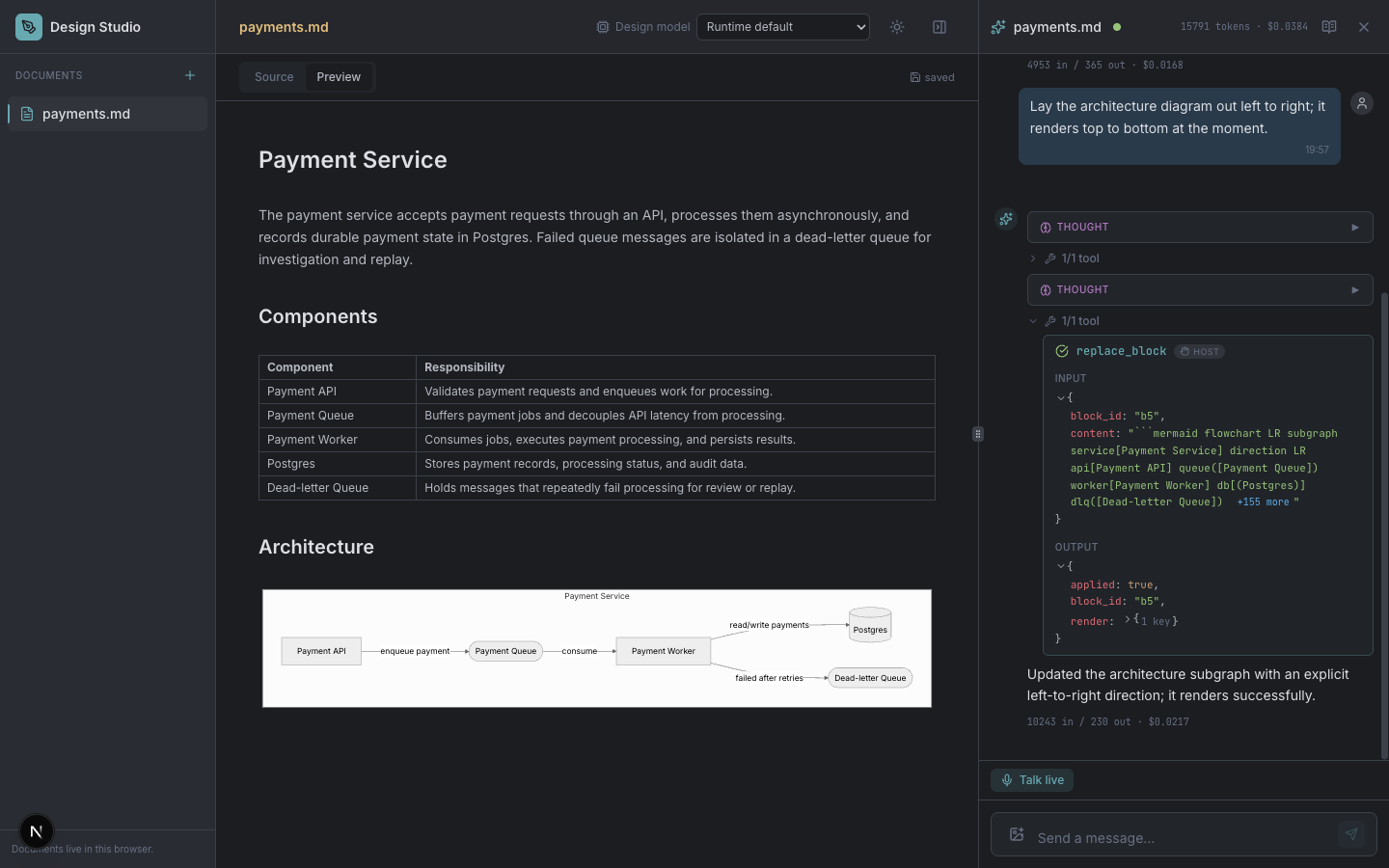
Design Studio: the assistant edits a document through actions the application provides.
Contents · What it enables · See it in an application · Getting started · How it works · How it relates to other tools · Documentation · Development
What it enables
- A conversation people can keep working in. Branch from an earlier message, steer a turn while it runs, retain working memory, and edit the assistant's versioned system prompt.
- An assistant that can use your application. Send what is on screen and declare actions such as editing a document or moving an object. The runtime requests an action; your app performs it and returns the result to continue the turn.
- A UI that follows the work. Thinking, text, tool calls and results arrive as ordered events. Cancellation saves partial text and completed work.
- A second model role in parallel. A silent controller can return one application action or a structured hold with
output_mode: host_tools, while another model handles the conversation. - Voice with the same application context. GPT-Live carries the conversation over WebRTC and can delegate tasks into the shared tool pipeline, or speak alongside an independent controller.
- Typed decisions while the user is still speaking. Send your application's state and a set of
choice,scoreandnoulquestions in one call; a decision model answers all of them with calibrated probabilities in one round trip, with no text to parse and about a millisecond of runtime overhead on top of the provider's own latency (decisions).
One runtime can serve several applications, each with its own registered profile and host actions.
See it in an application
Design Studio
Design Studio is a Markdown and Mermaid editor with an assistant beside the document. Describe a system by talking or typing; the assistant writes and revises the design. The screenshot above shows its distinguishing loop: the app returns diagram-rendering results with each edit, so the assistant can repair a diagram that fails to render. Run the integration.
Avatar Studio
Avatar Studio is a 3D character you can talk to. Voice and body share one runtime: GPT-Live speaks while a separate controller chooses movement, and the app applies it to the character. It demonstrates parallel model roles and physical actions with execution receipts. Run the studio.
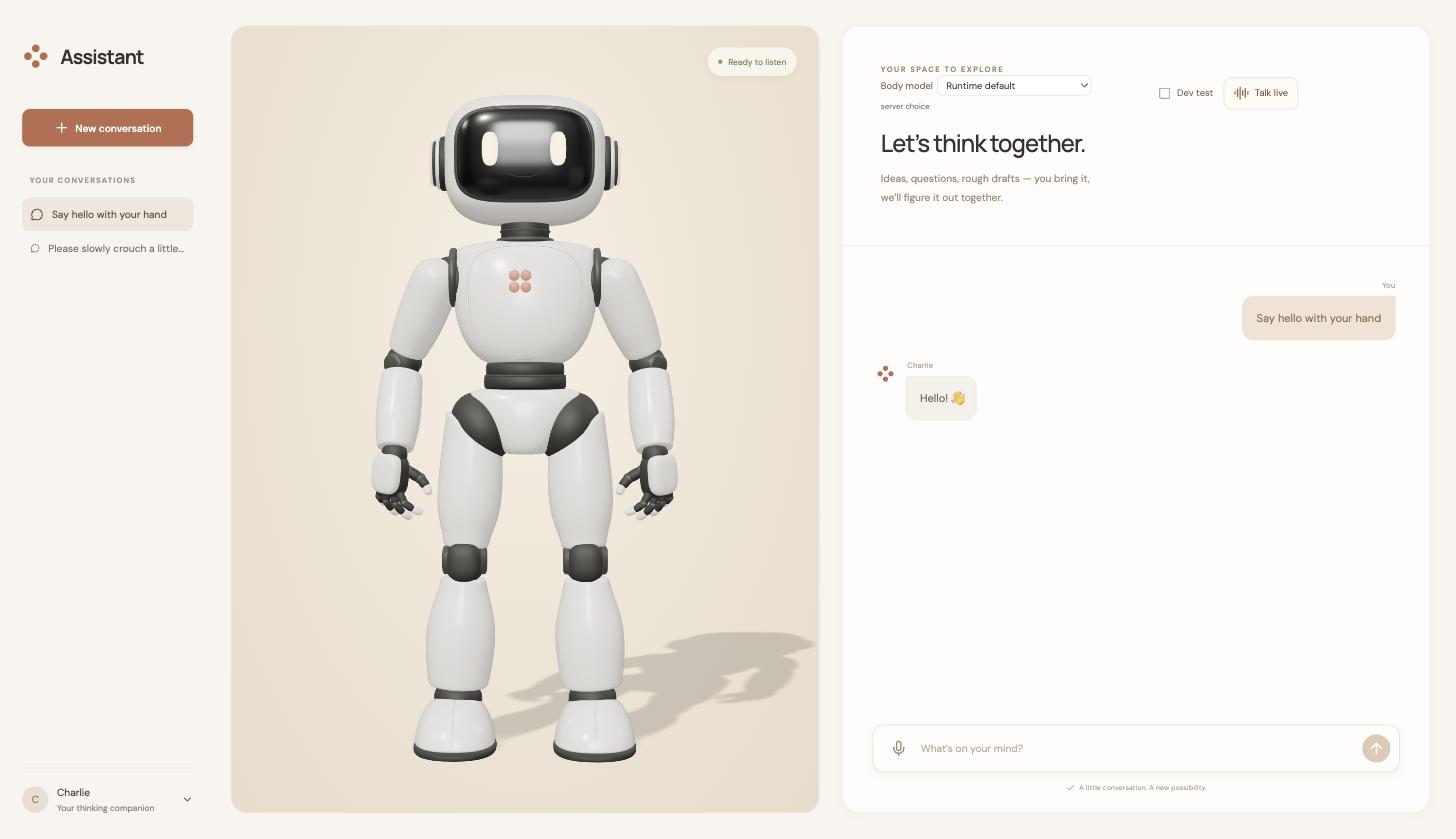
Avatar Studio after a request to wave: the app applies movement and displays the conversation.
Getting started
You need Python 3.12 or newer, uv, and one provider API key.
uv tool install assistant-runtime
export ANTHROPIC_API_KEY=your-api-key
assistant-runtime chat
This opens a terminal conversation. OpenAI, Google, OpenRouter and Cerebras keys also work; see provider configuration.
For a browser app, exit chat and run assistant-runtime serve. Point the app at http://127.0.0.1:7100, then start the app in another terminal. Apps connect to the backend and report if it is missing; they do not start or stop it. Follow the Design Studio recipe for a complete first integration.
Postgres is optional; it persists conversations and pending host actions, including while background memory updates run: persistence.
Register application profiles to share a runtime: deployments.
Voice needs the [voice] extra, an OpenAI API key and explicit enablement; each call reserves a session the caller is authorized to access: voice setup.
Local ChatGPT/Codex subscription authentication is also supported for backend models: subscription setup.
The server defaults to localhost and trusts the local operator. Before exposing it to other people, configure authentication and allowed browser origins: identity and access.
How it works
Your application sends a message, its current context and the actions it can perform. The runtime builds the assistant from its profile, calls the model through Pydantic AI, and streams the turn over Socket.IO or returns it over HTTP. An optional AG-UI endpoint exposes the same pipeline.
When the model requests a host action, the runtime saves the pending call and returns it to your application. Your app validates and executes it, then sends back the matching result. The conversation resumes from that result. The app owns its interface and side effects; the runtime owns conversation state, model execution and continuation tracking.
Add another app by supplying a profile, context and actions. No runtime code needs to know the app's name. Python hosts can also compose native tools, capabilities and dependencies through AssistantDefinition: composition.
How it relates to other tools
Pydantic AI is the agent library underneath: models, typed tools, execution and streaming. Assistant Runtime is the running service around it that your application calls, with sessions, host-action continuations, profiles and voice already connected.
Vercel AI SDK provides TypeScript model and tool APIs plus UI bindings; AG-UI defines an event protocol between agents and interfaces. They help build the client/server connection. This runtime supplies the application state and server behavior behind that connection, and offers an AG-UI adapter.
LangGraph's Agent Server supplies deployment, persistent threads and runs for graphs. The OpenAI Agents SDK supplies an agent loop, tools and orchestration inside your own application. Both can support application integrations; Assistant Runtime packages a specific profile/context/action-result contract for apps that own the actions.
A FastAPI service around Pydantic AI is the closest alternative: you choose the session model, streaming protocol, persistence and UI action lifecycle yourself. This project supplies those choices as a backend you can run or extend.
Documentation
Start with getting started, then concepts, the host contract and the API. The documentation index links configuration, deployment, access, persistence and composition references.
assistant-runtime --version prints the installed release; the OpenAPI schema reports the same version.
The pages ship with the package: assistant-runtime docs lists them and assistant-runtime docs <page> prints one without a checkout.
Development
git clone https://github.com/eandualem/assistant-runtime && cd assistant-runtime
uv sync --locked --extra dev
make check
make dev
make check runs Ruff and the tests without API keys, Postgres or a running server. Pull requests target develop; AGENTS.md defines the architecture and contribution checks.
src/assistant_runtime/base/       lifecycle and shared protocols
src/assistant_runtime/services/  models, history, tools and integrations
src/assistant_runtime/app/       conversations, streaming, voice and routes
src/assistant_runtime/cli/       chat, serve, doctor, docs and migrations
docs/ and alembic/               documentation and database migrations
License
MIT — see LICENSE.
1 maintainer

Metadata
1 maintainer
Release files for assistant-runtime 0.3.0
For a detailed explanation of source distributions (sdists) and built distributions (wheels), please see the package formats documentation.
Source distribution (sdist)
| File | Size | Uploaded | Provenance | |
|---|---|---|---|---|
| assistant_runtime-0.3.0.tar.gz | 361.3 kB | Without provenance | Details |
Built distribution (wheel)
| File | Interpreter | ABI | Platform | Reset |
|---|---|---|---|---|
| assistant_runtime-0.3.0-py3-none-any.whl | Python 3 | none | any | Details |
Total release size: 852.1 kB
Release files / assistant_runtime-0.3.0.tar.gz
| Download URL | assistant_runtime-0.3.0.tar.gz |
|---|---|
| Size | 361.3 kB |
| Tags | Source |
|
SHA-256 checksum How to use checksums |
41ffe9dbd95ec13c1fe0be8c30ad140c23f21993643972f4f8c8509d12c402df
|
|
BLAKE2b-256 checksum How to use checksums |
6ae8d906e4f5cab057534057e0a95874a87f9ebfbaede1b702df26f2a14eec26
|
| Upload date | |
|
Uploaded using Trusted Publishing? What is trusted publishing? |
No |
| Uploaded via |
uv/0.12.16 {"installer":{"name":"uv","version":"0.12.16","subcommand":["publish"]},"python":null,"implementation":{"name":null,"version":null},"distro":{"name":"Ubuntu","version":"24.04","id":"noble","libc":null},"system":{"name":null,"release":null},"cpu":null,"openssl_version":null,"setuptools_version":null,"rustc_version":null,"ci":true}
|
Release files / assistant_runtime-0.3.0-py3-none-any.whl
| Download URL | assistant_runtime-0.3.0-py3-none-any.whl |
|---|---|
| Size | 490.8 kB |
| Tags | Python 3 |
|
SHA-256 checksum How to use checksums |
4fbbacfd1ebeebcbbaaf42b882ee3e876e98aee5386bd0894e8d470aed0ec619
|
|
BLAKE2b-256 checksum How to use checksums |
fb7f2b75e8e3df516d7d286a26ea78253b644a687a1b6cc7c51953d7f0a1b83e
|
| Upload date | |
|
Uploaded using Trusted Publishing? What is trusted publishing? |
No |
| Uploaded via |
uv/0.12.16 {"installer":{"name":"uv","version":"0.12.16","subcommand":["publish"]},"python":null,"implementation":{"name":null,"version":null},"distro":{"name":"Ubuntu","version":"24.04","id":"noble","libc":null},"system":{"name":null,"release":null},"cpu":null,"openssl_version":null,"setuptools_version":null,"rustc_version":null,"ci":true}
|
Security for assistant-runtime 0.3.0
Provenance
Provenance describes where a file came from. On PyPI, provenance is shared via attestations, which provide a verifiable record of the build or publishing details. View details, limitations and caveats.
No provenance found
None of the files in this release were uploaded with provenance metadata.
A note on package security
PyPI is a repository for distributing packages, not a service for auditing them. While third-party security researchers and our staff do their best to detect and remove malicious packages, PyPI cannot guarantee the quality, security or suitability of any given package.
To learn more about protecting yourself from malicious actors, visit our package security documentation.














