
A NASA Astronomy Picture of the Day CLI tool.

Project description
Astra
NASA's Astronomy Picture of the Day, rendered directly in your terminal.
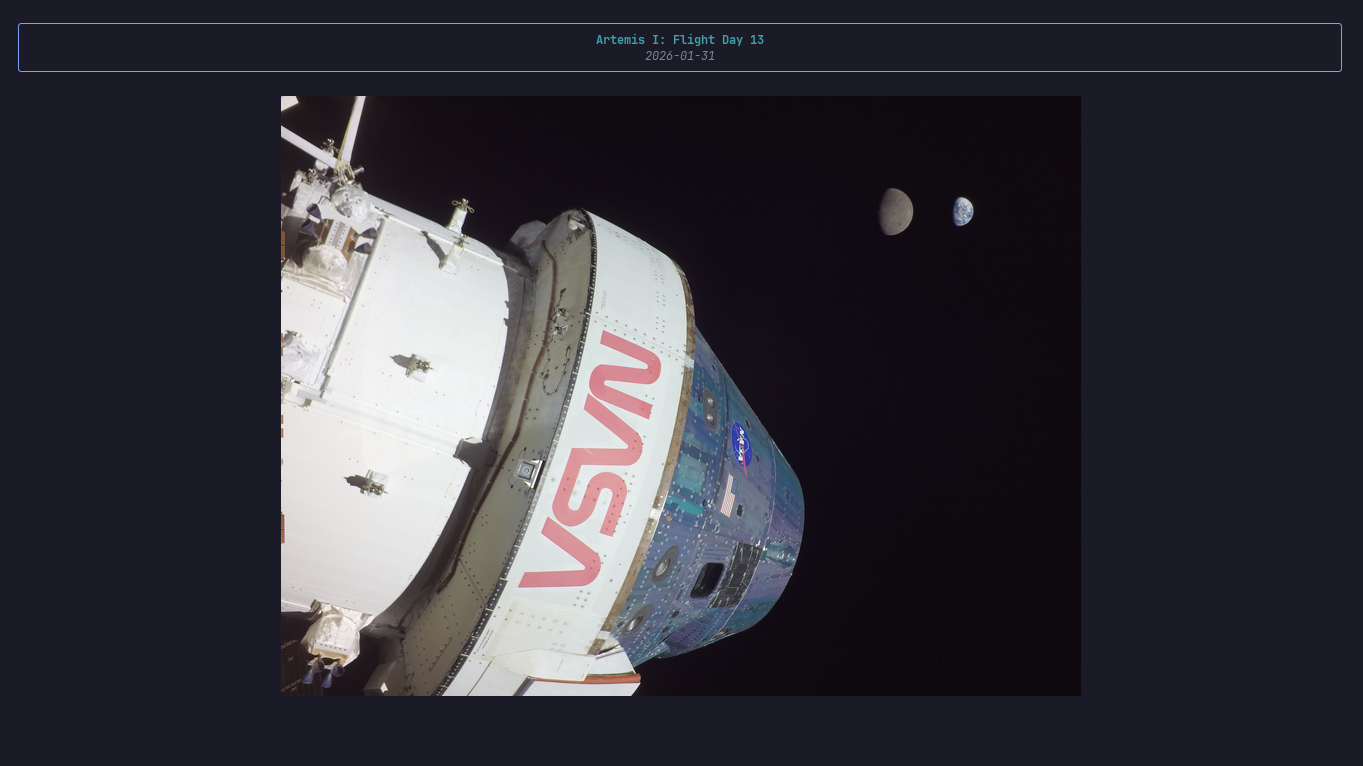
Features
- Auto-detected graphics: Kitty protocol, SIXEL, or block-character fallback
- Cross-platform: Windows, Linux, macOS
- Works with Windows Terminal, Ghostty, Kitty, WezTerm, Alacritty, and more
- Terminal greeter — show today's APOD when you open your shell
- Browse by date, view random APODs, read full explanations
- Search all APOD titles from APOD Archive
- Save HD images of APODs
- Works out of the box with DEMO_KEY
Install
pip install astra-apod
Usage
astra                              # Today's APOD
astra today                        # Same as above
astra date 2021-08-14              # APOD for a specific date
astra random                       # Random APOD
astra search <title>               # Search APOD archive by title
astra info                         # Full explanation of last viewed APOD
astra save                         # Save last viewed APOD
Configuration
astra config --show                # Show current configuration
astra config --api-key <key>       # Set NASA API key
astra config --size full           # Full terminal width image
astra config --size default        # 60% terminal width image
astra config --bg "#0c0c0c"        # Set background color manually
astra config --save-dir <path>     # Set default save directory
astra config --clear-cache         # Clear cached images
astra config --reset               # Reset all settings to defaults
Terminal Greeter
Auto-display today's APOD when you open your terminal:
astra config --greeter on --shell cmd          # CMD (Windows)
astra config --greeter on --shell powershell   # PowerShell (Windows)
astra config --greeter on --shell bash         # Bash (Linux/macOS)
astra config --greeter on --shell zsh          # Zsh (Linux/macOS)
astra config --greeter on --shell fish         # Fish (Linux/macOS)
Control how often it runs:
astra config --greeter-freq daily    # Once per day (default)
astra config --greeter-freq always   # Every terminal open
Disable it:
astra config --greeter off --shell <shell>
Built with
Python · Typer · Rich · Pillow · NumPy
License
MIT © 2026 Asutosh Shrestha


Download files
Download the file for your platform. If you're not sure which to choose, learn more about installing packages.
Source Distribution
astra_apod-0.2.3.tar.gz
(13.4 kB
view details)
Built Distribution
Filter files by name, interpreter, ABI, and platform.
If you're not sure about the file name format, learn more about wheel file names.
Copy a direct link to the current filters
File details
Details for the file astra_apod-0.2.3.tar.gz.
File metadata
- Download URL: astra_apod-0.2.3.tar.gz
- Upload date:
- Size: 13.4 kB
- Tags: Source
- Uploaded using Trusted Publishing? No
- Uploaded via: twine/6.2.0 CPython/3.11.3
File hashes
| Algorithm | Hash digest | |
|---|---|---|
| SHA256 |
5d99813181b7220fd5858f1c595bd5efd6fd3d53883df6499c69605991a23a4a
|
|
| MD5 |
7dfccdaeaba0e10fc8e19b80bb83d19c
|
|
| BLAKE2b-256 |
2d25c354669d5e3851e6a1a77f71a18a5e3f51adf17e7d46b0e520a72ba2ceda
|
File details
Details for the file astra_apod-0.2.3-py3-none-any.whl.
File metadata
- Download URL: astra_apod-0.2.3-py3-none-any.whl
- Upload date:
- Size: 15.7 kB
- Tags: Python 3
- Uploaded using Trusted Publishing? No
- Uploaded via: twine/6.2.0 CPython/3.11.3
File hashes
| Algorithm | Hash digest | |
|---|---|---|
| SHA256 |
166224549a919ec603e16f064e03d4361bb1fbde5b2cf2fdf9b04378e7640d07
|
|
| MD5 |
d17be3230151794da289b0805236f72a
|
|
| BLAKE2b-256 |
7b4515e5813d8fc3884aaa9b5c92414cac0007e5634a22627d44d9d270cf8ffe
|






