
A Flask-based astrophotography web application

Project description
🌌 AstroSpace
AstroSpace is a web application designed to host, organize, and showcase your astrophotography collection. 🔭 Sort celestial objects in timeline views, automatic annotation for your images (via Plate Solving), compare the size of your DSO with moon scale, explore the objects inside your DSO with Plotly graphs and much more! ✨
Perfect for amateur astronomers, astrophotographers, and stargazers who want to organize their night sky adventures and create their own personal space for Astro Stuff! 🌟
check out my Instance at:
www.astro.space-js.de
🚀 Key Features
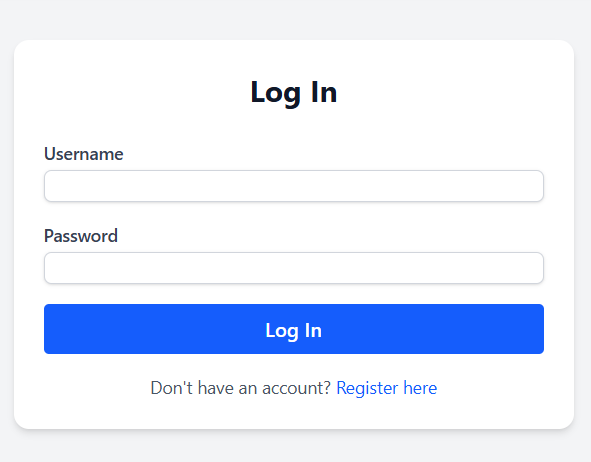
- 🔐 Secure User Authentication – Protected access with customizable user limits
- 🎨 Modern Tailwind CSS Interface – Sleek, responsive design that looks professional
- 🌙 Dark & Light Mode Support – Perfect for both day and night viewing sessions
- 🗂️ Dynamic Content Management – Seamlessly handle static and dynamic astrophotography content
- 🧩 Modular Architecture – Clean, maintainable structure with reusable utilities and templates
- 🐳 Docker Ready – Containerized deployment for hassle-free setup
- ✍️ Post Creation & Editing – Document your observations and share your astrophotography journey
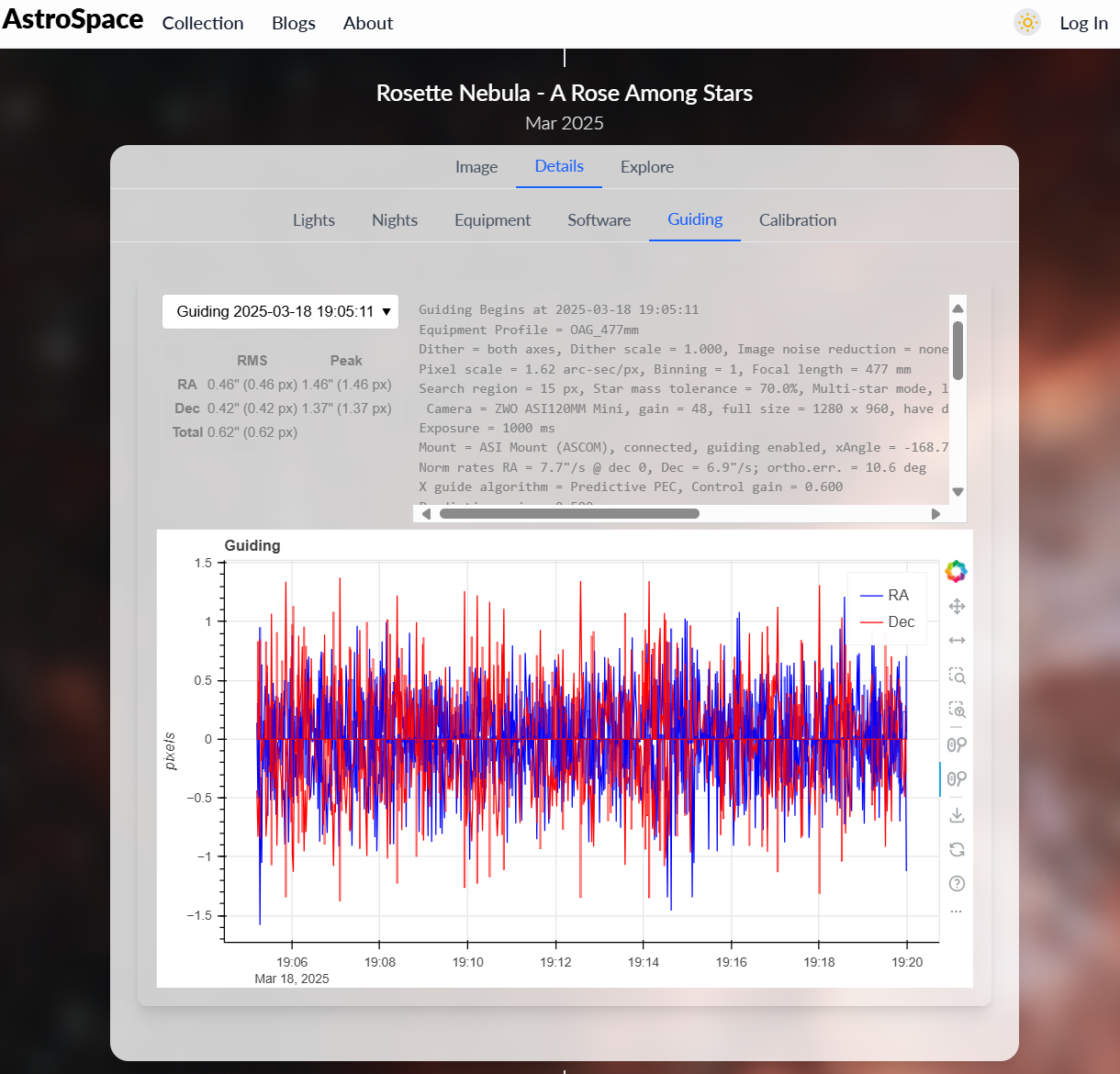
- 📊 PHD2 Log Integration – Upload and analyze your autoguiding logs for better tracking performance
- 🔍 Plate Solving – Automatically identify celestial objects and coordinates in your images
- 📱 Responsive Design – Access your collection from any device
- 🌕 Moon Scale for DSO Frames – Visualize the scale of deep sky objects in comparison to the Moon
- 🗺️ Equatorial Grid Overlay – Overlay celestial coordinate grids for precise orientation
- 🔗 Shareable Links with Tabular Acquisition Details – Easily share your captures along with structured metadata
- 📈 Explore DSO Contents with Plotly Graphs – Interactively visualize SIMBAD and VizieR catalog queries
📸 Screenshots
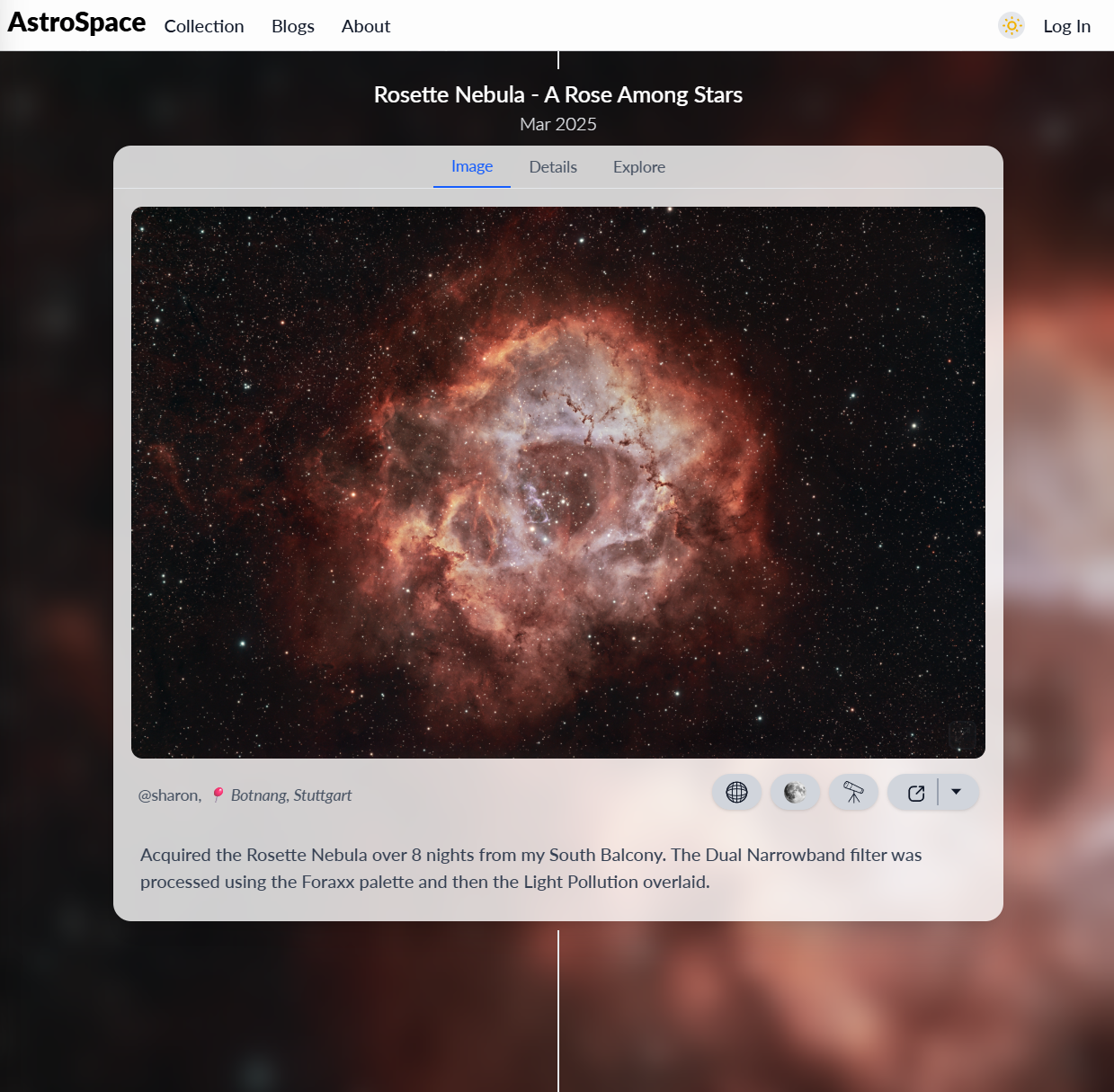
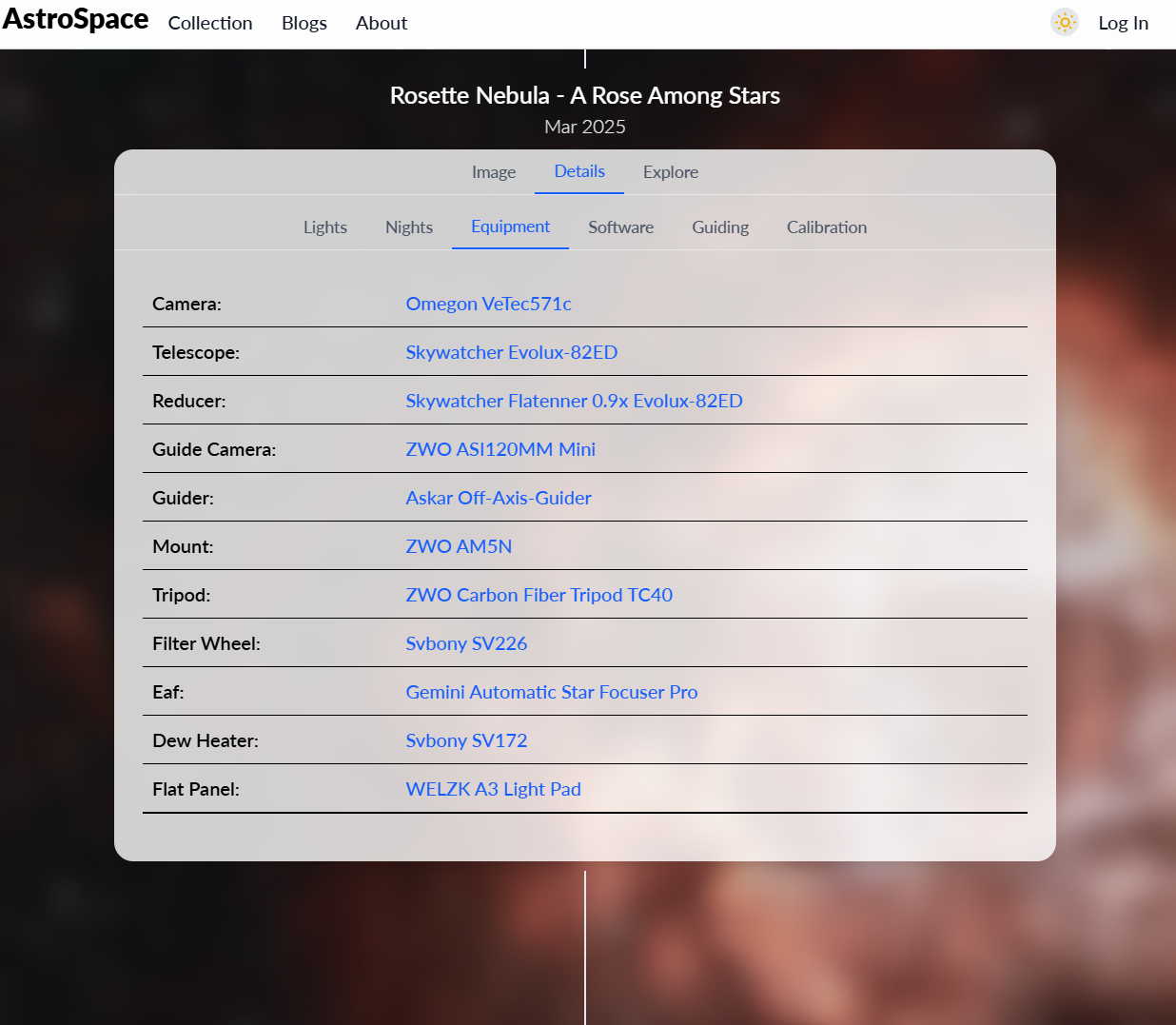
🖼️ Image Gallery with Detailed Information Tabs
Organize your astrophotography with rich metadata and detailed viewing options:
📊 PHD2 Log Analysis
Upload and analyze your autoguiding performance:
🔐 User Authentication System
Secure login with configurable user limits (set MAX_USERS environment variable):
✍️ Content Creation
Create and share your astrophotography posts:
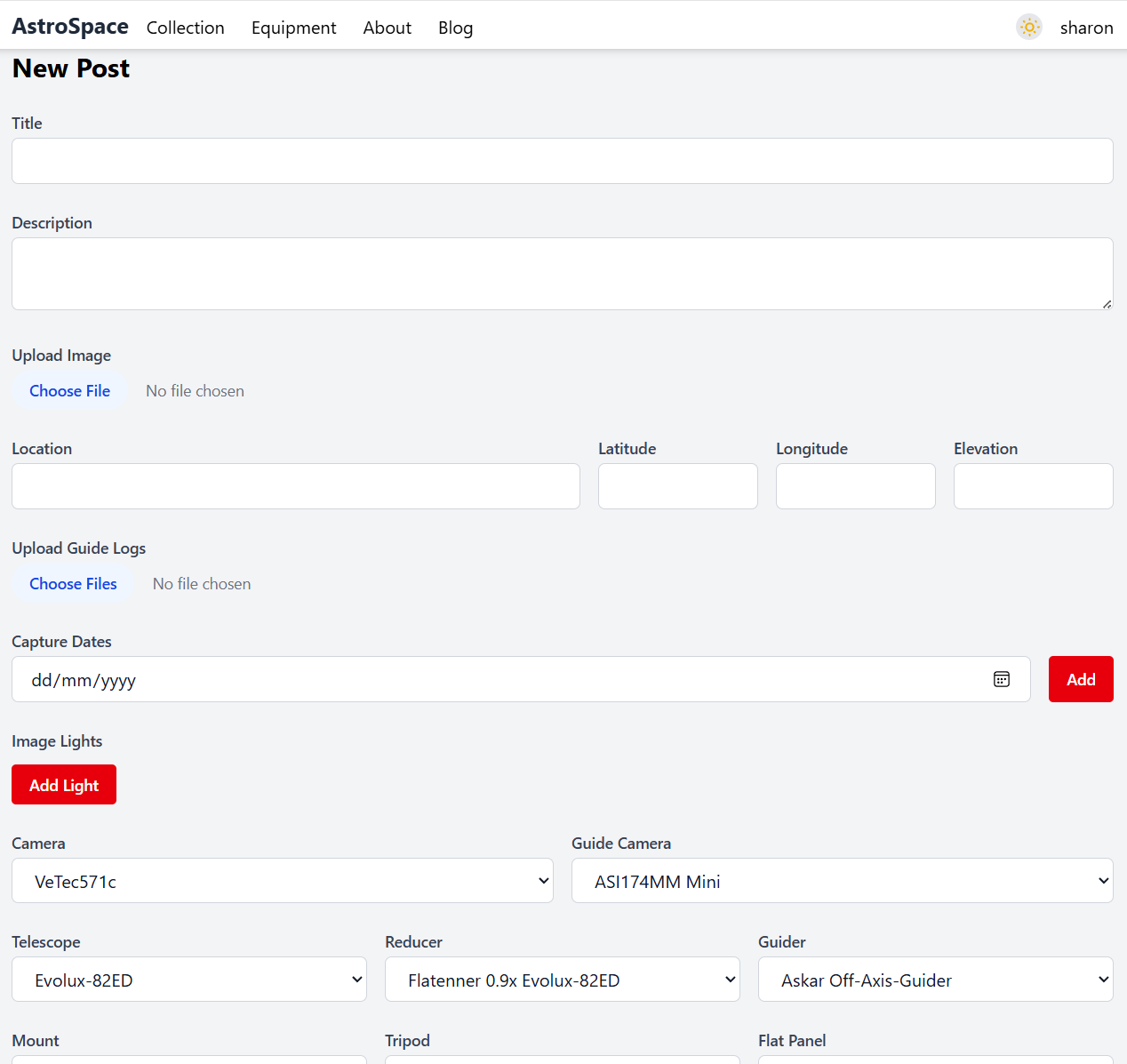
📌 Upcoming Features
- 🛠️ Equipment Inventory System - Track your telescopes, cameras, filters, and accessories
- 📝 Advanced Blogging Platform - Enhanced tools for documenting observations and techniques
- ☀️ Solar Photography Support - Extended functionality for solar observation and imaging
- 🌍 Weather Integration - Connect with weather APIs for observing conditions
- 📈 Advanced Analytics - Detailed statistics about your imaging sessions and equipment performance
🛠️ Getting Started
🔧 Prerequisites
Before you begin, ensure you have the following installed on your system:
- 🐍 Python 3.10+ - The core runtime environment
- 📦 pip - Python package installer
- 🗄️ PostgreSQL - Database server (or another SQL-compatible database)
- 🐳 Docker - (Optional) For containerized deployment
- 🌐 Astrometry.net Account - For plate-solving functionality
🧪 Local Development Setup
Follow these steps to get AstroSpace running on your local machine:
# 📥 Clone the repository
git clone https://github.com/sharon92/AstroSpace.git
cd AstroSpace

# 🔧 Set up a Python virtual environment
python -m venv venv
source venv/bin/activate      # On Windows: venv\Scripts\activate

# 📦 Install required dependencies
pip install -r requirements.txt

# ⚙️ Create configuration file
# Create a file at: instance/config.py
# Add the following configuration variables:
📝 Configuration Template
Create instance/config.py with the following settings:
# 🔐 Security Configuration
SECRET_KEY = 'your-super-secret-key-here'  # ⚠️ Change this in production!

# 🗄️ Database Configuration
DB_NAME = 'astrospace_db'
DB_USER = 'your_username'
DB_PASSWORD = 'your_secure_password'
DB_HOST = 'localhost'  # Or your database hostname
DB_PORT = 5432

# 🌟 Astrometry.net API Configuration
# Go to https://nova.astrometry.net and sign in to get your API key
ASTROMETRY_API_KEY = "your_astrometry_api_key_here"

# 👥 User Management
MAX_USERS = 5  # Set maximum number of registered users

# 🏷️ Site Branding
TITLE = "My AstroSpace Observatory"  # Customize your site name
# 🚀 Launch the application
flask --app AstroSpace run
Your AstroSpace instance will be available at http://localhost:5000 🌐
Docker Container
docker pull sharonshaji92/astrospace:latest
docker run \
  -d \
  --name='Your_Container_Name' \
  -e 'SECRET_KEY'='your_super_secret_key' \
  -e 'DB_NAME'='astrodb' \
  -e 'DB_USER'='test' \
  -e 'DB_PASSWORD'='123123' \
  -e 'DB_PORT'='8080' \
  -e 'TITLE'='Your_Website_Name' \
  -e 'MAX_USERS'='1' \
  -e 'ASTROMETRY_API_KEY'='your_astrometry_key' \
  -e 'DB_HOST'='0.0.0.0' \
  -p '9000:9000/tcp' \
  sharonshaji92/astrospace:latest
🤝 Contributing
We welcome contributions from the astrophotography community! 🌟
Ways to Contribute:
- 🐛 Bug Reports - Found an issue? Let us know!
- 💡 Feature Requests - Have ideas for new functionality?
- 🔧 Code Contributions - Submit pull requests with improvements
- 📚 Documentation - Help improve our guides and documentation
- 🧪 Testing - Help test new features and report feedback
Feel free to:
- 📝 Open an issue for bugs or feature requests
- 🔀 Submit a pull request with your improvements
- 💬 Join discussions about the project's future
📝 License
This project is licensed under the GNU GPL-3.0 License 📄
This means you're free to use, modify, and distribute AstroSpace, but any modifications must also be open source under the same license. Perfect for keeping the astrophotography community's tools open and accessible! 🌍
📬 Get in Touch
Have questions, suggestions, or just want to share your amazing astrophotography results? Reach out!
- 📧 Email: sharonshaji92@outlook.com
- 🐙 GitHub: https://github.com/sharon92
- ⭐ Star this repo if you find AstroSpace useful!
Made with ❤️ for the astrophotography community 🌌
Clear skies and happy imaging! ✨🔭
Release history Release notifications | RSS feed


Download files
Download the file for your platform. If you're not sure which to choose, learn more about installing packages.
Source Distributions
Built Distribution
Filter files by name, interpreter, ABI, and platform.
If you're not sure about the file name format, learn more about wheel file names.
Copy a direct link to the current filters
File details
Details for the file astrospace-1.0.1-py3-none-any.whl.
File metadata
- Download URL: astrospace-1.0.1-py3-none-any.whl
- Upload date:
- Size: 13.8 MB
- Tags: Python 3
- Uploaded using Trusted Publishing? No
- Uploaded via: python-httpx/0.28.1
File hashes
| Algorithm | Hash digest | |
|---|---|---|
| SHA256 |
f2ae8544ce5d638773031b82415f2bd5cd1664fd270edc0e1554849b90e208e9
|
|
| MD5 |
5b41ed061dc93d4a1b9d7fc3e01bfaf5
|
|
| BLAKE2b-256 |
074d29af6d531111d5e95f41f94be4faac4e5d55f72c81f7f9450c3a4d897e11
|






