

ATick
Standalone PDF digital-signature library for Python — PAdES / CMS signing with zero external dependencies.






ATick signs PDFs the way Adobe Acrobat and the EU DSS do — PAdES baseline signatures with
timestamps and long-term validation — but everything ships inside the one package, so there are
no dependencies to install at all. pip install atick and you are done. There's a Python API
and a full command-line tool.
import atick

signed = atick.sign_pfx(
    open("doc.pdf", "rb").read(),
    pfx=open("my.pfx", "rb").read(), password="••••",
    style=atick.Style(cn="Aniket Chaturvedi", reason="Approved"),
    placements=[(1, (300, 55, 575, 175))],
    pades=True, timestamp=True, ltv=True,     # PAdES-B-LT
)
open("signed.pdf", "wb").write(signed)
The green tick your readers trust
ATick draws a verified-signature appearance with a green tick. When the certificate is valid and trusted, Adobe Reader / Acrobat shows “Signed and all signatures are valid.”
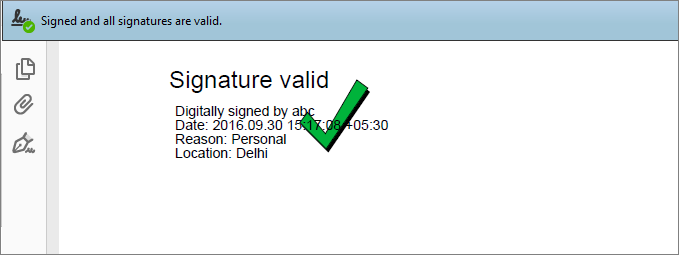
Adobe colours that same mark by the signature's real status — you don't draw these, Adobe does:
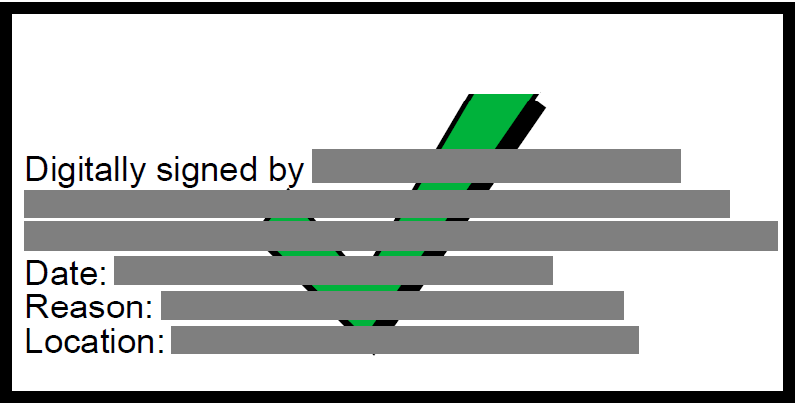 Valid & trusted green tick |
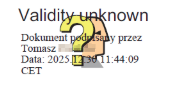 Validity unknown yellow “?” |
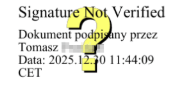 Not verified “?” not validated |
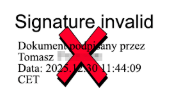 Invalid red cross |
The green tick appears only when the signature is valid and the certificate chains to a root Adobe trusts.
Why ATick
| ATick | |
|---|---|
| Zero dependencies | the crypto, PFX/PKCS#12, PKCS#11, image decode, timestamp & LTV are all built in — nothing else to install |
| Four signing back-ends | .pfx/.p12 or .pem file · USB token / smart-card / HSM (PKCS#11) · Windows certificate store (its certificate picker) |
| Full PAdES | B-B, B-T, B-LT, B-LTA — recognised by Adobe Acrobat as “PAdES Signature Level” |
| Indian eSign | the full CCA eSign flow (rawrsa / PKCS7 / PKCS7pdf / PKCS7complete) |
| CLI + API | every feature from Python or the terminal (atick …) |
| Clear errors | every failure is a normal Python exception (atick.AtickError) you can catch |
Features (A → Z)
| Feature | How |
|---|---|
Sign with a .pfx / .p12 / .pem |
atick.sign_pfx(pdf, pfx=, password=, …) — PKCS#12 or PEM (key + certs), auto-detected |
| Date / time format | Style(date_format="%Y-%m-%d %H:%M:%S") (any strftime) · date="…" fixed · date="" none |
| Sign with a USB token / HSM (PKCS#11) | atick.sign_pkcs11(pdf, dll=, pin=, serial=, …) · list with atick.pkcs11_list(dll, pin) |
| Sign with the Windows store (certificate picker) | atick.sign_winstore(pdf, thumbprint=None, …) |
| PAdES levels B-B / B-T / B-LT / B-LTA | pades=True + timestamp=True + ltv=True + lta=True |
| Hash algorithm | hash_algo="sha256" | "sha384" | "sha512" (signature = RSA PKCS#1 v1.5) |
| Timestamp authority | a timestamp service is already built in — or use your own with tsa_url= (and tsa_auth=(user, pass) if it needs a login) |
| Long-term validation (LTV) | ltv=True embeds the certificate chain and its revocation (CRL/OCSP) so the signature keeps verifying for years |
| Multi-page / custom coordinates | placements=[(page, (x1,y1,x2,y2)), …] |
| Signature layout | mode="single" (one signature, on one or many pages) · mode="shared" (several fields all showing the same signature). For several independent signatures (different signers/values), sign the document again — see Multi-signatory — or pre-create the fields with atick.prepare_fields(...) |
| Multi-signatory | sign an already-signed PDF again (each person signs in turn). Every signature is its own revision — Adobe shows Rev 1, Rev 2, … — and all of them stay valid. Use a different field_name per signer (auto-handled by default) |
| Certification (DocMDP) | certify=atick.Certify.NO_CHANGES | FORM_FILLING | FORM_FILLING_ANNOTATIONS |
| Field locking (FieldMDP) | lock_fields=["*"] (all) or ["FieldA", …] |
| Pre-sign checks | verify=True (not expired / CRL / OCSP) and trusted_roots=[sha1, …] (chain to a pinned root — built from AIA) |
| Document metadata | atick.set_metadata(pdf, title=, author=, subject=, keywords=, application=, created=, modified=) |
| Password protection | encrypt_password= (+ owner_password=) for the output; open_password= for an encrypted input; atick.decrypt(pdf, pw) |
| Appearance | atick.Style(cn, org, ou, location, reason, text, date, image, …) — auto-fit text, transparent logo |
| The mark | the ? (Adobe greens it), an always-green tick, or nothing — see The mark |
| CN on the left (Adobe-style) | Style(image="cn") — the signer name as text on the left instead of a logo |
| Distinguished name | Style(dn="CN=…, O=…, C=IN") — shown under the "Signed by:" line |
| Custom-text-only appearance | Style(body="*APPROVED*\nby *Aniket*") — only your text; \n = line, *x* = bold |
| Auto-wrap long names | long names wrap to more lines instead of shrinking the font |
| Invisible signature | placements=[] — valid signature, nothing drawn |
| Sign an already-signed PDF | sign again (incremental) — existing signatures stay valid; field name auto-uniquified (Atick_1, Atick_2, …) |
| Container only | prepare_deferred_multi(...) — appearance + empty container, signed later |
| Document timestamp | lta=True adds it while signing; atick.add_doctimestamp(pdf) adds one to an already-signed PDF afterwards (PAdES-B-LTA) |
| Fast signing | revocation cache (ON by default): repeated signing with the same cert reuses CRL/OCSP — atick.set_fast_signing(False) to disable |
| Indian eSign | two-step CCA flow — needs the separate managex-xml-sdk package (pip install managex-xml-sdk) to sign the request XML; then embed (PKCS7*) / embed_rawrsa (rawrsa) the ESP reply |
| Detached CMS / raw signature | atick.cms_pfx(data, pfx, pw) · atick.sign_hash_pfx(data, pfx, pw) |
| Low-level field API | prepare, prepare_fields, sign_field, embed for template / remote-key flows |
Install
pip install atick
No other packages are required. (Windows-store signing is Windows-only; everything else is cross-platform.)
The three signing methods
atick.sign_pfx(pdf, pfx=…, password=…, style=…, placements=…)              # .pfx / .p12 / .pem (auto-detected)
atick.sign_pkcs11(pdf, dll=…, pin=…, serial=…, style=…, placements=…)      # USB token / smart-card / HSM
atick.sign_winstore(pdf, style=…, placements=…, thumbprint=None)           # Windows store (certificate picker)
A PEM file (unencrypted PKCS#8/PKCS#1 key + one or more
CERTIFICATEblocks) works in the samesign_pfxcall — pass its bytes aspfx=(andpassword=""); the format is auto-detected.
All three accept the same options: pades=, hash_algo=, timestamp=, tsa_url=, tsa_auth=,
ltv=, lta=, certify=, lock_fields=, verify=, trusted_roots=, plus (on sign_pfx)
open_password=, encrypt_password=, owner_password=.
The mark
The little icon in the appearance — what Adobe shows for the signature's validity:
atick.Style(cn="…", green_tick=True)     # the "?" mark — Adobe paints it GREEN for a valid+trusted cert, RED if invalid
atick.Style(cn="…", always_check=True)   # our green-tick graphic as the base — Adobe still reds it if the signature is bad
atick.Style(cn="…", green_tick=False)    # no mark at all — a plain, basic signature
Colour the mark with any Python colour: mark_color="#E53935", "blue", (255, 140, 0) — or a gradient
mark_gradient=["red", "orange", "yellow"]. The mark is always centred in the appearance.
Custom appearance
atick.Style(cn="Aniket Chaturvedi", image="cn")                       # CN as text on the LEFT (Adobe-style)
atick.Style(cn="Aniket Chaturvedi", dn="CN=Aniket, O=Personal, C=IN") # DN under the "Signed by:" line
atick.Style(body="*APPROVED*\nReviewed by: *Aniket*\nLegally *binding*.")  # ONLY this text; \n = line, *x* = bold
atick.Style(cn="…", image="logo.png")                                 # your own logo (default = ATick logo)
atick.Style(cn="…", image=False)                                      # no logo
Long names wrap onto more lines instead of shrinking the font, so the appearance never overflows.
Fast signing
ON by default. With LTV on, the first signature fetches the certificate's CRL/OCSP; ATick caches it in-memory, so every later signature with the same certificate reuses it instead of re-fetching — a big speed-up for batch / multi-signature runs (≈ 6× in practice). Timestamps are never cached (each must be unique).
atick.set_fast_signing(False)      # always fetch fresh (also clears the cache)
atick.clear_revocation_cache()     # forget cached revocation (e.g. after changing certificate)
Sign an already-signed PDF
signed = atick.sign_pfx(already_signed_pdf, pfx=…, password=…, style=…, placements=…)
ATick signs as an incremental update, so existing signatures keep their byte ranges and stay
valid. The field name is auto-uniquified (Atick_1, Atick_2, …), so re-signing never collides;
pass field_name="…" for a specific name.
Indian eSign (every CCA API version)
eSign needs one extra package. Signing the eSign request XML requires the separate
managex-xml-sdkpackage —pip install managex-xml-sdk. It is only needed for eSign; every other ATick feature works with no extra installs.
A two-step flow — sign the eSign request XML with managex-xml-sdk, then embed the ESP's
reply with ATick:
prepared, ctx = atick.prepare_deferred_multi(pdf, style, placements, sub_filter="adbe.pkcs7.detached")
input_hash_hex = bytes(ctx["digest"]).hex()        # the InputHash for the eSign request XML
# ... build the <Esign …> request, sign it with managex-xml-sdk, POST to the ESP, read EsignResp ...
signed = atick.embed(prepared, doc_signature_cms)  # pkcs7 / pkcs7Pdf / pkcs7complete
# rawrsa: atick.embed_rawrsa(prepared, raw_sig, user_cert)
pkcs7Pdf / pkcs7complete responses already carry the chain + revocation + timestamp, so the
embedded signature is LTV-complete. See examples/esign/.
PAdES levels
atick.sign_pfx(pdf, pfx=…, password=…, style=…, placements=…, pades=True)             # B-B
atick.sign_pfx(pdf, …, pades=True, timestamp=True)                                    # B-T
atick.sign_pfx(pdf, …, pades=True, timestamp=True, ltv=True)                          # B-LT
atick.sign_pfx(pdf, …, pades=True, timestamp=True, lta=True)                          # B-LTA
B-LT/B-LTA embed the complete validation material (chain + CRL + OCSP + VRI + /Extensions /ESIC) so
Adobe Acrobat shows “PAdES Signature Level: B-LT” in the advanced signature properties.
Command line
Every feature is available from the terminal too:
atick sign in.pdf out.pdf --pfx my.pfx --password ••• \
      --cn "Aniket Chaturvedi" --reason Approved \
      --timestamp --ltv --always-check --cn-left --dn "CN=Aniket, O=Personal, C=IN" \
      --page 1 --rect 300,55,575,175

atick sign in.pdf out.pdf --pfx my.pfx --password ••• --body "*APPROVED*\nby *Aniket*"  # custom text only
atick sign-token    in.pdf out.pdf --dll lib.dll --pin ••• --serial HEX --ltv
atick sign-winstore in.pdf out.pdf            # opens the Windows certificate picker
atick list-token    --dll lib.dll --pin •••
atick esign-prepare in.pdf prepared.pdf --certify form-annots   # eSign step 1 (prints the InputHash)
atick esign-embed   prepared.pdf response.xml out.pdf           # eSign step 2 (embeds the ESP reply)
atick metadata      in.pdf out.pdf --title "Agreement" --author "Aniket"
atick decrypt       in.pdf out.pdf --password •••
atick version
Run atick <command> -h for the complete option list (or python -m atick …). Every failure is a
clean Python atick.AtickError (or a TypeError for a wrong argument) that you can catch.
Examples
Self-contained, runnable scripts live in examples/ (each writes to examples/signed/):
01_sign_pfx · 02_pades_levels · 03_appearance · 04_certify_and_lock · 05_multi_placement ·
06_token_pkcs11 · 07_windows_store · 08_deferred_esign · 09_verify_certificate · 10_encrypted ·
11_mark_color · 12_metadata · 13_hash_algorithms · 14_field_api · 16_invisible ·
17_multi_revision (rev1 → rev2 → rev3) · 18_date_and_pem (date formats + PEM signing) ·
always_green_tick · green_tick · without_green_tick · make_container · sign_already_signed ·
document_timestamp · fast_signing · esign/ (eSign 2-step: esign_prepare + esign_embed).
Every example uses only ATick (the esign/ flow also uses your managex-xml-sdk to sign the
request XML). Run any with python examples/<name>.py.
Documentation
Full documentation lives in docs/ (Sphinx + Markdown) — installation, signing, PAdES,
appearance, certification, eSign, the CLI and the complete API reference. Build it with
pip install -r docs/requirements.txt && sphinx-build -b html docs docs/_build. Publishing the
package and hosting the docs (Read the Docs, GitHub Pages, …) is covered in
PUBLISHING.md.
Errors
Everything raises atick.AtickError (a normal Python exception) you can catch:
try:
    atick.sign_pfx(pdf, pfx=…, password="wrong", style=…, placements=…)
except atick.AtickError as e:
    print("signing failed:", e)
License
ATick is dual-licensed :
- Free & open source under GNU AGPL-3.0 — use it anywhere, even sell a product built on it, as long as your own source code is open and public (AGPL copyleft).
- Commercial license — to use ATick in a closed-source product without publishing your code, contact aniketc.pro@gmail.com.
See LICENSING.md for details. © 2026 Aniket Chaturvedi.
1 maintainer

Metadata
1 maintainer
Release files for atick 1.0.6
For a detailed explanation of source distributions (sdists) and built distributions (wheels), please see the package formats documentation.
Built distributions (wheels)
| File | Reset | |||
|---|---|---|---|---|
| atick-1.0.6-cp38-abi3-win_arm64.whl | CPython 3.8 | abi3 | Windows ARM64 | Details |
| atick-1.0.6-cp38-abi3-win_amd64.whl | CPython 3.8 | abi3 | Windows x86-64 | Details |
| atick-1.0.6-cp38-abi3-win32.whl | CPython 3.8 | abi3 | Windows x86-32 | Details |
| atick-1.0.6-cp38-abi3-manylinux_2_17_x86_64.manylinux2014_x86_64.whl | CPython 3.8 | abi3 | Linux glibc 2.17+ x86-64 | Details |
| atick-1.0.6-cp38-abi3-manylinux_2_17_i686.manylinux2014_i686.whl | CPython 3.8 | abi3 | Linux glibc 2.17+ x86-32 | Details |
| atick-1.0.6-cp38-abi3-manylinux_2_17_armv7l.manylinux2014_armv7l.whl | CPython 3.8 | abi3 | Linux glibc 2.17+ ARMv7l | Details |
| atick-1.0.6-cp38-abi3-manylinux_2_17_aarch64.manylinux2014_aarch64.whl | CPython 3.8 | abi3 | Linux glibc 2.17+ ARM64 | Details |
| atick-1.0.6-cp38-abi3-macosx_10_12_x86_64.macosx_11_0_arm64.macosx_10_12_universal2.whl | CPython 3.8 | abi3 | macOS 11.0+ ARM64, macOS 10.12+ universal2 (ARM64, x86-64), macOS 10.12+ x86-64 | Details |
Total release size: 21.4 MB
Release files / atick-1.0.6-cp38-abi3-win_arm64.whl
| Download URL | atick-1.0.6-cp38-abi3-win_arm64.whl |
|---|---|
| Size | 2.3 MB |
| Tags | CPython 3.8 Windows ARM64 abi3 |
|
SHA-256 checksum How to use checksums |
0e104af53a9becb2b50dc657f778b8a2bba201443d5b2cd51cab74b213ce6a06
|
|
BLAKE2b-256 checksum How to use checksums |
8d40fd64c19cc63036304d2c203eb0b2cdf4b82c9c763c97806180c3be9acfb2
|
| Upload date | |
|
Uploaded using Trusted Publishing? What is trusted publishing? |
Yes |
| Uploaded via |
twine/6.1.0 CPython/3.13.12
|
Provenance
Provenance describes where a file came from. On PyPI, provenance is shared via attestations, which provide a verifiable record of the build or publishing details. View details, limitations and caveats.


PyPI Publish Attestation
PyPI verified that this artifact, at this checksum, originated from the publisher listed below.
Signed by GitHub Actions, verified by PyPI on Jun 15, 2026.
Transparency logRelease files / atick-1.0.6-cp38-abi3-win_amd64.whl
| Download URL | atick-1.0.6-cp38-abi3-win_amd64.whl |
|---|---|
| Size | 2.5 MB |
| Tags | CPython 3.8 Windows x86-64 abi3 |
|
SHA-256 checksum How to use checksums |
025173bd297dcf5f8ae76e20773165dadaca8d7b6957127e4cfce1413396fb82
|
|
BLAKE2b-256 checksum How to use checksums |
58298d7b7b9b75efdb26c92624c3669acd76881748eea0800ef8cb57db090591
|
| Upload date | |
|
Uploaded using Trusted Publishing? What is trusted publishing? |
Yes |
| Uploaded via |
twine/6.1.0 CPython/3.13.12
|
Provenance
Provenance describes where a file came from. On PyPI, provenance is shared via attestations, which provide a verifiable record of the build or publishing details. View details, limitations and caveats.
PyPI Publish Attestation
PyPI verified that this artifact, at this checksum, originated from the publisher listed below.
Signed by GitHub Actions, verified by PyPI on Jun 15, 2026.
Transparency logRelease files / atick-1.0.6-cp38-abi3-win32.whl
| Download URL | atick-1.0.6-cp38-abi3-win32.whl |
|---|---|
| Size | 2.4 MB |
| Tags | CPython 3.8 Windows x86-32 abi3 |
|
SHA-256 checksum How to use checksums |
0f35347d84b1acd93275303483891c7612f89802ec5d5c819baf62991c97216d
|
|
BLAKE2b-256 checksum How to use checksums |
1346aa21ba57629d7bef047a9826c63d5bb99449daf555e99be31ca84232e97a
|
| Upload date | |
|
Uploaded using Trusted Publishing? What is trusted publishing? |
Yes |
| Uploaded via |
twine/6.1.0 CPython/3.13.12
|
Provenance
Provenance describes where a file came from. On PyPI, provenance is shared via attestations, which provide a verifiable record of the build or publishing details. View details, limitations and caveats.
PyPI Publish Attestation
PyPI verified that this artifact, at this checksum, originated from the publisher listed below.
Signed by GitHub Actions, verified by PyPI on Jun 15, 2026.
Transparency logRelease files / atick-1.0.6-cp38-abi3-manylinux_2_17_x86_64.manylinux2014_x86_64.whl
| Download URL | atick-1.0.6-cp38-abi3-manylinux_2_17_x86_64.manylinux2014_x86_64.whl |
|---|---|
| Size | 2.4 MB |
| Tags | CPython 3.8 Linux glibc 2.17+ x86-64 abi3 |
|
SHA-256 checksum How to use checksums |
0b80cebc3f09252c3145acbd87c5714029392a5ceb194053cef957b0e3b1390b
|
|
BLAKE2b-256 checksum How to use checksums |
2710f7afbde97fd3f8c053e786295b97510fab2e7f5620a98b2b24310813fb30
|
| Upload date | |
|
Uploaded using Trusted Publishing? What is trusted publishing? |
Yes |
| Uploaded via |
twine/6.1.0 CPython/3.13.12
|
Provenance
Provenance describes where a file came from. On PyPI, provenance is shared via attestations, which provide a verifiable record of the build or publishing details. View details, limitations and caveats.
PyPI Publish Attestation
PyPI verified that this artifact, at this checksum, originated from the publisher listed below.
Signed by GitHub Actions, verified by PyPI on Jun 15, 2026.
Transparency logRelease files / atick-1.0.6-cp38-abi3-manylinux_2_17_i686.manylinux2014_i686.whl
| Download URL | atick-1.0.6-cp38-abi3-manylinux_2_17_i686.manylinux2014_i686.whl |
|---|---|
| Size | 2.5 MB |
| Tags | CPython 3.8 Linux glibc 2.17+ x86-32 abi3 |
|
SHA-256 checksum How to use checksums |
7a8ca2804f101b60ac8a56b2383077d1203ed5768d8725ffd2fa5026d1903f33
|
|
BLAKE2b-256 checksum How to use checksums |
72bead32e56040c8cd537f3da4fc8868e6ba3d31374e5b08dab184c50a250ae5
|
| Upload date | |
|
Uploaded using Trusted Publishing? What is trusted publishing? |
Yes |
| Uploaded via |
twine/6.1.0 CPython/3.13.12
|
Provenance
Provenance describes where a file came from. On PyPI, provenance is shared via attestations, which provide a verifiable record of the build or publishing details. View details, limitations and caveats.
PyPI Publish Attestation
PyPI verified that this artifact, at this checksum, originated from the publisher listed below.
Signed by GitHub Actions, verified by PyPI on Jun 15, 2026.
Transparency logRelease files / atick-1.0.6-cp38-abi3-manylinux_2_17_armv7l.manylinux2014_armv7l.whl
| Download URL | atick-1.0.6-cp38-abi3-manylinux_2_17_armv7l.manylinux2014_armv7l.whl |
|---|---|
| Size | 2.4 MB |
| Tags | CPython 3.8 Linux glibc 2.17+ ARMv7l abi3 |
|
SHA-256 checksum How to use checksums |
98b4651a337a1dea972a450933361f27589123bc3f3293d2dfaa2e3d7aa69e47
|
|
BLAKE2b-256 checksum How to use checksums |
b27216628197e77ab5c3c2f803d8e76e6d48a72d91e8c0efcd2f5719b84fea55
|
| Upload date | |
|
Uploaded using Trusted Publishing? What is trusted publishing? |
Yes |
| Uploaded via |
twine/6.1.0 CPython/3.13.12
|
Provenance
Provenance describes where a file came from. On PyPI, provenance is shared via attestations, which provide a verifiable record of the build or publishing details. View details, limitations and caveats.
PyPI Publish Attestation
PyPI verified that this artifact, at this checksum, originated from the publisher listed below.
Signed by GitHub Actions, verified by PyPI on Jun 15, 2026.
Transparency logRelease files / atick-1.0.6-cp38-abi3-manylinux_2_17_aarch64.manylinux2014_aarch64.whl
| Download URL | atick-1.0.6-cp38-abi3-manylinux_2_17_aarch64.manylinux2014_aarch64.whl |
|---|---|
| Size | 2.3 MB |
| Tags | CPython 3.8 Linux glibc 2.17+ ARM64 abi3 |
|
SHA-256 checksum How to use checksums |
e0d68534347dded786c13dd8ab14055aa9fd7f815a7718d820c86fb4373428df
|
|
BLAKE2b-256 checksum How to use checksums |
a92d6f3f632af76f5bf784a71947f8d57b9e069f72bcb7ce275f49886d66fd25
|
| Upload date | |
|
Uploaded using Trusted Publishing? What is trusted publishing? |
Yes |
| Uploaded via |
twine/6.1.0 CPython/3.13.12
|
Provenance
Provenance describes where a file came from. On PyPI, provenance is shared via attestations, which provide a verifiable record of the build or publishing details. View details, limitations and caveats.
PyPI Publish Attestation
PyPI verified that this artifact, at this checksum, originated from the publisher listed below.
Signed by GitHub Actions, verified by PyPI on Jun 15, 2026.
Transparency logRelease files / atick-1.0.6-cp38-abi3-macosx_10_12_x86_64.macosx_11_0_arm64.macosx_10_12_universal2.whl
| Download URL | atick-1.0.6-cp38-abi3-macosx_10_12_x86_64.macosx_11_0_arm64.macosx_10_12_universal2.whl |
|---|---|
| Size | 4.6 MB |
| Tags | CPython 3.8 abi3 macOS 10.12+ universal2 (ARM64, x86-64) macOS 10.12+ x86-64 macOS 11.0+ ARM64 |
|
SHA-256 checksum How to use checksums |
5ab9aceeaf46c3551e18b1aa404ec612f989324eb65667e7f4d1ce89def2665a
|
|
BLAKE2b-256 checksum How to use checksums |
668fac842f3c62364b74fdf9e55bd9f3217289363e37ebef00d1ccb81bd7ae46
|
| Upload date | |
|
Uploaded using Trusted Publishing? What is trusted publishing? |
Yes |
| Uploaded via |
twine/6.1.0 CPython/3.13.12
|
Provenance
Provenance describes where a file came from. On PyPI, provenance is shared via attestations, which provide a verifiable record of the build or publishing details. View details, limitations and caveats.
PyPI Publish Attestation
PyPI verified that this artifact, at this checksum, originated from the publisher listed below.
Signed by GitHub Actions, verified by PyPI on Jun 15, 2026.
Transparency log













