
Atlas Auth for Python



atlassecurity.site · Dashboard · Docs · Discord · mail@atlassecurity.site
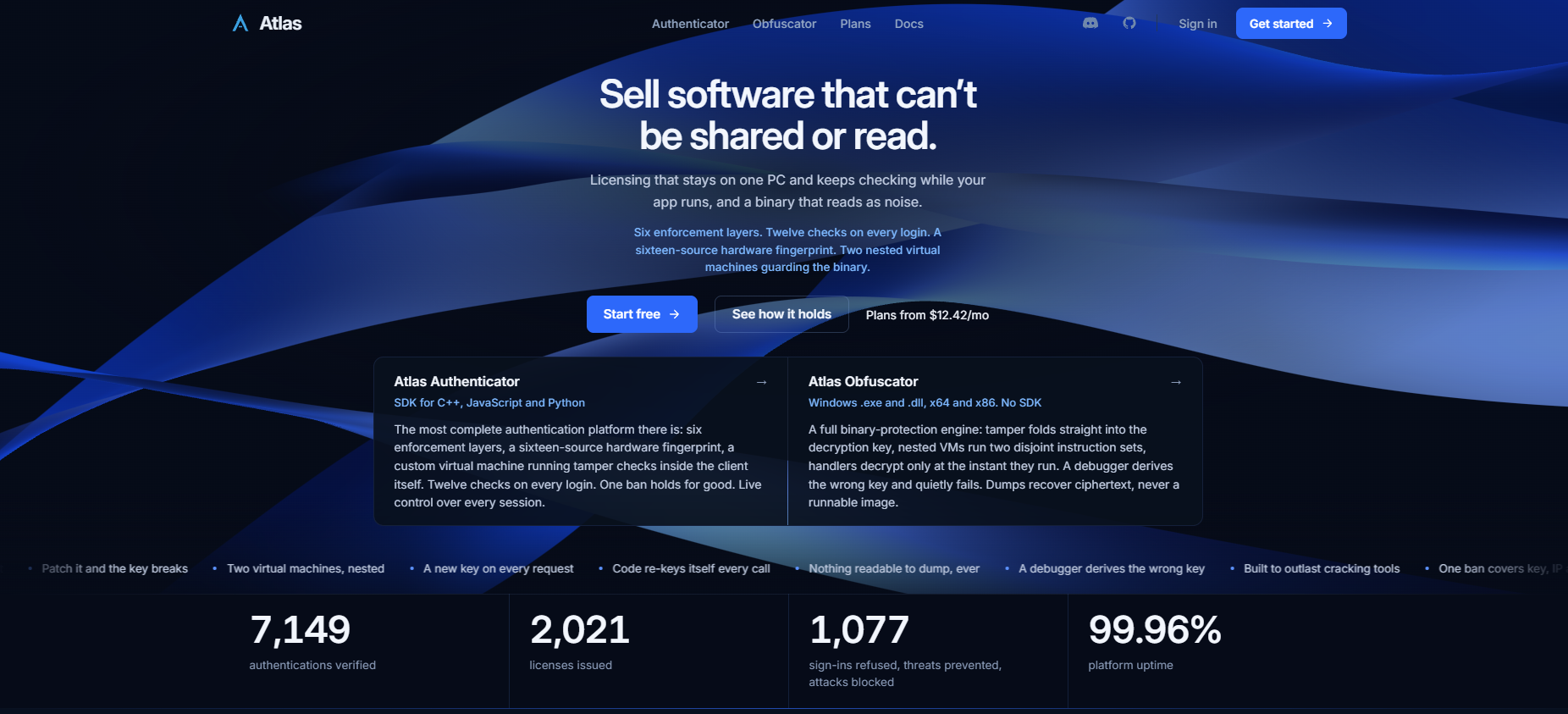
Sell software that can't be shared or read.
Authorization that holds under active attack.
Most licensing checks run once, at sign-in, and trust the client after that. Atlas keeps checking. A key locks to the first PC that signs in, and from then on the library proves to the server, on its own threads, that the process is still the one that signed in. Every sign-in, refusal and live session shows up in your dashboard, and you can message, end or ban any of them while the app runs.
This is the Python SDK: a typed, pure ctypes binding over a prebuilt Atlas.dll. No compiler, no extra dependencies, no servers to run.
What you control
- Licenses or accounts. Keys that lock to a machine, or usernames and passwords, per app.
- Emailed codes. An 8-digit sign-in code on the policy you pick, from never to every sign-in.
- Live sessions. Message, disconnect or kill any session. One ban covers the key, the IP and the hardware.
- Rules. Block by country, VPN or device count. Alert rules that act on what they see, with Discord and webhook delivery.
- Variables, files and entitlements. Change a value, serve a file or meter a credit without shipping a build.
- Updates. Upload a build, promote it, and roll it out to 10% first. Clients verify the SHA-256, swap the file and relaunch.
Start in minutes
Requirements: Windows 10 or 11 x64 and 64-bit Python 3.9 or newer. The binding ships inline type hints and a py.typed marker, so mypy and Pyright check your calls with no stubs.
- Create an app. Sign up at atlassecurity.site, create an application in the dashboard and copy its API key.
- Install.
pip install atlas-auth - Sign in.
import sys
import atlas

atlas.Startup()                     # once, first

if not atlas.License.Login("ATLAS-A9F2K-4RMXM"):
    print(atlas.Data.GetErrorMessage())     # says why
    sys.exit(1)
# signed in
Free to start: three applications, 300 users per app, three file uploads per app and the full protection engine. No card. The Console project in this repo is already wired to the package.
| You see | It means |
|---|---|
FileNotFoundError: Atlas.dll not found |
The DLL is not beside the atlas/ package or your app. Point ATLAS_DLL_PATH at it. On 1.0.3 and earlier a pip install put it in sys.prefix, so update. |
OSError: [WinError 193] %1 is not a valid Win32 application |
You are running 32-bit Python. Atlas needs 64-bit. |
Everything else is in the docs
Every call, status code and edge case is documented, with examples in all three languages.
| You want | Read |
|---|---|
| The whole picture in one page | Overview |
| License keys | License |
| Accounts, emailed codes, password reset | Account |
| Session control, file downloads, bans | Network |
| Dashboard values and entitlements | Variables · Entitlements |
Shipping
- Hash whitelist. Drop the single-file
.exePyInstaller produces into Settings → Builds, notpython.exe. Run unpackaged and every user on the same Python build sends the same hash. More. - Packaging.
build_exe.batinConsole Example/runs PyInstaller with a spec that bundlesAtlas.dllinto the one file. The exe unpacks to a temporary folder at launch and the binding finds the DLL there. The lookup order isATLAS_DLL_PATH, beside a frozen exe or in its unpack folder, then beside theatlas/package. - Updates for your users. Upload under Versions, promote, and older clients replace themselves on their next launch. It swaps one file, so it suits a one-file PyInstaller
.exe. More. - Updates for the SDK.
pip install --upgrade atlas-authbrings the package forward. From 1.1.2, on a development machineAtlas.dlland the binding files also keep themselves current from signed releases, with a rollback if the new DLL will not load. End-user machines never update this way.
When a process ends unexpectedly, the cause is already on disk: %LOCALAPPDATA%\AtlasAuth\logs\atlas_exit_*.log holds the reason, file and line. Reading the log.
Atlas Obfuscator
The other half of Atlas protects the compiled file itself. Upload an .exe or .dll (x64 or x86), choose options and download the protected build. No source and no SDK. See it work, with real captures from protected builds.
Support
Docs · Discord (fastest) · mail@atlassecurity.site. For a bug report, include your Windows and Python versions, the failing call, and the Dashboard → Logs entry or the newest atlas_exit_*.log.

License
The binding source (atlas/) and the example code in this repository are released under the MIT License - see LICENSE. Everything below applies to Atlas.dll, to Atlas services, and to Atlas internals.
© 2025–2026 Atlas Security Solutions. All rights reserved. Sold by Atlas Security Solutions - Jeddah, Kingdom of Saudi Arabia.
This SDK is licensed, not sold, for one purpose: integrating Atlas Authentication into your own software. That is the entire grant. Nothing here implies any broader right.
Not permitted, under any circumstance, without Atlas's prior written consent:
- Reverse engineering, decompiling, disassembling, or otherwise deriving source code, protocols, or algorithms from Atlas binaries, clients, or infrastructure
- Circumventing, disabling, or interfering with any authentication or anti-tamper mechanism
- Accessing, probing, or testing Atlas servers, databases, or infrastructure outside normal SDK operation
- Using knowledge of Atlas internals to build, assist, or distribute a competing product or a bypass tool
A violation terminates this license the moment it occurs. No warning. No cure period.
This agreement is governed by the laws of the Kingdom of Saudi Arabia, including the Anti-Cyber Crime Law (Royal Decree No. M/17, 1428H), Articles 3 and 5. Unauthorized access to Atlas infrastructure is independently a criminal matter in most jurisdictions Atlas operates in, including under the U.S. Computer Fraud and Abuse Act (18 U.S.C. § 1030) and EU Directive 2013/40/EU. Atlas is not confined to one jurisdiction's remedies and will pursue violators wherever they are found.
Atlas monitors for unauthorized access and reverse-engineering activity as a matter of course. Confirmed violations are referred for civil action, criminal referral where warranted, and pursuit of injunctive relief, damages, and cross-border enforcement - without prior notice.
All rights not expressly granted are reserved.
Authorized inquiries only: mail@atlassecurity.site · atlassecurity.site/legal
1 maintainer

Metadata
1 maintainer
Release files for atlas-auth 1.1.3
For a detailed explanation of source distributions (sdists) and built distributions (wheels), please see the package formats documentation.
Source distribution (sdist)
| File | Size | Uploaded | |
|---|---|---|---|
| atlas_auth-1.1.3.tar.gz | 375.5 kB | Details |
Built distribution (wheel)
| File | Interpreter | ABI | Platform | Reset |
|---|---|---|---|---|
| atlas_auth-1.1.3-py3-none-any.whl | Python 3 | none | any | Details |
Total release size: 746.7 kB
Release files / atlas_auth-1.1.3.tar.gz
| Download URL | atlas_auth-1.1.3.tar.gz |
|---|---|
| Size | 375.5 kB |
| Tags | Source |
|
SHA-256 checksum How to use checksums |
f97441b35304bdb6542bfc1c3b39b82f04d2b2bcdbbf5c88d50cd3e84632610e
|
|
BLAKE2b-256 checksum How to use checksums |
da68d641d7640ad5592fb37b544aeb075e866d43487d7c9f02a3bf6cc7d89b27
|
| Upload date | |
|
Uploaded using Trusted Publishing? What is trusted publishing? |
No |
| Uploaded via |
twine/7.0.0 CPython/3.14.0
|
Release files / atlas_auth-1.1.3-py3-none-any.whl
| Download URL | atlas_auth-1.1.3-py3-none-any.whl |
|---|---|
| Size | 371.2 kB |
| Tags | Python 3 |
|
SHA-256 checksum How to use checksums |
71b90b9d9e50a879aef5963a8c8ce081be67656e22c7705615f529060c74d840
|
|
BLAKE2b-256 checksum How to use checksums |
1df6dc7a37ca36405826dc6536bc2f00b65d37c2fe145583e416540fbe11dc16
|
| Upload date | |
|
Uploaded using Trusted Publishing? What is trusted publishing? |
No |
| Uploaded via |
twine/7.0.0 CPython/3.14.0
|














