
AtomWorks Studio
Inspect, annotate and edit molecular structures in a browser, VS Code or PyMOL.





Documentation · Installation · Tutorial
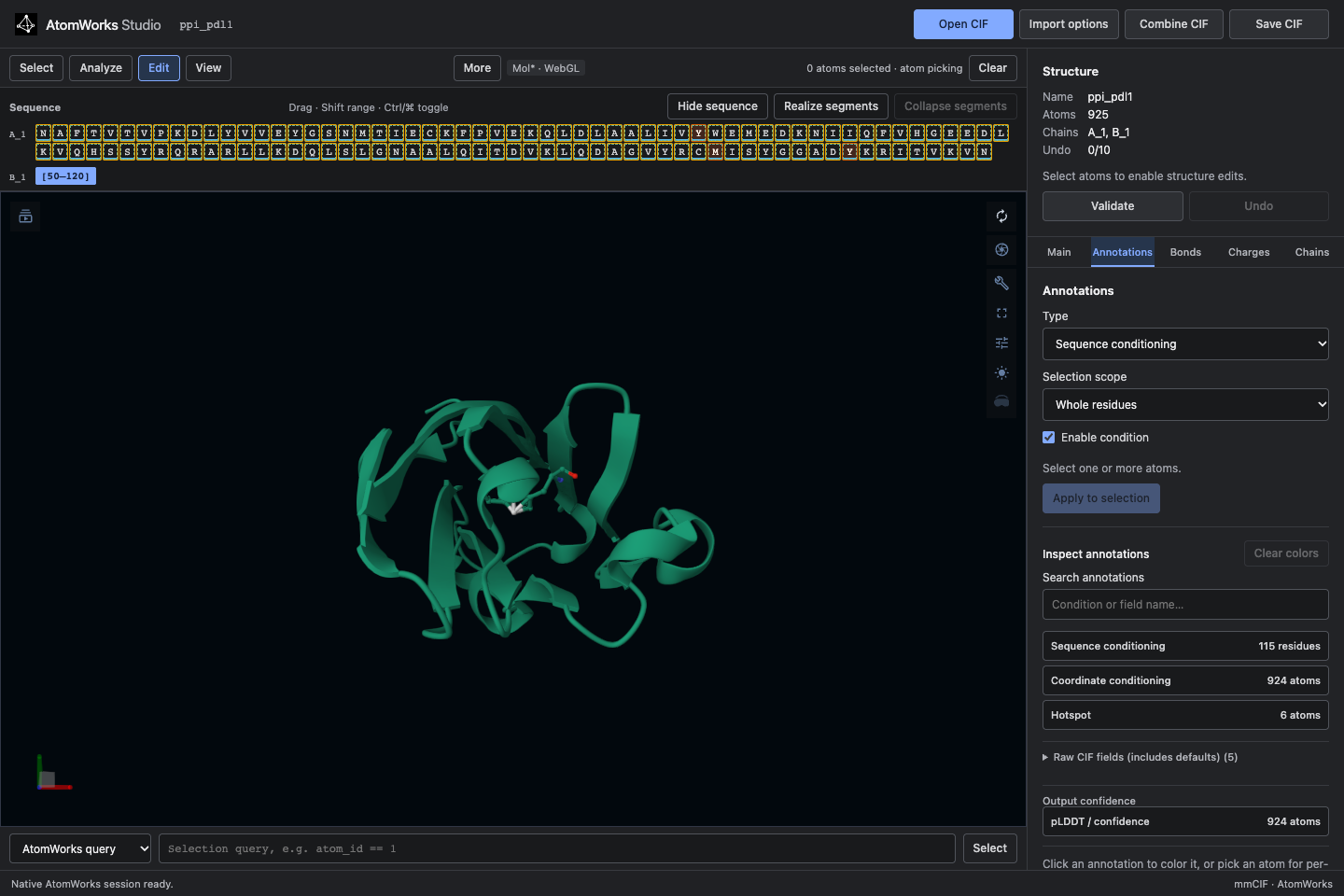
Studio is a structure and annotation editor for AtomWorks annotated CIF files. Select atoms, attach conditioning annotations (sequence, coordinates, hotspots, index groups and more), fix bonds and charges, protonate, edit chains and expandable segments, and save a CIF that any Studio interface reopens. It is built for preparing inputs to structure-design models such as RFD4-Proteina. No model runtime or weights are needed.
Features
- One editor, three interfaces. The browser, VS Code and native PyMOL share annotation definitions, editing operations, CIF storage and Undo.
- Annotations you can see. Pick a condition, apply it to a selection, and color or inspect the stored values.
- Selections with AtomWorks queries. Expressions such as
chain_id == 'A' & res_id > 50work everywhere. - Structure edits with Undo. Bonds, charges, pH-based protonation, chains, segments and validation.
- Two renderers in the browser. Mol* (WebGL) by default and Patinae (WebGPU), both bundled.
- Design-ready examples. Protein and small-molecule binders, antibody and nanobody CDRs, enzyme motifs, motif scaffolding, inverse folding and partial diffusion.
- Optional Gradio host. Adds generation controls around the same editor for hosted demos and Spaces.
Install
Studio needs Python 3.12.
python -m pip install atomworks-studio
atomworks-studio
Open http://127.0.0.1:8000/. The guide is at http://127.0.0.1:8000/guide/. Mol* and Patinae are included in the package; Node and Rust are only needed to build from source.
| Browser and VS Code Run atomworks-studio, or install the VSIX from the
releases and run
AtomWorks: Open Studio. The extension starts its Python backend for you. |
PyMOL Install the package in PyMOL's Python environment, run atomworks-studio-pymol install, then open Plugin → AtomWorks Studio.
PyMOL and Qt come from your PyMOL installation. |
Use
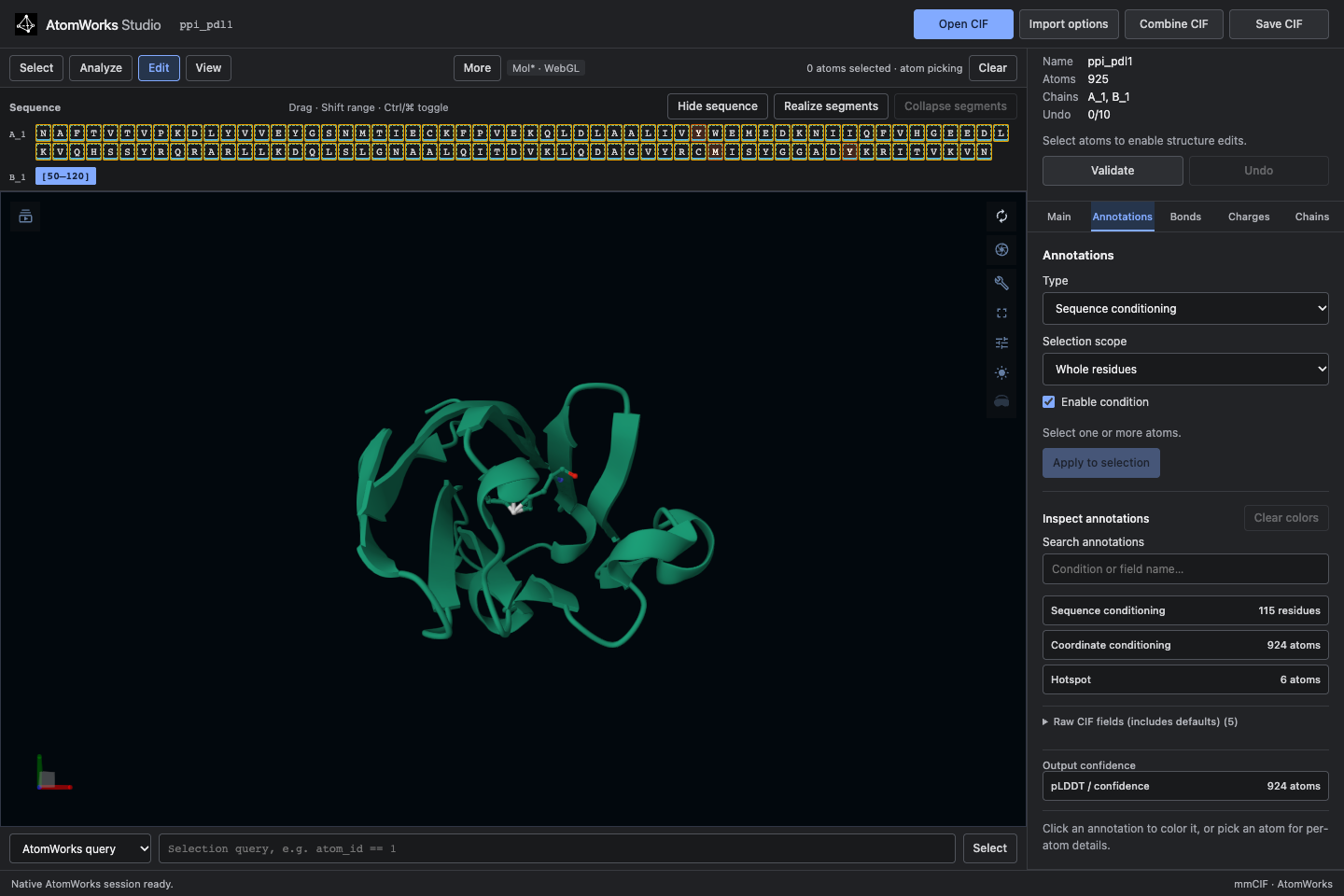
Open a CIF, select atoms, and choose an annotation in Edit → Annotations. Inspect the stored values, change bonds or charges, protonate, or edit chains and segments. Save CIF writes a file that opens in any interface.
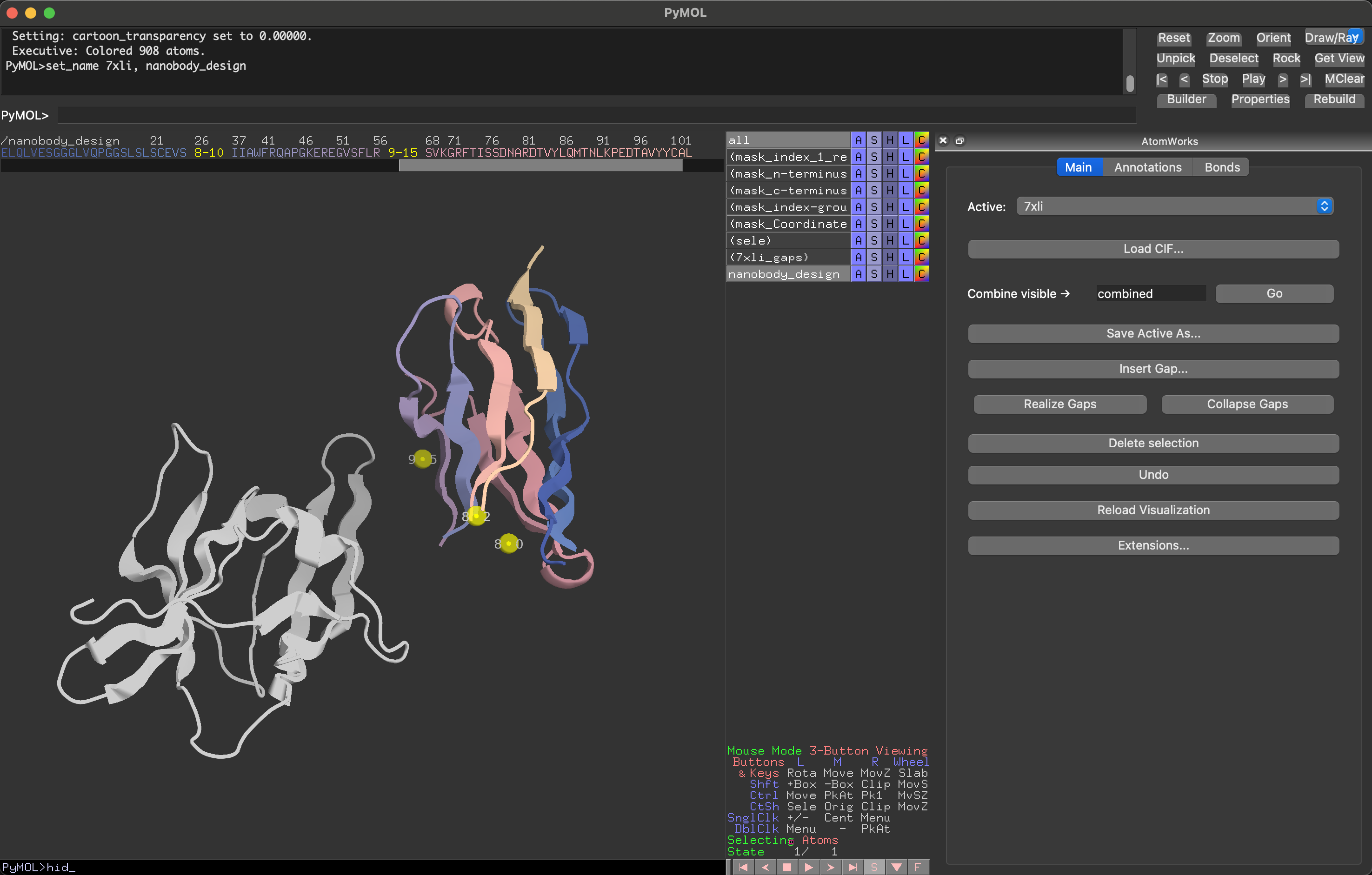
The PyMOL plugin offers the same controls natively, here on a nanobody design with a hotspot on the target:
See the documentation for selection syntax, interface guides, Python and HTTP integration, and development notes.
Build from source
make bootstrap
make test
make build
make run
The RFD4 annotation definitions and license are bundled in source and release builds and verified against the
SHA-256 hashes in providers/rfd4/UPSTREAM.toml. See provenance.
License
BSD-3-Clause. See LICENSE.md.
1 maintainer

Metadata
1 maintainer
Release files for atomworks-studio 0.0.2
For a detailed explanation of source distributions (sdists) and built distributions (wheels), please see the package formats documentation.
Source distribution (sdist)
| File | Size | Uploaded | Provenance | |
|---|---|---|---|---|
| atomworks_studio-0.0.2.tar.gz | 4.5 MB | With provenance | Details |
Built distribution (wheel)
| File | Interpreter | ABI | Platform | Reset |
|---|---|---|---|---|
| atomworks_studio-0.0.2-py3-none-any.whl | Python 3 | none | any | Details |
Total release size: 9.2 MB
Release files / atomworks_studio-0.0.2.tar.gz
| Download URL | atomworks_studio-0.0.2.tar.gz |
|---|---|
| Size | 4.5 MB |
| Tags | Source |
|
SHA-256 checksum How to use checksums |
f78aad72a6b917321200094a482a1156ab31453c1f9ece24beb17074f352ddd5
|
|
BLAKE2b-256 checksum How to use checksums |
f75df1bbc04121d06c8d49e4c3d5035a86d9f43affcf168c0d1ac1590e854d28
|
| Upload date | |
|
Uploaded using Trusted Publishing? What is trusted publishing? |
Yes |
| Uploaded via |
twine/7.0.0 CPython/3.13.14
|
Provenance
Provenance describes where a file came from. On PyPI, provenance is shared via attestations, which provide a verifiable record of the build or publishing details. View details, limitations and caveats.


PyPI Publish Attestation
PyPI verified that this artifact, at this checksum, originated from the publisher listed below.
Signed by GitHub Actions, verified by PyPI on Oct 20, 2026.
Transparency logRelease files / atomworks_studio-0.0.2-py3-none-any.whl
| Download URL | atomworks_studio-0.0.2-py3-none-any.whl |
|---|---|
| Size | 4.6 MB |
| Tags | Python 3 |
|
SHA-256 checksum How to use checksums |
3c19260a66c3a5478a83f4609f190d2c0bd6293d69cf0933842a87679b1b50e0
|
|
BLAKE2b-256 checksum How to use checksums |
9755f0137bb59ea36ae7afc63d4a6fe54254dc52831f8868c511f35cabbcac18
|
| Upload date | |
|
Uploaded using Trusted Publishing? What is trusted publishing? |
Yes |
| Uploaded via |
twine/7.0.0 CPython/3.13.14
|
Provenance
Provenance describes where a file came from. On PyPI, provenance is shared via attestations, which provide a verifiable record of the build or publishing details. View details, limitations and caveats.
PyPI Publish Attestation
PyPI verified that this artifact, at this checksum, originated from the publisher listed below.
Signed by GitHub Actions, verified by PyPI on Oct 20, 2026.
Transparency logSecurity for atomworks-studio 0.0.2
Provenance
Provenance describes where a file came from. On PyPI, provenance is shared via attestations, which provide a verifiable record of the build or publishing details. View details, limitations and caveats.
Full provenance
All 2 files in this release have been uploaded with provenance metadata.
Attestation for atomworks_studio-0.0.2.tar.gz
PyPI Publish Attestation
PyPI verified that this artifact, at this checksum, originated from the publisher listed below.
Signed by GitHub Actions, verified by PyPI on Oct 20, 2026.
Transparency logA note on package security
PyPI is a repository for distributing packages, not a service for auditing them. While third-party security researchers and our staff do their best to detect and remove malicious packages, PyPI cannot guarantee the quality, security or suitability of any given package.














