
Attachments – the Python funnel for LLM context
Turn any file into model-ready text + images, in one line
Most users will not have to learn anything more than: Attachments("path/to/file.pdf")
🎬 Demo
TL;DR
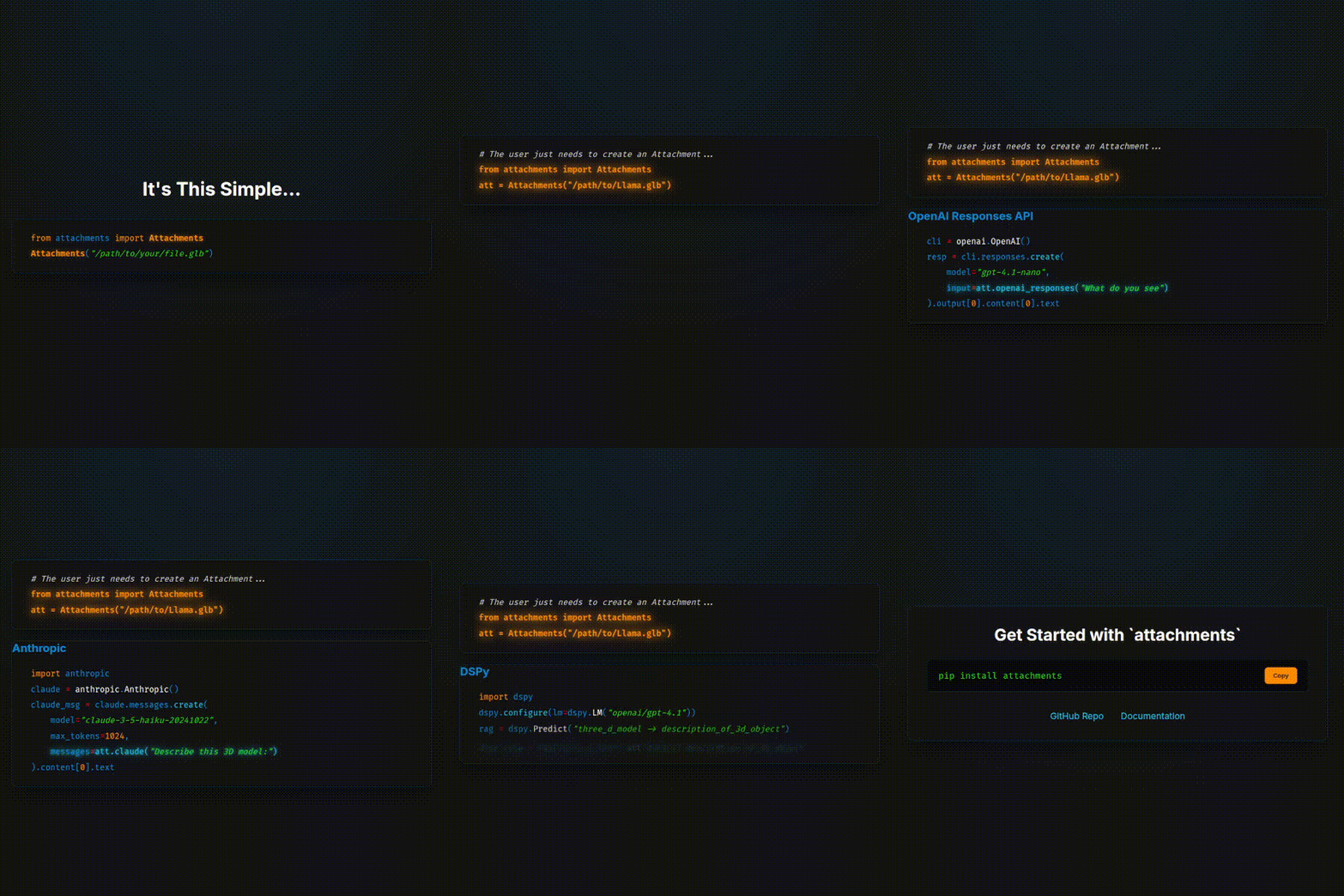
pip install attachmentsfrom attachments import Attachments ctx = Attachments("https://github.com/MaximeRivest/attachments/raw/main/src/attachments/data/sample.pdf", "https://github.com/MaximeRivest/attachments/raw/refs/heads/main/src/attachments/data/sample_multipage.pptx") llm_ready_text = str(ctx) # all extracted text, already "prompt-engineered" llm_ready_images = ctx.images # list[str] – base64 PNGs
Attachments aims to be the community funnel from file → text + base64 images for LLMs.
Stop re-writing that plumbing in every project – contribute your loader / modifier / presenter / refiner / adapter plugin instead!
Quick-start ⚡
pip install attachments
Try it now with sample files
from attachments import Attachments
from attachments.data import get_sample_path

# Option 1: Use included sample files (works offline)
pdf_path = get_sample_path("sample.pdf")
txt_path = get_sample_path("sample.txt")
ctx = Attachments(pdf_path, txt_path)

print(str(ctx))      # Pretty text view
print(len(ctx.images))  # Number of extracted images

# Try different file types
docx_path = get_sample_path("test_document.docx")
csv_path = get_sample_path("test.csv")
json_path = get_sample_path("sample.json")

ctx = Attachments(docx_path, csv_path, json_path)
print(f"Processed {len(ctx)} files: Word doc, CSV data, and JSON")

# Option 2: Use URLs (same API, works with any URL)
ctx = Attachments(
    "https://github.com/MaximeRivest/attachments/raw/main/src/attachments/data/sample.pdf",
    "https://github.com/MaximeRivest/attachments/raw/main/src/attachments/data/sample_multipage.pptx"
)

print(str(ctx))      # Pretty text view
print(len(ctx.images))  # Number of extracted images
Advanced usage with DSL
from attachments import Attachments

a = Attachments(
    "https://github.com/MaximeRivest/attachments/raw/main/src/attachments/data/" \
    "sample_multipage.pptx[3-5]"
)
print(a)           # pretty text view
len(a.images)      # 👉 base64 PNG list
Send to OpenAI
pip install openai
from openai import OpenAI
from attachments import Attachments

pptx = Attachments("https://github.com/MaximeRivest/attachments/raw/main/src/attachments/data/sample_multipage.pptx[3-5]")

client = OpenAI()
resp = client.chat.completions.create(
    model="gpt-4.1-nano",
    messages=pptx.openai_chat("Analyse the following document:")
)
print(resp.choices[0].message.content)
or with the response API
from openai import OpenAI
from attachments import Attachments

pptx = Attachments("https://github.com/MaximeRivest/attachments/raw/main/src/attachments/data/sample_multipage.pptx[3-5]")

client = OpenAI()
resp = client.responses.create(
    input=pptx.openai_responses("Analyse the following document:"),
    model="gpt-4.1-nano"
)
print(resp.output[0].content[0].text)
Send to Anthropic / Claude
pip install anthropic
import anthropic
from attachments import Attachments

pptx = Attachments("https://github.com/MaximeRivest/attachments/raw/main/src/attachments/data/sample_multipage.pptx[3-5]")

msg = anthropic.Anthropic().messages.create(
    model="claude-3-5-haiku-20241022",
    max_tokens=8_192,
    messages=pptx.claude("Analyse the slides:")
)
print(msg.content)
DSPy Integration
We have a special dspy module that allows you to use Attachments with DSPy.
pip install dspy
from attachments.dspy import Attachments  # Automatic type registration!
import dspy

# Configure DSPy
dspy.configure(lm=dspy.LM('openai/gpt-4.1-nano'))

# Both approaches work seamlessly:

# 1. Class-based signatures (recommended)
class DocumentAnalyzer(dspy.Signature):
    """Analyze document content and extract insights."""
    document: Attachments = dspy.InputField()
    insights: str = dspy.OutputField()

# 2. String-based signatures (works automatically!)
analyzer = dspy.Signature("document: Attachments -> insights: str")

# Use with any file type
doc = Attachments("report.pdf")
result = dspy.ChainOfThought(DocumentAnalyzer)(document=doc)
print(result.insights)
Key Features:
- 🎯 Automatic Type Registration: Import from
attachments.dspyand useAttachmentsin string signatures immediately - 🔄 Seamless Serialization: Handles complex multimodal content automatically
- 🖼️ Image Support: Base64 images work perfectly with vision models
- 📝 Rich Text: Preserves formatting and structure
- 🧩 Full Compatibility: Works with all DSPy signatures and programs
Optional: CSS Selector Highlighting 🎯
For advanced web scraping with visual element highlighting in screenshots:
# Install Playwright for CSS selector highlighting
pip install playwright
playwright install chromium

# Or with uv
uv add playwright
uv run playwright install chromium

# Or install with browser extras
pip install attachments[browser]
playwright install chromium
What this enables:
- 🎯 Visual highlighting of selected elements with animations
- 📸 High-quality screenshots with JavaScript rendering
- 🎨 Professional styling with glowing borders and badges
- 🔍 Perfect for extracting specific page elements
# CSS selector highlighting examples
title = Attachments("https://example.com[select:h1]")  # Highlights H1 elements
content = Attachments("https://example.com[select:.content]")  # Highlights .content class
main = Attachments("https://example.com[select:#main]")  # Highlights #main ID

# Multiple elements with counters and different colors
multi = Attachments("https://example.com[select:h1, .important][viewport:1920x1080]")
Note: Without Playwright, CSS selectors still work for text extraction, but no visual highlighting screenshots are generated.
Optional: Microsoft Office Support 📄
For dedicated Microsoft Office format processing:
# Install just Office format support
pip install attachments[office]

# Or with uv
uv add attachments[office]
What this enables:
- 📊 PowerPoint (.pptx) slide extraction and processing
- 📝 Word (.docx) document text and formatting extraction
- 📈 Excel (.xlsx) spreadsheet data analysis
- 🎯 Lightweight installation for Office-only workflows
# Office format examples
presentation = Attachments("slides.pptx[1-5]")  # Extract specific slides
document = Attachments("report.docx")           # Word document processing
spreadsheet = Attachments("data.xlsx[summary:true]")  # Excel with summary
Note: Office formats are also included in the common and all dependency groups.
Advanced Pipeline Processing
For power users, use the full grammar system with composable pipelines:
from attachments import attach, load, modify, present, refine, adapt

# Custom processing pipeline
result = (attach("document.pdf[pages:1-5]")
         | load.pdf_to_pdfplumber
         | modify.pages
         | present.markdown + present.images
         | refine.add_headers | refine.truncate
         | adapt.claude("Analyze this content"))

# Web scraping pipeline
title = (attach("https://en.wikipedia.org/wiki/Llama[select:title]")
        | load.url_to_bs4
        | modify.select
        | present.text)

# Reusable processors
csv_analyzer = (load.csv_to_pandas
               | modify.limit
               | present.head + present.summary + present.metadata
               | refine.add_headers)

# Use as function
result = csv_analyzer("data.csv[limit:1000]")
analysis = result.claude("What patterns do you see?")
DSL cheatsheet 📝
| Piece | Example | Notes |
|---|---|---|
| Select pages / slides | report.pdf[1,3-5,-1] |
Supports ranges, negative indices, N = last |
| Image transforms | photo.jpg[rotate:90] |
Any token implemented by a Transform plugin |
| Data-frame summary | table.csv[summary:true] |
Ships with a quick df.describe() renderer |
| Web content selection | url[select:title] |
CSS selectors for web scraping |
| Web element highlighting | url[select:h1][viewport:1920x1080] |
Visual highlighting in screenshots |
| Image processing | image.jpg[crop:100,100,400,300][rotate:45] |
Chain multiple transformations |
| Content filtering | doc.pdf[format:plain][images:false] |
Control text/image extraction |
| Repository processing | repo[files:false][ignore:standard] |
Smart codebase analysis |
| Content Control | doc.pdf[truncate:5000] |
Explicit truncation when needed (user choice) |
| Repository Filtering | repo[max_files:100] |
Limit file processing (performance, not content) |
| Processing Limits | data.csv[limit:1000] |
Row limits for large datasets (explicit) |
🔒 Default Philosophy: All content preserved unless you explicitly request limits
Supported formats (out of the box)
- Docs: PDF, PowerPoint (
.pptx), CSV, TXT, Markdown, HTML - Images: PNG, JPEG, BMP, GIF, WEBP, HEIC/HEIF, …
- Web: URLs with BeautifulSoup parsing and CSS selection
- Archives: ZIP files → image collections with tiling
- Repositories: Git repos with smart ignore patterns
- Data: CSV with pandas, JSON
Advanced Examples 🧩
Multimodal Document Processing
# PDF with image tiling and analysis
result = Attachments("report.pdf[tile:2x3][resize_images:400]")
analysis = result.claude("Analyze both text and visual elements")

# Multiple file types in one context
ctx = Attachments("report.pdf", "data.csv", "chart.png")
comparison = ctx.openai("Compare insights across all documents")
Repository Analysis
# Codebase structure only
structure = Attachments("./my-project[mode:structure]")

# Full codebase analysis with smart filtering
codebase = Attachments("./my-project[ignore:standard]")
review = codebase.claude("Review this code for best practices")

# Custom ignore patterns
filtered = Attachments("./app[ignore:.env,*.log,node_modules]")
Web Scraping with CSS Selectors
# Extract specific content from web pages
title = Attachments("https://example.com[select:h1]")
paragraphs = Attachments("https://example.com[select:p]")

# Visual highlighting in screenshots with animations
highlighted = Attachments("https://example.com[select:h1][viewport:1920x1080]")
# Creates screenshot with animated highlighting of h1 elements

# Multiple element highlighting with counters
multi_select = Attachments("https://example.com[select:h1, .important][fullpage:true]")
# Shows "H1 (1/3)", "DIV (2/3)", etc. with different colors for multiple selections

# Pipeline approach for complex scraping
content = (attach("https://en.wikipedia.org/wiki/Llama[select:p]")
          | load.url_to_bs4
          | modify.select
          | present.text
          | refine.truncate)
Image Processing Chains
# HEIC support with transformations
processed = Attachments("IMG_2160.HEIC[crop:100,100,400,300][rotate:90]")

# Batch image processing with tiling
collage = Attachments("photos.zip[tile:3x2][resize_images:800]")
description = collage.claude("Describe this image collage")
Data Analysis Workflows
# Rich data presentation
data_summary = Attachments("sales_data.csv[limit:1000][summary:true]")

# Pipeline for complex data processing
result = (attach("data.csv[limit:500]")
         | load.csv_to_pandas
         | modify.limit
         | present.head + present.summary + present.metadata
         | refine.add_headers
         | adapt.claude("What trends do you see?"))
Extending 🧩
# my_ocr_presenter.py
from attachments.core import Attachment, presenter

@presenter
def ocr_text(att: Attachment, pil_image: 'PIL.Image.Image') -> Attachment:
    """Extract text from images using OCR."""
    try:
        import pytesseract

        # Extract text using OCR
        extracted_text = pytesseract.image_to_string(pil_image)

        # Add OCR text to attachment
        att.text += f"\n## OCR Extracted Text\n\n{extracted_text}\n"

        # Add metadata
        att.metadata['ocr_extracted'] = True
        att.metadata['ocr_text_length'] = len(extracted_text)

        return att

    except ImportError:
        att.text += "\n## OCR Not Available\n\nInstall pytesseract: pip install pytesseract\n"
        return att
How it works:
- Save the file anywhere in your project
- Import it before using attachments:
import my_ocr_presenter - Use automatically:
Attachments("scanned_document.png")will now include OCR text
Other extension points:
@loader- Add support for new file formats@modifier- Add new transformations (crop, rotate, etc.)@presenter- Add new content extraction methods@refiner- Add post-processing steps@adapter- Add new API format outputs
API reference (essentials)
| Object / method | Description |
|---|---|
Attachments(*sources) |
Many Attachment objects flattened into one container |
Attachments.text |
All text joined with blank lines |
Attachments.images |
Flat list of base64 PNGs |
.claude(prompt="") |
Claude API format with image support |
.openai_chat(prompt="") |
OpenAI Chat Completions API format |
.openai_responses(prompt="") |
OpenAI Responses API format (different structure) |
.openai(prompt="") |
Alias for openai_chat (backwards compatibility) |
.dspy() |
DSPy BaseType-compatible objects |
Grammar System (Advanced)
| Namespace | Purpose | Examples |
|---|---|---|
load.* |
File format → objects | pdf_to_pdfplumber, csv_to_pandas, url_to_bs4 |
modify.* |
Transform objects | pages, limit, select, crop, rotate |
present.* |
Extract content | text, images, markdown, summary |
refine.* |
Post-process | truncate, add_headers, tile_images |
adapt.* |
Format for APIs | claude, openai, dspy |
Operators: | (sequential), + (additive)
Roadmap
- Documentation: Architecture, Grammar, How to extend, examples (at least 1 per pipeline), DSL, API reference
- Test coverage: 100% for pipelines, 100% for DSL.
- More pipelines: Google Suite, Google Drive, Email(!?), Youtube url, X link, ChatGPT url, Slack url (?), data (parquet, duckdb, arrow, sqlite), etc.
- More adapters: Bedrock, Azure, Openrouter, Ollama (?), Litellm, Langchain, vllm(?), sglang(?), cossette, claudette, etc.
- Add .audio and .video: and corresponding pipelines.
Join us – file an issue or open a PR! 🚀
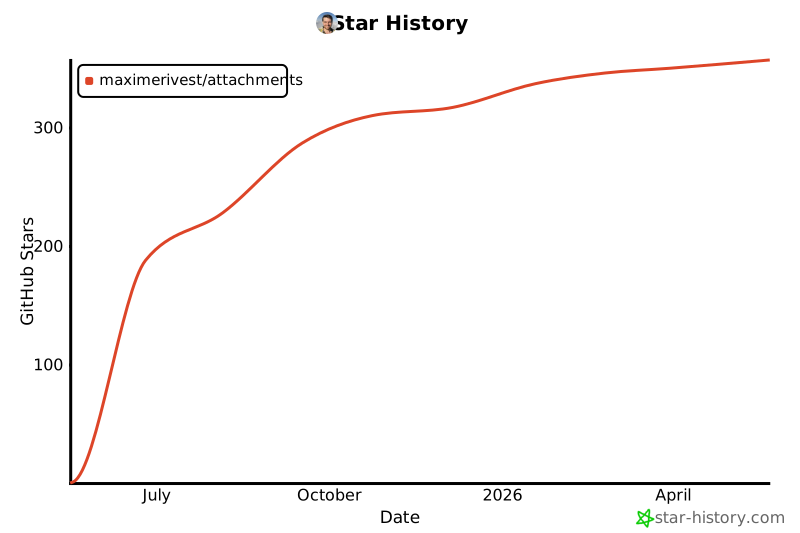
Star History
Installation
# Stable release (recommended for most users)
pip install attachments

# Alpha testing (latest features, may have bugs)
pip install attachments==0.13.0a1
# or
pip install --pre attachments
🧪 Alpha Testing
We're actively developing new features! If you want to test the latest capabilities:
Install alpha version:
pip install attachments==0.13.0a1
What's new in alpha:
- 🔍 Enhanced DSL cheatsheet with types, defaults, and allowable values
- 📊 Automatic DSL command discovery and documentation
- 🚀 Improved logging and verbosity system
- 🛠️ Better error messages and suggestions
Feedback welcome: GitHub Issues
1 maintainer

Metadata
1 maintainer
Release files for attachments 0.25.1
For a detailed explanation of source distributions (sdists) and built distributions (wheels), please see the package formats documentation.
Source distribution (sdist)
| File | Size | Uploaded | |
|---|---|---|---|
| attachments-0.25.1.tar.gz | 131.0 kB | Details |
Built distribution (wheel)
| File | Interpreter | ABI | Platform | Reset |
|---|---|---|---|---|
| attachments-0.25.1-py3-none-any.whl | Python 3 | none | any | Details |
Total release size: 272.9 kB
Release files / attachments-0.25.1.tar.gz
| Download URL | attachments-0.25.1.tar.gz |
|---|---|
| Size | 131.0 kB |
| Tags | Source |
|
SHA-256 checksum How to use checksums |
ebf9d134872702e3cc861402227f069af82cca87639ce18bb92becd6c48b45a3
|
|
BLAKE2b-256 checksum How to use checksums |
b0b9081bb2839386d5e34072f0b467a0a4be815e27a54652fb38ecf857f84085
|
| Upload date | |
|
Uploaded using Trusted Publishing? What is trusted publishing? |
Yes |
| Uploaded via |
twine/6.1.0 CPython/3.13.7
|
Provenance
Provenance describes where a file came from. On PyPI, provenance is shared via attestations, which provide a verifiable record of the build or publishing details. View details, limitations and caveats.


PyPI Publish Attestation
PyPI verified that this artifact, at this checksum, originated from the publisher listed below.
Signed by GitHub Actions, verified by PyPI on Sep 12, 2025.
Transparency logRelease files / attachments-0.25.1-py3-none-any.whl
| Download URL | attachments-0.25.1-py3-none-any.whl |
|---|---|
| Size | 141.9 kB |
| Tags | Python 3 |
|
SHA-256 checksum How to use checksums |
1d89d05d9549a8d56f53993a30dfdc57fd252e16e202bb6ff2fefbb92894f931
|
|
BLAKE2b-256 checksum How to use checksums |
49d5b305f9e83ab94a62bb75f7f56d620a1a21dbae749fab2471e5961d5ed666
|
| Upload date | |
|
Uploaded using Trusted Publishing? What is trusted publishing? |
Yes |
| Uploaded via |
twine/6.1.0 CPython/3.13.7
|
Provenance
Provenance describes where a file came from. On PyPI, provenance is shared via attestations, which provide a verifiable record of the build or publishing details. View details, limitations and caveats.
PyPI Publish Attestation
PyPI verified that this artifact, at this checksum, originated from the publisher listed below.
Signed by GitHub Actions, verified by PyPI on Sep 12, 2025.
Transparency log













