
attention-map-diffusers
Relation-aware attention capture and visualization for Hugging Face Diffusers image and video pipelines.





Visualization
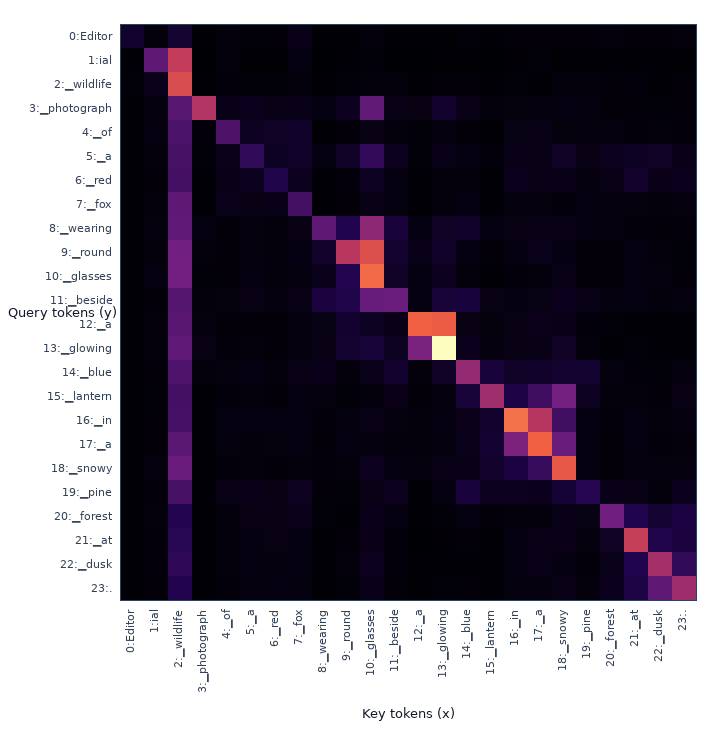
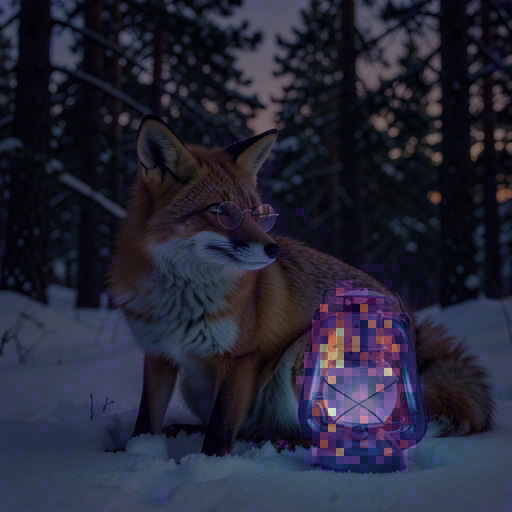
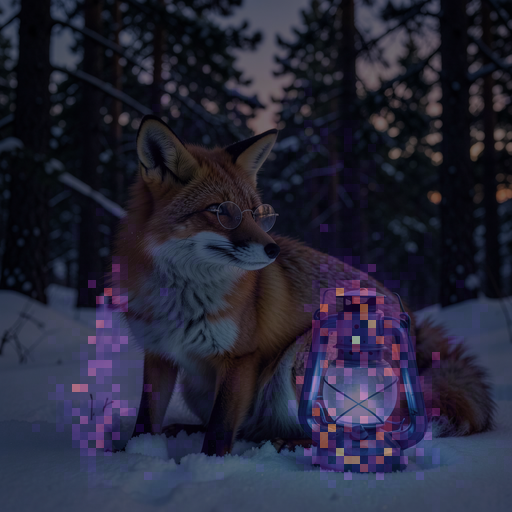
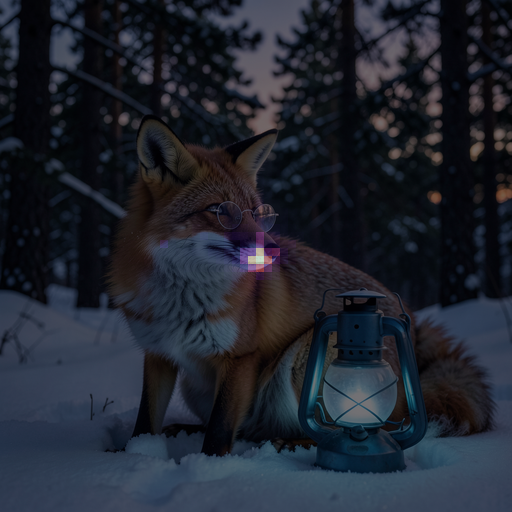
Image · FLUX.2 Klein
Prompt: Editorial wildlife photograph of a red fox wearing round glasses beside a glowing blue lantern in a snowy pine forest at dusk.
| text→text | text→image · lantern |
|---|---|
 |
 |
image→text · lantern |
image→image · center patch |
 |
 |
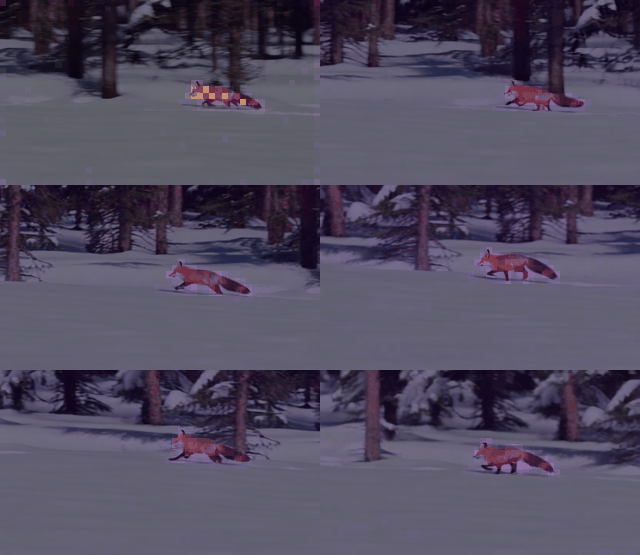
Video · Wan 2.1 T2V 1.3B
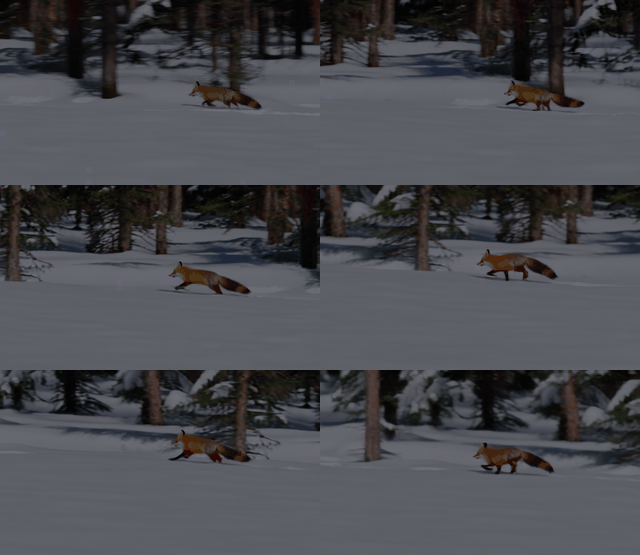
Prompt: A cinematic tracking shot of a red fox running across pristine snow in a pine forest, detailed fur, natural winter light, smooth motion, stable camera.
video→text · fox
video→video · center patch
Wan exposes cross-attention (video→text) and spatial-temporal self-attention
(video→video), so the table shows every relation in its denoiser.
Spatial examples are attention overlays, so the generated source is not shown
again. Video maps preserve the patch grid as (T,H,W); each GIF also has
per-frame PNG output. Spatial labels are off by default.
Compatible models
Requires Python 3.10+ and diffusers>=0.39.0.
| Key | Checkpoint | Relations |
|---|---|---|
flux2-klein |
black-forest-labs/FLUX.2-klein-4B |
image/text all |
z-image-turbo |
Tongyi-MAI/Z-Image-Turbo |
image/text all |
prx-pixel |
Photoroom/prxpixel-t2i |
image→text, image→image |
flux-schnell |
black-forest-labs/FLUX.1-schnell |
image/text all |
flux-dev |
black-forest-labs/FLUX.1-dev |
image/text all |
sd3-5 |
stabilityai/stable-diffusion-3.5-medium |
image/text all |
sd3 |
stabilityai/stable-diffusion-3-medium-diffusers |
image/text all |
sana |
Efficient-Large-Model/Sana_1600M_1024px_diffusers |
image→text, image→image |
sdxl |
stabilityai/stable-diffusion-xl-base-1.0 |
image→text, image→image |
sd |
sd2-community/stable-diffusion-2-1 |
image→text, image→image |
cogvideox-2b |
THUDM/CogVideoX-2b |
video/text all |
wan2.1-t2v-1.3b |
Wan-AI/Wan2.1-T2V-1.3B-Diffusers |
video→text, video→video |
hunyuan-video-1.5 |
hunyuanvideo-community/HunyuanVideo-1.5-Diffusers-480p_t2v |
video/text all |
“image/text all” is text→text, text→image, image→text, and image→image. “video/text all” is text→text, text→video, video→text, and video→video.
Install
pip install attention-map-diffusers==1.0.0
Image quick start
import torch
from diffusers import Flux2KleinPipeline
from attention_map_diffusers import AttentionCapture, text_tokenizers

prompt = "A red fox beside a glowing blue lantern in a snowy forest."
pipe = Flux2KleinPipeline.from_pretrained(
    "black-forest-labs/FLUX.2-klein-4B", torch_dtype=torch.bfloat16
).to("cuda")

with AttentionCapture(
    pipe,
    relations=["text->text", "text->image", "image->text", "image->image"],
    offload="cuda",
) as capture:
    images = pipe(prompt=[prompt], num_inference_steps=4).images

capture.compute().save(
    "outputs/attention", tokenizer=text_tokenizers(pipe),
    prompts=[prompt], images=images,
)
Video quick start
import torch
from diffusers import WanPipeline
from attention_map_diffusers import AttentionCapture, VisualizationConfig, text_tokenizers

prompt = "A cinematic tracking shot of a red fox running across snow in a pine forest."
steps = 50
pipe = WanPipeline.from_pretrained(
    "Wan-AI/Wan2.1-T2V-1.3B-Diffusers", torch_dtype=torch.bfloat16
).to("cuda")
pipe.scheduler.set_timesteps(steps, device="cuda")
last_timestep = [float(pipe.scheduler.timesteps[-1])]

with AttentionCapture(
    pipe,
    relations=["video->text", "video->video"],
    timesteps=last_timestep,
    relation_query_indices={"video->video": "center"},
    offload="cpu",
    max_capture_bytes=16 * 1024**3,
) as capture:
    videos = pipe(
        prompt=[prompt], num_inference_steps=steps,
        height=480, width=832, num_frames=81,
    ).frames

for component in pipe.components.values():
    if isinstance(component, torch.nn.Module):
        component.to("cpu")
torch.cuda.empty_cache()
capture.compute(compute_device="cuda").save(
    "outputs/attention", tokenizer=text_tokenizers(pipe),
    prompts=[prompt], videos=videos,
    visualization_config=VisualizationConfig(max_items=16, video_fps=16),
)
The shared runner contains native model defaults and reproducible metadata:
python demo/run_attention_demo.py --model flux2-klein --relations all
python demo/run_attention_demo.py --model wan2.1-t2v-1.3b --relations all
Output and controls
attention/
  metadata.json                         # provenance + capture settings
  raw/<relation>/*.pt                   # only with --save-raw
  raw-components/<relation>/<encoder>/ # token-concatenated encoders
  visuals/<relation>/aggregate/batch-000/
    maps/*.png                          # image attention
    maps/*.gif                          # video attention
    maps/<encoder>/*                    # token-concatenated encoders
    maps/<item>/frames/*.png
    overlays/                           # generated-media overlays, separate
- The final timestep and head mean are retained by default.
- Use
--capture-timesteps alland--save-layer-mapsfor every timestep and layer. The default 8 GiB cumulative capture guard prevents silent RAM/VRAM exhaustion. - Every image→image query patch is rendered by default. Video→video defaults to
the center query patch because a full
(query T×H×W)²tensor is impractical; use--large-relation-query-indices sample:9orallexplicitly. - Raw
.pttensors are optional and are never required for visualization. - CFG stored as separate denoiser calls (HunyuanVideo 1.5) is tagged per call; visualizations use the conditional call by default while raw capture keeps both.
- Token-axis concatenation is preserved. SD3 saves fused-CLIP and T5 maps separately (including all four text→text component pairs); HunyuanVideo 1.5 separates ByT5 and MLLM after its mask-based token reordering and records its two MLLM token-refiner layers as MLLM→MLLM maps. Feature-axis fusion such as SDXL CLIP-L+G remains one mathematically inseparable map.
- Capture fails with a layer/processor report if any denoiser attention module is unsupported, preventing silently incomplete results.
- Use
--show-spatial-labelsonly when token/patch titles are wanted.
Validation
python -m pytest -q
python demo/run_attention_demo.py --model all --relations all --dry-run
python demo/audit_attention_coverage.py --model all
python demo/validate_generation_parity.py --model cogvideox-2b --num-frames 9
Citation
@software{baek_attention_map_diffusers_2026,
  author = {Baek, Wooyeol and Baek, Seungyeol},
  title = {attention-map-diffusers},
  version = {1.0.0},
  year = {2026},
  publisher = {Zenodo},
  doi = {10.5281/zenodo.18304023},
  url = {https://doi.org/10.5281/zenodo.18304023}
}
1 maintainer

Metadata
1 maintainer
Release files for attention-map-diffusers 1.0.0
For a detailed explanation of source distributions (sdists) and built distributions (wheels), please see the package formats documentation.
Source distribution (sdist)
| File | Size | Uploaded | |
|---|---|---|---|
| attention_map_diffusers-1.0.0.tar.gz | 59.3 kB | Details |
Built distribution (wheel)
| File | Interpreter | ABI | Platform | Reset |
|---|---|---|---|---|
| attention_map_diffusers-1.0.0-py3-none-any.whl | Python 3 | none | any | Details |
Total release size: 110.6 kB
Release files / attention_map_diffusers-1.0.0.tar.gz
| Download URL | attention_map_diffusers-1.0.0.tar.gz |
|---|---|
| Size | 59.3 kB |
| Tags | Source |
|
SHA-256 checksum How to use checksums |
a6ed2716b9eb12e5a148920f0d0e5edb5ec8ff05267c6a093dd6f284da586a56
|
|
BLAKE2b-256 checksum How to use checksums |
bf39210d23ce0a524a8f7a6f62f0cac4a7613054d5a3206716d8fc7eae876055
|
| Upload date | |
|
Uploaded using Trusted Publishing? What is trusted publishing? |
No |
| Uploaded via |
twine/7.0.0 CPython/3.10.18
|
Release files / attention_map_diffusers-1.0.0-py3-none-any.whl
| Download URL | attention_map_diffusers-1.0.0-py3-none-any.whl |
|---|---|
| Size | 51.3 kB |
| Tags | Python 3 |
|
SHA-256 checksum How to use checksums |
b50ead0760a96cce4a92de5fad71f23b0a49dd2c9580c5fe72a1ace4610630c4
|
|
BLAKE2b-256 checksum How to use checksums |
6e6797757662ce3984625bb8cf93f1642e8d469019b776889006a870ec888a81
|
| Upload date | |
|
Uploaded using Trusted Publishing? What is trusted publishing? |
No |
| Uploaded via |
twine/7.0.0 CPython/3.10.18
|














