
atuin-graph
activity graph for atuin self hosted sync server
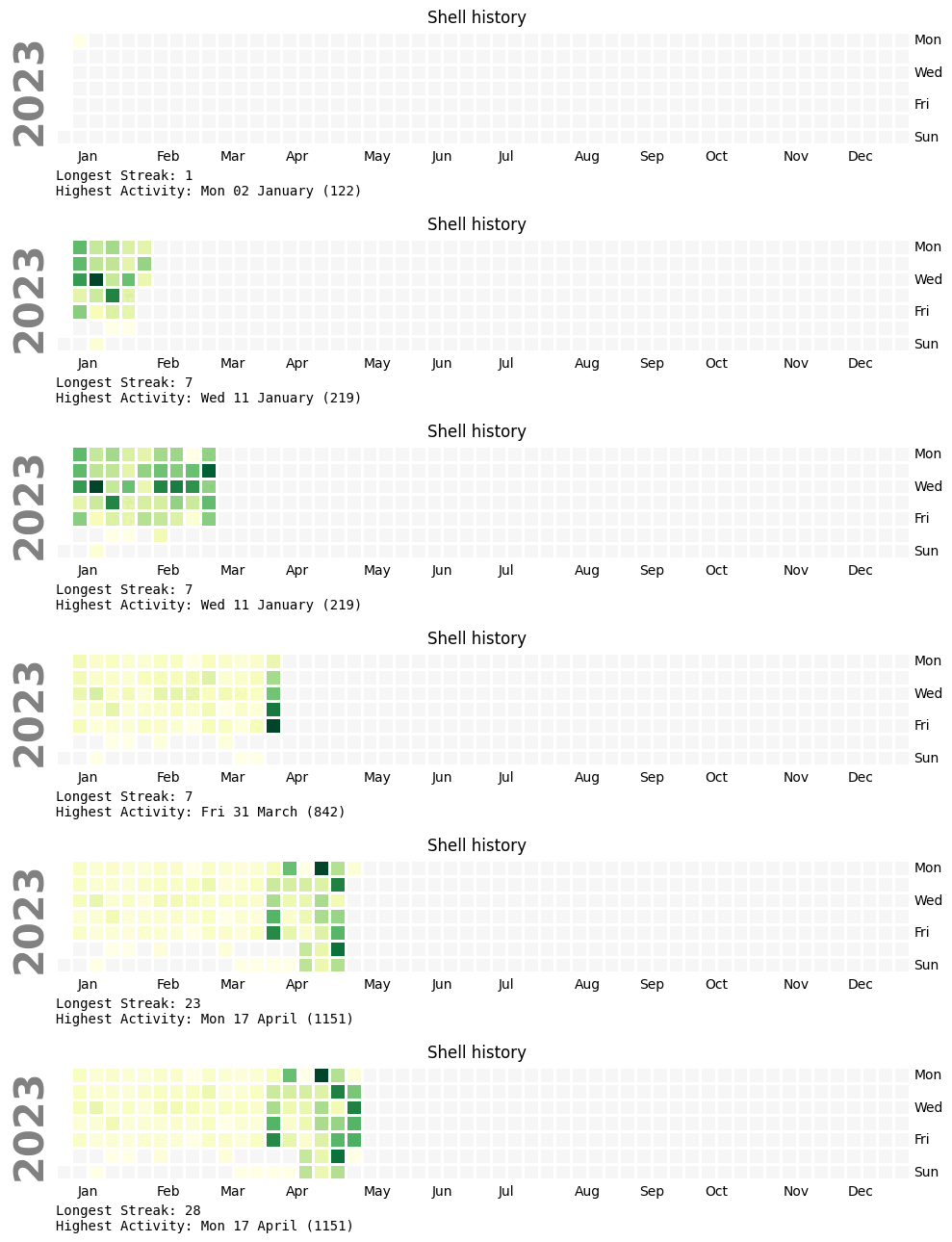
It connects to the PostgreSQL atuin database, using by default the db_uri setting from atuin server.toml config file
Two ways to run it are available, whether in command line or as a flask web application
Required Python version: >= 3.11 (uses the tomllib parser)
installation
pip install atuin-graph
cli / standalone
- atuin-graph: takes a username as input and outputs a atuin-{user}.png file
The -until and --from parameters allow to query from / up to a specified date, this is useful to create one png per day and create a gif with imagemagick for example (convert -delay 10 -loop 1 *.png atuin.gif)
atuin-graph -h
usage: atuin-graph [-h] --user USER [--from FROM] [--until UNTIL] [--atuin_server_config ATUIN_SERVER_CONFIG]

options:
  -h, --help            show this help message and exit
  --user USER           user to draw the graph for
  --from FROM           day (yyyy-mm-dd) to query from
  --until UNTIL         day (yyyy-mm-dd) to query until
  --atuin_server_config ATUIN_SERVER_CONFIG
                        atuin server config path
web app
This package also ships a Flask app which dynamically serves a png for a given user and optional dates
| 📅️ | |
|---|---|
| from a date | https://my-atuin-server/graph/username/from/yyyy-mm-dd |
| until a date | https://my-atuin-server/graph/username/until/yyyy-mm-dd https://my-atuin-server/graph/username/yyyy-mm-dd |
| between dates | https://my-atuin-server/graph/username/yyyy-mm-dd/yyyy-mm-dd |
one way to run it:
GUNICORN_CMD_ARGS="--bind=127.0.0.1:8889" SCRIPT_NAME=/graph gunicorn atuin_graph.web:app
and on nginx side
location /graph {

            proxy_bind              $server_addr;
            proxy_pass              http://127.0.0.1:8889;
    }
1 maintainer

Metadata
1 maintainer
Release files for atuin-graph 1.1.1
For a detailed explanation of source distributions (sdists) and built distributions (wheels), please see the package formats documentation.
Source distribution (sdist)
| File | Size | Uploaded | |
|---|---|---|---|
| atuin_graph-1.1.1.tar.gz | 993.9 kB | Details |
Built distribution (wheel)
| File | Interpreter | ABI | Platform | Reset |
|---|---|---|---|---|
| atuin_graph-1.1.1-py3-none-any.whl | Python 3 | none | any | Details |
Total release size: 1.0 MB
Release files / atuin_graph-1.1.1.tar.gz
| Download URL | atuin_graph-1.1.1.tar.gz |
|---|---|
| Size | 993.9 kB |
| Tags | Source |
|
SHA-256 checksum How to use checksums |
ee7e4875a8b5599168e9e4706ef96a209ef2932d01cb539600fce78ab8d069e9
|
|
BLAKE2b-256 checksum How to use checksums |
32aec3311729f659e3de5724ea488fef6b1c76b99a8872c36ff4dae216836d00
|
| Upload date | |
|
Uploaded using Trusted Publishing? What is trusted publishing? |
Yes |
| Uploaded via |
twine/4.0.1 CPython/3.11.3
|
Release files / atuin_graph-1.1.1-py3-none-any.whl
| Download URL | atuin_graph-1.1.1-py3-none-any.whl |
|---|---|
| Size | 6.1 kB |
| Tags | Python 3 |
|
SHA-256 checksum How to use checksums |
45b4c7db455ec7e5a01421a03d15548c50e69354acf5bc72748a4ee4d04521f0
|
|
BLAKE2b-256 checksum How to use checksums |
b9e75d889dea6ef3ce5cdf2e79392298ca03c180ccfec556fdfc4145b3491e0e
|
| Upload date | |
|
Uploaded using Trusted Publishing? What is trusted publishing? |
Yes |
| Uploaded via |
twine/4.0.1 CPython/3.11.3
|














