
An agentic Python package that converts ideas and documents into audio – PDF papers, reports, and regulations turned into podcast-style audio files.

Project description
 audia — turn your ideas into audio






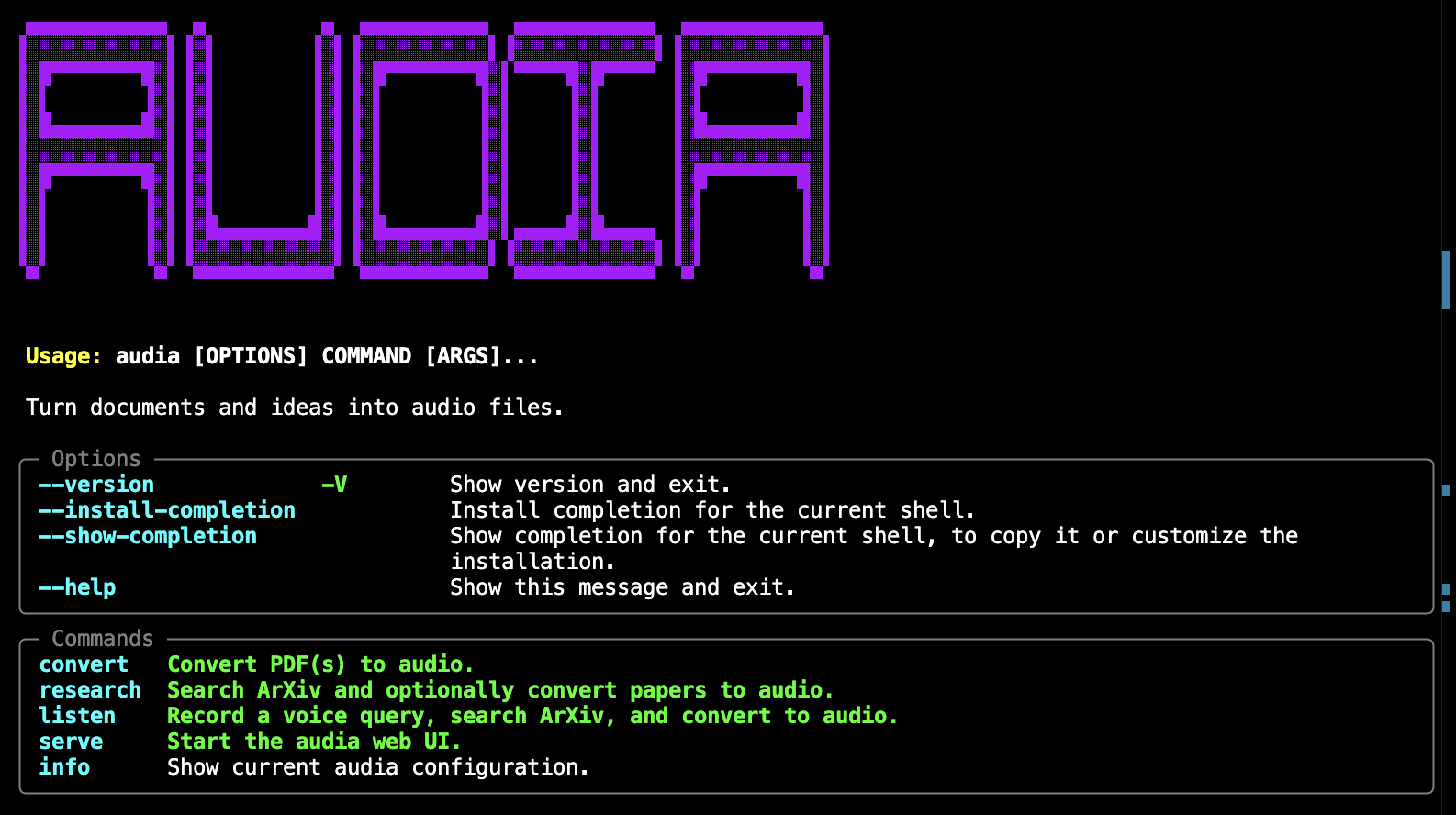
audia is an agentic Python package that converts PDFs — academic papers, reports, regulations — into podcast-style audio files. It uses an LLM to rewrite content into natural spoken language (math in plain English, tables as sentences, no citations) before passing it to a TTS engine, so the result actually sounds good when read aloud.
Features
- LLM-curated text — mandatory LLM pass rewrites math notation, condenses tables and acknowledgements, removes citation artefacts, and ensures smooth spoken flow
- Chunk-level stitching — long documents are split at paragraph boundaries; each chunk receives the tail of the previous curated output as transition context
- ArXiv research — search papers by query and convert them to audio in one command
- Voice input (STT) — record a spoken query to trigger an ArXiv search
- Multiple TTS backends —
edge-tts(default, free),kokoro(local), or OpenAI TTS - Multiple LLM backends — OpenAI (
gpt-4o-minidefault) or Anthropic - CLI —
audia convert,research,listen,serve,info - Web UI — FastAPI backend + SPA frontend
- Local storage — SQLite database for papers and audio files via SQLAlchemy
- Debug output — every run saves raw, preprocessed, and curated text to
~/.audia/debug/<run_id>/
Tech Stack
Backend
Python 3.10+ — package language
FastAPI — backend for the web UI
LangGraph — agentic pipeline orchestration (PDF → preprocess → LLM curate → TTS)
LangChain — LLM abstraction
- Current support for LLMs from
Anthropic,
Google, and
OpenAI
- Current support for LLMs from
edge-tts — default TTS backend, no API key required
faster-whisper — STT for voice input
PyMuPDF — PDF text extraction
SQLite — local database for papers and audio files
Frontend
React — interactive frontend
Vite — fast dev server and production bundler
Tailwind CSS — utility-first styling
TypeScript — type-safe component and API code
CLI

Packaging
PyPI — distributed as an installable Python package
Installation
pip install audia
For CLI usage, pipx is recommended — it installs audia in an isolated environment while exposing the command globally:
pipx install audia
Optional extras:
| Extra | Installs |
|---|---|
kokoro |
local Kokoro TTS |
pip install "audia[kokoro]"
Configuration
Copy .env.example to .env in your working directory and set your API key:
cp .env.example .env
Minimum required settings:
AUDIA_LLM_PROVIDER=openai           # or anthropic
AUDIA_OPENAI_API_KEY=sk-...
All settings use the AUDIA_ prefix. Run audia info to see the active configuration.
Quick Start
Show active configuration:
audia info
Convert a local PDF:
audia convert paper.pdf
Convert multiple PDFs to a specific output folder:
audia convert paper1.pdf paper2.pdf --output ~/audiobooks
Search ArXiv and convert the top results:
audia research "retrieval augmented generation" --max-results 3 --convert
Start the web UI:
audia serve
# → http://localhost:8000
Pipeline
The pipeline can be entered in three ways:
| Entry point | Command |
|---|---|
| Voice input | audia listen — record speech, LLM distils a search query, confirm, then runs the full pipeline |
| Text query | audia research "retrieval augmented generation" — search ArXiv by text, select papers, run pipeline |
| Local PDF | audia convert paper.pdf — skip Steps 0, go straight to extraction |
When starting from voice or text, the full five-step LangGraph pipeline runs. For local PDFs, Steps 1–4 run directly:
 [voice input]          [text query]
      │                      │
      ▼                      │
  Microphone                 │
  (faster-whisper STT)       │
      │                      │
      ▼                      │
  LLM query distillation     │        ← extracts concise ArXiv search terms
      │                      │           from natural speech
      ▼                      │
  Confirm / re-record?       │
      │  yes                 │
      ▼                      ▼
Step 0 — ArXiv search    (or use local PDF)
 │        arxiv API: fetch metadata, download PDF
 │
 ▼
Step 1 — PDF extraction       PyMuPDF: text + metadata per page
 │
 ▼
Step 2 — Heuristic pre-pass   Regex: strip citations, LaTeX commands, figure captions
 │
 ▼
Step 3 — LLM curation         Chunked LLM pass: math → English, tables → sentences,
 │                             smooth spoken transitions between chunks
 ▼
Step 4 — TTS synthesis        edge-tts (or kokoro / OpenAI): split into ~3800-char
                               chunks, synthesise, concatenate → .mp3
Output files for a run on 2025_Xu+.pdf:
~/.audia/audio/2025_Xu+_20260329_084445.mp3
~/.audia/debug/2025_Xu+_20260329_084445/
    1_raw.txt            ← PyMuPDF output
    2_preprocessed.txt   ← after heuristic pass
    3_curated.txt        ← after LLM curation
Contributing
- Fork the repository
- Create a feature branch (
git checkout -b feature/my-change) - Make your changes
- Run the test suite:
pytest --cov=src --cov-report=term-missing - Submit a pull request
License
MIT — see LICENSE for details.
Release history Release notifications | RSS feed


Download files
Download the file for your platform. If you're not sure which to choose, learn more about installing packages.
Source Distribution
Built Distribution
Filter files by name, interpreter, ABI, and platform.
If you're not sure about the file name format, learn more about wheel file names.
Copy a direct link to the current filters
File details
Details for the file audia-0.4.1.tar.gz.
File metadata
- Download URL: audia-0.4.1.tar.gz
- Upload date:
- Size: 148.2 kB
- Tags: Source
- Uploaded using Trusted Publishing? No
- Uploaded via: twine/6.2.0 CPython/3.12.10
File hashes
| Algorithm | Hash digest | |
|---|---|---|
| SHA256 |
3f95697b6a9202b47cb39ed875c3afad07e5b6b6a7ec7761c4ca6f83d1505bdc
|
|
| MD5 |
0b6e5651a2b7458fb3b6d38788853ea4
|
|
| BLAKE2b-256 |
9d34326632c35fa688d769f5691795f7eacb5843fe6b3d39212e4895ef753cde
|
File details
Details for the file audia-0.4.1-py3-none-any.whl.
File metadata
- Download URL: audia-0.4.1-py3-none-any.whl
- Upload date:
- Size: 140.5 kB
- Tags: Python 3
- Uploaded using Trusted Publishing? No
- Uploaded via: twine/6.2.0 CPython/3.12.10
File hashes
| Algorithm | Hash digest | |
|---|---|---|
| SHA256 |
4485545d3ea40142662c5e3a988b135bfde93677ae85e9b396c4d1ad52d17b96
|
|
| MD5 |
1a9d5011b0f1857fca0e6f0c94f31989
|
|
| BLAKE2b-256 |
319b61330e1eb30abf807c996bf29fe47f807878aa2de51d1066159bf546b661
|






