
Audio record streamlit
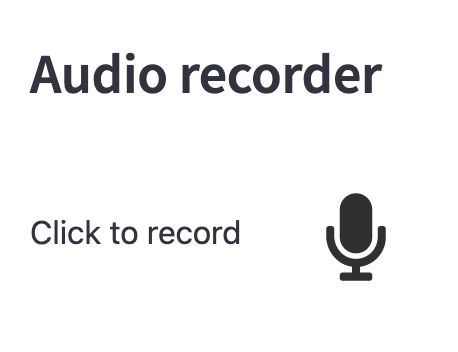
This streamlit component allows to register an audio utterence from a user.
Installation
pip install audio-recorder-streamlit-auto
Usage
import streamlit as st
from audio_recorder_streamlit import audio_recorder

audio_bytes = audio_recorder()
if audio_bytes:
    st.audio(audio_bytes, format="audio/wav")
Recording parameters
You can adjust the recording parameters energy_threshold and
pause_threshold:
energy_threshold: The energy recording sensibility above which we consider that the user is speaking. If it is a float, then this is the energy threshold used to automatically detect recording start and recording end. You can provide a tuple for specifying different threshold for recording start detection and recording end detection.pause_threshold: The number of seconds to spend belowenergy_levelto automatically stop the recording.sample_rate: Sample rate of the recorded audio. If not provided, this will use the default sample rate (https://developer.mozilla.org/en-US/docs/Web/API/AudioContext/AudioContext).
# The recording will stop automatically
# 2 sec after the utterance end
audio_bytes = audio_recorder(pause_threshold=2.0, sample_rate=41_000)
Styling parameters
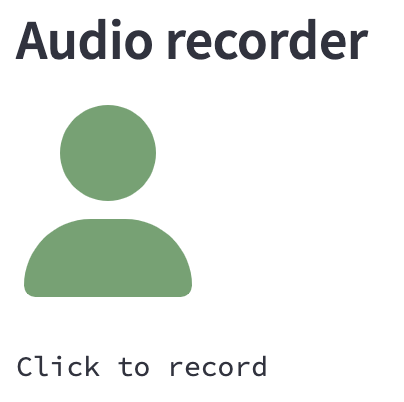
You can adjust the button style parameters:
- Text: specify the text displayed next to the icon
- Icon: specify the icon among the font awesome solid icons (https://fontawesome.com/search?o=r&s=solid)
- Color: specify the neutral color and recording color.
- Size: specify the icon size using font awesome sizing (https://fontawesome.com/docs/web/style/size).
audio_bytes = audio_recorder(
    text="",
    recording_color="#e8b62c",
    neutral_color="#6aa36f",
    icon_name="user",
    icon_size="6x",
)
Frequently Asked Question
How can I record for a fixed duration ?
You can record for a fixed duration by setting the energy_threshold=(-1.0, 1.0)
so that the recorder considers that you are speaking at the beginning and then
you are never speaking from this point on.
Then simply set pause_threshold to your desired recording length.
# Records 3 seconds in any case
audio_bytes = audio_recorder(
  energy_threshold=(-1.0, 1.0),
  pause_threshold=3.0,
)
1 maintainer

Metadata
1 maintainer
Release files for audio-recorder-streamlit-auto 0.0.1
For a detailed explanation of source distributions (sdists) and built distributions (wheels), please see the package formats documentation.
Source distribution (sdist)
| File | Size | Uploaded | Provenance | Actions |
|---|---|---|---|---|
| audio-recorder-streamlit-auto-0.0.1.tar.gz | 1.2 MB | Without provenance | Details for audio-recorder-streamlit-auto-0.0.1.tar.gz |
Built distribution (wheel)
| File | Interpreter | ABI | Platform | Actions Reset |
|---|---|---|---|---|
| audio_recorder_streamlit_auto-0.0.1-py3-none-any.whl | Python 3 | none | any | Details for audio_recorder_streamlit_auto-0.0.1-py3-none-any.whl |
Total release size: 2.5 MB
Release files / audio-recorder-streamlit-auto-0.0.1.tar.gz
| Download URL | audio-recorder-streamlit-auto-0.0.1.tar.gz |
|---|---|
| Size | 1.2 MB |
| Tags | Source |
|
SHA-256 checksum How to use checksums |
14b36ff49e9afa1151e56c086457190945cfd171d14bdd403149f18d5a2f1adf
|
|
BLAKE2b-256 checksum How to use checksums |
30c2b813ecd68d6956e2f33e114e267632e65bbf299386b0f96c8855af08da95
|
| Upload date | |
|
Uploaded using Trusted Publishing? What is trusted publishing? |
No |
| Uploaded via |
twine/5.0.0 CPython/3.11.3
|
Release files / audio_recorder_streamlit_auto-0.0.1-py3-none-any.whl
| Download URL | audio_recorder_streamlit_auto-0.0.1-py3-none-any.whl |
|---|---|
| Size | 1.3 MB |
| Tags | Python 3 |
|
SHA-256 checksum How to use checksums |
9c96f8df4bcdbe45caa89a0fd81fb6de2e4ca07b3f027414123ef090042991dc
|
|
BLAKE2b-256 checksum How to use checksums |
637da4190ca45b5a17660800af7ca3ee79df67aadc50b93f9e661580e7d705c5
|
| Upload date | |
|
Uploaded using Trusted Publishing? What is trusted publishing? |
No |
| Uploaded via |
twine/5.0.0 CPython/3.11.3
|
Security for audio-recorder-streamlit-auto 0.0.1
Provenance
Provenance describes where a file came from. On PyPI, provenance is shared via attestations, which provide a verifiable record of the build or publishing details. View details, limitations and caveats.
No provenance found
None of the files in this release were uploaded with provenance metadata.
A note on package security
PyPI is a repository for distributing packages, not a service for auditing them. While third-party security researchers and our staff do their best to detect and remove malicious packages, PyPI cannot guarantee the quality, security or suitability of any given package.
To learn more about protecting yourself from malicious actors, visit our package security documentation.













