
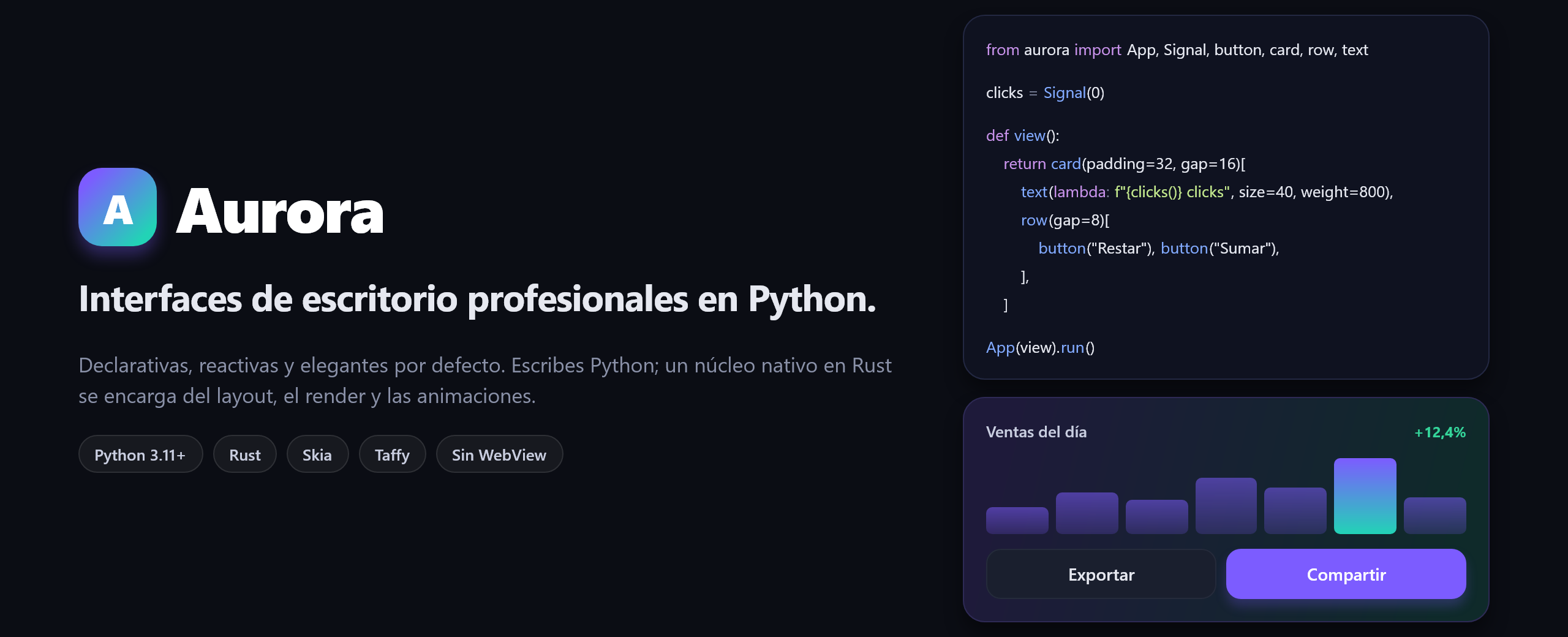
Interfaces de escritorio profesionales, rápidas y elegantes, escritas solo en Python.
Declarativas · Reactivas · Núcleo nativo en Rust · Sin WebView
Documentación · Inicio rápido · Guía · Referencia · Arquitectura · Visión · Roadmap
¿Qué es Aurora?
Aurora es una librería para construir aplicaciones de escritorio con interfaces de nivel profesional usando únicamente Python. Describes la interfaz como una función de tu estado; Aurora se encarga del resto con un motor nativo escrito en Rust: layout, tipografía, render, animaciones y eventos.
Nace de una frustración concreta: para que una app de escritorio en Python se vea bien, hoy lo habitual es montar React + WebView + un backend HTTP, o aceptar la estética de toolkits de otra época. Aurora apuesta por un camino distinto: una sola tecnología (Python), una sola ventana nativa y un aspecto moderno desde la primera línea.
from aurora import App, Signal, button, card, row, text

clicks = Signal(0)


def view():
    return card(padding=32, gap=16)[
        text(lambda: f"{clicks()} clicks", size=40, weight=800),
        row(gap=8)[
            button("Restar", lambda: clicks.update(lambda c: c - 1), variant="soft"),
            button("Sumar", lambda: clicks.update(lambda c: c + 1)),
        ],
    ]


App(view, title="Contador").run()
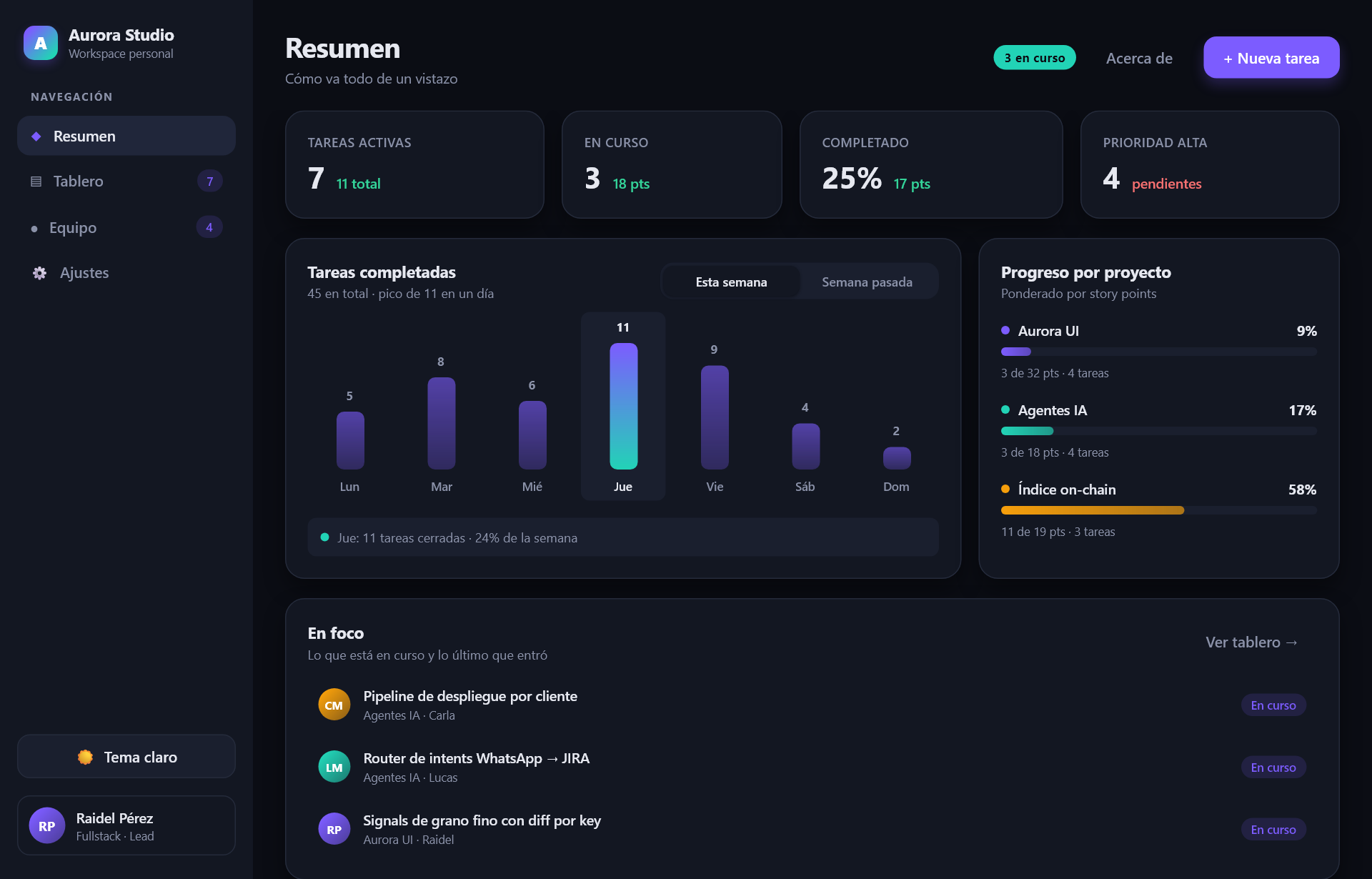
examples/studio.py: navegación, kanban con búsqueda, gráfico interactivo, formularios, ajustes, modal, toasts y tema claro/oscuro.
Todas las capturas del repositorio están renderizadas por la propia librería.
Por qué Aurora
| 🐍 Solo Python | Sin HTML, CSS, JavaScript, bundlers ni servidor local. Tu lógica llama directo a tu base de datos, a una API o a un modelo de IA desde el handler de un botón. |
| ⚡ Rendimiento nativo | Layout, render y animaciones corren en Rust (Skia + Taffy), fuera del intérprete y sin el GIL. Python solo interviene cuando cambia tu estado. |
| ✨ Elegante por defecto | Tipografía con shaping real, sombras suaves, gradientes, esquinas redondeadas y transiciones animadas incluidas. Un button() sin configurar ya se ve bien. |
| 🧩 Declarativa y componible | La jerarquía se lee como markup (column()[...]). Los componentes son funciones Python normales: se testean, se importan y se comparten como cualquier código. |
| 🔁 Reactiva | El estado vive en Signals y la interfaz se mantiene sincronizada sola. |
| 🎨 Temas con tokens | bg="$primary" en lugar de colores sueltos. Cambia de tema claro a oscuro en caliente con un Signal[Theme]. |
| ⌨️ Apps de verdad | Scroll con inercia, teclado y foco con Tab, campos de texto con selección, portapapeles, deshacer e IME, imágenes y SVG, y componentes como select, tabs, switch o tooltip. |
| 📊 Gráficos con tus datos | chart() dibuja líneas, áreas, barras y dispersión a partir de arrays de numpy o de polars sin copiarlos, con los ejes, la rejilla y la leyenda calculados solos. Millones de puntos (reducidos con LTTB en Rust), con zoom de rueda y pan arrastrando. |
| 🧪 Testeable sin pantalla | app.render_png() renderiza cualquier vista sin abrir ventana, y app.pilot() simula clics, teclas y rueda con el mismo motor que la ventana: tests de interacción, CI y documentación visual. |
Inicio rápido
Requisitos: Python ≥ 3.11, uv y Rust (rustup).
En Linux también libfontconfig-dev y libfreetype-dev.
git clone https://github.com/YoshiLoL0526/aurora.git
cd aurora
uv sync                          # compila el núcleo Rust (release) e instala en modo editable
uv run examples/hello.py         # tu primera ventana
uv run examples/studio.py        # la demo completa
La primera compilación descarga binarios precompilados de Skia y tarda unos minutos. Después solo se recompila el crate propio, y únicamente cuando cambias código Rust.
¿Prefieres pip? pip install maturin && maturin develop --release.
Mientras desarrollas, arranca la app con hot reload: al guardar, la ventana se actualiza con el código nuevo sin perder el estado (ver hot reload):
uv run aurora dev examples/hello.py
Para repartir tu app, empaquétala en un ejecutable con un comando (requiere el extra
aurora-ui[build]; ver empaquetado):
uv run aurora build app.py --icon assets/icon.ico --include assets
Un vistazo a la API
from aurora import App, Signal, DAYLIGHT, MIDNIGHT, badge, button, card, column, row, spacer, stat, text

theme = Signal(MIDNIGHT)


def toggle_theme():
    theme.set(DAYLIGHT if theme() is MIDNIGHT else MIDNIGHT)


def header():
    return row(align="center", gap=12)[
        text("Panel", size=26, weight=700),
        badge("beta"),
        spacer(),  # empuja lo siguiente a la derecha
        button("Cambiar tema", toggle_theme, variant="ghost"),
    ]


def view():
    return column(padding=32, gap=24)[
        header(),
        row(gap=16)[
            stat("INGRESOS", "$48.2k", "+12%"),
            stat("PEDIDOS", "1.204", "+3%"),
            stat("DEVOLUCIONES", "2,1%", "+0,4", positive=False),
        ],
        card()[
            text("Últimos movimientos", size=15, weight=600),
            text("Una descripción larga que se corta con elipsis…", max_lines=1, color="$muted"),
        ],
    ]


App(view, title="Mi panel", size=(1100, 720), theme=theme).run()
| Concepto | En Aurora |
|---|---|
| Estructura | column, row, box, spacer; hijos con [...] |
| Contenido | text (dinámico con lambda), image (PNG, JPEG, WebP, SVG), badge, stat, avatar, divider |
| Interacción | button, u on_click= en cualquier contenedor; hover y pressed animados; tooltip |
| Entrada | text_input, textarea, checkbox, switch, select, tabs, enlazados a un Signal |
| Teclado | Tab y foco visible, Enter/Espacio activan, on_key con atajos (e.matches("mod+s")) |
| Desplazamiento | scroll() con rueda suave, trackpad, barra arrastrable y teclado |
| Layout | flexbox: gap, padding, align, justify, grow, wrap, %, position="absolute" |
| Estilo | bg, gradient, radius, border_*, shadow, opacity, press_scale |
| Estado | Signal(valor): s(), s.set(v), s.update(fn); seguro desde hilos y app.spawn(corrutina) |
| Tests | app.render_png() y app.pilot(): click, type, press, scroll, png… |
| Temas | tokens "$nombre", temas MIDNIGHT y DAYLIGHT, o el tuyo con Theme(...) |
La referencia completa de propiedades está en docs/reference.md.
Cómo funciona
 Tu código Python                              Núcleo nativo (Rust)
 ─────────────────                             ───────────────────────────────────────────
 view() ─► árbol de Element ─► to_spec() ──►   spec    dict → nodos tipados, herencia de estilos
     ▲                          (1 cruce)      layout  Taffy (flexbox) + medición de texto Skia
     │                                         paint   Skia: formas, sombras, gradientes, texto
     │                                         anim    hover/pressed, scroll suave, foco, tooltips
     │                                         input   edición de texto, IME, portapapeles
 Signal.set() ◄── callback ◄── evento ◄──────  window  winit + framebuffer; bucle sin el GIL
Python describe; Rust ejecuta. La frontera entre ambos se cruza una vez por actualización,
con un árbol completo, en lugar de miles de llamadas pequeñas. Los detalles están en
docs/architecture.md.
Stack: PyO3 + maturin ·
Skia (vía skia-safe) · Taffy ·
winit · GPU con Vulkan/Metal (vulkano) y
softbuffer como respaldo por CPU.
¿Cuándo usar Aurora?
Aurora encaja cuando quieres una app de escritorio con aspecto moderno, escrita en Python, sin desarrollo web de por medio: dashboards, herramientas internas, paneles de control para tus scripts y modelos, utilidades personales.
Si hoy necesitas un toolkit maduro con cientos de widgets, accesibilidad completa y años en producción, Qt (PySide6/PyQt) es la opción sensata. Si tu interfaz vive en el navegador, una solución web encaja mejor. Aurora no busca reemplazarlas: busca que construir una interfaz bonita y rápida desde Python sea lo más directo posible. Más contexto en VISION.md.
Limitaciones conocidas
Aurora es joven. Esto es lo que todavía no hace (todo está en el roadmap):
- Vista completa por evento: cada cambio vuelve a llamar a
view(). Las ramas marcadas con@componentque no cambiaron se reutilizan, pero el resto se reconstruye. - Todavía sin accesibilidad ni multi-ventana.
Documentación
Publicada en https://yoshilol0526.github.io/aurora/, con buscador, tema claro/oscuro y ejemplos vivos: cada captura se genera ejecutando el código que la acompaña.
- Guía: de cero a una app completa, paso a paso.
- Referencia: todas las primitivas, componentes y propiedades de estilo.
- Arquitectura: cómo funciona el núcleo y por qué está diseñado así.
- Visión y Roadmap: hacia dónde va el proyecto.
- Ejemplos:
hello.pypara empezar,studio.pycomo app completa,canvas.py,charts.py,table.pyyanimate.pypor temas, ybrand.py(genera el banner de este README).
Contribuir
Las contribuciones son bienvenidas, desde reportar un bug hasta implementar un widget. Lee CONTRIBUTING.md para preparar el entorno, conocer las convenciones y proponer cambios. Este proyecto sigue un Código de conducta.
Licencia
MIT © Raidel y contribuidores de Aurora.
1 maintainer

Metadata
1 maintainer
Release files for aurora-ui 0.4.0
For a detailed explanation of source distributions (sdists) and built distributions (wheels), please see the package formats documentation.
Source distribution (sdist)
| File | Size | Uploaded | Provenance | Actions |
|---|---|---|---|---|
| aurora_ui-0.4.0.tar.gz | 208.2 kB | With provenance | Details for aurora_ui-0.4.0.tar.gz |
Built distributions (wheels)
| File | Actions Reset | |||
|---|---|---|---|---|
| aurora_ui-0.4.0-cp311-abi3-win_amd64.whl | CPython 3.11 | abi3 | Windows x86-64 | Details for aurora_ui-0.4.0-cp311-abi3-win_amd64.whl |
| aurora_ui-0.4.0-cp311-abi3-manylinux_2_28_x86_64.whl | CPython 3.11 | abi3 | Linux glibc 2.28+ x86-64 | Details for aurora_ui-0.4.0-cp311-abi3-manylinux_2_28_x86_64.whl |
| aurora_ui-0.4.0-cp311-abi3-macosx_11_0_arm64.whl | CPython 3.11 | abi3 | macOS 11.0+ ARM64 | Details for aurora_ui-0.4.0-cp311-abi3-macosx_11_0_arm64.whl |
| aurora_ui-0.4.0-cp311-abi3-macosx_10_12_x86_64.whl | CPython 3.11 | abi3 | macOS 10.12+ x86-64 | Details for aurora_ui-0.4.0-cp311-abi3-macosx_10_12_x86_64.whl |
Total release size: 41.8 MB
Release files / aurora_ui-0.4.0.tar.gz
| Download URL | aurora_ui-0.4.0.tar.gz |
|---|---|
| Size | 208.2 kB |
| Tags | Source |
|
SHA-256 checksum How to use checksums |
81d0ef8fc344795dffe70df32907a674eea50227692d11d7ce1353bbf1fef732
|
|
BLAKE2b-256 checksum How to use checksums |
21403ea96fb003435a5990c03a1f06f5d09eee918bb700ce791f927ac51da244
|
| Upload date | |
|
Uploaded using Trusted Publishing? What is trusted publishing? |
Yes |
| Uploaded via |
twine/7.0.0 CPython/3.13.14
|
Provenance
Provenance describes where a file came from. On PyPI, provenance is shared via attestations, which provide a verifiable record of the build or publishing details. View details, limitations and caveats.


PyPI Publish Attestation
PyPI verified that this artifact, at this checksum, originated from the publisher listed below.
Signed by GitHub Actions, verified by PyPI on Oct 17, 2026.
Transparency logRelease files / aurora_ui-0.4.0-cp311-abi3-win_amd64.whl
| Download URL | aurora_ui-0.4.0-cp311-abi3-win_amd64.whl |
|---|---|
| Size | 10.0 MB |
| Tags | CPython 3.11 Windows x86-64 abi3 |
|
SHA-256 checksum How to use checksums |
1c9b58788588b83dd6060568ae0d11363c3543c3aa2fa15919e088dc799ed366
|
|
BLAKE2b-256 checksum How to use checksums |
48942084baedf600c5f169e331da503bae505a3663c81c9b97304f61819a630a
|
| Upload date | |
|
Uploaded using Trusted Publishing? What is trusted publishing? |
Yes |
| Uploaded via |
twine/7.0.0 CPython/3.13.14
|
Provenance
Provenance describes where a file came from. On PyPI, provenance is shared via attestations, which provide a verifiable record of the build or publishing details. View details, limitations and caveats.
PyPI Publish Attestation
PyPI verified that this artifact, at this checksum, originated from the publisher listed below.
Signed by GitHub Actions, verified by PyPI on Oct 17, 2026.
Transparency logRelease files / aurora_ui-0.4.0-cp311-abi3-manylinux_2_28_x86_64.whl
| Download URL | aurora_ui-0.4.0-cp311-abi3-manylinux_2_28_x86_64.whl |
|---|---|
| Size | 12.5 MB |
| Tags | CPython 3.11 Linux glibc 2.28+ x86-64 abi3 |
|
SHA-256 checksum How to use checksums |
df9b44c085f389ddd558e85acec8f706347edf4da89455d11ea591f14b4e30cf
|
|
BLAKE2b-256 checksum How to use checksums |
94aade8b57887ac53e81248f8da459aab062baddc75bcb26ff18f05f33177516
|
| Upload date | |
|
Uploaded using Trusted Publishing? What is trusted publishing? |
Yes |
| Uploaded via |
twine/7.0.0 CPython/3.13.14
|
Provenance
Provenance describes where a file came from. On PyPI, provenance is shared via attestations, which provide a verifiable record of the build or publishing details. View details, limitations and caveats.
PyPI Publish Attestation
PyPI verified that this artifact, at this checksum, originated from the publisher listed below.
Signed by GitHub Actions, verified by PyPI on Oct 17, 2026.
Transparency logRelease files / aurora_ui-0.4.0-cp311-abi3-macosx_11_0_arm64.whl
| Download URL | aurora_ui-0.4.0-cp311-abi3-macosx_11_0_arm64.whl |
|---|---|
| Size | 9.5 MB |
| Tags | CPython 3.11 abi3 macOS 11.0+ ARM64 |
|
SHA-256 checksum How to use checksums |
fb8246c33510d1ce3251d62ee0b66f52b9c0c3a803d45b3a77848506cd7e0a45
|
|
BLAKE2b-256 checksum How to use checksums |
7231e7043dabb8ed5dbe177bd4909e2a22b8d03079617057137fb8ab7c3a09dd
|
| Upload date | |
|
Uploaded using Trusted Publishing? What is trusted publishing? |
Yes |
| Uploaded via |
twine/7.0.0 CPython/3.13.14
|
Provenance
Provenance describes where a file came from. On PyPI, provenance is shared via attestations, which provide a verifiable record of the build or publishing details. View details, limitations and caveats.
PyPI Publish Attestation
PyPI verified that this artifact, at this checksum, originated from the publisher listed below.
Signed by GitHub Actions, verified by PyPI on Oct 17, 2026.
Transparency logRelease files / aurora_ui-0.4.0-cp311-abi3-macosx_10_12_x86_64.whl
| Download URL | aurora_ui-0.4.0-cp311-abi3-macosx_10_12_x86_64.whl |
|---|---|
| Size | 9.7 MB |
| Tags | CPython 3.11 abi3 macOS 10.12+ x86-64 |
|
SHA-256 checksum How to use checksums |
aae21707301b8f65b267d9adc86eb98c97c69ab0e6fb63d0d512736f43f0bab3
|
|
BLAKE2b-256 checksum How to use checksums |
2bfa1c5a6f64abaaa9eb9663c733fc523acd50ec7cd88662c2163f28769bd296
|
| Upload date | |
|
Uploaded using Trusted Publishing? What is trusted publishing? |
Yes |
| Uploaded via |
twine/7.0.0 CPython/3.13.14
|
Provenance
Provenance describes where a file came from. On PyPI, provenance is shared via attestations, which provide a verifiable record of the build or publishing details. View details, limitations and caveats.
PyPI Publish Attestation
PyPI verified that this artifact, at this checksum, originated from the publisher listed below.
Signed by GitHub Actions, verified by PyPI on Oct 17, 2026.
Transparency logSecurity for aurora-ui 0.4.0
Provenance
Provenance describes where a file came from. On PyPI, provenance is shared via attestations, which provide a verifiable record of the build or publishing details. View details, limitations and caveats.
Full provenance
All 5 files in this release have been uploaded with provenance metadata.
Attestation for aurora_ui-0.4.0.tar.gz
PyPI Publish Attestation
PyPI verified that this artifact, at this checksum, originated from the publisher listed below.
Signed by GitHub Actions, verified by PyPI on Oct 17, 2026.
Transparency logA note on package security
PyPI is a repository for distributing packages, not a service for auditing them. While third-party security researchers and our staff do their best to detect and remove malicious packages, PyPI cannot guarantee the quality, security or suitability of any given package.
To learn more about protecting yourself from malicious actors, visit our package security documentation.














