
AuthorAI
Enhance your creative authoring flow, leave the plumbing to AuthorAI
Note: This is a community maintained library.
At AuthorAI we want to reimagine the authoring experience powered by AI. We want to explore how state of the art in AI can enhance the creative authoring flow as it applies to creating apps, books, blogs, sites, data, designs, reports, etc. We are happy to launch AuthorAI Blogger as first in series of such APIs.
AuthorAI Blogger: Writing a blog post usually involves several round-trips to Google Search, reading related content, iterating on original content for the blog, then posting it for readers to enjoy. Our objective is to augment these activities with AI so that the blog author can save time authoring posts, enable more creative focus for the author instead of undifferentiated heavylifting, increase flow for the author leading to publishing more posts as a result, and ultimately leading to more eyeballs and monetization benefits.
That is why we created AuthorAI Blogger which can be used for human and AI in partnership for low-code blog authoring automation. We are sharing a notebook tutorial so that you can join the exploration. The tutorial walks through basics of AuthorAI + human authoring flow which you can adapt to your needs. Another objective of this notebook is to act as an interactive playground for the AuthorAI library.
AuthorAI Blogger for Jekyll: Jekyll is one of the most popular static website generators used among GitHub community. AuthorAI now integrates with Jekyll to generate posts straight into your Jekyll managed static website. See notebook used by human author to generate a Jekyll blog post including code snippets, FAQ, multiple sections, and feature image.
AuthorAI Artist: We have now launched AurhotAI Artist API for working with DALL-E and Stable Diffusion models. See notebook example to explore the API. You can generate random art from text and engineer your prompts based on painting style, surface, origin, and more.
Getting Started
AuthorAI API is powered by Open AI. Sign up for your Open AI API and copy your API key to get started.
Try out the auto blog post generation in three easy steps.
1. export OPENAI_KEY="your-openai-api-key-here"
2. git clone https://github.com/authorai/authorai.git
3. python blogger_generate.py
This will generate html, markdown, images in the 'generated' folder.
AuthorAI API sample
Here is an example of a 100% auto generated blog post by providing three concepts - Art, Physics, and City to AuthorAI API.
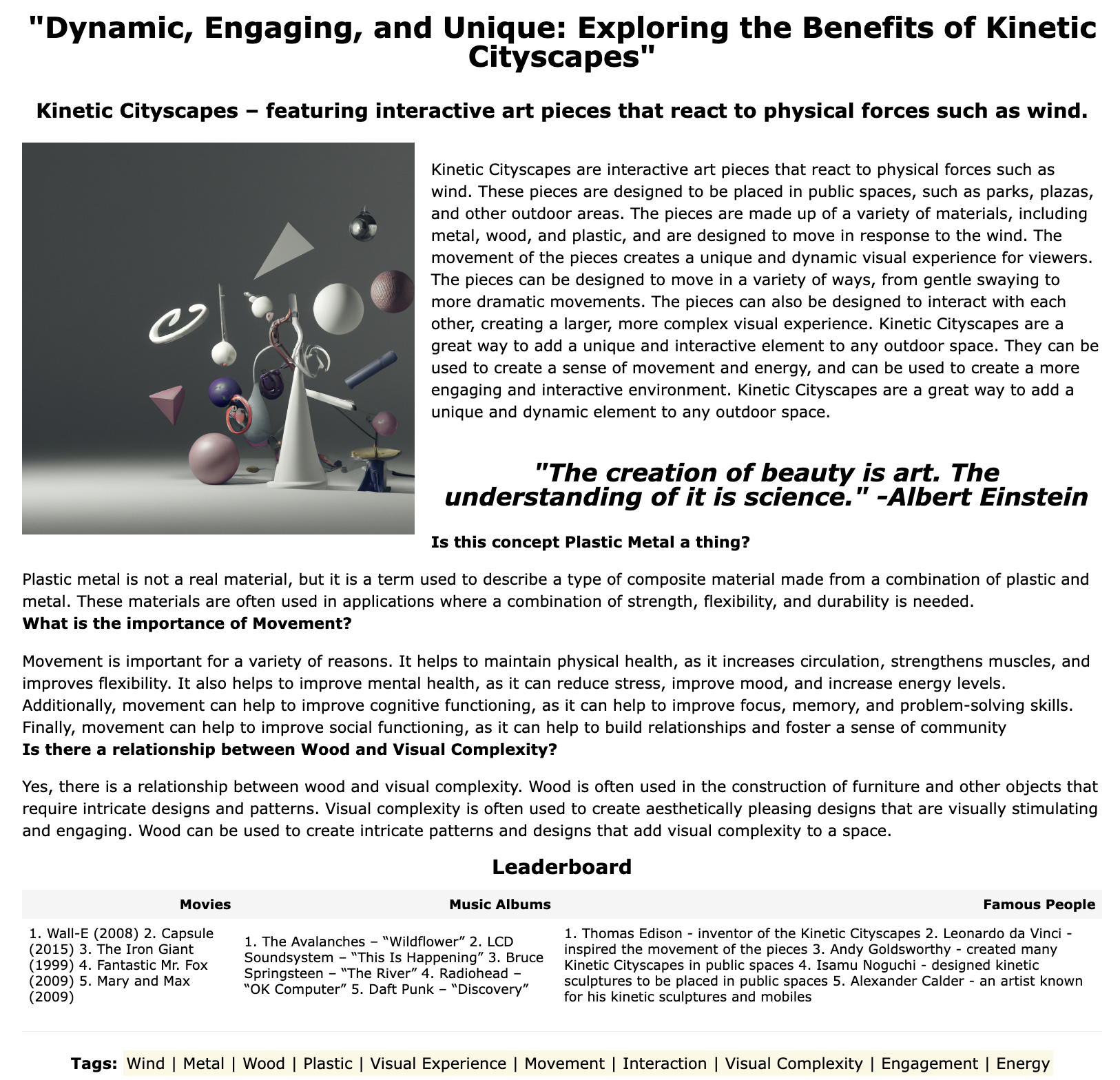
You can auto generate this blog post in a single API call like so.
from authorai import blogger
keywords = ['Physics', 'Art', 'City']
blogger.auto_generate(keywords, verbose=True)
You can also customize the features and content of the blog within few lines of code using AuthorAI Blogger API.
from authorai import blogger

post = blogger.BlogPost()

post.set_auto(True)
post.set_full_feature(True)

keywords = ['Physics', 'Art', 'City']

response, response_list = blogger.concepts_combining_keywords(keywords)

post.set_concept(response_list[3])

topic = blogger.describe_concept(post.get_concept(), words=200, grade=10)
post.set_topic(topic)

response, response_list = blogger.titles_from_topic(post.get_topic())
post.set_title(response_list[6])

response, response_list = blogger.tags_from_topic(post.get_topic())
post.set_tags(response_list)

question = 'Is this concept ' + post.get_tags()[3] + ' ' + post.get_tags()[1] +  ' a thing?'
post.set_qna(question, blogger.qna(question))

response, reponse_list = blogger.leaderboard(topic, 'Movies', count=5)
post.set_leaderboard('Movies', response)

quote_text = blogger.quote(', '.join(concepts))
post.set_quote(quote_text)

image_description = blogger.strip_filename(blogger.summarize(post.get_topic(), words=10))
image_url = blogger.image_from_description('a 3d photo realistic painting of topic ' + image_description)

local_image = blogger.save_image(url=image_url, description=image_description)
post.set_feature_image(local_image)

post_html = blogger.generate_html(post)
html_path, markdown_path = blogger.publish(post_html=post_html, filename='-'.join(concepts))
1 maintainer

Metadata
1 maintainer
Release files for authorai 0.2.2
For a detailed explanation of source distributions (sdists) and built distributions (wheels), please see the package formats documentation.
Source distribution (sdist)
| File | Size | Uploaded | Provenance | |
|---|---|---|---|---|
| authorai-0.2.2.tar.gz | 13.4 kB | Without provenance | Details |
Built distribution (wheel)
| File | Interpreter | ABI | Platform | Reset |
|---|---|---|---|---|
| authorai-0.2.2-py3-none-any.whl | Python 3 | none | any | Details |
Total release size: 26.1 kB
Security for authorai 0.2.2
Provenance
Provenance describes where a file came from. On PyPI, provenance is shared via attestations, which provide a verifiable record of the build or publishing details. View details, limitations and caveats.
No provenance found
None of the files in this release were uploaded with provenance metadata.
A note on package security
PyPI is a repository for distributing packages, not a service for auditing them. While third-party security researchers and our staff do their best to detect and remove malicious packages, PyPI cannot guarantee the quality, security or suitability of any given package.














