
AutiobooksQTa: Automatically Convert EPUBs to Autiobooks
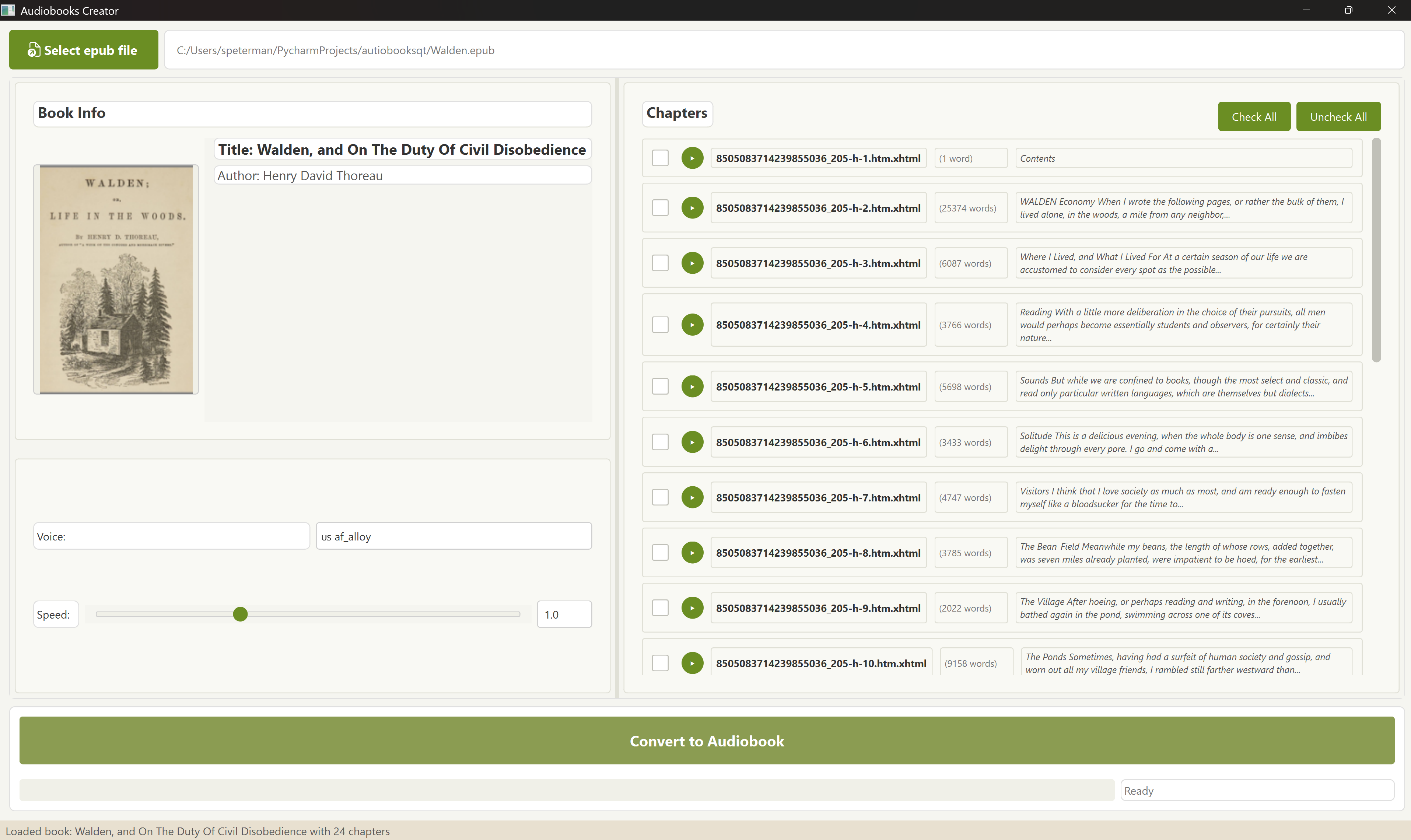
AutiobooksQTa generates .m4b audiobooks from regular .epub e-books, using Kokoro's high-quality speech synthesis. This is a PyQt6-based port of the original Autiobooks application, offering an enhanced user interface and additional features.
Features
- Convert EPUB books to high-quality audio files
- Create M4B audiobooks with chapters
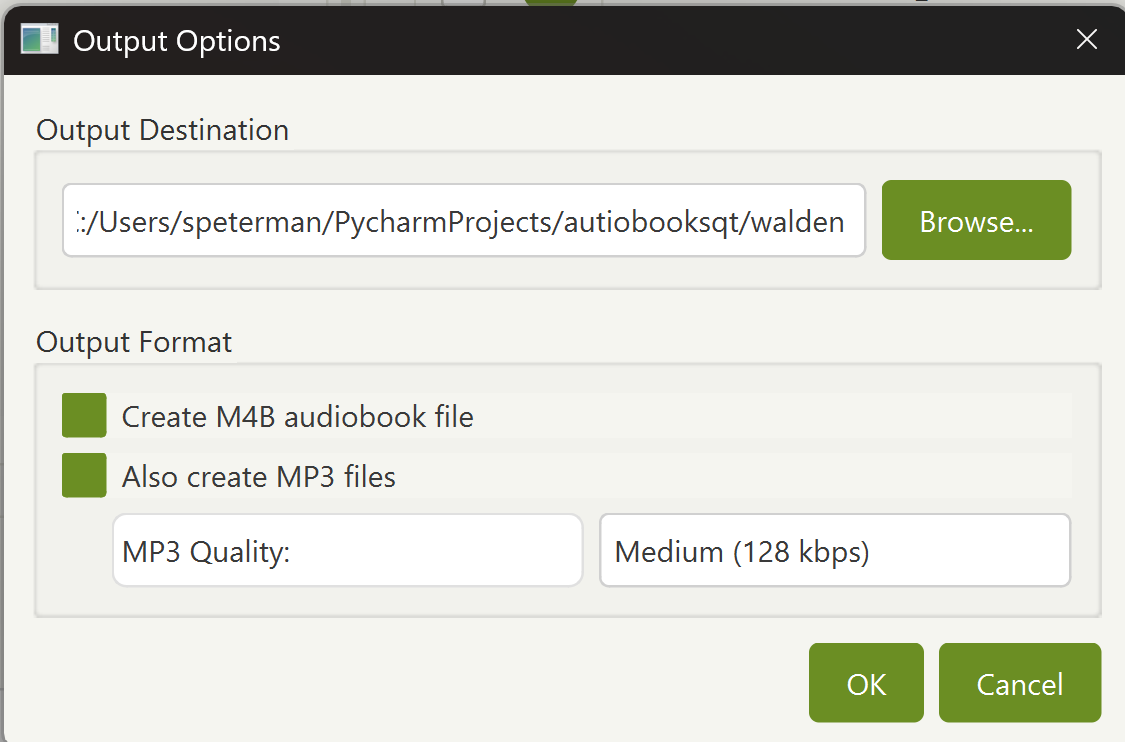
- Export to MP3 with customizable quality settings
- Multiple voice options and speed control
- GPU acceleration support
- Simple and intuitive user interface
- Automatic FFmpeg installation assistant
Installation
You can install AutiobooksQTa directly from PyPI:
pip install autiobooksqta
Usage
After installation, you can run the application with:
autiobooksqta
Converting a Book
- Open an EPUB file using the file selector
- Choose your voice preferences and output settings
- Select which chapters to convert
- Click "Convert" to start the process
- Find your audiobook files in organized subfolders:
m4b/- Contains the complete audiobook in M4B formatmp3/- Contains individual MP3 files for each chapterwav/- Contains raw WAV files (if selected to keep)
FFmpeg Installation Assistant
AutiobooksQTa requires FFmpeg to create audiobooks. If FFmpeg is not found on your system, the application will automatically detect this and offer to download and install it for you:
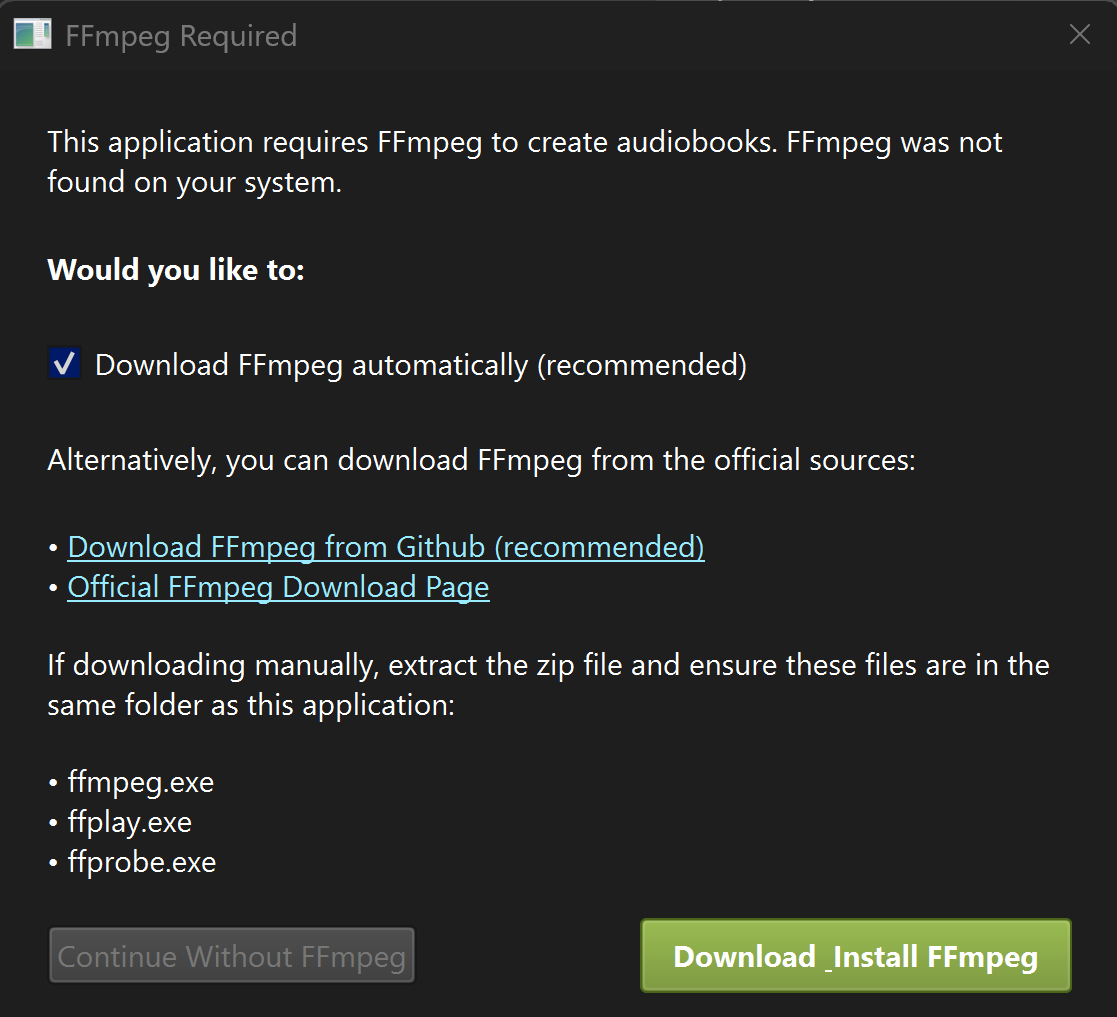
Features of the FFmpeg Assistant:
- Automatic detection of missing FFmpeg installation
- One-click download and installation option (recommended)
- Links to official FFmpeg sources if you prefer manual installation
- Clear instructions for manual installation
- Option to continue without FFmpeg (with limited functionality)
The assistant ensures you can get up and running quickly without having to manually configure FFmpeg.
Requirements
- Python 3.8+
- FFmpeg (automatically installed if missing)
- PyQt6
- Additional dependencies will be installed automatically
Development
To contribute to this project:
git clone https://github.com/scottpeterman/autiobooksqta.git
cd autiobooksqta
pip install -e .
License
GNU General Public License v3.0 (GPLv3)
Links
- GitHub: https://github.com/scottpeterman/autiobooksqta
- PyPI: https://pypi.org/project/autiobooksqta/
- Original Project: autiobooks
1 maintainer

Metadata
1 maintainer
Release files for autiobooksqta 0.1.1
For a detailed explanation of source distributions (sdists) and built distributions (wheels), please see the package formats documentation.
Built distribution (wheel)
| File | Interpreter | ABI | Platform | Actions Reset |
|---|---|---|---|---|
| autiobooksqta-0.1.1-py3-none-any.whl | Python 3 | none | any | Details for autiobooksqta-0.1.1-py3-none-any.whl |
Release files / autiobooksqta-0.1.1-py3-none-any.whl
| Download URL | autiobooksqta-0.1.1-py3-none-any.whl |
|---|---|
| Size | 12.8 MB |
| Tags | Python 3 |
|
SHA-256 checksum How to use checksums |
9671792809730a6d05241951cf8fcadf024ce891894176b76b6e7ddeb3d18f42
|
|
BLAKE2b-256 checksum How to use checksums |
39c93e82a42dab92424ccbb22eb2a5ac52b4cecc8cafd16a67ed4005eb1b7b94
|
| Upload date | |
|
Uploaded using Trusted Publishing? What is trusted publishing? |
No |
| Uploaded via |
twine/6.1.0 CPython/3.12.5
|
Security for autiobooksqta 0.1.1
Provenance
Provenance describes where a file came from. On PyPI, provenance is shared via attestations, which provide a verifiable record of the build or publishing details. View details, limitations and caveats.
No provenance found
None of the files in this release were uploaded with provenance metadata.
A note on package security
PyPI is a repository for distributing packages, not a service for auditing them. While third-party security researchers and our staff do their best to detect and remove malicious packages, PyPI cannot guarantee the quality, security or suitability of any given package.
To learn more about protecting yourself from malicious actors, visit our package security documentation.














