
A PyQt6-based application for converting EPUB books to audiobooks

Project description
AutiobooksQTa: Automatically Convert EPUBs to Autiobooks
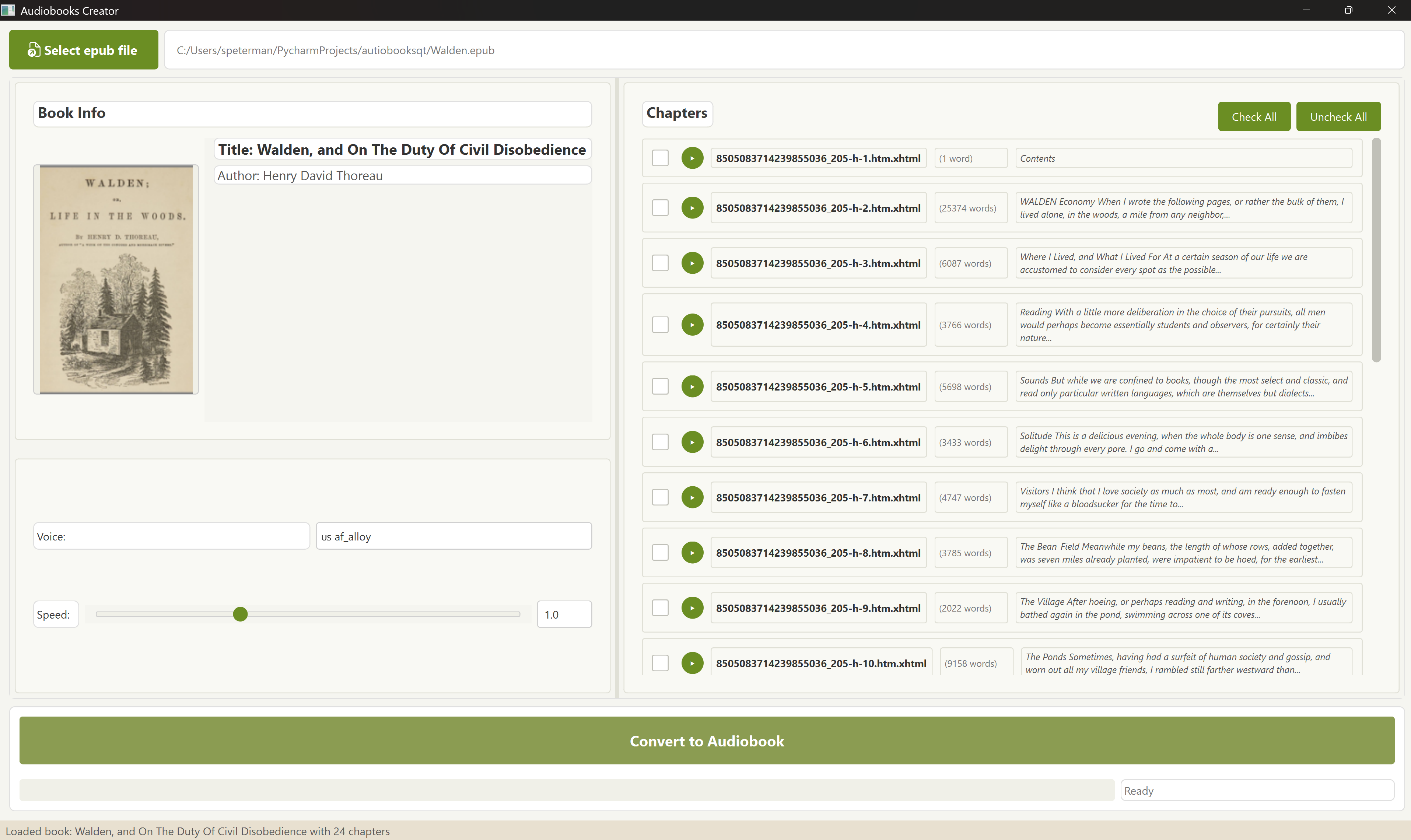
AutiobooksQTa generates .m4b audiobooks from regular .epub e-books, using Kokoro's high-quality speech synthesis. This is a PyQt6-based port of the original Autiobooks application, offering an enhanced user interface and additional features.
Features
- Convert EPUB books to high-quality audio files
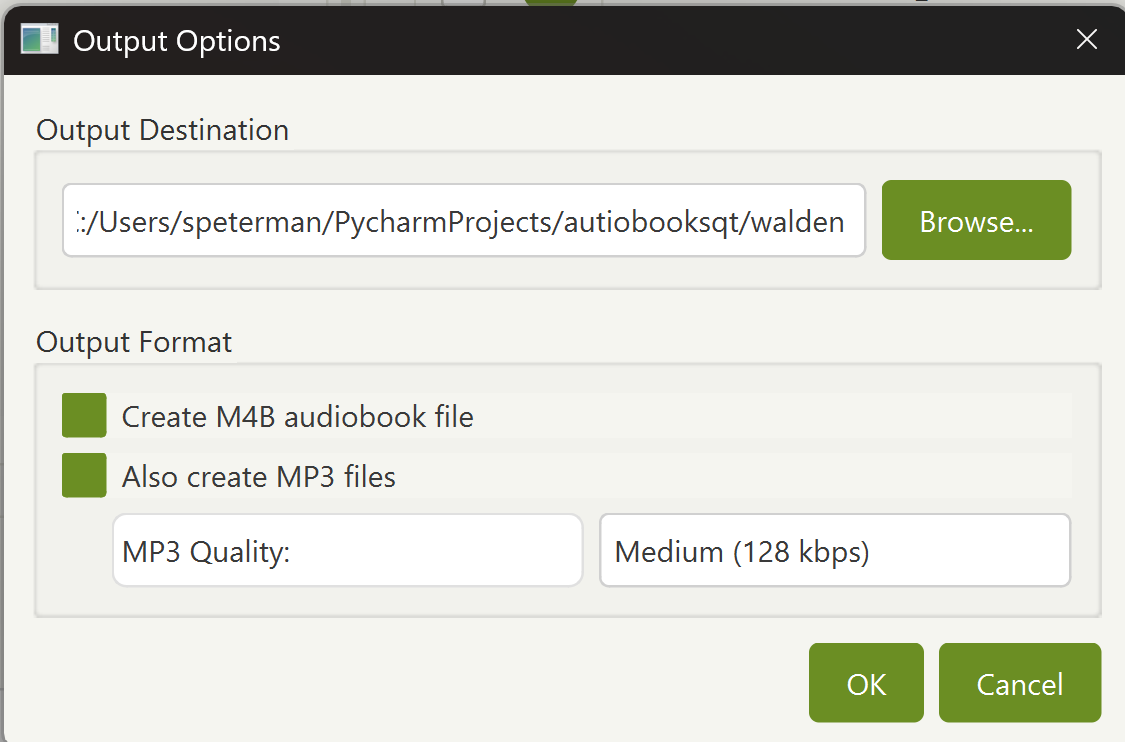
- Create M4B audiobooks with chapters
- Export to MP3 with customizable quality settings
- Multiple voice options and speed control
- GPU acceleration support
- Simple and intuitive user interface
- Automatic FFmpeg installation assistant
Installation
You can install AutiobooksQTa directly from PyPI:
pip install autiobooksqta
Usage
After installation, you can run the application with:
autiobooksqta
Converting a Book
- Open an EPUB file using the file selector
- Choose your voice preferences and output settings
- Select which chapters to convert
- Click "Convert" to start the process
- Find your audiobook files in organized subfolders:
m4b/- Contains the complete audiobook in M4B formatmp3/- Contains individual MP3 files for each chapterwav/- Contains raw WAV files (if selected to keep)
FFmpeg Installation Assistant
AutiobooksQTa requires FFmpeg to create audiobooks. If FFmpeg is not found on your system, the application will automatically detect this and offer to download and install it for you:
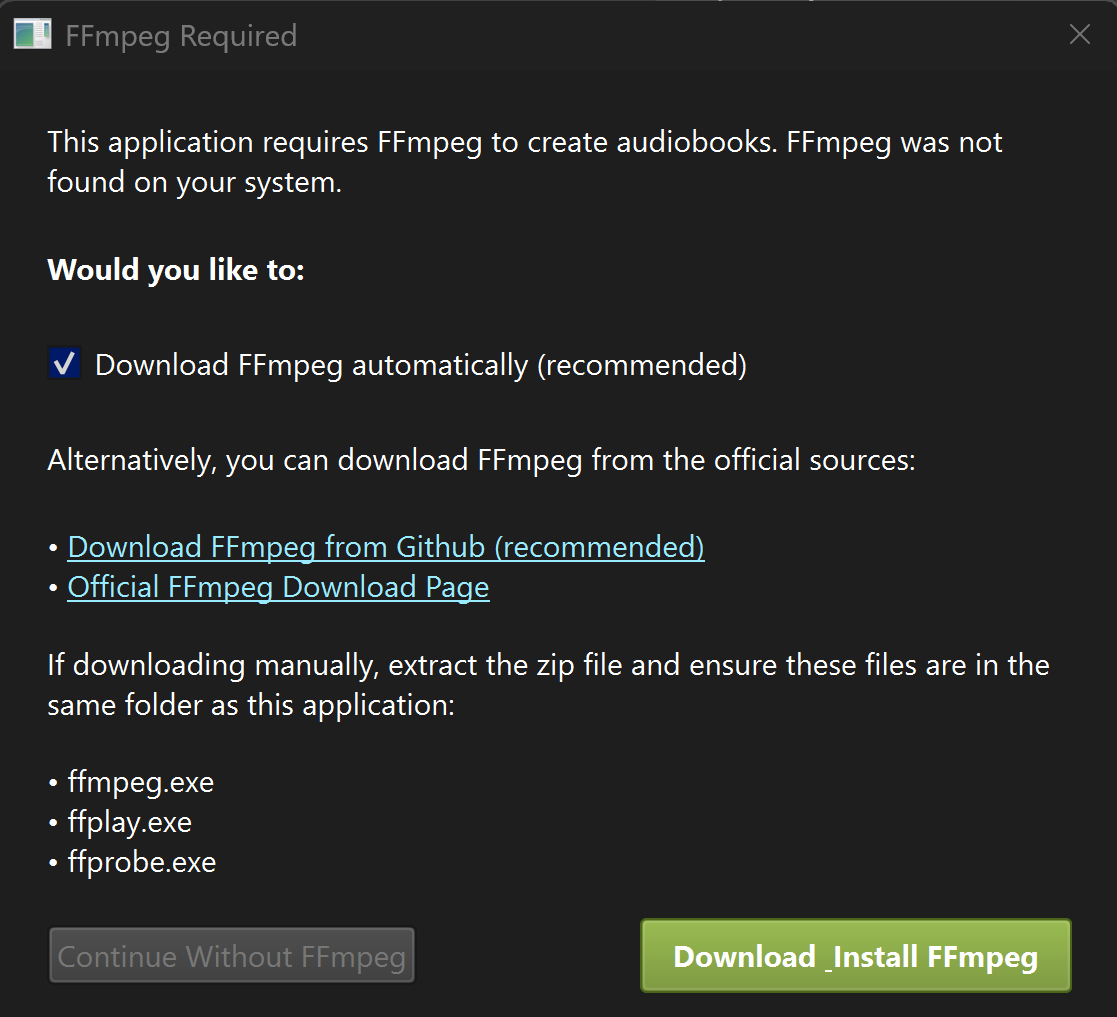
Features of the FFmpeg Assistant:
- Automatic detection of missing FFmpeg installation
- One-click download and installation option (recommended)
- Links to official FFmpeg sources if you prefer manual installation
- Clear instructions for manual installation
- Option to continue without FFmpeg (with limited functionality)
The assistant ensures you can get up and running quickly without having to manually configure FFmpeg.
Requirements
- Python 3.8+
- FFmpeg (automatically installed if missing)
- PyQt6
- Additional dependencies will be installed automatically
Development
To contribute to this project:
git clone https://github.com/scottpeterman/autiobooksqta.git
cd autiobooksqta
pip install -e .
License
GNU General Public License v3.0 (GPLv3)
Links
- GitHub: https://github.com/scottpeterman/autiobooksqta
- PyPI: https://pypi.org/project/autiobooksqta/
- Original Project: autiobooks
Release history Release notifications | RSS feed


Download files
Download the file for your platform. If you're not sure which to choose, learn more about installing packages.
Source Distribution
Built Distribution
Filter files by name, interpreter, ABI, and platform.
If you're not sure about the file name format, learn more about wheel file names.
Copy a direct link to the current filters
File details
Details for the file autiobooksqta-0.1.0.tar.gz.
File metadata
- Download URL: autiobooksqta-0.1.0.tar.gz
- Upload date:
- Size: 13.6 MB
- Tags: Source
- Uploaded using Trusted Publishing? No
- Uploaded via: twine/6.1.0 CPython/3.12.5
File hashes
| Algorithm | Hash digest | |
|---|---|---|
| SHA256 |
3886a3c9cbf47bc48177768343d0d625297a842c4ac347609442e3e691d8bd56
|
|
| MD5 |
f8721f90179da5eda5b432fd34e4da1f
|
|
| BLAKE2b-256 |
e0df8bf20616269b1301868dd9fce7fe38e5b0c72ba3288de03a38f6acb28ef0
|
File details
Details for the file autiobooksqta-0.1.0-py3-none-any.whl.
File metadata
- Download URL: autiobooksqta-0.1.0-py3-none-any.whl
- Upload date:
- Size: 12.8 MB
- Tags: Python 3
- Uploaded using Trusted Publishing? No
- Uploaded via: twine/6.1.0 CPython/3.12.5
File hashes
| Algorithm | Hash digest | |
|---|---|---|
| SHA256 |
417a5a32b8f0619deb83dc99669a290c6435a49db9ebc25acca1ade92e6e66ca
|
|
| MD5 |
8a1137b84a5bc41349612b82758a661c
|
|
| BLAKE2b-256 |
4ee0b88dd902c40fc8bfbb7360163e3220b7ab3101e5d8430999aa758155512e
|






