
SQL Automation
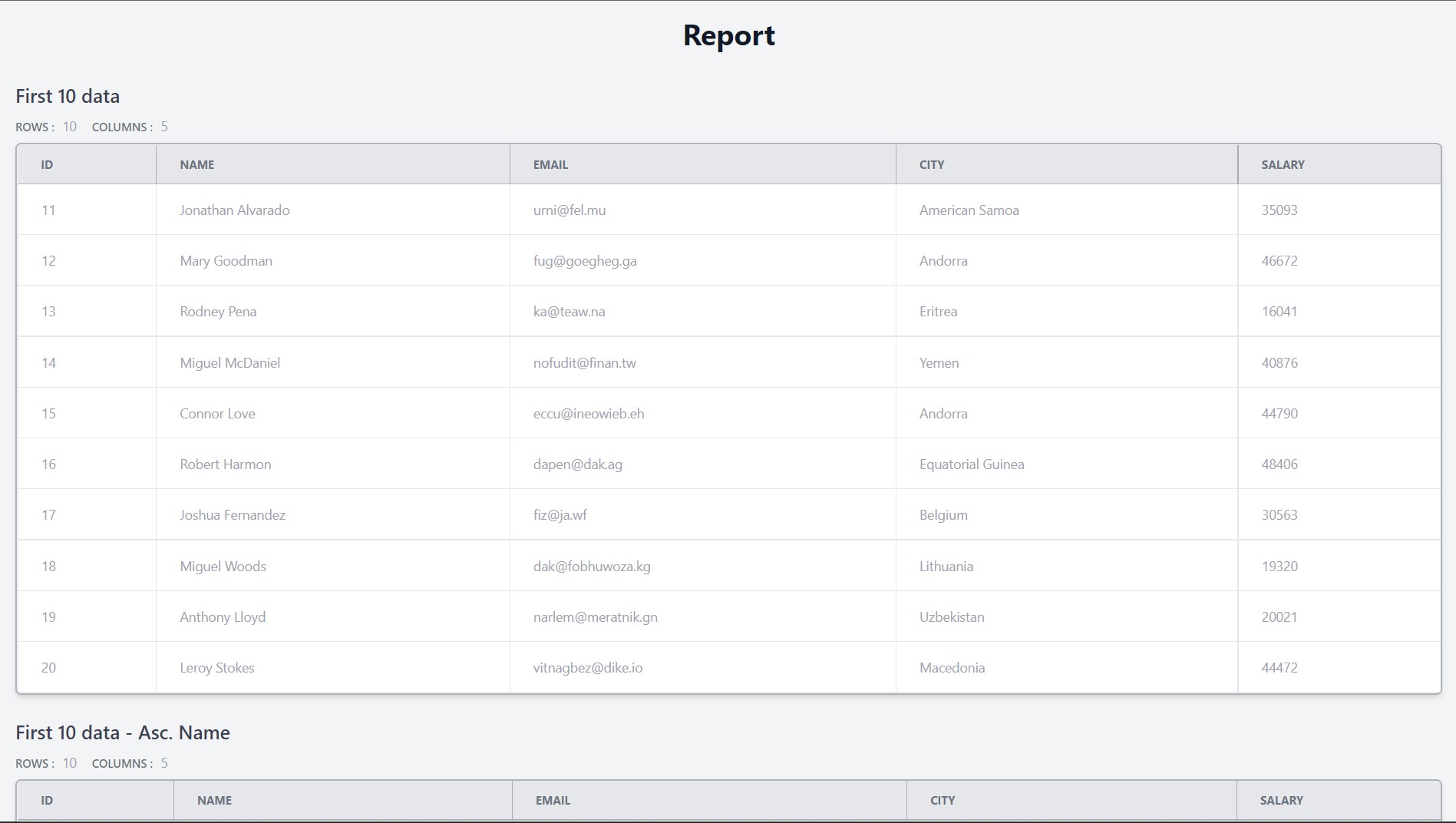
This is a simple tool to run a set of sql queries and generate a HTML report of the results
How to use the tool
Install the tool using pip
pip install auto-reports-sql
Create a json file with the following schema
{
  "type": "array",
  "items": {
    "type": "object",
    "required": ["name", "query"],
    "properties": {
      "name": {
        "type": "string",
        "pattern": "^.*$"
      },
      "query": {
        "type": "array",
        "items": {
          "type": "string",
          "pattern": "^.*$"
        }
      }
    }
  }
}
Example
[
  {
    "name": "First 10 data",
    "query": [
      "select * from Person limit 10",
      "select * from Person order by name desc limit 10"
    ]
  }
]
Run the program with the following command
Usage: auto-reports-sql execute [OPTIONS] QUERIES

Options:
  -t, --threads INTEGER           No. of threads used for computation
                                  [default: 10]
  -rt, --report-title TEXT        Title of the generated report.  [default: Report Title]
  -d, --db [sqlite|mysql|postgres]
                                  The database which is used.  [required]
  -dp, --db-path PATH             Sqlite database path. Only required if the
                                  database is set to 'sqlite'
  -h, --host TEXT                 host of the database. Only required if the
                                  database is not set to 'sqlite'
  -u, --username TEXT             username to access the database. Only
                                  required if the database is not set to
                                  'sqlite'
  -p, --password TEXT             password of the database. Only required if
                                  the database is not set to 'sqlite'
  -n, --db-name TEXT              name of the database. Only required if the
                                  database is not set to 'sqlite'
  --config FILE                   Read configuration from FILE.
  --help                          Show this message and exit.
Report Examples
Possible Updates
- Errors in the queries are not taken into account
1 maintainer

Metadata
1 maintainer
Release files for auto-reports-sql 1.0.6
For a detailed explanation of source distributions (sdists) and built distributions (wheels), please see the package formats documentation.
Built distribution (wheel)
| File | Interpreter | ABI | Platform | Reset |
|---|---|---|---|---|
| auto_reports_sql-1.0.6-py3-none-any.whl | Python 3 | none | any | Details |
Release files / auto_reports_sql-1.0.6-py3-none-any.whl
| Download URL | auto_reports_sql-1.0.6-py3-none-any.whl |
|---|---|
| Size | 12.1 kB |
| Tags | Python 3 |
|
SHA-256 checksum How to use checksums |
da9762e9c966afbb5154a56737f92a9f94f8ea39ffb7ee15a7236d13c643712c
|
|
BLAKE2b-256 checksum How to use checksums |
7ba69ad94291db54b925b8fd390e32d1189e6b2792aa72f3ff911f3dc37dcb98
|
| Upload date | |
|
Uploaded using Trusted Publishing? What is trusted publishing? |
No |
| Uploaded via |
twine/4.0.1 CPython/3.11.0
|














