
Git Init · AI Commit · Auto Push — one command from any terminal

Project description
✦ AutoDeploy AI
Git Init · AI Commit · Auto Push — dari terminal mana pun, satu command.
AutoDeploy AI adalah CLI yang mengotomatisasi proses deploy project ke GitHub:
- Git init otomatis
- AI generate commit message
- Push ke GitHub dalam satu command
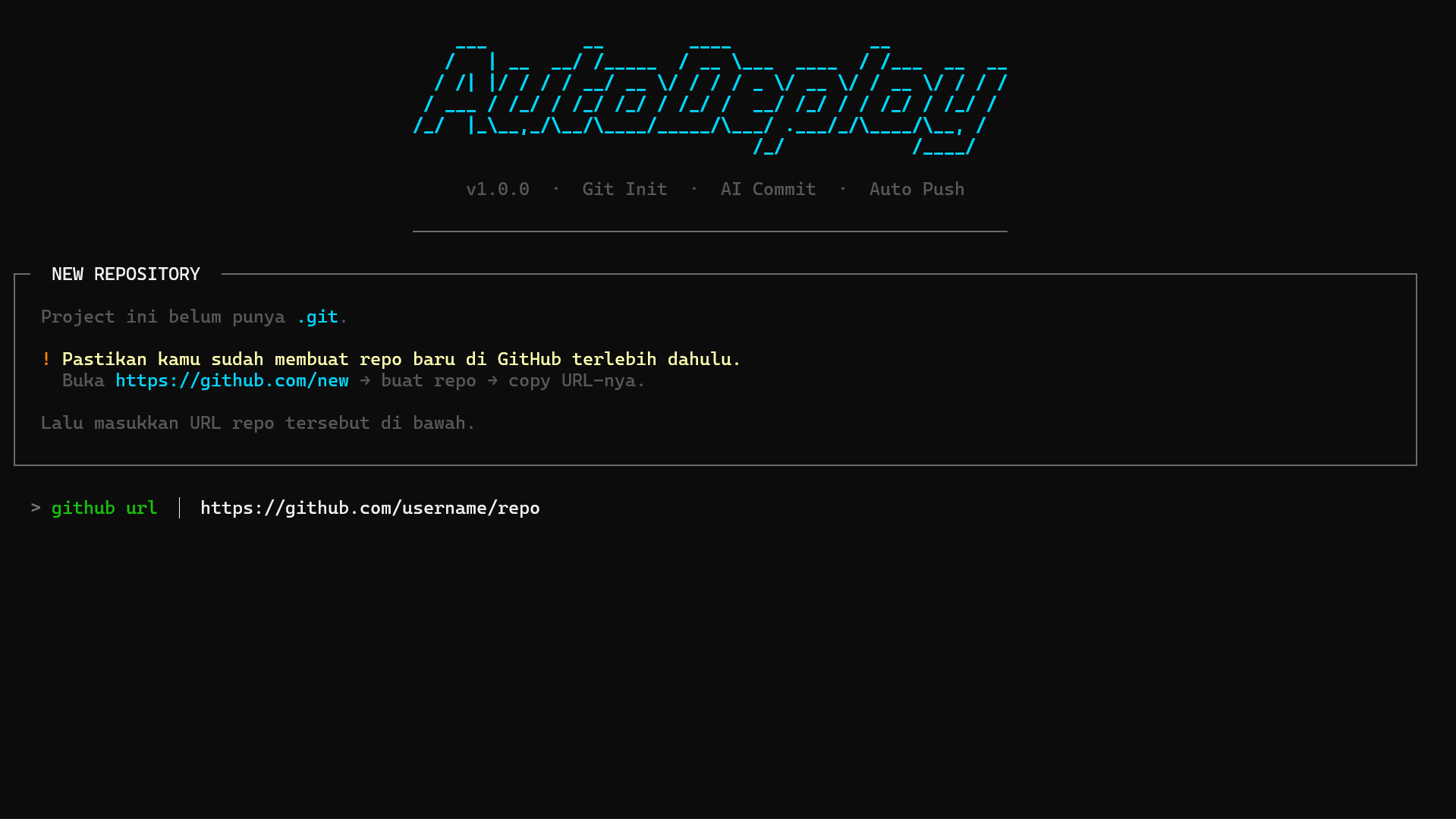
Tampilan Awal
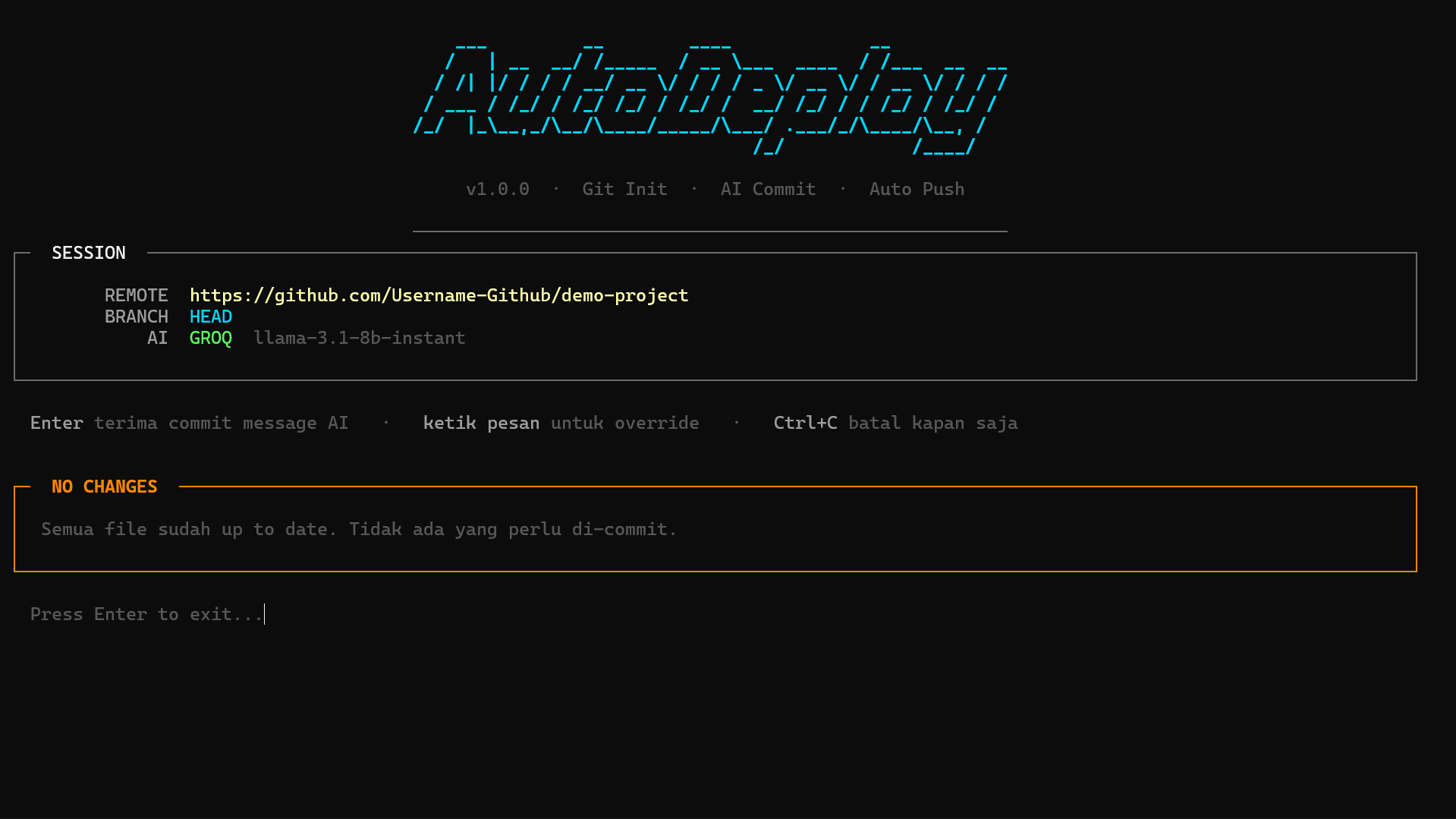
Tampilan Akhir
Fitur
- Auto
git initkalau project belum punya.git - Set remote otomatis dari GitHub URL yang lo kasih
- Validasi repo — cek apakah repo GitHub benar-benar ada sebelum deploy
- AI generate commit message pakai Groq, OpenAI, atau Ollama
- Spinner animasi di tiap step — staging, generating, commit, push
- Setup wizard — pertama kali jalan langsung guided setup, tidak perlu config manual
- Global CLI — bisa dipanggil dari folder project mana pun
Install
pip install autodeploy-ai
Setelah install, command autodeploy langsung tersedia dari terminal mana pun.
Cara Pakai
# Project baru — belum ada .git
autodeploy https://github.com/username/repo-name

# Project yang sudah punya remote
autodeploy
Pertama kali menjalankan autodeploy, wizard setup akan otomatis muncul untuk mengatur provider AI dan API key. Konfigurasi disimpan di ~/.autodeploy.env dan berlaku dari folder mana pun.
Untuk mengubah konfigurasi:
autodeploy --setup
Untuk uninstall semuanya:
autodeploy --uninstall
Setup Wizard
Saat pertama kali jalan, wizard akan memandu:
✦  FIRST TIME SETUP

Pilih AI provider:
  1.  Groq    — gratis, cepat
  2.  Ollama  — lokal, gratis, tidak perlu API key
  3.  OpenAI  — berbayar

> Provider (1/2/3)
> Groq API Key   gsk_...

✓  Setup selesai! Disimpan di ~/.autodeploy.env
Flow Deploy
  ✓  Staging changes            → git add .
  ✓  Generating commit message  → AI generate via Groq / OpenAI / Ollama
                                   └─ konfirmasi atau ketik manual
  ✓  Creating commit            → git commit -m "<pesan>"
  ✓  Pushing to GitHub          → git push -u origin <branch>
Kalau project belum ada .git, sebelum flow di atas akan otomatis:
- Validasi repo GitHub — pastiin sudah dibuat di github.com/new
git initgit remote add origin <url>
Provider AI
| Provider | Model | Keterangan | API Key |
|---|---|---|---|
groq |
llama-3.1-8b-instant |
Online, gratis, cepat | console.groq.com |
ollama |
llama3.2:latest |
Lokal, gratis, butuh Ollama running | Tidak perlu |
openai |
gpt-4o-mini |
Online, berbayar | platform.openai.com |
Release history Release notifications | RSS feed


Download files
Download the file for your platform. If you're not sure which to choose, learn more about installing packages.
Source Distribution
Built Distribution
Filter files by name, interpreter, ABI, and platform.
If you're not sure about the file name format, learn more about wheel file names.
Copy a direct link to the current filters
File details
Details for the file autodeploy_ai-1.6.0.tar.gz.
File metadata
- Download URL: autodeploy_ai-1.6.0.tar.gz
- Upload date:
- Size: 92.7 kB
- Tags: Source
- Uploaded using Trusted Publishing? No
- Uploaded via: twine/6.2.0 CPython/3.12.7
File hashes
| Algorithm | Hash digest | |
|---|---|---|
| SHA256 |
a6c20f7b8e32dda5d967c7b3a50f36a13436fcce0839d50052d4eb5ab89799d3
|
|
| MD5 |
81453784124c3040641efb612d23e8eb
|
|
| BLAKE2b-256 |
b45622552f912e59d78f61703562a8e33d0858ab20df21ffe1dbcdc549de696d
|
File details
Details for the file autodeploy_ai-1.6.0-py3-none-any.whl.
File metadata
- Download URL: autodeploy_ai-1.6.0-py3-none-any.whl
- Upload date:
- Size: 11.8 kB
- Tags: Python 3
- Uploaded using Trusted Publishing? No
- Uploaded via: twine/6.2.0 CPython/3.12.7
File hashes
| Algorithm | Hash digest | |
|---|---|---|
| SHA256 |
d4b4f7591c7bb2a9721b7c42b30b27bc93fba898a86b62a96f100b4b144eb0a1
|
|
| MD5 |
ef9da51ef582541e5fe335fce35d2f20
|
|
| BLAKE2b-256 |
70d225e4c5052d0ab9c83f56e5709333b09ea5f3e9f8de6f2612b77820bff153
|






