
CLI tool for easy metadata extraction and manipulation
Verified details
These details have been verified by PyPIProject links
GitHub Statistics
Maintainers

Project description



AutoExif CLI w/TUI
A super user-friendly CLI tool for extracting and manipulating metadata from files and URLs.
🚀 Features
- Read metadata from images and videos
- Extract metadata from local files and URLs
- Wipe specific metadata (e.g., GPS)
- Super Easy setup for Windows & Linux Distro's
Q/A
- Q: Where is the original bash version?
- A: Here
Preview
Click to expand!
- Linux
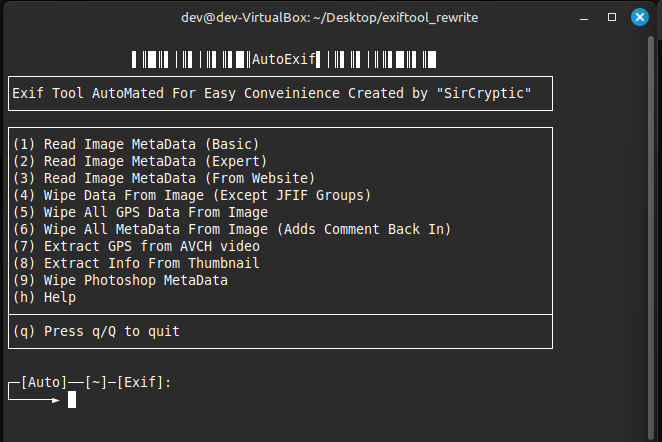
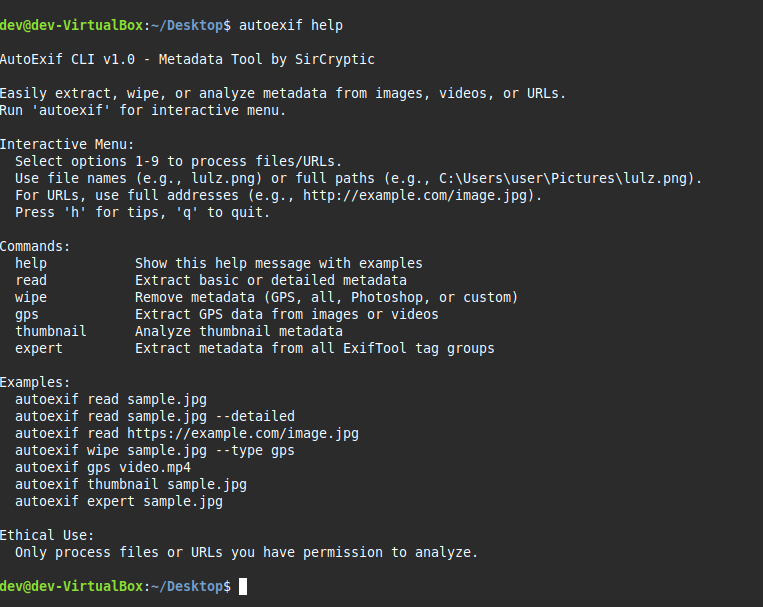
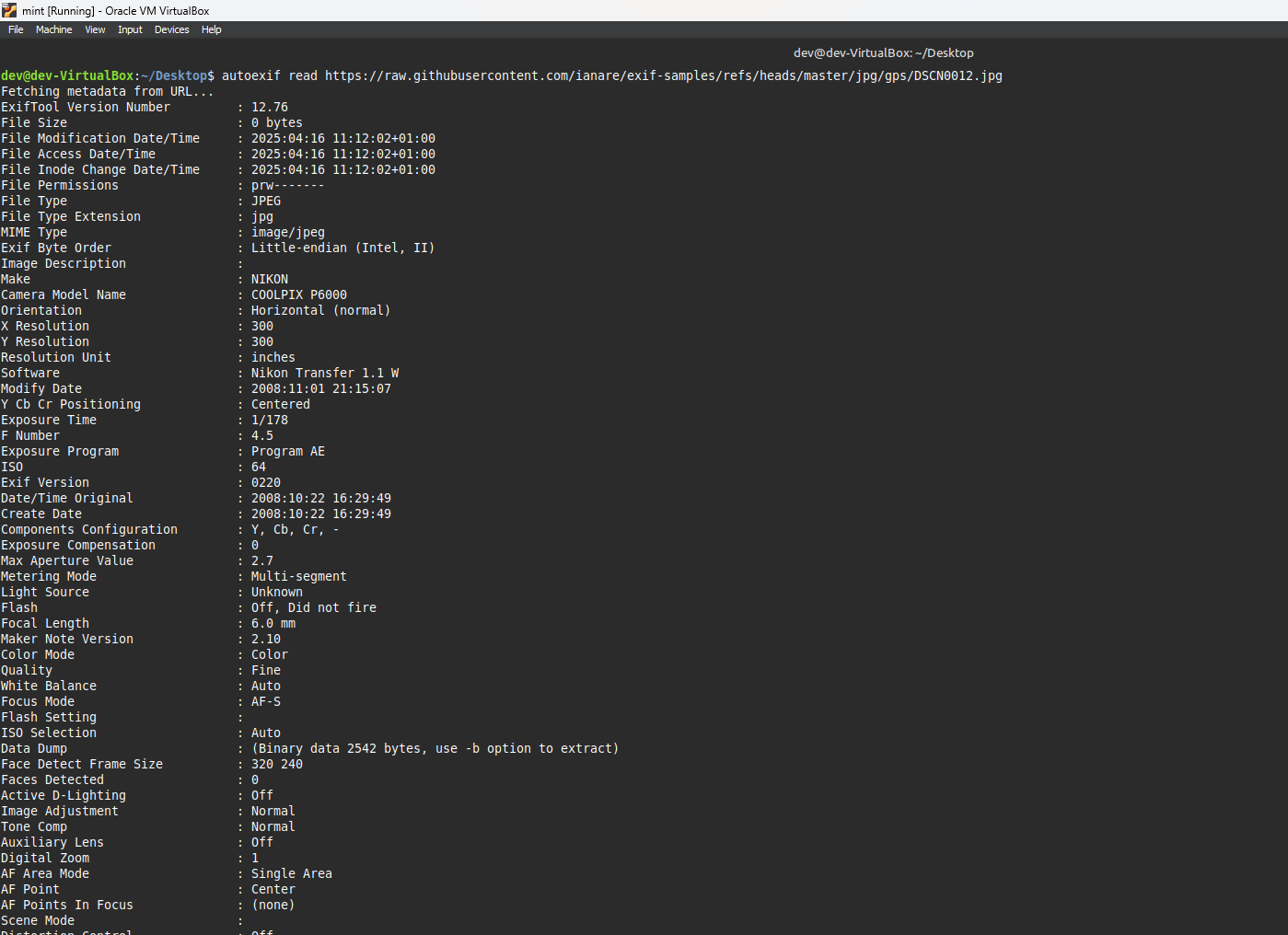
- Windows
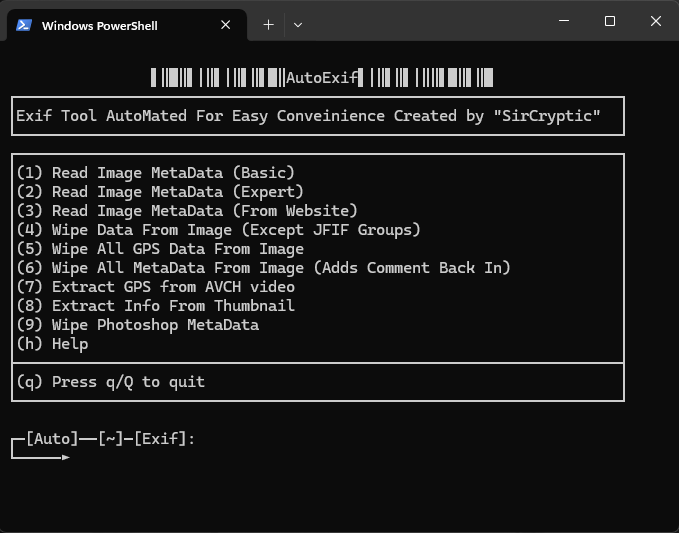
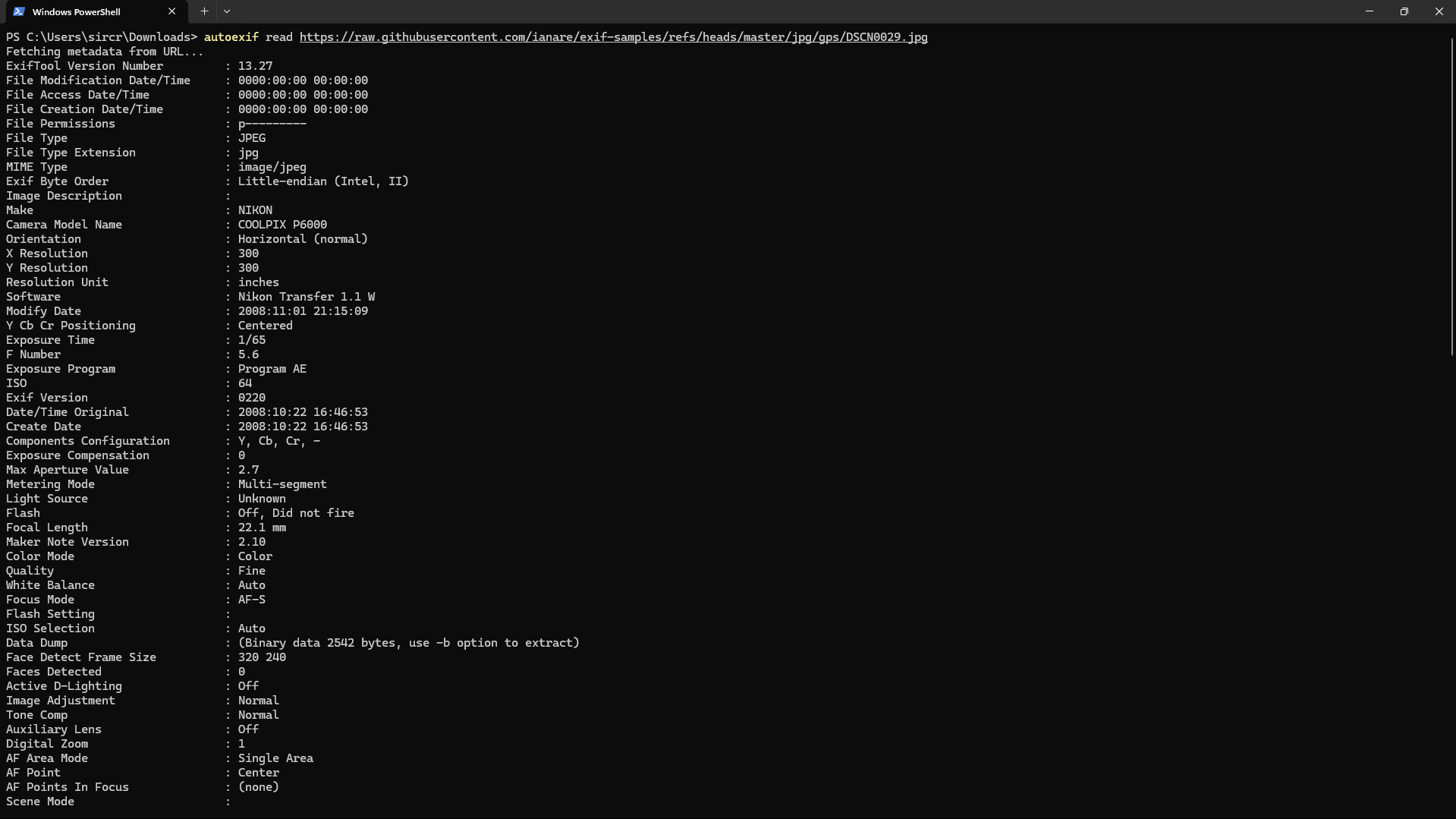
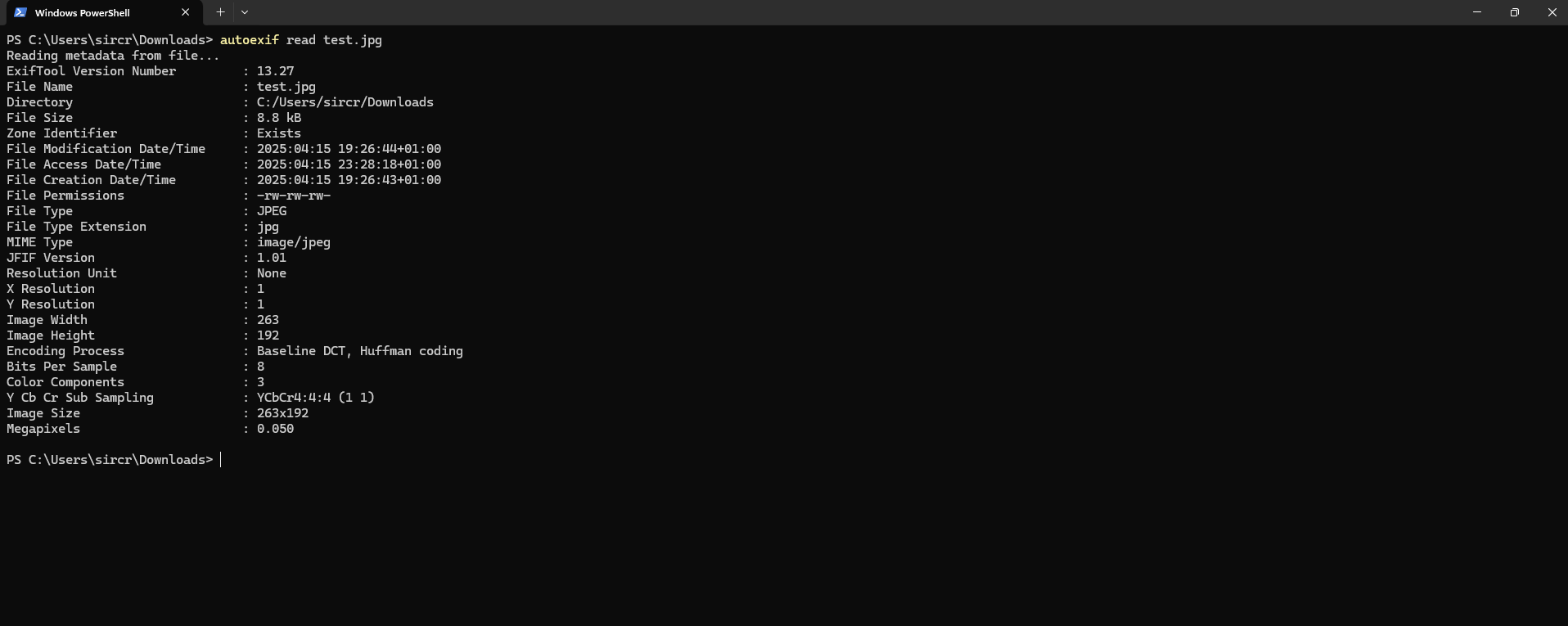
📦 Installation
Install via pip:
pip install autoexif
or build & install yourself from source.
1. Clone the repository
git clone https://github.com/SirCryptic/autoexif.git
cd autoexif
2. Install Python and dependencies
Make sure you have Python 3.11+ installed.
pip install -r requirements.txt
3. Install the CLI tool
windows
python setup.py install
linux
sudo python3 setup.py install
- Windows: Copies exiftool.exe and exiftool_files.zip to C:\Users\AppData\Local\autoexif, extracting the zip.
- Linux: Auto-installs ExifTool using your system's package manager or downloads it to ~/.autoexif/ if needed.
🛠️ Usage
Get started with:
autoexif help
- Short Version Of
help
autoexif --help
- Open TUI
autoexif
📷 Examples
Read metadata from an image in the current directory:
autoexif read
Read metadata from a specific image:
autoexif read sample.jpg
Read detailed metadata:
autoexif read sample.jpg --detailed
Read metadata from a URL:
autoexif read https://example.com/image.jpg
Wipe GPS data:
autoexif wipe sample.jpg --type gps
Extract GPS from a video:
autoexif gps video.mp4
Get thumbnail metadata:
autoexif thumbnail sample.jpg
Get expert-level metadata:
autoexif expert sample.jpg
📌 Notes
-
Windows: Installation copies exiftool.exe and exiftool_files.zip to C:\Users<YourUser>\AppData\Local\autoexif
and extracts the required files. -
Linux: Auto-installs ExifTool using your system's package manager or downloads it to ~/.autoexif/ if needed.
-
Ethical Use: Only process files and URLs you are authorized to access.
-
Help: Run
autoexif helpfor more details and usage options.
Made with ❤️ by SirCryptic
Project details
Verified details
These details have been verified by PyPIProject links
GitHub Statistics
Maintainers
Release history Release notifications | RSS feed


Download files
Download the file for your platform. If you're not sure which to choose, learn more about installing packages.
Source Distribution
Built Distribution
Filter files by name, interpreter, ABI, and platform.
If you're not sure about the file name format, learn more about wheel file names.
Copy a direct link to the current filters
File details
Details for the file autoexif-1.0.2.tar.gz.
File metadata
- Download URL: autoexif-1.0.2.tar.gz
- Upload date:
- Size: 10.7 MB
- Tags: Source
- Uploaded using Trusted Publishing? Yes
- Uploaded via: twine/6.1.0 CPython/3.12.9
File hashes
| Algorithm | Hash digest | |
|---|---|---|
| SHA256 |
502edf2b6f9ac56582e1d227ff347e87a5a8d7605da224a5adfec58774e89792
|
|
| MD5 |
a842931897c4c2f6922f99835690a049
|
|
| BLAKE2b-256 |
765e221f418daac010b6309d4c02bd7e6100058ea4ea461f0585d2ecc00907fa
|
Provenance
The following attestation bundles were made for autoexif-1.0.2.tar.gz:
Publisher:
publish.yml on SirCryptic/autoexif
-
Statement:
-
Statement type:
https://in-toto.io/Statement/v1 -
Predicate type:
https://docs.pypi.org/attestations/publish/v1 -
Subject name:
autoexif-1.0.2.tar.gz -
Subject digest:
502edf2b6f9ac56582e1d227ff347e87a5a8d7605da224a5adfec58774e89792 - Sigstore transparency entry: 200086525
- Sigstore integration time:
-
Permalink:
SirCryptic/autoexif@2f8487d8cd842e15a63acfb6ad4adea49ee93fc8 -
Branch / Tag:
refs/tags/v1.0.2 - Owner: https://github.com/SirCryptic
-
Access:
public
-
Token Issuer:
https://token.actions.githubusercontent.com -
Runner Environment:
github-hosted -
Publication workflow:
publish.yml@2f8487d8cd842e15a63acfb6ad4adea49ee93fc8 -
Trigger Event:
release
-
Statement type:
File details
Details for the file autoexif-1.0.2-py3-none-any.whl.
File metadata
- Download URL: autoexif-1.0.2-py3-none-any.whl
- Upload date:
- Size: 10.7 MB
- Tags: Python 3
- Uploaded using Trusted Publishing? Yes
- Uploaded via: twine/6.1.0 CPython/3.12.9
File hashes
| Algorithm | Hash digest | |
|---|---|---|
| SHA256 |
79e734190f18a564cb85d279fea8bea92b6c2edb851372332ed6c6d4fd1fc66d
|
|
| MD5 |
bf67ff987376be458c24f349bfa563e7
|
|
| BLAKE2b-256 |
5ce944443fbde79ee5706557af9f2430a0cf3960230af2fea1bdd07f076c2a54
|
Provenance
The following attestation bundles were made for autoexif-1.0.2-py3-none-any.whl:
Publisher:
publish.yml on SirCryptic/autoexif
-
Statement:
-
Statement type:
https://in-toto.io/Statement/v1 -
Predicate type:
https://docs.pypi.org/attestations/publish/v1 -
Subject name:
autoexif-1.0.2-py3-none-any.whl -
Subject digest:
79e734190f18a564cb85d279fea8bea92b6c2edb851372332ed6c6d4fd1fc66d - Sigstore transparency entry: 200086529
- Sigstore integration time:
-
Permalink:
SirCryptic/autoexif@2f8487d8cd842e15a63acfb6ad4adea49ee93fc8 -
Branch / Tag:
refs/tags/v1.0.2 - Owner: https://github.com/SirCryptic
-
Access:
public
-
Token Issuer:
https://token.actions.githubusercontent.com -
Runner Environment:
github-hosted -
Publication workflow:
publish.yml@2f8487d8cd842e15a63acfb6ad4adea49ee93fc8 -
Trigger Event:
release
-
Statement type:






