
Welcome to autoMaps
Automatically generate customized and ready to print maps
With autoMaps, you can:
- prepare your map layouts in QGIS
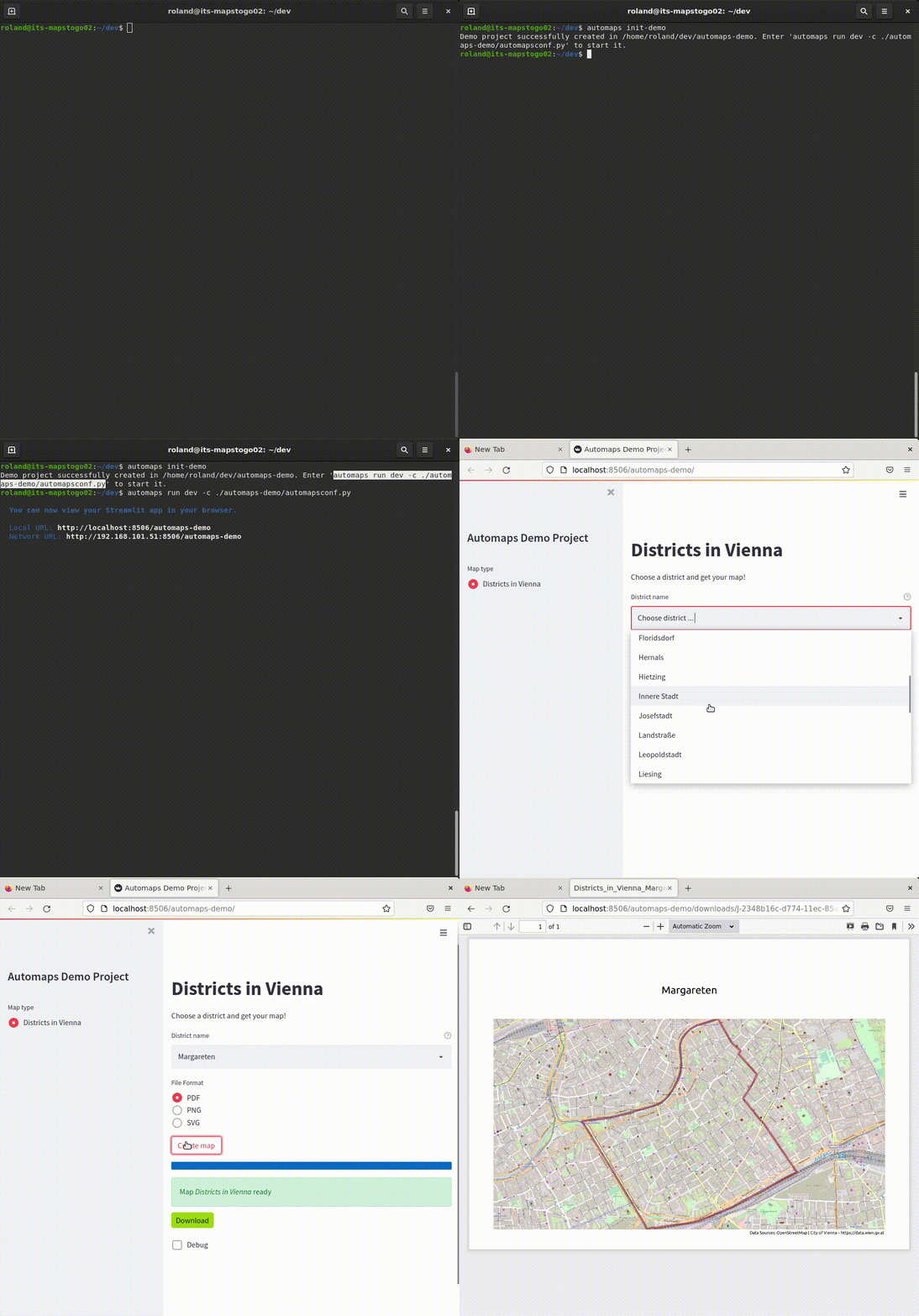
- let your users define map parameters in a nice web frontend
- receive beautiful, ready to print maps as PDFs or in other file formats
Give your domain experts the power to create maps like a GIS pro!
Start by reading the documentation , including the Getting Started Tutorial.
Features
Pre-define your map layouts, let your users set the map parameters
Use the power of a GIS, serve the maps over the web
Easy to configure
Builds on reliable open source projects
powered by


1 maintainer

Metadata
1 maintainer
Release files for automaps 1.0.5
For a detailed explanation of source distributions (sdists) and built distributions (wheels), please see the package formats documentation.
Source distribution (sdist)
| File | Size | Uploaded | Provenance | |
|---|---|---|---|---|
| automaps-1.0.5.tar.gz | 505.6 kB | Without provenance | Details |
Built distribution (wheel)
| File | Interpreter | ABI | Platform | Reset |
|---|---|---|---|---|
| automaps-1.0.5-py3-none-any.whl | Python 3 | none | any | Details |
Total release size: 1.0 MB
Release files / automaps-1.0.5.tar.gz
| Download URL | automaps-1.0.5.tar.gz |
|---|---|
| Size | 505.6 kB |
| Tags | Source |
|
SHA-256 checksum How to use checksums |
7adadf0e0052b17ac9dc8b486fe3618f0bb79b2a081f3b5d2feb88897220e078
|
|
BLAKE2b-256 checksum How to use checksums |
06fbae256a74b80b12d9a7178a7a0a743c7d10a72ce4b1e9ad094f93ca27d2af
|
| Upload date | |
|
Uploaded using Trusted Publishing? What is trusted publishing? |
No |
| Uploaded via |
twine/4.0.0 CPython/3.8.10
|
Release files / automaps-1.0.5-py3-none-any.whl
| Download URL | automaps-1.0.5-py3-none-any.whl |
|---|---|
| Size | 509.8 kB |
| Tags | Python 3 |
|
SHA-256 checksum How to use checksums |
0c8459e588b7e5966dbbb4155b376114d4abe553f4b735727059c582aeb8124e
|
|
BLAKE2b-256 checksum How to use checksums |
daed3ba134fd5af1aeb87b0993b18b9881566d3e9d5c16f9053a5b845c92bc30
|
| Upload date | |
|
Uploaded using Trusted Publishing? What is trusted publishing? |
No |
| Uploaded via |
twine/4.0.0 CPython/3.8.10
|
Security for automaps 1.0.5
Provenance
Provenance describes where a file came from. On PyPI, provenance is shared via attestations, which provide a verifiable record of the build or publishing details. View details, limitations and caveats.
No provenance found
None of the files in this release were uploaded with provenance metadata.
A note on package security
PyPI is a repository for distributing packages, not a service for auditing them. While third-party security researchers and our staff do their best to detect and remove malicious packages, PyPI cannot guarantee the quality, security or suitability of any given package.














