
AutomatedMLPack
A Comprehensive Package for Automated Machine Learning
Project Overview: This package is designed for swift and automated machine learning practice, catering to both classification and regression tasks. It facilitates model training, grid search application, and the preservation of the best model. Furthermore, it stores and visualizes the best scores attained by other models using commonly employed evaluation metrics.
What you will get:
- Training regression and classification models
-
- regression models: RandomForestRegressor, DecisionTreeRegressor, GradientBoostingRegressor, LinearRegression, XGBRegressor,CatBoostRegressor,AdaBoostRegressor
-
- classification models: RandomForestClassifier, DecisionTreeClassifier, GradientBoostingClassifier, LogisticRegression, XGBClassifier, CatBoostClassifier, AdaBoostClassifier, MLPClassifier, SVC
- Parameter Tunning Using GridsearchCV
- Feature Engineering Using Feature-Engine Package
- Feature Selection: Recursive Feature Elimination (classification), Recursive Feature Addition (classification) and SelectKBest (regression)
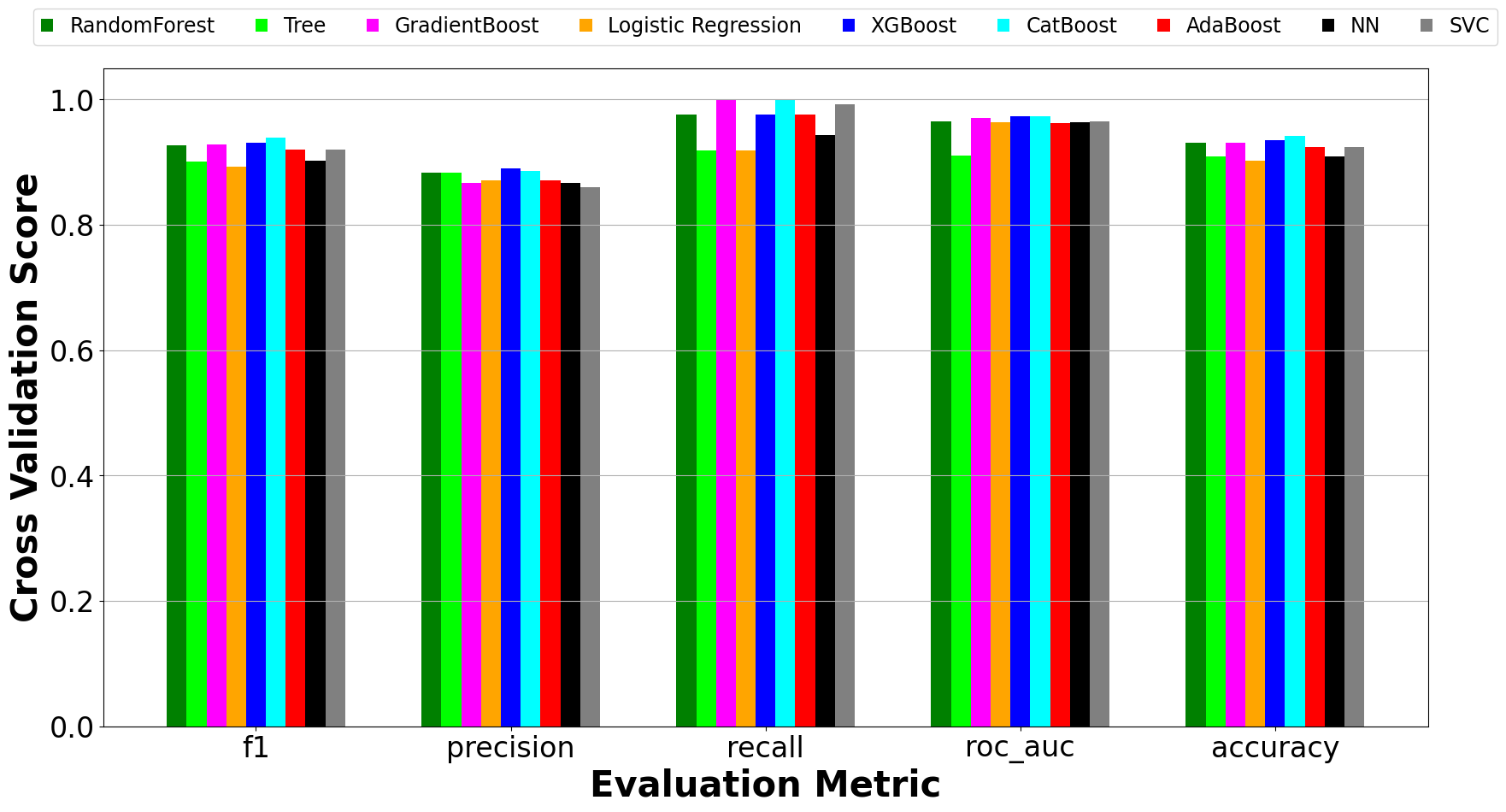
- Visualization of Scores
Installation
AutomatedMLPack requires a Python>=3.11.
Create Environment
conda create -n envname python=3.11 -y
conda activate envname
Install AutomatedMLPack Package
pip install automated-ml-pack
Usage:
As a Library
from automated_ml_pack.modules.run_train_pipeline import run_train_pipeline

if __name__ == '__main__':
    data_path = "/data.csv"
    target_column_name = "asthma_type"
    # run the training pipeline
    run_train_pipeline(input_file = data_path,
                       target_column = target_column_name,
                       input_type = "csv",
                       training_type = "clf",
                       engineer_new_features=False,
                       output_base="",
                       test_size=0.2,
                       no_standard_scaling=False,
                       feature_selection=False,
                       feature_selection_method="addition",
                       selectkbest_num_features=32,
                       output_dir="outputs",
                       verbose = True,
                       no_param_finetune = False,
                       finetune_fraction = 1.0
                      )
Command Line Interface
USAGE:
run_train_pipeline -[INPUT_FILE] [options]
This tool facilitates the training of multiple machine learning models, optimizes the models, and saves the trained models. It also conducts model evaluation using diverse methods. Furthermore, the tool is capable of handling both regression and classification tasks. Additional options are described below.
options:
-h, --help show this help message and exit
--input_file INPUT_FILE
Path to the input data in CSV/TSV format.
--input_type {csv,tsv}
Type of input file format (csv or tsv)
--training_type {clf,reg}
Type of training (e.g., "classification", "regression")
--target_column TARGET_COLUMN
Name of the target column in the input dataframe
--engineer_new_features
Flag to perform engineering of new features or not.
--output_base OUTPUT_BASE
Base Name for most output files.
--test_size TEST_SIZE
What fraction of the dataset should be used for testing. Normally, cross validation is performed on the other percentage of the data to access the model' generalization.
--standard_scaling Whether or not to apply scikit-learn standard scaler on the data.
--feature_selection Whether or not to perform feature selection on the dataset.
--feature_selection_method {addition,elimination}
Specify between recursive feature addition and recursive feature elimination algorithms for classification. By default, recursive feature addition is applied. For regression tasks, SelectKBest is used for feature selection.
--selectkbest_num_features SELECTKBEST_NUM_FEATURES
Number of top features to select. For regression only.
--output_dir OUTPUT_DIR
Custom Name of Output Folder.
--return_data Select to include raw data, training data and test data in the output folders.
--no_param_finetune If true, hyperparameter search will not be performed for each model. Otherwise, hyperparameter tunning is performed.
--finetune_fraction Percentage of data used for fine tunning.
Tutorials
The data must be in csv or tsv format and the user must provide the column name that contains the targets. The following is an example of how the tool can be used for classification tasks.
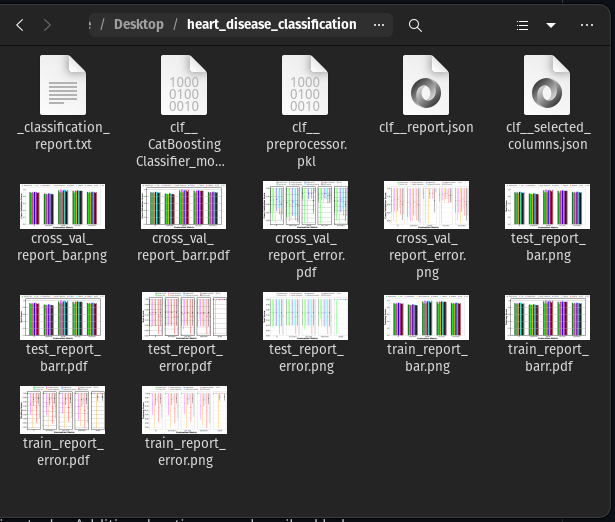
run_train_pipeline --input_file heart.csv --target_column HeartDisease --training_type clf --test_size 0.2 --feature_selection --feature_selection_method addition --output_dir heart_disease_classification
This script will take some time to run. The outputs will be stored in the provided output directory.
License
MIT
Free Software, Hell Yeah!
Contributors
 Cyrille M. NJUME |
Want to contribute? Great!
The projects does not cover the following for now:
- Multi-class Classification
- Improved Analysis of Results
- More Flexibility
References
[1] krishnaik06: https://github.com/krishnaik06/mlproject
Contact
For any feedback or queries, please reach out to cyrillemesue@gmail.com.
1 maintainer

Metadata
1 maintainer
Release files for automated-ml-pack 1.0.7
For a detailed explanation of source distributions (sdists) and built distributions (wheels), please see the package formats documentation.
Source distribution (sdist)
| File | Size | Uploaded | |
|---|---|---|---|
| automated_ml_pack-1.0.7.tar.gz | 18.6 kB | Details |
Release files / automated_ml_pack-1.0.7.tar.gz
| Download URL | automated_ml_pack-1.0.7.tar.gz |
|---|---|
| Size | 18.6 kB |
| Tags | Source |
|
SHA-256 checksum How to use checksums |
21d304ee6fff8bab6982595b7647affb2a3ec2b0f4d93a0cdd0e8552d11f8eed
|
|
BLAKE2b-256 checksum How to use checksums |
687406fd91e23b0f5063e6219c5ea24abd17ad534927c59debae72d42bdf685b
|
| Upload date | |
|
Uploaded using Trusted Publishing? What is trusted publishing? |
No |
| Uploaded via |
twine/5.0.0 CPython/3.10.9
|














