
autoSAXS
autoSAXS is a Python toolkit for reproducible small-angle X-ray scattering (SAXS) pipelines — from detector images to subtracted curves, size distributions, and shape models — usable from a CLI, from Python, from desktop GUIs and through your favourite AI agent.
Why autoSAXS
- One skills API for everything — the same processing steps run as
autosaxs <skill> …or as Python functions with stable signatures, so scripts, GUIs, and agents share one surface. - Unique algorithms — automatic calibration from calibrant frames (no priors on sample-detector distance or center coordinates!) and automatic buffer scaling for robust sample−buffer subtraction, reducing manual tuning at the beamline.
- Flexible inputs — path expressions (file, directory, or glob) instead of “one file only,” allowing to process multiple files as easily as processing one.
- Opt-in caching — re-run interactive work without recomputing unchanged steps.
- GUI when you want —
guisaxs-liveview(fast online processing, watch-folder live processing with optional monodisperse / polydisperse analysis). - Built for automation — designed for reproducible beamline-to-analysis workflows and LLM/agent-driven runs.
- Seamless AI integration — ship a built-in
saxs-processingagent skill (autosaxs get-skills) so assistants can orchestrate the pipeline from documented procedures.
Use cases
- Synchrotron or lab SAXS: calibrate geometry, integrate TIFF stacks, average frames, and subtract buffer.
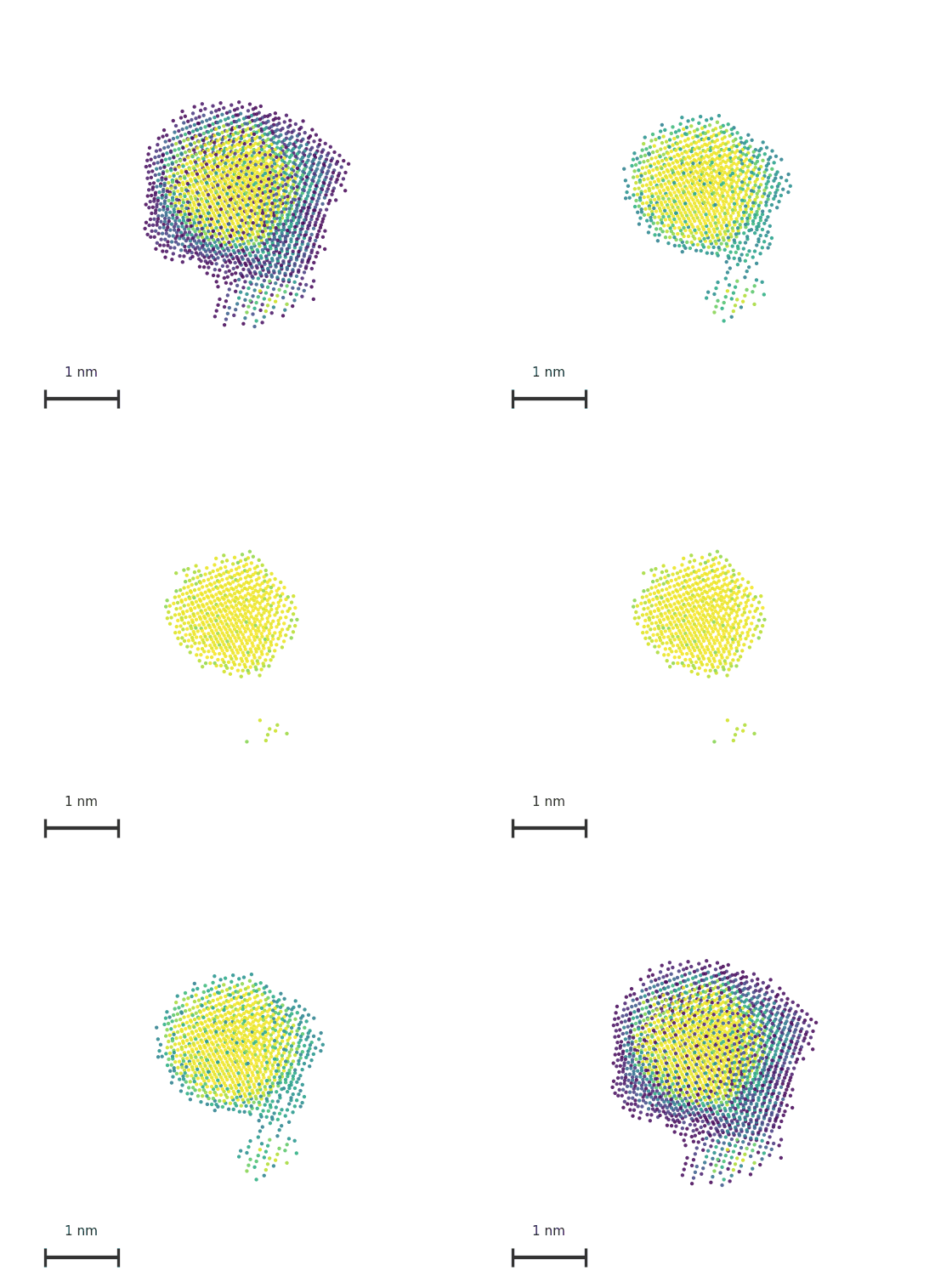
- Monodisperse analysis: Guinier → pair-distance distribution p(r) → optional ab initio shape recovery or electron density inference.
- Polydisperse analysis: Guinier → size distribution D(R) → optional McSAS or ATSAS MIXTURE.
- Live experiments: watch a folder for new detector images and process them as they arrive.
- Scripting and agents: drive the full pipeline from Python or
autosaxswithout reimplementing I/O conventions.
Install
New to Python? See INSTALL.md: install Miniconda once, download the small installer ZIP, double-click Install autoSAXS.bat, then use the GUISAXS-LiveView Desktop shortcut.
Installer ZIPs (Windows / Linux): GitHub Releases.
Helper commands (after install):
autosaxs doctor— check that the install (and optional ATSAS) looks healthyautosaxs get-docs— write the shortREADME.mdand detailedautosaxs-docs/skills_reference.mdautosaxs get-skills— writesaxs-processing/skill for an AI-agent (Cursor-style)
Developers: python -m pip install "autosaxs[gui]" or editable pip install -e ".[gui]" (see INSTALL.md § Developers). Upgrade: autosaxs update / autosaxs -U (PyPI); nightbuilt: autosaxs update --nightbuilt / autosaxs -Unb.
ATSAS is optional and proprietary — see INSTALL.md.
Main features
Pipeline stages exposed as skills: calibrate → integrate / average → subtract → analyze → model → report, including Guinier, Kratky, fit-distances (p(r)), fit-sizes (D(R)), calc-profile (CRYSOL), model-lc (library NNLS), model-dam, model-bodies, model-density (DENSS), model-dr-mc (McSAS), model-mixture, and reporting helpers.
Apps:
guisaxs-liveview (queued live integration, buffer subtraction, optional analysis / modeling wizards; Settings → Appearance for UI font size).
guisaxs-skills (catalog + forms + isolated CLI runs, beta version)
Full per-skill documentation: autosaxs-docs/skills_reference.md.
Quick start
Monodisperse protein walkthrough using examples/monodisperse_protein/ (AgBh calibrant, mask, sample + buffer TIFFs). --q-min / --q-max are the buffer-matching window in nm⁻¹ — pick them from the sample+buffer overlay; 4.8–5.8 fits this example.
Python
from pathlib import Path
from autosaxs.skill import calibrate, integrate, subtract, process_monodisperse

ex = Path(__file__).resolve().parent / "examples" / "monodisperse_protein" if "__file__" in globals() else Path("examples/monodisperse_protein")

calibrate(
    ex / "AgBh700_96.9_calib.tif",
    output_dir=str(ex / "calibration"),
    mask=ex / "mask-20260706_133745.txt",
    wavelength=1.445,
)
integrate(
    f"{ex / 'ihs27_buffer.tif'}, {ex / 'ihs27_sample.tif'}",
    ex / "calibration" / "integrator",
    output_dir=str(ex / "integrated"),
)
subtract(
    ex / "integrated" / "int_ihs27_sample.dat",
    ex / "integrated" / "int_ihs27_buffer.dat",
    output_dir=str(ex / "subtracted"),
    q_min=4.8,
    q_max=5.8,
)
process_monodisperse(
    ex / "subtracted" / "sub_ihs27_sample.dat",
    output_dir=str(ex),
)
CLI
cd examples/monodisperse_protein

autosaxs calibrate AgBh700_96.9_calib.tif \
  --mask mask-20260706_133745.txt --wavelength 1.445 -o calibration/

autosaxs integrate "ihs27_buffer.tif, ihs27_sample.tif" \
  calibration/integrator/ -o integrated/

autosaxs subtract integrated/int_ihs27_sample.dat integrated/int_ihs27_buffer.dat \
  --q-min 4.8 --q-max 5.8 -o subtracted/

autosaxs process-monodisperse subtracted/sub_ihs27_sample.dat
Online GUI
guisaxs-liveview
Then find "Help" at the top tool-bar and follow.
Acknowledgements
autoSAXS builds on the SAXS ecosystem rather than replacing it:
- pyFAI — detector geometry, calibration, and 1D integration.
- ATSAS — tools such as
autorg,datgnom,gnom,dammif,mixture, andbodies(external install; recommended ATSAS 3.2.1). Importing autoSAXS warns if ATSAS is missing; skills that shell out to ATSAS raise immediately when it is unavailable. - DENSS — electron-density reconstruction (
model_density); pulled in via thedenssPyPI dependency. - McSAS / McSAS3 — Monte Carlo polydisperse sizing (
model_dr_mc).
Contacts
- Mikhail S. Lifar —
mikhailkulkov11@gmail.com - Affiliation: The Smart Materials Research Institute, Southern Federal University (Rostov-on-Don)
- Project: github.com/MikhailLifar/autoSAXS
Contributing
Issues and pull requests are welcome on GitHub. Bug reports, clearer docs, and new skill coverage all help. Licensed under the Apache License 2.0.
1 maintainer

Metadata
1 maintainer
Release files for autosaxs 3.7.0
For a detailed explanation of source distributions (sdists) and built distributions (wheels), please see the package formats documentation.
Source distribution (sdist)
| File | Size | Uploaded | |
|---|---|---|---|
| autosaxs-3.7.0.tar.gz | 8.3 MB | Details |
Built distribution (wheel)
| File | Interpreter | ABI | Platform | Reset |
|---|---|---|---|---|
| autosaxs-3.7.0-py3-none-any.whl | Python 3 | none | any | Details |
Total release size: 16.7 MB
Release files / autosaxs-3.7.0.tar.gz
| Download URL | autosaxs-3.7.0.tar.gz |
|---|---|
| Size | 8.3 MB |
| Tags | Source |
|
SHA-256 checksum How to use checksums |
510723562b16c88250fa0fe1200752513b17d7e3dec6041e9ba4f97a274b8486
|
|
BLAKE2b-256 checksum How to use checksums |
98b16d2f6f0d6ce94cbe5bda504fc2c9ed5e5439adf1ab26b5e915528c4e4cf1
|
| Upload date | |
|
Uploaded using Trusted Publishing? What is trusted publishing? |
No |
| Uploaded via |
twine/7.0.0 CPython/3.13.14
|
Release files / autosaxs-3.7.0-py3-none-any.whl
| Download URL | autosaxs-3.7.0-py3-none-any.whl |
|---|---|
| Size | 8.4 MB |
| Tags | Python 3 |
|
SHA-256 checksum How to use checksums |
deb946b574c4ac08dbb63ebfb652ec98402aba10bd38111b90a876fe1790b8cf
|
|
BLAKE2b-256 checksum How to use checksums |
40b5ee3ce268804e2ad7d5150c36292b28fecfe85b275b1fccf351a359c07502
|
| Upload date | |
|
Uploaded using Trusted Publishing? What is trusted publishing? |
No |
| Uploaded via |
twine/7.0.0 CPython/3.13.14
|














