

Enable AI to control your browser 🤖






🌐 Browser-use is the easiest way to connect your AI agents with the browser.
💡 See what others are building and share your projects in our Discord! Want Swag? Check out our Merch store.
🌤️ Skip the setup - try our hosted version for instant browser automation! Try the cloud ☁︎.
Quick start
With pip (Python>=3.11):
pip install browser-use
Install the browser:
playwright install chromium --with-deps --no-shell
Spin up your agent:
import asyncio
from dotenv import load_dotenv
load_dotenv()
from browser_use import Agent
from browser_use.llm import ChatOpenAI

async def main():
    agent = Agent(
        task="Compare the price of gpt-4o and DeepSeek-V3",
        llm=ChatOpenAI(model="o4-mini", temperature=1.0),
    )
    await agent.run()

asyncio.run(main())
Add your API keys for the provider you want to use to your .env file.
OPENAI_API_KEY=
ANTHROPIC_API_KEY=
AZURE_OPENAI_ENDPOINT=
AZURE_OPENAI_KEY=
GOOGLE_API_KEY=
DEEPSEEK_API_KEY=
GROK_API_KEY=
NOVITA_API_KEY=
For other settings, models, and more, check out the documentation 📕.
Test with UI
You can test browser-use using its Web UI or Desktop App.
Test with an interactive CLI
You can also use our browser-use interactive CLI (similar to claude code):
pip install "browser-use[cli]"
browser-use
MCP Integration
Browser-use supports the Model Context Protocol (MCP), enabling integration with Claude Desktop and other MCP-compatible clients.
Use as MCP Server with Claude Desktop
Add browser-use to your Claude Desktop configuration:
{
  "mcpServers": {
    "browser-use": {
      "command": "uvx",
      "args": ["browser-use", "--mcp"],
      "env": {
        "OPENAI_API_KEY": "sk-..."
      }
    }
  }
}
This gives Claude Desktop access to browser automation tools for web scraping, form filling, and more.
Connect External MCP Servers to Browser-Use Agent
Browser-use agents can connect to multiple external MCP servers to extend their capabilities:
import asyncio
from browser_use import Agent, Controller
from browser_use.mcp.client import MCPClient
from browser_use.llm import ChatOpenAI

async def main():
    # Initialize controller
    controller = Controller()

    # Connect to multiple MCP servers
    filesystem_client = MCPClient(
        server_name="filesystem",
        command="npx",
        args=["-y", "@modelcontextprotocol/server-filesystem", "/Users/me/documents"]
    )

    github_client = MCPClient(
        server_name="github",
        command="npx",
        args=["-y", "@modelcontextprotocol/server-github"],
        env={"GITHUB_TOKEN": "your-github-token"}
    )

    # Connect and register tools from both servers
    await filesystem_client.connect()
    await filesystem_client.register_to_controller(controller)

    await github_client.connect()
    await github_client.register_to_controller(controller)

    # Create agent with MCP-enabled controller
    agent = Agent(
        task="Find the latest report.pdf in my documents and create a GitHub issue about it",
        llm=ChatOpenAI(model="gpt-4o"),
        controller=controller  # Controller has tools from both MCP servers
    )

    # Run the agent
    await agent.run()

    # Cleanup
    await filesystem_client.disconnect()
    await github_client.disconnect()

asyncio.run(main())
See the MCP documentation for more details.
Demos
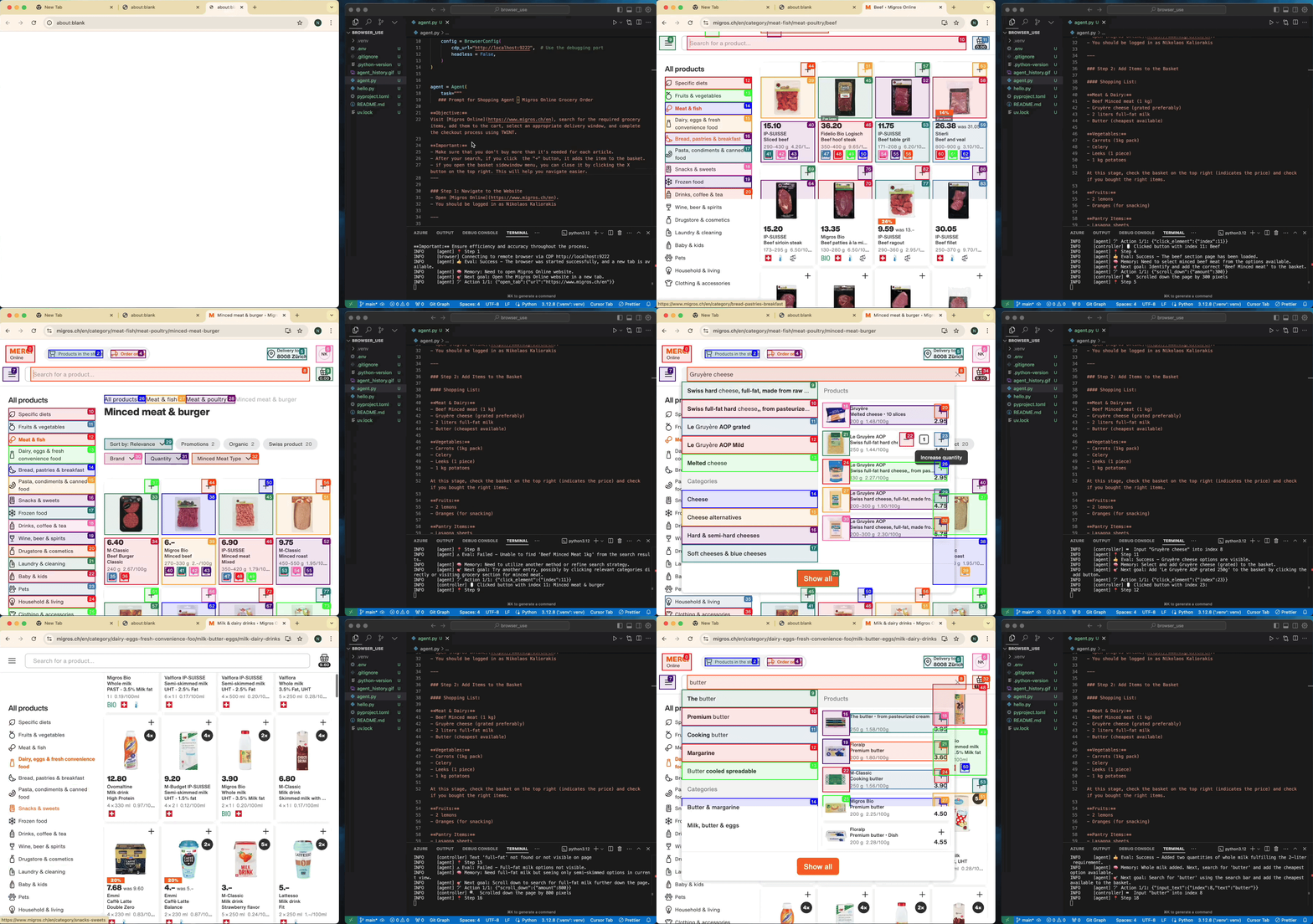
Task: Add grocery items to cart, and checkout.
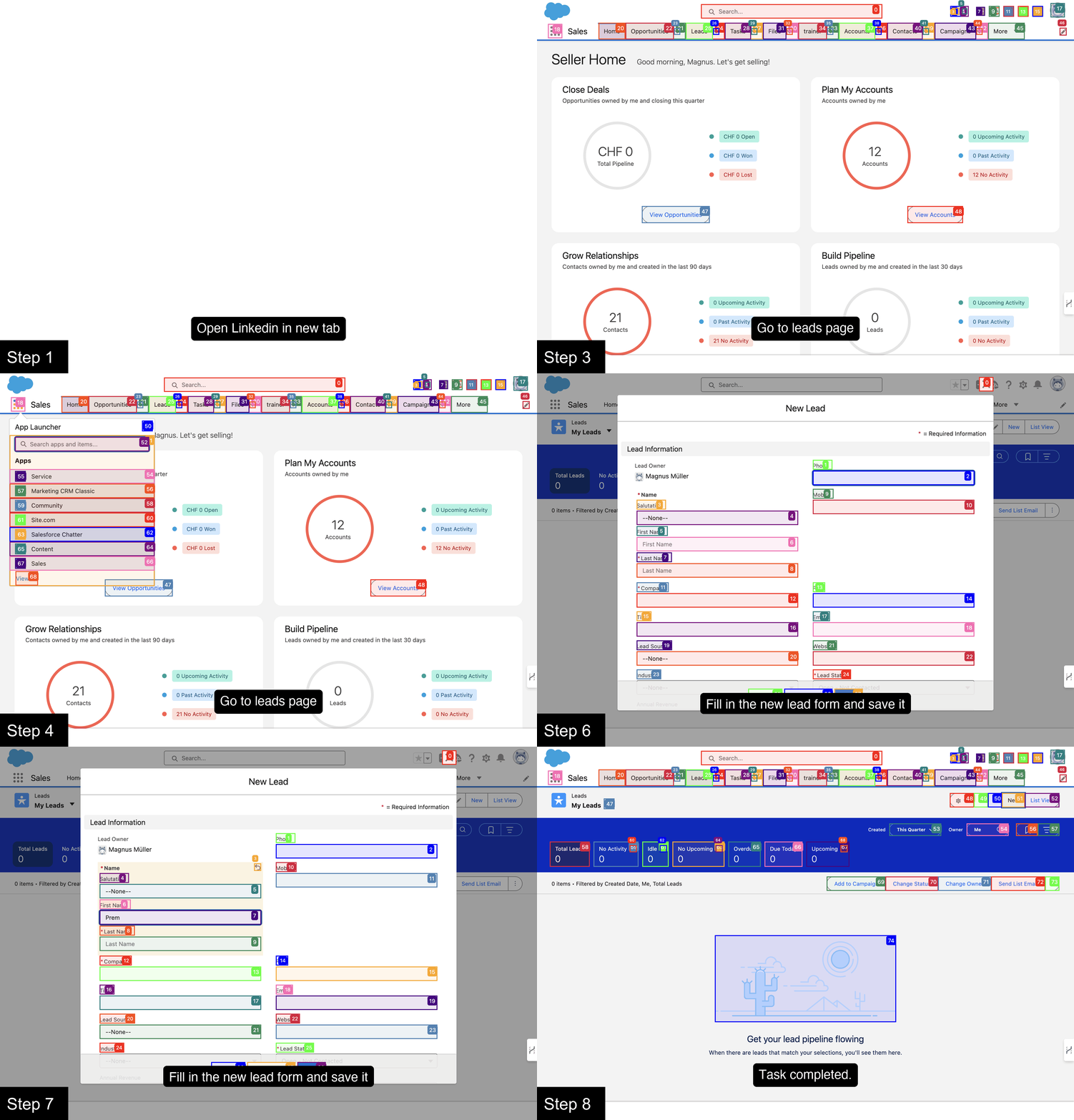
Prompt: Add my latest LinkedIn follower to my leads in Salesforce.
Prompt: Read my CV & find ML jobs, save them to a file, and then start applying for them in new tabs, if you need help, ask me.'
https://github.com/user-attachments/assets/171fb4d6-0355-46f2-863e-edb04a828d04
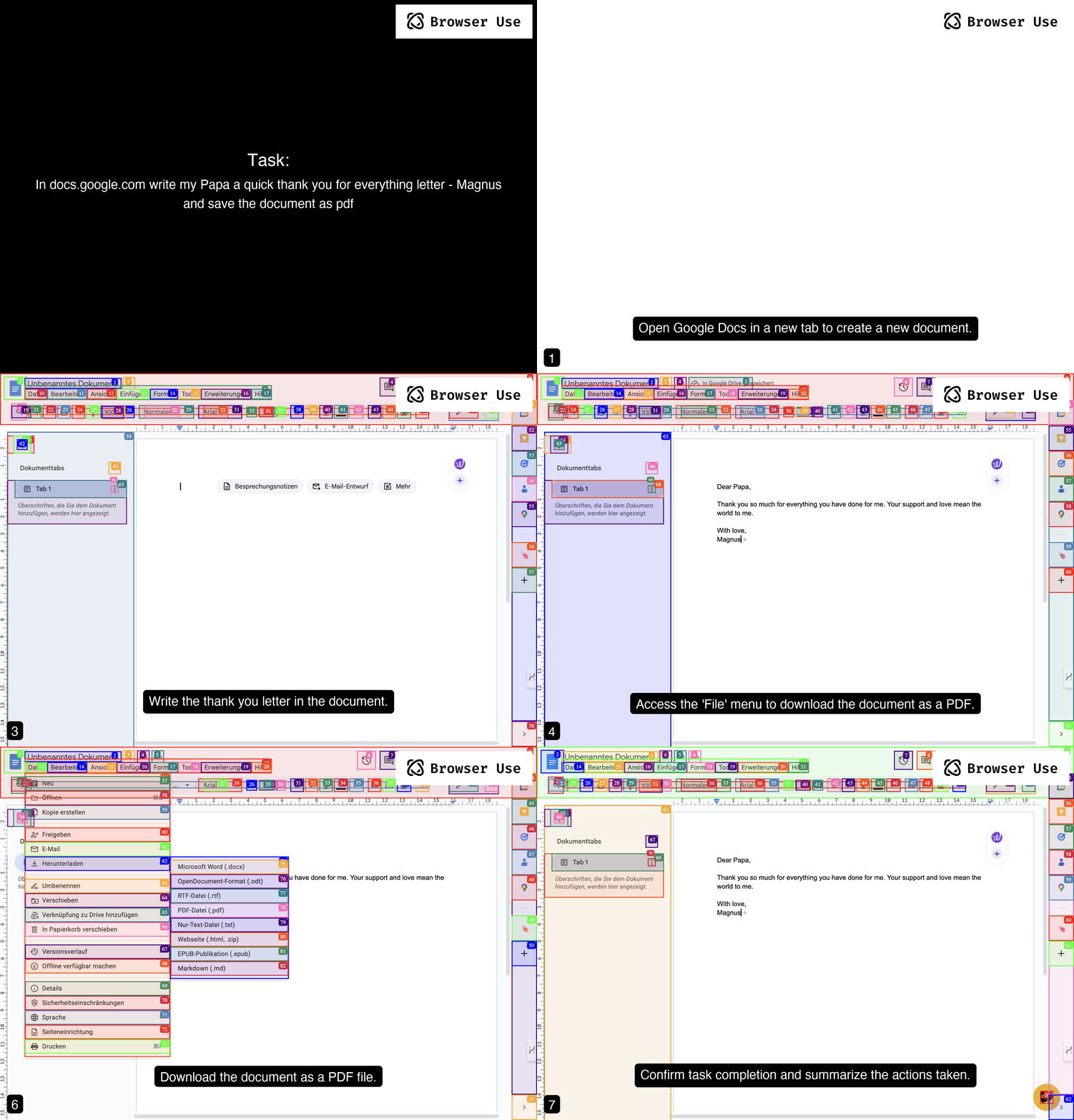
Prompt: Write a letter in Google Docs to my Papa, thanking him for everything, and save the document as a PDF.
Prompt: Look up models with a license of cc-by-sa-4.0 and sort by most likes on Hugging face, save top 5 to file.
https://github.com/user-attachments/assets/de73ee39-432c-4b97-b4e8-939fd7f323b3
More examples
For more examples see the examples folder or join the Discord and show off your project. You can also see our awesome-prompts repo for prompting inspiration.
Vision
Tell your computer what to do, and it gets it done.
Roadmap
Agent
- Improve agent memory to handle +100 steps
- Enhance planning capabilities (load website specific context)
- Reduce token consumption (system prompt, DOM state)
DOM Extraction
- Enable detection for all possible UI elements
- Improve state representation for UI elements so that all LLMs can understand what's on the page
Workflows
- Let user record a workflow - which we can rerun with browser-use as a fallback
- Make rerunning of workflows work, even if pages change
User Experience
- Create various templates for tutorial execution, job application, QA testing, social media, etc. which users can just copy & paste.
- Improve docs
- Make it faster
Parallelization
- Human work is sequential. The real power of a browser agent comes into reality if we can parallelize similar tasks. For example, if you want to find contact information for 100 companies, this can all be done in parallel and reported back to a main agent, which processes the results and kicks off parallel subtasks again.
Contributing
We love contributions! Feel free to open issues for bugs or feature requests. To contribute to the docs, check out the /docs folder.
🧪 How to make your agents robust?
We offer to run your tasks in our CI—automatically, on every update!
- Add your task: Add a YAML file in
tests/agent_tasks/(see theREADME therefor details). - Automatic validation: Every time we push updates, your task will be run by the agent and evaluated using your criteria.
Local Setup
To learn more about the library, check out the local setup 📕.
main is the primary development branch with frequent changes. For production use, install a stable versioned release instead.
Swag
Want to show off your Browser-use swag? Check out our Merch store. Good contributors will receive swag for free 👀.
Citation
If you use Browser Use in your research or project, please cite:
@software{browser_use2024,
  author = {Müller, Magnus and Žunič, Gregor},
  title = {Browser Use: Enable AI to control your browser},
  year = {2024},
  publisher = {GitHub},
  url = {https://github.com/browser-use/browser-use}
}

1 maintainer

Metadata
1 maintainer
Release files for avi-browser-use 0.5.4
For a detailed explanation of source distributions (sdists) and built distributions (wheels), please see the package formats documentation.
Source distribution (sdist)
| File | Size | Uploaded | Provenance | Actions |
|---|---|---|---|---|
| avi_browser_use-0.5.4.tar.gz | 240.0 kB | Without provenance | Details for avi_browser_use-0.5.4.tar.gz |
Built distribution (wheel)
| File | Interpreter | ABI | Platform | Actions Reset |
|---|---|---|---|---|
| avi_browser_use-0.5.4-py3-none-any.whl | Python 3 | none | any | Details for avi_browser_use-0.5.4-py3-none-any.whl |
Total release size: 530.3 kB
Release files / avi_browser_use-0.5.4.tar.gz
| Download URL | avi_browser_use-0.5.4.tar.gz |
|---|---|
| Size | 240.0 kB |
| Tags | Source |
|
SHA-256 checksum How to use checksums |
af75a914178aa61dc7017b7219a642ab83f0fa83b285bc06f5915d9e6c022f4c
|
|
BLAKE2b-256 checksum How to use checksums |
0291b610b3ed9df5bc133e422feb7b3ae7575f5ab793ce60b57a334046bd11e0
|
| Upload date | |
|
Uploaded using Trusted Publishing? What is trusted publishing? |
No |
| Uploaded via |
uv/0.7.20
|
Release files / avi_browser_use-0.5.4-py3-none-any.whl
| Download URL | avi_browser_use-0.5.4-py3-none-any.whl |
|---|---|
| Size | 290.3 kB |
| Tags | Python 3 |
|
SHA-256 checksum How to use checksums |
06160c1ab9532f490a9c97d23afea5d235260d16a758d279b8d9d92e0551dd19
|
|
BLAKE2b-256 checksum How to use checksums |
59a8988fc20610b208a1d866336163c760b33fedd18ff6a10852a2f209fadb23
|
| Upload date | |
|
Uploaded using Trusted Publishing? What is trusted publishing? |
No |
| Uploaded via |
uv/0.7.20
|
Security for avi-browser-use 0.5.4
Provenance
Provenance describes where a file came from. On PyPI, provenance is shared via attestations, which provide a verifiable record of the build or publishing details. View details, limitations and caveats.
No provenance found
None of the files in this release were uploaded with provenance metadata.
A note on package security
PyPI is a repository for distributing packages, not a service for auditing them. While third-party security researchers and our staff do their best to detect and remove malicious packages, PyPI cannot guarantee the quality, security or suitability of any given package.
To learn more about protecting yourself from malicious actors, visit our package security documentation.













