

Avibe
Make your computer a home for your AI partner.
Avibe is the local-first Agent OS: it turns your own Mac or PC into a home for AI partners, where they live and work, not on someone else's server. Vibey, its built-in AI partner, lives there. It remembers what you are working on, does the work on your machine, and comes to find you when it is done or needs a decision.
Reach it from the desktop app, your iPhone, or the chat app you already have open.
Download for Mac · Download for Windows · iPhone · Linux and servers


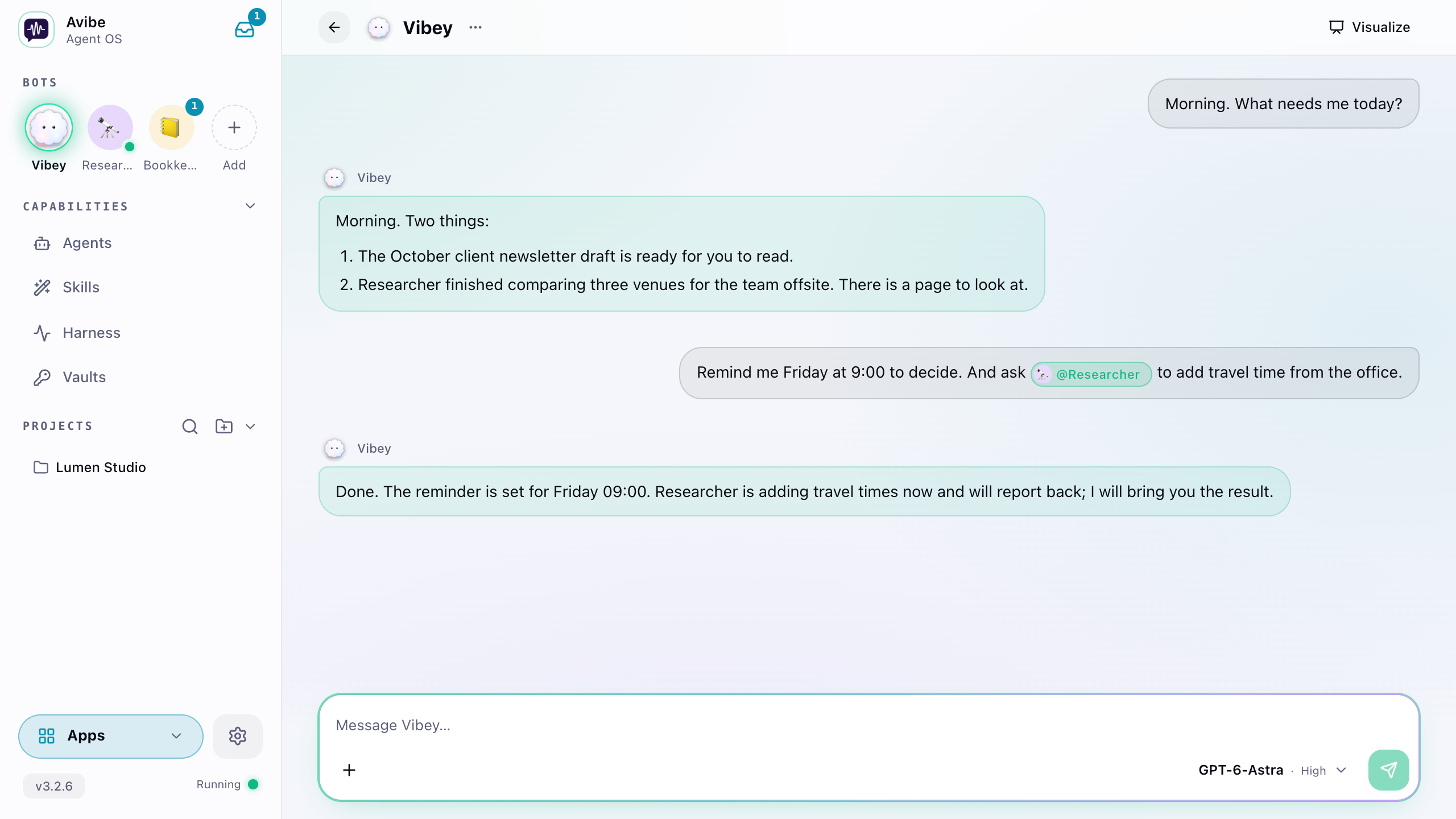
The Avibe Workbench, with sample data
Avibe is free and open source. It runs on the Claude or ChatGPT subscription you already pay for, or on an API key from an AI provider.
What you can ask it
Say it the way you would say it to a person.
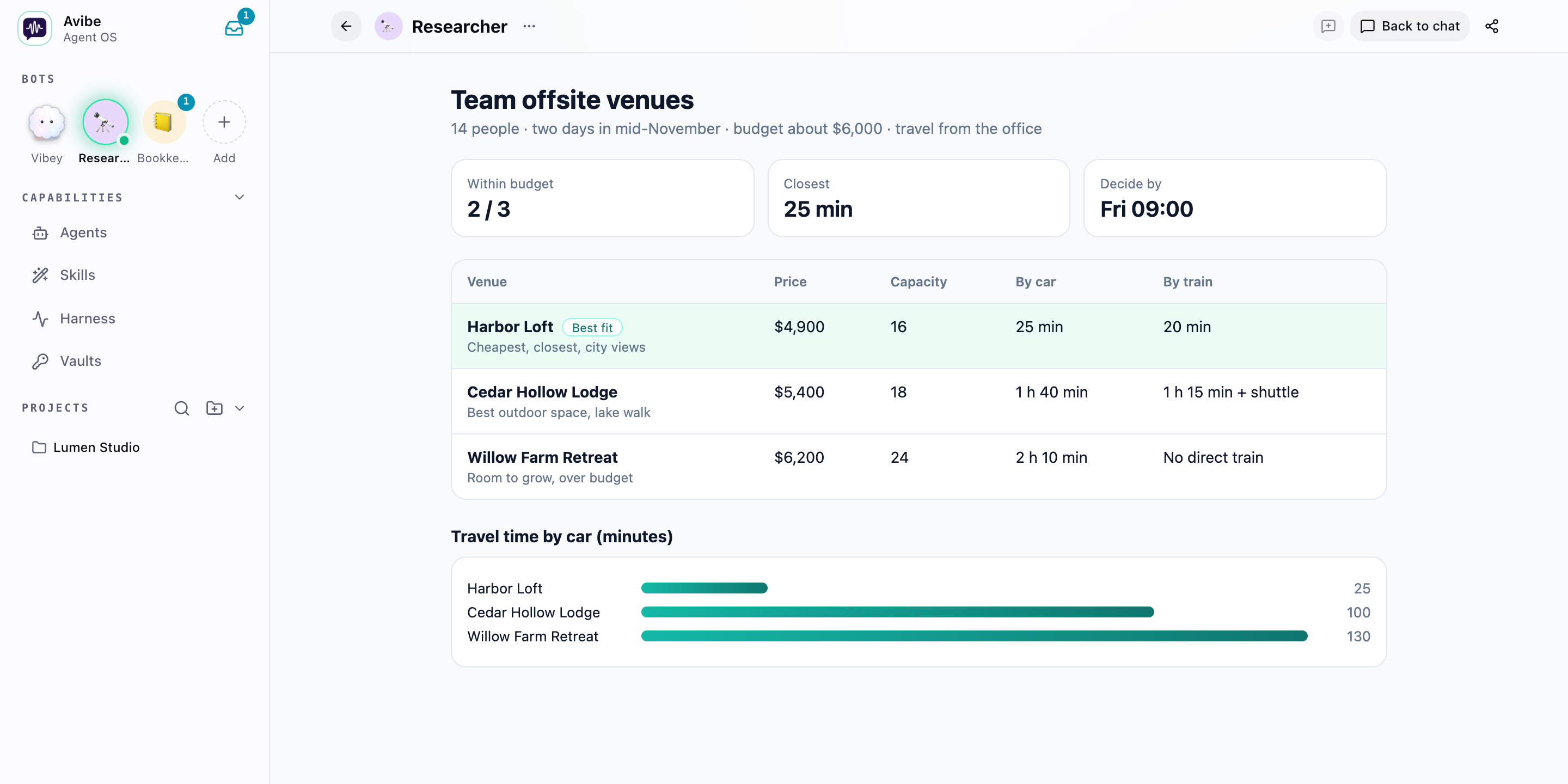
- "Compare three venues for our October offsite and show me a page I can share." Vibey searches the web and answers with a live page, not a wall of text. Open it on your phone, point at the part you want changed, and it reworks the page.
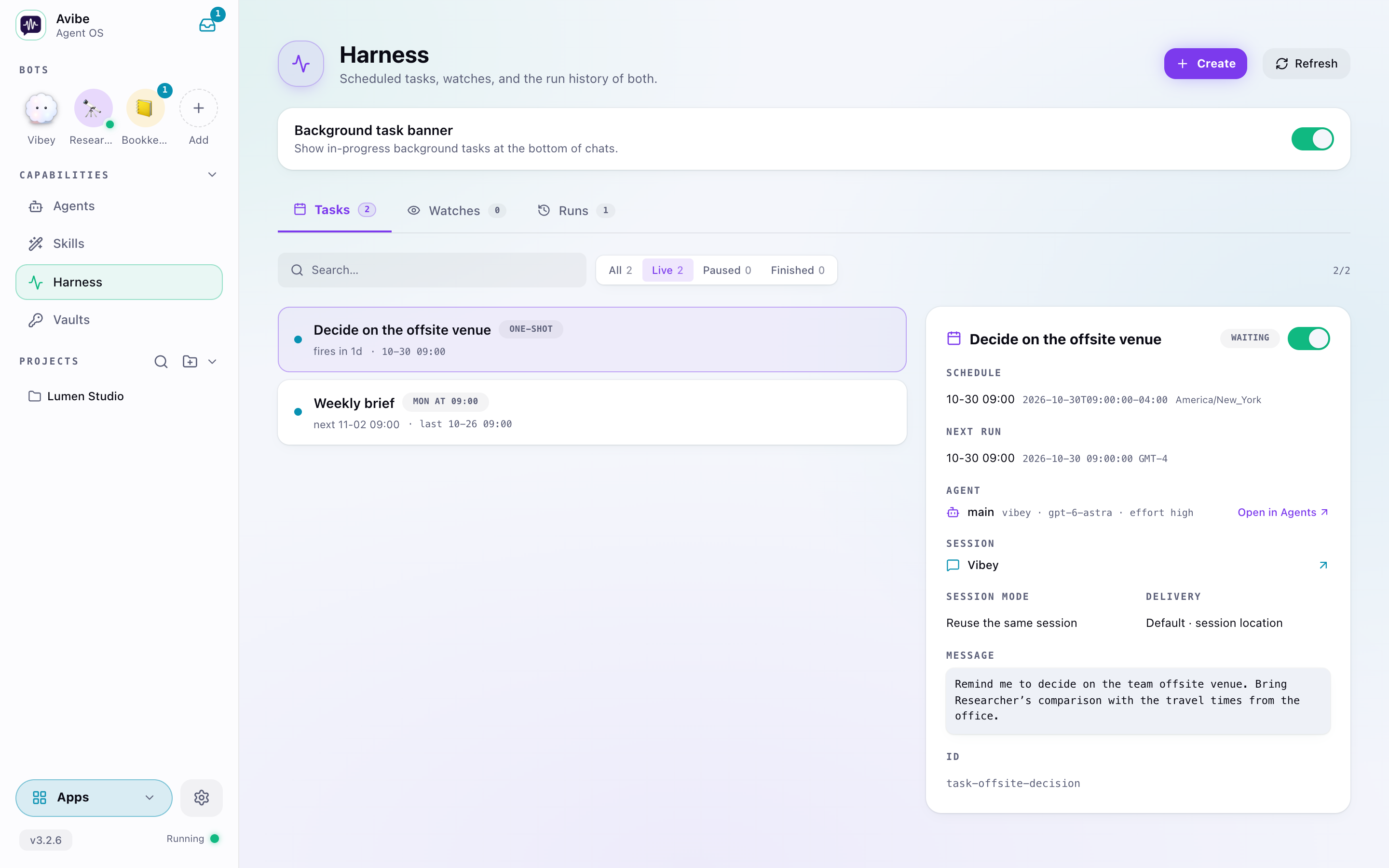
- "Every Monday at 9, tell me what changed in this folder last week." It sets the schedule itself and reports in the same conversation each week.
- "Sort these invoices into folders by month, and tell me what you moved." It works with the real files on your computer and tells you what it did.
- "Keep an eye on this page and tell me when it changes." It waits in the background and comes back when there is something to say. You do not have to keep a window open.
- "Upload this with my site login." The password stays in your Vault. Vibey asks for it by name, and Avibe hands it straight to the upload without showing it to Vibey.
- "Have Claude Code build this, have Codex review it, and tell me when it is ready." If you write software, Vibey hands the parts to the coding agents you already use and brings back the result.
Avibe runs on your computer, so the work continues for as long as that computer is on.
Get Avibe
Mac
- Download Avibe from avibe.bot. Direct links: Apple silicon · Intel.
- Open the download, drag Avibe to Applications, and start it.
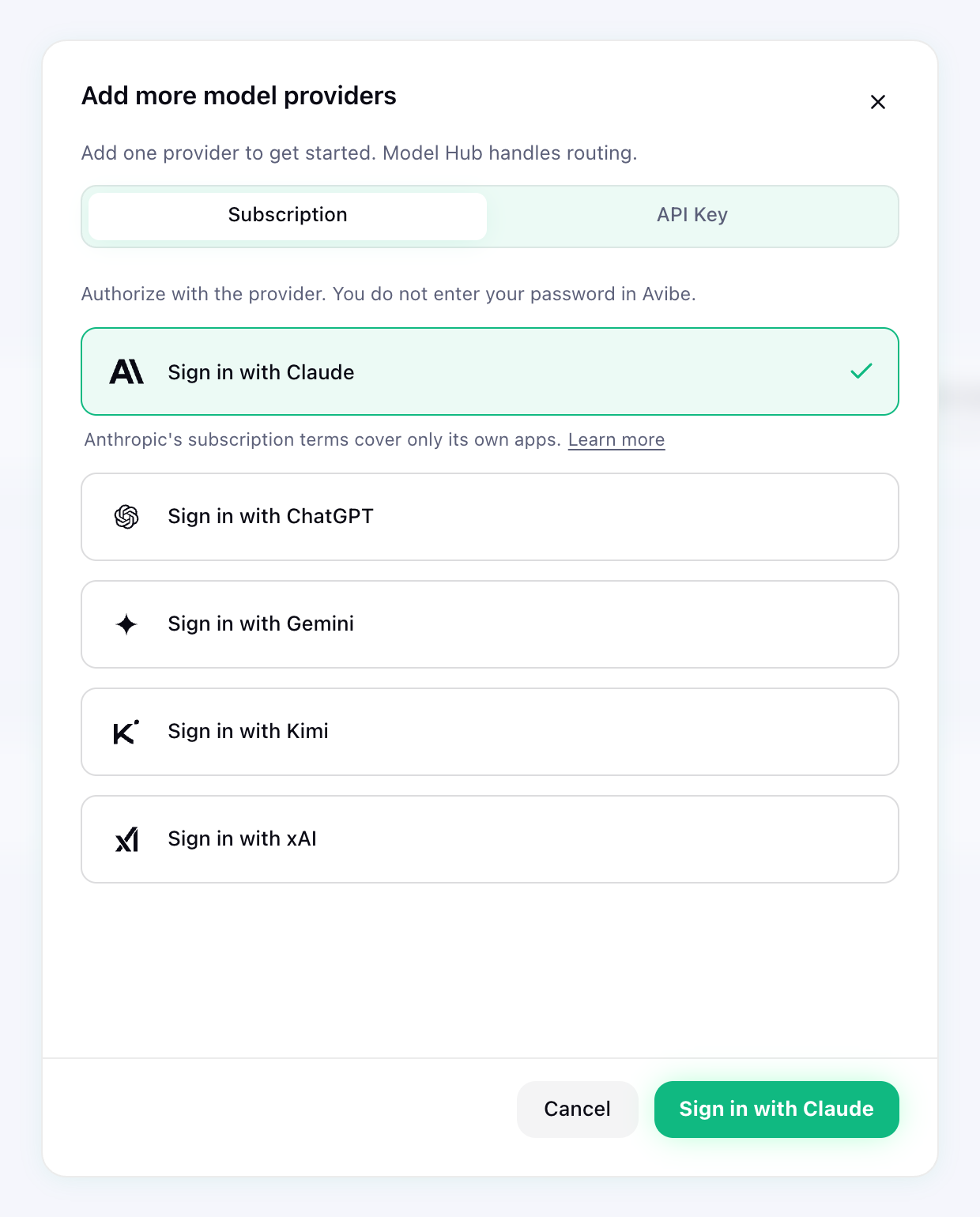
- Connect a model. Sign in with your Claude or ChatGPT subscription, or paste an API key, pick a model for Vibey, and say hello.
The app is signed with a Developer ID and notarized by Apple. The first time you open it, macOS asks whether you are sure you want to open an app downloaded from the Internet, and says Apple checked it for malicious software. Click Open. The app needs nothing else installed and checks for its own updates.
Windows
- Download Avibe from avibe.bot. Direct link: Windows x64.
- Run the installer, then start Avibe.
- Connect a model. Sign in with your Claude or ChatGPT subscription, or paste an API key, pick a model for Vibey, and say hello.
The installer is signed. Because it is still new, Windows has not yet seen enough downloads of it to recognize it, so the first time you run it you will probably see a blue box, Windows protected your PC, with only a Don't run button. Click More info, then Run anyway. The app needs nothing else installed and checks for its own updates.
On both, step 3 is one sign-in:
iPhone
The iPhone app is your Avibe in your pocket: the same conversations, and a notification when something needs you. It connects to the Avibe on your computer. It does not run on its own.
- On your computer, sign in when setup finishes, or later from the bottom of the sidebar. All it takes is an email address. Signing in adds the computer to your account and turns on remote access.
- On your iPhone, install TestFlight, then open the Avibe beta invitation. The app is listed as Avibe OS and needs iOS 17 or later.
- Sign in with the same email and pick your computer.
The iPhone app is a public beta.
Linux and servers
bash -o pipefail -c 'curl -fsSL https://avibe.bot/install.sh | bash -s -- --launch'
This installs the vibe command, starts Avibe, and opens setup in your browser. On a machine with no screen, run vibe remote to pair it with your avibe.bot account and open it from another device. The script is open source: read install.sh first if you like. More in the install guide.
Prefer the command line on Windows or macOS?
The same vibe command-line install works on macOS with the command above. On Windows, run this in PowerShell:
irm https://avibe.bot/install.ps1 | iex
The Desktop App is the recommended way to run Avibe on both.
Your Bots

Vibey is your main Bot. It is built in, it is the first one you talk to, and it can see all your projects, conversations and other Bots.
A Bot is like a team member who stays, not a chat you start over each time. It has a name, a role, a memory of its own, and one conversation that never ends, so you can pick up where you left off. Add a Researcher or a Bookkeeper when an area deserves one; you can have up to five besides Vibey.
You talk things through with a Bot and decide together. When there is work to do, the Bot hands it to helpers called Agents. Each one works on its own task, and several can work at the same time. The Bot keeps track of each job and comes back to you with the result.
On long work, Vibey keeps hold of what you asked for and why. Long conversations force any AI to shorten what it remembers. In our own tests, even after that had happened eight or more times, Vibey still knew what the task was, what the rules were, and what came next 97% of the time. Results differ by model, and the tests are scored by AI, not by people. How Vibey remembers · The benchmark and its limits
With you wherever you are
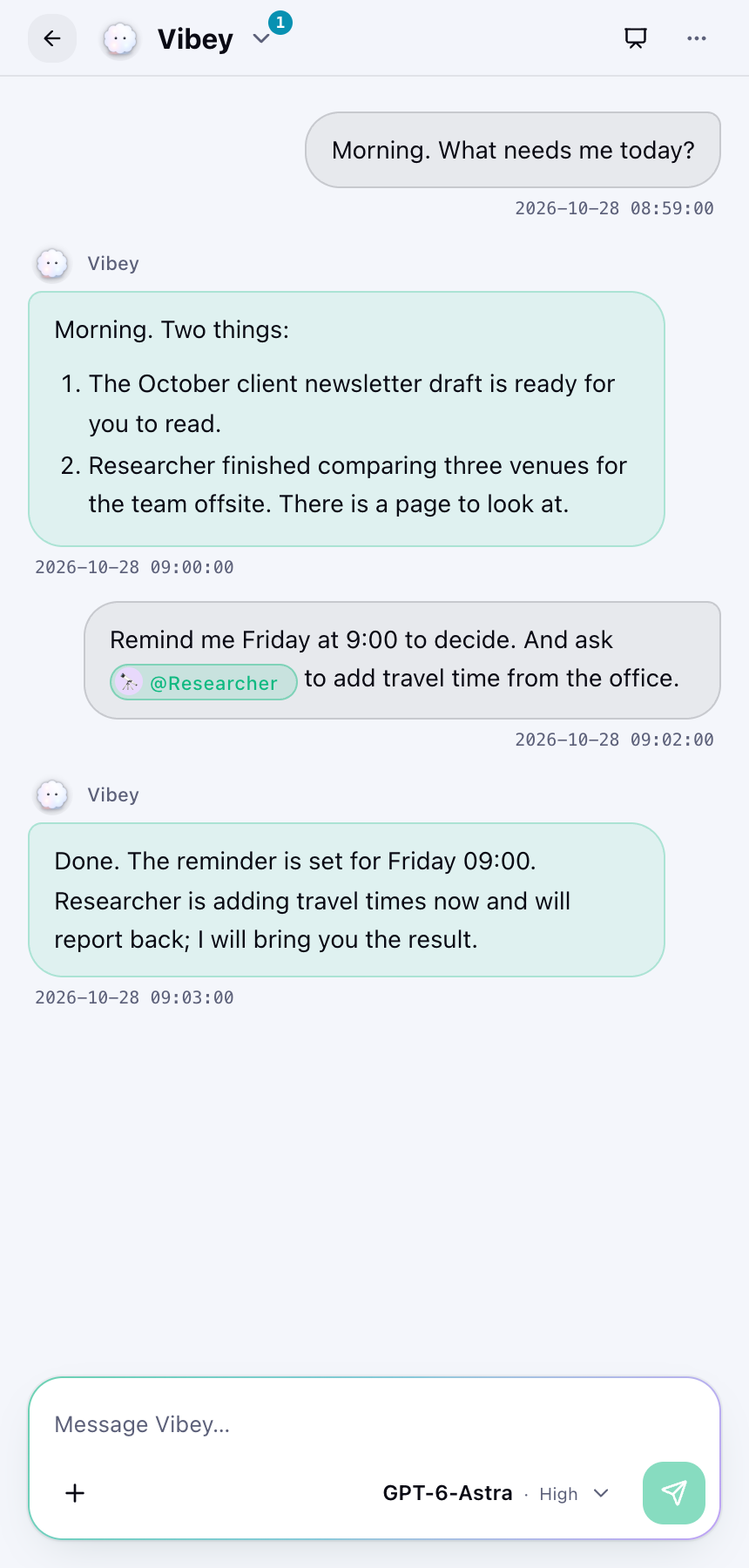
- iPhone. The iPhone app opens the same conversations and notifies you when a job finishes or needs a decision.
- Any browser. Once you sign in, your Avibe gets its own address at avibe.bot. Only the people you allow can sign in; by default, that is you.
- Chat apps. Connect Slack, Discord, Telegram, WeChat, or Lark / Feishu, and message your Bots where you already talk to people.
- On your desktop. In the Desktop App, Vibey keeps a small window on screen. Type to it, or hold it and speak.
Wherever you reach it from, it is the same Avibe on the same computer.
What is inside
Workbench
Avibe's main screen. Your conversation sits next to the files your Bots work on, so you can watch and check their work without switching apps. A terminal and an editor are there when you want to look closer, and the pages and small apps your Bots build open right beside them.
Model Hub: the plans you already pay for
Sign in with a Claude or ChatGPT subscription, or add API keys, and every Bot and Agent can use them. Line up more than one, and when a plan hits its limit the next takes over. Model Hub also shows how much of each plan you have used.
Vault: use passwords and keys without showing them to the AI
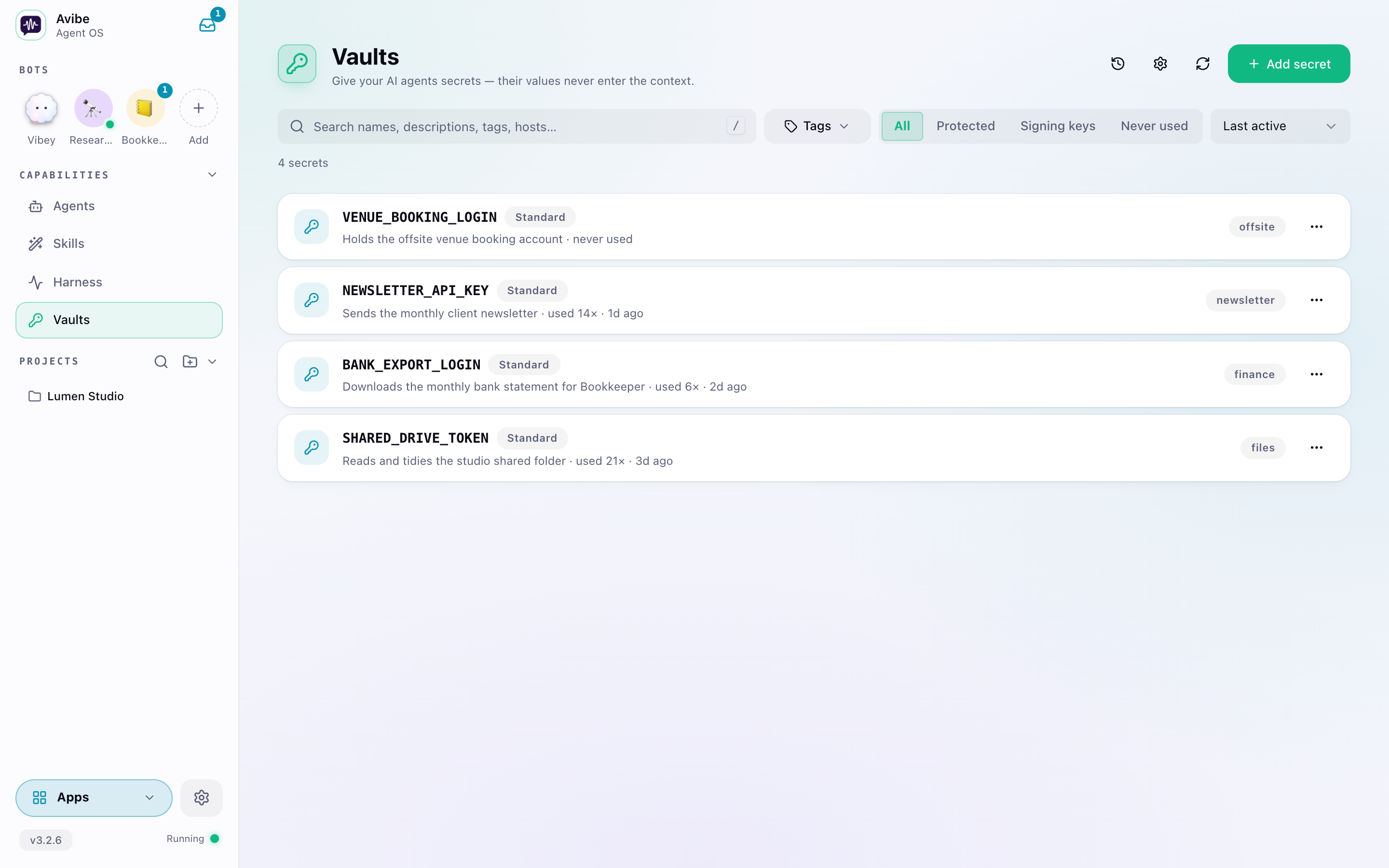
Save a password, API key, or signing key once. Agents ask for it by name. Avibe does not show them the value: it hands it straight to the command or request that needs it. A signing key, such as the key of a crypto wallet, is never handed out at all: the Vault signs, and only the result comes back. You can make any secret ask you before each use.
Show Pages: answers you can open and share
Ask for a comparison, a dashboard, a report, or a small tool and get a live page instead of a long reply. Point at any part of it and say what to change. Keep it private, share it with people you choose, or publish it at a link.
Scheduled and background work
Bots set their own reminders and schedules, wait for something to happen, such as a web page changing, and keep working in the background. Everything they have set up is listed in one place.
Skills and MCP
A Skill is a way of working you write down once, for example how you want a weekly report laid out, and every Agent follows it. MCP is a common way to connect AI to other services, such as a documentation site, a database, or a project tracker. Connect one once, and every Agent can use it. More about MCP
Computer Use (macOS)
On a Mac, with Computer Use turned on in the Desktop App, Agents can see and operate the apps on your desktop. It is off until you turn it on, and it is available on macOS only.
Yours, on your machine
- Your files, your keys, and the Agents themselves stay on your computer.
- To do a job, an Agent sends what it needs, such as your request and the relevant parts of a file, to the AI provider you chose.
- When you open your Avibe from your phone, avibe.bot checks that it is you and connects you to your computer over an encrypted connection. Your files are not uploaded to avibe.bot; what you see comes from your computer.
- Two things do pass through avibe.bot: voice input, which is transcribed there, and iPhone notifications, which are encrypted on your computer before they leave it.
The docs list every path that carries your content.
FAQ
Does it cost anything?
Avibe is open source (MIT) and free. You bring your own subscription or API key and pay that provider directly. There is no markup and no second subscription.
Can I use my Claude or ChatGPT subscription?
Yes. Sign in during setup or later in Model Hub. Each vendor's terms still apply, and Avibe tells you before a sign-in that may carry account restrictions. See Model Hub.
Do I need an avibe.bot account?
No. Avibe works on your computer without one. Sign in when you want to reach it from your phone or another computer.
Does my computer have to stay on?
Yes. Avibe and your Agents run on your computer, so scheduled and background work continues while it is on. Closing the Avibe window does not stop it.
Is remote access safe?
Your computer makes the connection itself, outward; nothing on your computer is opened to the internet. Apart from Show Pages you choose to publish, nothing is reachable without signing in, and only the people you allow can sign in. If something is misconfigured, access is refused, not opened. See Remote access.
Does it run local models?
Local-first here means your files and the work stay on your machine, not necessarily the model. If you run a model yourself, on your computer or your own server, you can add it in Model Hub, as long as it accepts requests in the same format as the major AI services.
Do I need Claude Code, Codex, or OpenCode?
No. Vibey is built in. The coding agents are optional, and setup can install the ones you choose.
For developers
Bring your coding agents. The official Claude Code, Codex, and OpenCode CLIs run unchanged next to Vibey, each with its own model and reasoning effort. Vibey can hand them work, and Runs draws who started which session and where it reports back. Setup detects the ones you have and installs the ones you pick.
Instruction files. Vibey loads ~/.avibe/AGENTS.md, then each AGENTS.md (or CLAUDE.md) from the filesystem root down to the working directory, at the start of every turn. See Vibey.
Commands.
vibe            # Start Avibe and open the Workbench
vibe status     # Check the service and its configuration
vibe stop       # Stop the local service
vibe upgrade    # Upgrade a command-line install
vibe doctor     # Diagnose setup problems; "vibe doctor repair" applies safe fixes
vibe remote     # Pair with avibe.bot and manage remote access
vibe agent      # Run and manage Agents
vibe task       # Schedule work
vibe watch      # Wait on a condition, then act
vibe runs       # Inspect run history
vibe show       # Create and publish Show Pages
vibe vault      # Manage secrets, authenticated requests, and signing
vibe mcp        # Call the tools of connected MCP servers
Uninstall. In the Desktop App, choose Uninstall Avibe… in the app's menu, then delete the app (macOS) or run the Windows uninstaller. For a command-line install, run the installer with --uninstall:
bash -o pipefail -c 'curl -fsSL https://avibe.bot/install.sh | bash -s -- --uninstall'
Both keep your data in ~/.avibe. To delete your data too, add --purge. It lists what it will delete and asks first; deleted data cannot be recovered:
bash -o pipefail -c 'curl -fsSL https://avibe.bot/install.sh | bash -s -- --uninstall --purge'
More in the install guide.
Read more. Quickstart · What is Avibe · Bots · Model Hub · Vaults · Show Pages · Skills · Harness · CLI reference · Chat commands · MCP Hub · Install with an AI agent · Security policy
Built with Avibe. This project is developed end to end with Avibe itself, from the desk and from a phone. — @alex_metacraft
Your computer. Your AI partner. Within reach, wherever you are.
Download · Docs · Report a bug
1 maintainer

Metadata
1 maintainer
Release files for avibe-os 3.2.7
For a detailed explanation of source distributions (sdists) and built distributions (wheels), please see the package formats documentation.
Source distribution (sdist)
| File | Size | Uploaded | Provenance | Actions |
|---|---|---|---|---|
| avibe_os-3.2.7.tar.gz | 14.5 MB | With provenance | Details for avibe_os-3.2.7.tar.gz |
Built distribution (wheel)
| File | Interpreter | ABI | Platform | Actions Reset |
|---|---|---|---|---|
| avibe_os-3.2.7-py3-none-any.whl | Python 3 | none | any | Details for avibe_os-3.2.7-py3-none-any.whl |
Total release size: 29.1 MB
Release files / avibe_os-3.2.7.tar.gz
| Download URL | avibe_os-3.2.7.tar.gz |
|---|---|
| Size | 14.5 MB |
| Tags | Source |
|
SHA-256 checksum How to use checksums |
1639578f4ce34c3e5ffa6fd562900f2d078771d117576762ad2decae06c756c8
|
|
BLAKE2b-256 checksum How to use checksums |
452c0654f6acaaa16e8239b890a96728ab951ed36c306275fd1a8cd70041e157
|
| Upload date | |
|
Uploaded using Trusted Publishing? What is trusted publishing? |
Yes |
| Uploaded via |
twine/7.0.0 CPython/3.13.16
|
Provenance
Provenance describes where a file came from. On PyPI, provenance is shared via attestations, which provide a verifiable record of the build or publishing details. View details, limitations and caveats.


PyPI Publish Attestation
PyPI verified that this artifact, at this checksum, originated from the publisher listed below.
Signed by GitHub Actions, verified by PyPI on Nov 19, 2026.
Transparency logRelease files / avibe_os-3.2.7-py3-none-any.whl
| Download URL | avibe_os-3.2.7-py3-none-any.whl |
|---|---|
| Size | 14.6 MB |
| Tags | Python 3 |
|
SHA-256 checksum How to use checksums |
0e923787edfe6eeb99f2cd88513507cb00ba4ab238737f1369687f1da3bdf55c
|
|
BLAKE2b-256 checksum How to use checksums |
30069ef3541992a10ef0762e136aaea9aba2aa94b42ec51decce80fa1bf5d87d
|
| Upload date | |
|
Uploaded using Trusted Publishing? What is trusted publishing? |
Yes |
| Uploaded via |
twine/7.0.0 CPython/3.13.16
|
Provenance
Provenance describes where a file came from. On PyPI, provenance is shared via attestations, which provide a verifiable record of the build or publishing details. View details, limitations and caveats.
PyPI Publish Attestation
PyPI verified that this artifact, at this checksum, originated from the publisher listed below.
Signed by GitHub Actions, verified by PyPI on Nov 19, 2026.
Transparency logSecurity for avibe-os 3.2.7
Provenance
Provenance describes where a file came from. On PyPI, provenance is shared via attestations, which provide a verifiable record of the build or publishing details. View details, limitations and caveats.
Full provenance
Both files in this release have been uploaded with provenance metadata.
Attestation for avibe_os-3.2.7.tar.gz
PyPI Publish Attestation
PyPI verified that this artifact, at this checksum, originated from the publisher listed below.
Signed by GitHub Actions, verified by PyPI on Nov 19, 2026.
Transparency logA note on package security
PyPI is a repository for distributing packages, not a service for auditing them. While third-party security researchers and our staff do their best to detect and remove malicious packages, PyPI cannot guarantee the quality, security or suitability of any given package.
To learn more about protecting yourself from malicious actors, visit our package security documentation.














