






awesome-git-mosaic
A simple tool to make cool tricks with your Github activity mosaic
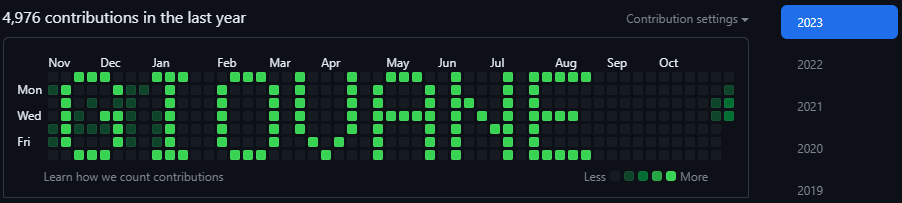
Install
Just create a new repo on Github and install like any python lib
pip install awesome-git-mosaic
or
poetry add awesome-git-mosaic
Usage
It comes ready to be used out of the box with dafault settings or you can use its full functionalities by importing on code
Warning
It is recommended to create an empty repo for this purpose only. A lot of files will be created and so a lot of commits (which can be problematic to revert in a working repo). See Reseting.
Default
After installation, you can use with default parameter by running
python -m awesome_git_mosaic <your_text_here[A-Za-z0-9# ]+>
Note
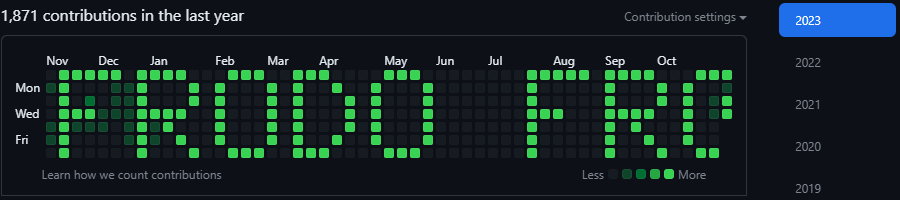
With default params, each character have 5 squares wide plus 1 square of space between letters. So, only 8 characters will appear at time.
Importing on console (or anywhere)
from awesome_git_mosaic.usecases.write_mosaic import WriteMosaic

wm = WriteMosaic()

wm.write('numenor', 50, 2, True, False, True)
Method signature:
def write(
    self,
    message: str,  # what you want to write
    strength: int = 15,  # how many commits each pixel will have (more details in "How it works" section)
    multiply: int = 1,  # number of times to write the message consecutive like "MSGMSGMSG" (more details in "How it works" section)
    with_spaces: bool = True,  # put or not spaces between characters
    background: bool = False,  # put background or not
    inverted: bool = False,  # invert pixels or not
):
Examples
Default
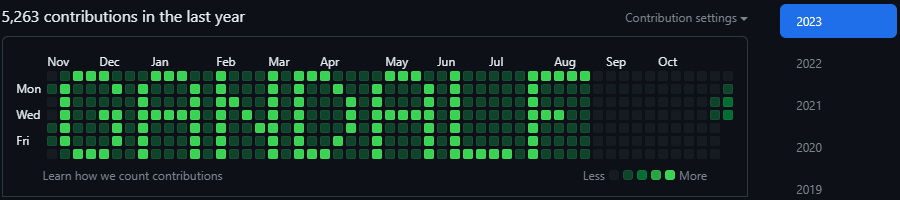
Inverted
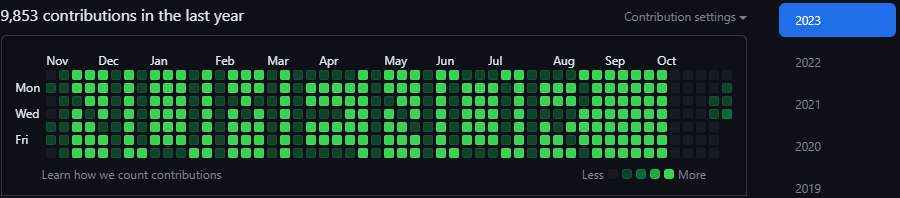
Strengh = 5
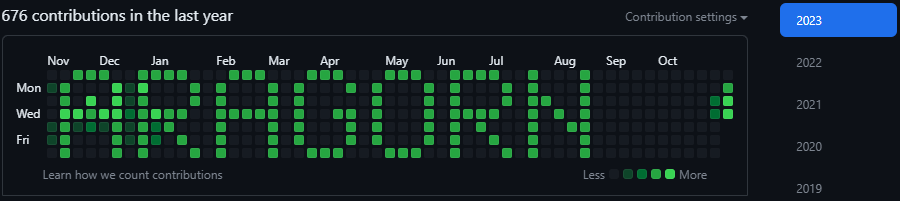
No spaces
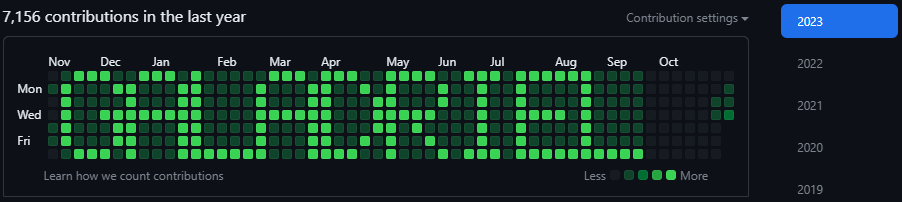
Multiple times
How it works
Git allow us to set the date and time of a commit, so, we can do it in retrspective or even in the future.
By understanding how Github activity mosaic works, we can figure out wich time correlates to each pixel and translate a matrix of pixels in a list of datetimes. So, for each datetime a commit is made modifying or create an unique file.
Days with more contribution have a lighter green and the light intensity will be dynamic according to the day you have more contributions in the period of time showing in the mosaic. So, to have a good highlighted message, it is recommended to set strength at least as two times the number of max contributions you have in the period.
Each week the leftmost column will disappear. So to make the mosaic looks like a veeeery slow scrolling text, you can set multiply to more than 1.
Warning
Commits and pushes are made automatically by the code. It is HIGHLY RECOMMENDED to create a repo specially for this purpose.
Reseting
You can easily remove everything by deleting the repo where you made the commits.
About
After watch this video from @akshaymarch7 i´ve just had an ideia to play around with the pixels instead of just make it random.
So, why not draw or write something? A few days later and i had a working prototype. Now it is a lib for anyone who want to have fun or contribute with more ideas.
If you enjoyed enough, consider

Contributing
1 maintainer

Metadata
1 maintainer
Release files for awesome-git-mosaic 0.1.1
For a detailed explanation of source distributions (sdists) and built distributions (wheels), please see the package formats documentation.
Source distribution (sdist)
| File | Size | Uploaded | Provenance | |
|---|---|---|---|---|
| awesome_git_mosaic-0.1.1.tar.gz | 9.8 kB | Without provenance | Details |
Built distribution (wheel)
| File | Interpreter | ABI | Platform | Reset |
|---|---|---|---|---|
| awesome_git_mosaic-0.1.1-py3-none-any.whl | Python 3 | none | any | Details |
Total release size: 22.3 kB
Release files / awesome_git_mosaic-0.1.1.tar.gz
| Download URL | awesome_git_mosaic-0.1.1.tar.gz |
|---|---|
| Size | 9.8 kB |
| Tags | Source |
|
SHA-256 checksum How to use checksums |
731a50e49382f51c89539f081927875955b743028cd93ba6c02e10bd98b99528
|
|
BLAKE2b-256 checksum How to use checksums |
22dcbf28fcacf5f584b2996e688e324f84d338feac99b8977becda995e856f61
|
| Upload date | |
|
Uploaded using Trusted Publishing? What is trusted publishing? |
Yes |
| Uploaded via |
twine/4.0.2 CPython/3.11.6
|
Release files / awesome_git_mosaic-0.1.1-py3-none-any.whl
| Download URL | awesome_git_mosaic-0.1.1-py3-none-any.whl |
|---|---|
| Size | 12.6 kB |
| Tags | Python 3 |
|
SHA-256 checksum How to use checksums |
e8689ca2ef975b5ca3cb38ce31482fd8ad0ee0b7a8ce70831f45680c0501c6bb
|
|
BLAKE2b-256 checksum How to use checksums |
2aac5a8dcd1274c958eaa17b16901531c26c23e7f6418445c069f1ca53069636
|
| Upload date | |
|
Uploaded using Trusted Publishing? What is trusted publishing? |
Yes |
| Uploaded via |
twine/4.0.2 CPython/3.11.6
|
Security for awesome-git-mosaic 0.1.1
Provenance
Provenance describes where a file came from. On PyPI, provenance is shared via attestations, which provide a verifiable record of the build or publishing details. View details, limitations and caveats.
No provenance found
None of the files in this release were uploaded with provenance metadata.
A note on package security
PyPI is a repository for distributing packages, not a service for auditing them. While third-party security researchers and our staff do their best to detect and remove malicious packages, PyPI cannot guarantee the quality, security or suitability of any given package.
To learn more about protecting yourself from malicious actors, visit our package security documentation.














