

awsmount
Mount any AWS account as a read-only filesystem.



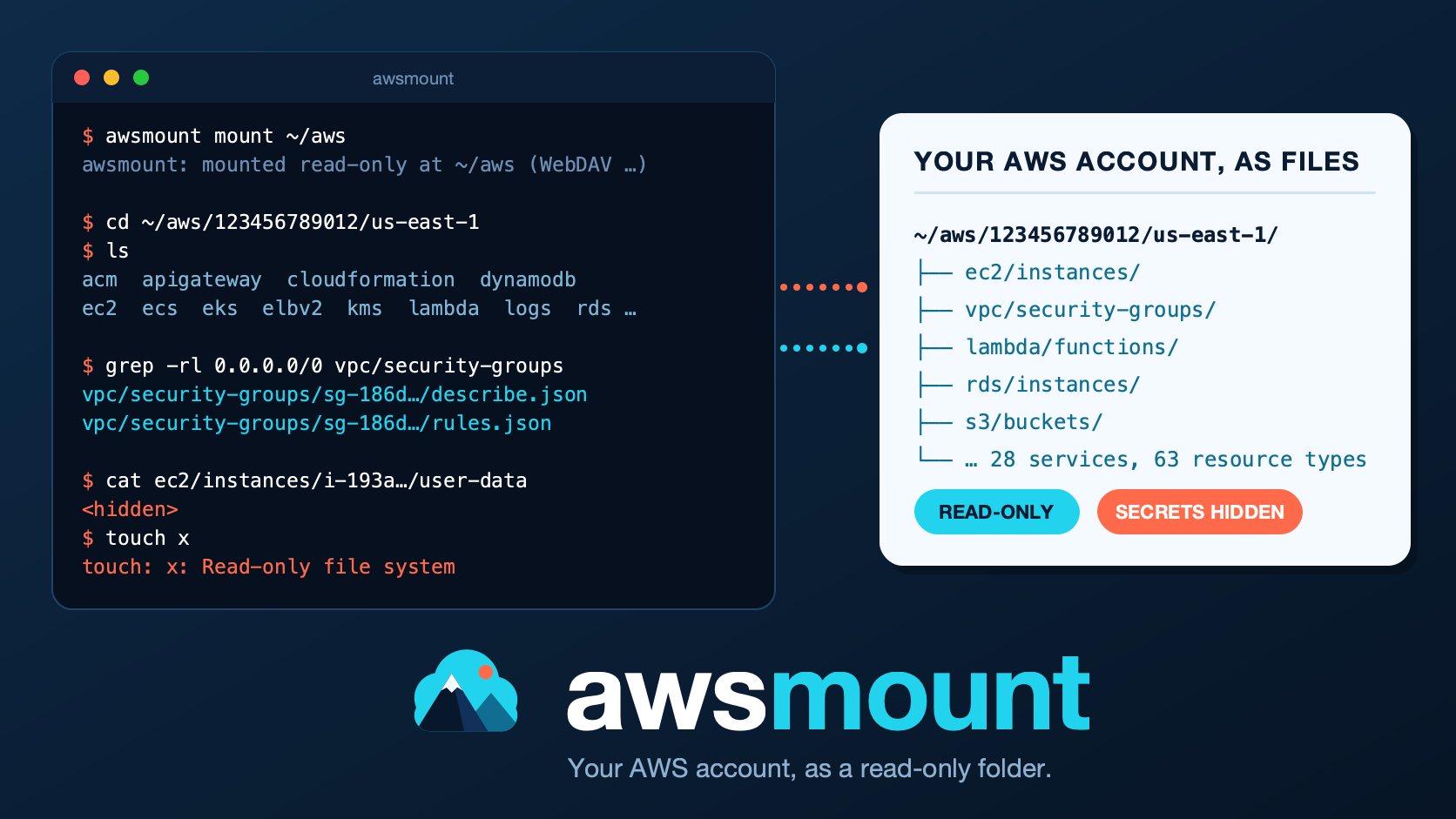
awsmount turns your AWS account into a folder that you can browse with the
tools you already know: ls, cd, cat, grep -r, find, tree,
diff -r, jq and git. Every resource (an EC2 instance, a security group,
a Lambda function, an IAM role...) is a directory, and every API response is
a readable describe.json file. It is read-only: nothing in AWS can be
changed through it.
It is for engineers who want to look around an account without clicking
through the console or remembering aws ... describe-* commands, and for AI
coding agents, which already know how to use a filesystem.
Why use it
- Familiar tools.
grep -rl '0.0.0.0/0' vpc/security-groupsfinds every rule open to the world.cdfollows a resource to its VPC through relative symlinks.diff -rcompares two snapshots of an account. - Read-only. Only
Describe*,List*andGet*calls are allowed, and that is enforced before any request is sent. Writes fail with "Read-only file system". - Secrets hidden. Lambda and ECS environment values, EC2 user data and
secret-looking CloudFormation values show as
<hidden>. S3 object contents and secret values are never fetched. (The separate commandawsmount secretsis the only way to read secret values, on purpose.) - Light on the API. Nothing is fetched until you look at it, and an
optional call budget (
--max-api-calls) can stop a runawaygrep -r.
Install
awsmount needs Python 3.11 or newer, and AWS credentials set up the way the AWS CLI expects (a named profile or environment variables).
pipx install awsmount            # recommended
# or: python3 -m pip install awsmount
# or, from source: pipx install git+https://github.com/kloudsec-io/awsmount
awsmount doctor
awsmount doctor checks what works on your machine and ends with a summary
line such as:
shell: OK · webdav-serve: OK · webdav-mount: OK · fuse: optional (not needed, WebDAV mount works)
- macOS: nothing else to install. Mounting uses the WebDAV client that is built into macOS, with no administrator password.
- Linux: the interactive shell needs nothing. Mounting needs FUSE:
sudo apt install fuse3(Debian, Ubuntu) orsudo dnf install fuse3(Fedora). - From a checkout:
python3 -m pip install -e .
Getting started
Five minutes, from nothing to your first real answer. Replace myprofile
with your AWS profile (leave out -p myprofile to use your default
credentials) and us-east-1 with the region you want to look at.
1. Check that it works
awsmount doctor --check-credentials -p myprofile
The last lines show the AWS account and user it found. If a line says
FAIL, fix that first.
2. Look around in the interactive shell
No mounting needed:
awsmount -p myprofile -r us-east-1 shell
You get ls, cd, cat, grep, find, tree and more (type help).
Below are commands you type in the shell and the output awsmount really
printed, captured from a throwaway test account. The account id and region
are shortened to ACCT and REGION, and the long grep result is cut
short (...):
awsmount:/$ ls /
ACCT
awsmount:/$ ls /ACCT/REGION
acm
apigateway
autoscaling
cloudformation
cloudwatch
dynamodb
ec2
ecr
ecs
eks
elbv2
eventbridge
kms
lambda
logs
rds
redshift
s3
secretsmanager
sns
sqs
ssm
stepfunctions
vpc
awsmount:/$ ls /ACCT/REGION/ec2/instances/i-7960944c02c99b353
arn
describe.json
instance-type
links
name
private-ip
state
tags
tags.json
user-data
awsmount:/$ cat /ACCT/REGION/ec2/instances/i-7960944c02c99b353/user-data
<hidden>
awsmount:/$ grep -rl 0.0.0.0/0 /ACCT/REGION/vpc/security-groups
/ACCT/REGION/vpc/security-groups/sg-029ffec0a78d92776/describe.json
/ACCT/REGION/vpc/security-groups/sg-029ffec0a78d92776/rules.json
/ACCT/REGION/vpc/security-groups/sg-4f6d07da8cf2aaa65/describe.json
/ACCT/REGION/vpc/security-groups/sg-4f6d07da8cf2aaa65/rules.json
...
awsmount:/$ cat /ACCT/REGION/cloudformation/stacks/leaktest/outputs.json
[
  {
    "OutputKey": "SecretKey",
    "OutputValue": "<hidden>"
  },
  {
    "OutputKey": "DbPass",
    "OutputValue": "<hidden>"
  },
  {
    "OutputKey": "QueueName",
    "OutputValue": "ok-to-show"
  }
]
The first level is the account (its alias, or its id), then the region, then
the service, then the kind of resource, then one directory per resource.
Note user-data showing <hidden>: awsmount hides secrets by default.
3. Mount your account as a folder
mkdir -p ~/aws
awsmount -p myprofile -r us-east-1 mount ~/aws
Leave that terminal running. In a second terminal, use any tool you like:
ls ~/aws                                  # your account (alias or id)
cd ~/aws/<account>/us-east-1
ls                                        # one folder per service
ls ec2/instances                          # one folder per instance
cat ec2/instances/i-0123456789abcdef0/name
grep -rl '0.0.0.0/0' vpc/security-groups  # every rule open to the world
Trying to change anything fails, on purpose:
touch ~/aws/x gives "Read-only file system".
4. Unmount
Press Ctrl-C in the terminal that runs awsmount mount, or from anywhere:
awsmount umount ~/aws
5. Where next
- Copy a recipe: find open security groups, see what uses a resource, diff two snapshots, track an account in git, or hand the folder to an AI coding agent.
- Read what you will see to learn the layout.
- Check Coverage for the services that are supported.
What you will see
/<account-alias-or-id>/        one directory per profile/account
  <region>/<service>/<collection>/<resource>/
  global/{iam,route53,cloudfront,organizations}/...
  _meta/account.json  identity.json  errors.log  stats.json
One resource looks like this (example names and IDs, not real output):
/acme-prod/eu-west-1/vpc/security-groups/sg-0a1b2c3d4e5f60718/
  describe.json  arn  name  group-name  vpc-id  rules.json  tags.json  tags/
  links/vpc -> ../../../vpcs/vpc-0abc1234def567890
  referenced-by/ec2-instances-i-0123456789abcdef0
      -> ../../../../ec2/instances/i-0123456789abcdef0
  referenced-by/lambda-functions-orders-api
      -> ../../../../lambda/functions/orders-api
- Every resource directory has
describe.json: the raw API data withResponseMetadataremoved, ISO-8601 datetimes, sorted keys, indent 2. - It also has
arn,name,tags.jsonandtags/<Key>when they apply, plus small files such asstateorruntime,links/and, for security groups,referenced-by/. - Names containing
/,%, control characters or a leading.are%XX-escaped (/aws/lambda/fnbecomes%2Faws%2Flambda%2Ffn). Case-insensitive name collisions get a~<id>suffix. - Several profiles (
-p a -p b) give several top-level directories.--region allmounts every region enabled for the account.
Recipes
The account name
acme-prod, region and resource IDs in the recipes below are examples to adapt, not captured output.
The examples assume a mount at ~/aws with an account directory
acme-prod. Inside awsmount shell the same paths start at /.
Find security groups open to the world
rules.json is derived from the security group listing, so reading it costs
no extra API call. Each rule is one JSON object, one key per line:
cd ~/aws/acme-prod/eu-west-1/vpc/security-groups
grep -l '"cidr": "0.0.0.0/0"' */rules.json     # any direction
for f in */rules.json; do
  jq -e 'any(.[]; .direction == "ingress"
                  and (.cidr == "0.0.0.0/0" or .cidr == "::/0"))' \
     "$f" >/dev/null && echo "${f%/rules.json} $(cat "${f%/rules.json}/group-name")"
done
Without a mount:
awsmount -p prod -r eu-west-1 grep -r -l '"cidr": "0.0.0.0/0"' \
  /acme-prod/eu-west-1/vpc/security-groups
What uses this security group?
referenced-by/ lists symlinks to every network interface, EC2 instance,
security group rule, load balancer, Lambda function, RDS instance and VPC
endpoint in the same account and region that uses the group:
$ ls ~/aws/acme-prod/eu-west-1/vpc/security-groups/sg-0a1b2c3d4e5f60718/referenced-by
ec2-instances-i-0123456789abcdef0
ec2-network-interfaces-eni-0fedcba9876543210
lambda-functions-orders-api
vpc-security-groups-sg-0f9e8d7c6b5a49382
$ cat ~/aws/acme-prod/eu-west-1/vpc/security-groups/sg-0a1b2c3d4e5f60718/referenced-by/*/name
On FUSE, readlink shows the targets. On a macOS WebDAV mount each entry is
a text file that contains the relative target, so cat the entry to see it.
Building the index costs one cached list call per source collection.
Diff two snapshots of an account
awsmount -p prod -r eu-west-1 export /acme-prod/eu-west-1 ~/snap/monday
# ... later ...
awsmount -p prod -r eu-west-1 export /acme-prod/eu-west-1 ~/snap/tuesday
diff -r -x .awsmount-export ~/snap/monday ~/snap/tuesday
By default export writes each symlink as a small text file holding its
target (--links file), so diff -r and grep -R work. With
--links keep the export contains real symlinks, and the links between
resources form cycles that make macOS diff -r report "Directory loop
detected".
Every export writes a .awsmount-export marker with the export time, so
exclude it from the diff. If you export a whole account directory, also
exclude _meta (-x _meta), because stats.json and errors.log change
from run to run. Export reads every file, lazy ones included, so it makes
many API calls: narrow it with --services.
Track an account in git
--clean deletes everything in the destination before writing (it requires
the marker of a previous export, or an empty or missing directory). Point it
at a subdirectory of the repository, never at the repository root, or it
would delete .git:
mkdir -p ~/aws-history && cd ~/aws-history && git init
awsmount -p prod -r eu-west-1 --services vpc,ec2,elbv2,iam \
  export /acme-prod ~/aws-history/acme-prod --clean
git add -A && git commit -m "acme-prod snapshot $(date -u +%F)"
Run the last two lines on a schedule; git log -p then shows how the
account changed. Content is deterministic: AWS returns some lists in a
different order from one call to the next (tags, route table associations,
security group lists, IP permissions), so awsmount sorts exactly those, and
leaves every other list in API order. Masking stays on unless you pass
--reveal.
Use it with AI coding agents
Agents already know ls, cat, grep, find and jq. Give them a mount,
or let them run one-shot commands:
awsmount -p prod -r eu-west-1 --max-api-calls 1000 mount ~/aws
# then, in the agent's instructions:
#   "The AWS account is mounted read-only at ~/aws. Each resource is a
#    directory with describe.json. Follow links/ and referenced-by/.
#    Check ~/aws/<account>/_meta/errors.log for anything you could not read."
awsmount -p prod -r eu-west-1 shell -c "grep -r -l orders-api /acme-prod/eu-west-1/lambda"
Why this is reasonably safe: no operation can modify AWS; secret values,
object bodies and log events are never fetched by awsmount mount, shell
and serve; secrets in metadata are
hidden; the budget stops runaway exploration; GNU grep -r and find do
not follow symlinks, and WebDAV mounts serve links as files, so recursive
tools cannot loop. Do not combine agents with --reveal: any local
process, the agent included, can read everything that is revealed.
Secret values: awsmount secrets
To read the values of Secrets Manager secrets and Parameter Store parameters as files, there is one separate command. It is the only place where awsmount reads a secret value:
awsmount secrets mount ~/secrets -p prod -r eu-west-1
cat ~/secrets/secretsmanager/team%2Fapi/value        # the secret, exactly
cat ~/secrets/ssm/app/db/password                    # decrypted SecureString
awsmount secrets umount ~/secrets
Listing never reads a value; a value is fetched when its file is read, kept
in memory for 5 minutes (--ttl) and overwritten when it expires. One
profile and one region per mount. awsmount mount, shell, serve and
export still cannot read a value, even with --reveal.
Two limits you should know: overwriting memory is best effort, and on macOS
the system's WebDAV client keeps a temporary copy of each file it reads in
/private/tmp until you unmount (keep FileVault on). Read
docs/secrets.md before using it.
Mounting on each OS
| Interactive shell | Real mount | Serve over WebDAV | |
|---|---|---|---|
| macOS | awsmount shell |
awsmount mount DIR: WebDAV through the built-in /sbin/mount_webdav (zero install, no admin rights); FUSE only with --method fuse |
awsmount serve |
| Linux | awsmount shell |
awsmount mount DIR: FUSE through mfusepy and libfuse 2/3 |
awsmount serve (mount it yourself, e.g. davfs2) |
--method auto (the default) picks FUSE on Linux and WebDAV on macOS, even
when FUSE-T or macFUSE happens to be installed.
- macOS (WebDAV). awsmount starts a WebDAV server on
127.0.0.1only, with a fresh random password per session, and mounts it read-only with the system's ownmount_webdav. WebDAV has no symlinks, so each link is served as a small text file holding its target. Details, including how the password is passed and why Spotlight is switched off for the mount: docs/mounting-macos.md. - Linux (FUSE). The mount is read-only, never uses
allow_other(only your user can read it) and has real symlinks. Details: docs/mounting-linux.md.
Safety
- Read-only. Each boto3 client has a
before-callhook that refuses any operation that is not on the allow-list derived from the providers (each operation is allowed only for the client whose provider declared it), does not start withDescribe/List/Get/Search/Lookup, or is on the deny-list. The deny-list holds data-plane and credential operations:GetSecretValue,GetParameter*,GetObject,Decrypt,GetFunction,GetLogEvents,GetPasswordData,ExportCertificateand others. Onlyawsmount secretsruns a separate session that may callGetSecretValueandGetParameter, and nothing else. FUSE write operations returnEROFS. WebDAV write methods return 403. - Masking. It is applied at render time, to every JSON file, and also
to exports. EC2
user-dataand CloudFormationtemplateare not even fetched unless you pass--reveal. Tag values are not hidden. --revealrisk.--revealturns masking off and prints a warning. Mounted files are readable by any process running as your user, including AI agents, editors, indexers and backup tools. Use it only for a short-lived, targeted session.- Other local users. The FUSE mount has no
allow_other. The WebDAV server binds to 127.0.0.1 only, checks theHostheader (DNS-rebinding defence), and requires HTTP auth on every request. The per-session URL token is not a secret (on macOS it is visible inpsandmountoutput); the password is the secret. The credentials are generated per session and never written to disk. awsmount warns when another user could modify the mountpoint's parent directory, or reach it from outside your home directory.
Details: docs/security.md.
Coverage
Coverage today: 28 services, 63 resource types. awsmount does not cover
every AWS service. This table is the output of awsmount services --short:
| Service | Scope | Resource types |
|---|---|---|
| ec2 | region | instances, volumes, snapshots, key-pairs, elastic-ips, network-interfaces, amis, launch-templates |
| vpc | region | vpcs, subnets, security-groups, route-tables, internet-gateways, nat-gateways, network-acls, endpoints, peering-connections, dhcp-options, transit-gateways, flow-logs |
| elbv2 | region | load-balancers, load-balancers/listeners, load-balancers/listeners/rules, target-groups |
| lambda | region | functions |
| rds | region | instances, clusters, clusters/members |
| ecs | region | clusters, clusters/services, task-definitions |
| eks | region | clusters, clusters/nodegroups, clusters/addons |
| autoscaling | region | groups |
| s3 | region | buckets |
| dynamodb | region | tables |
| sqs | region | queues |
| sns | region | topics |
| kms | region | keys, aliases |
| logs | region | log-groups |
| cloudwatch | region | alarms |
| ecr | region | repositories |
| stepfunctions | region | state-machines |
| redshift | region | clusters |
| eventbridge | region | event-buses, event-buses/rules |
| cloudformation | region | stacks, stacks/resources |
| secretsmanager | region | secrets |
| ssm | region | parameters |
| acm | region | certificates |
| route53 | global | hosted-zones |
| iam | global | users, roles, groups, policies |
| cloudfront | global | distributions |
| apigateway | region | rest-apis |
| organizations | global | accounts, roots, policies |
awsmount services (without --short) also lists the files and links
inside each resource directory, so you can find a path without reading the
docs. awsmount services --markdown regenerates
docs/coverage.md, which has that list as a table, and
--json gives machine-readable output.
Verification status
- Automated tests run against the moto AWS emulator: every provider, the read-only guard, masking, caching, the shell, the WebDAV server and the FUSE operations.
- Real mounts are tested by scripts:
tests/e2e/macos_webdav.sh(macOS's built-in WebDAV client) andtests/e2e/linux_fuse.sh(kernel FUSE in Docker), plustests/e2e/secrets_macos_webdav.shandtests/e2e/secrets_linux_fuse.shforawsmount secrets. - Real AWS: checked on a sandbox account, from a Mac and from an Amazon
Linux 2023 instance, against the AWS API. This includes
awsmount secrets. - Not tested on real AWS: CloudFront, Organizations data, cross-account trust, an account with thousands of resources (throttling, long pagination) and most non-admin permission sets. moto also lacks several of these APIs, so those paths are covered by unit tests only. Treat 1.0.0 as ready for evaluation on non-production accounts.
- Not covered: Windows, and mounting the macOS tree through FUSE-T or macFUSE (the code path exists but has not been run, and awsmount does not recommend it; see docs/mounting-macos.md).
Limits
- 28 services and 63 resource types; everything else is absent. EC2 snapshots and AMIs are limited to those you own, and ECS task definitions to ACTIVE ones.
- Data is cached for
--ttlseconds (60 by default). File mtimes are fetch times. The shell'srefreshcommand drops the cache; a mounted tree refreshes when the TTL expires. - Lazy files (policies, tags and similar) are fetched when read. In
awsmount shell,ls -lrenders them to show real sizes (a few API calls per directory, cached for the TTL). The FUSE mount (default--lazy-size zero) and the macOS WebDAV mount report a size of 0 until the file is read, sols -lmakes no API calls there; the content is still complete. Use--lazy-size renderon FUSE for real sizes. Collection directories only contain directories, so listing them is cheap. - Walking a whole account (
find,tree,du) lists every directory, and some directory names come from AWS: each IAM role'stags/,inline-policies/andlinks/, log group and KMS key tags, S3 bucket locations, ECS task definitions. On a small account that is a few hundred calls; with hundreds of IAM roles it is thousands, one after another. Narrow the walk (find ~/aws/prod/us-east-1/vpc ...) or mount fewer services (--services vpc,ec2,s3). grep -rover a whole account reads every lazy file, which can take a long time. There is no call limit by default (AWS only throttles per API and boto3 backs off). Narrow the search with--servicesor--region, or set--max-api-calls Nfor a hard stop: uncached reads then fail withEIOand "API call budget exhausted", and cached data is still served.- On macOS WebDAV mounts symlinks are text files by default.
--webdav-links followserves them as their targets, but recursive tools may then loop. - Linux has no automated WebDAV mount; use FUSE, or
awsmount servewith your own WebDAV client. - The region directory lists only that region's buckets; use
--region allto list all of them. - S3 object keys are listed only with
--s3-objects N, and then only the first N keys per bucket. Object bodies, secret values, SSM parameter values, log events and Lambda code are never available, even with--reveal. (Secret and parameter values are available only throughawsmount secrets.) - Tag values are never hidden.
referenced-by/exists for security groups only. Its sources are EC2 instances, network interfaces, other security groups' rules, load balancers, Lambda functions, RDS instances and VPC endpoints, in the same account and region. ECS services and EKS clusters are not sources: EKS lists only cluster names, so finding their security groups would cost one extra call per cluster.- Not covered inside the services above: EC2 launch template versions (they hold user data), ECR images, Step Functions executions, EventBridge events and connections, Redshift Serverless, and legacy Auto Scaling launch configurations.
- Names that contain
/are shown percent-encoded, so the CloudWatch log group/aws/lambda/fnis the directory%2Faws%2Flambda%2Ffn. - Resources AWS still reports in a terminal state (terminated EC2 instances, deleted NAT gateways, Transit Gateways, VPC endpoints and peering connections) are not listed.
- The shell's built-in
grepuses Python regular expressions. - Organizations data appears only in an account allowed to read it, usually
the management account. Elsewhere the directory is empty and an entry
goes to
_meta/errors.log. - AccessDenied on a service gives an empty directory plus an
errors.logentry; AccessDenied on a lazy file givesEACCES("Permission denied") on both FUSE and the macOS mount, and the cause is a line in_meta/errors.log. "Operation not permitted" (EPERM) is reserved for the read-only guard refusing a call, which is a bug. Withawsmount servea WebDAV client sees HTTP 403 for both. Gaps in moto, localemu or other endpoints show up the same way. - macOS and Linux only. Windows is not supported. On Windows you can try WSL 2 (a Linux distribution such as Ubuntu) and follow the Linux instructions; this has not been tested.
Documentation
- docs/usage.md: commands, options, layout, recipes
- docs/security.md: read-only model, masking,
--reveal, authentication - docs/secrets.md:
awsmount secrets, the only command that reads secret values - docs/mounting-macos.md: WebDAV, FUSE-T/macFUSE, Spotlight
- docs/mounting-linux.md: fuse3, fusermount, Docker
- docs/providers.md: how to write a provider
- docs/ARCHITECTURE.md: how the code is built (layers, the read-only guard, how directories are made, the adapters)
- docs/coverage.md: generated coverage table, with the files and links of every resource type
- SECURITY.md: how to report a vulnerability
- CONTRIBUTING.md: how to report a problem or send a change
License
MIT
Maintained by KloudSec.
1 maintainer

Metadata
1 maintainer
Release files for awsmount 1.0.0
For a detailed explanation of source distributions (sdists) and built distributions (wheels), please see the package formats documentation.
Source distribution (sdist)
| File | Size | Uploaded | Provenance | Actions |
|---|---|---|---|---|
| awsmount-1.0.0.tar.gz | 156.3 kB | Without provenance | Details for awsmount-1.0.0.tar.gz |
Built distribution (wheel)
| File | Interpreter | ABI | Platform | Actions Reset |
|---|---|---|---|---|
| awsmount-1.0.0-py3-none-any.whl | Python 3 | none | any | Details for awsmount-1.0.0-py3-none-any.whl |
Total release size: 349.9 kB
Release files / awsmount-1.0.0.tar.gz
| Download URL | awsmount-1.0.0.tar.gz |
|---|---|
| Size | 156.3 kB |
| Tags | Source |
|
SHA-256 checksum How to use checksums |
d12dd752e2b9067d7e1b4990b1a2147be42c91f8e078b29ebaf1cba228ecf3f4
|
|
BLAKE2b-256 checksum How to use checksums |
7dfbc95ba816597b617e505f408bd026ca10db02b81c1beb1105005233e88f83
|
| Upload date | |
|
Uploaded using Trusted Publishing? What is trusted publishing? |
No |
| Uploaded via |
twine/7.0.0 CPython/3.13.12
|
Release files / awsmount-1.0.0-py3-none-any.whl
| Download URL | awsmount-1.0.0-py3-none-any.whl |
|---|---|
| Size | 193.6 kB |
| Tags | Python 3 |
|
SHA-256 checksum How to use checksums |
38a6736a97523e9112a584fb6bd297fe2d78eabfdeab6a441f5104f23c663ecf
|
|
BLAKE2b-256 checksum How to use checksums |
45bf0d74f8f56e27f2662c2c6bd4723dcc120f341350fa089cded649266d39a6
|
| Upload date | |
|
Uploaded using Trusted Publishing? What is trusted publishing? |
No |
| Uploaded via |
twine/7.0.0 CPython/3.13.12
|
Security for awsmount 1.0.0
Provenance
Provenance describes where a file came from. On PyPI, provenance is shared via attestations, which provide a verifiable record of the build or publishing details. View details, limitations and caveats.
No provenance found
None of the files in this release were uploaded with provenance metadata.
A note on package security
PyPI is a repository for distributing packages, not a service for auditing them. While third-party security researchers and our staff do their best to detect and remove malicious packages, PyPI cannot guarantee the quality, security or suitability of any given package.
To learn more about protecting yourself from malicious actors, visit our package security documentation.













