
Terminal User Interface for AWX - Rage Tater Edition
Project description
AWX TUI - Starchy Edition 🥔
Automation at Your Fingertips
Terminal User Interface for AWX with multi-instance support, built in Python and Textual.

AI-Assisted Project
This project was substantially coded by Large Language Models (LLMs) with human review.
- AI Attribution: AIA PAI SeCeNc Hin R Claude Code (Opus, Sonnet & Haiku) v1.0
- Vibe-Coders: Andrew Potozniak potozniak@redhat.com, John Mitchell jmitchel@redhat.com, John Barker jobarker@redhat.com, Daniel Brennand dbrenuk@redhat.com
- AWX TUI Logo AI Attribution: AIA EAI Hin R Gemini v1.0
[!NOTE] This work was mostly AI-generated with human review. We anticipate that it will evolve to incorporate community contributions authored by humans. Our intention is that copyrightable human-authored contributions will be covered by the MIT license.
Code of Conduct
We follow the Ansible Code of Conduct in all our interactions within this project.
If you encounter abusive behavior, please refer to the policy violations section of the Code for information on how to raise a complaint.
Communication
- Join the Ansible forum:
- Posts tagged with 'awx-tui': subscribe to participate in collection/technology-related conversations.
- Social Spaces: gather and interact with fellow enthusiasts.
- News & Announcements: track project-wide announcements including social events. The Bullhorn newsletter, which is used to announce releases and important changes, can also be found here.
For more information about communication, see the Ansible communication guide.
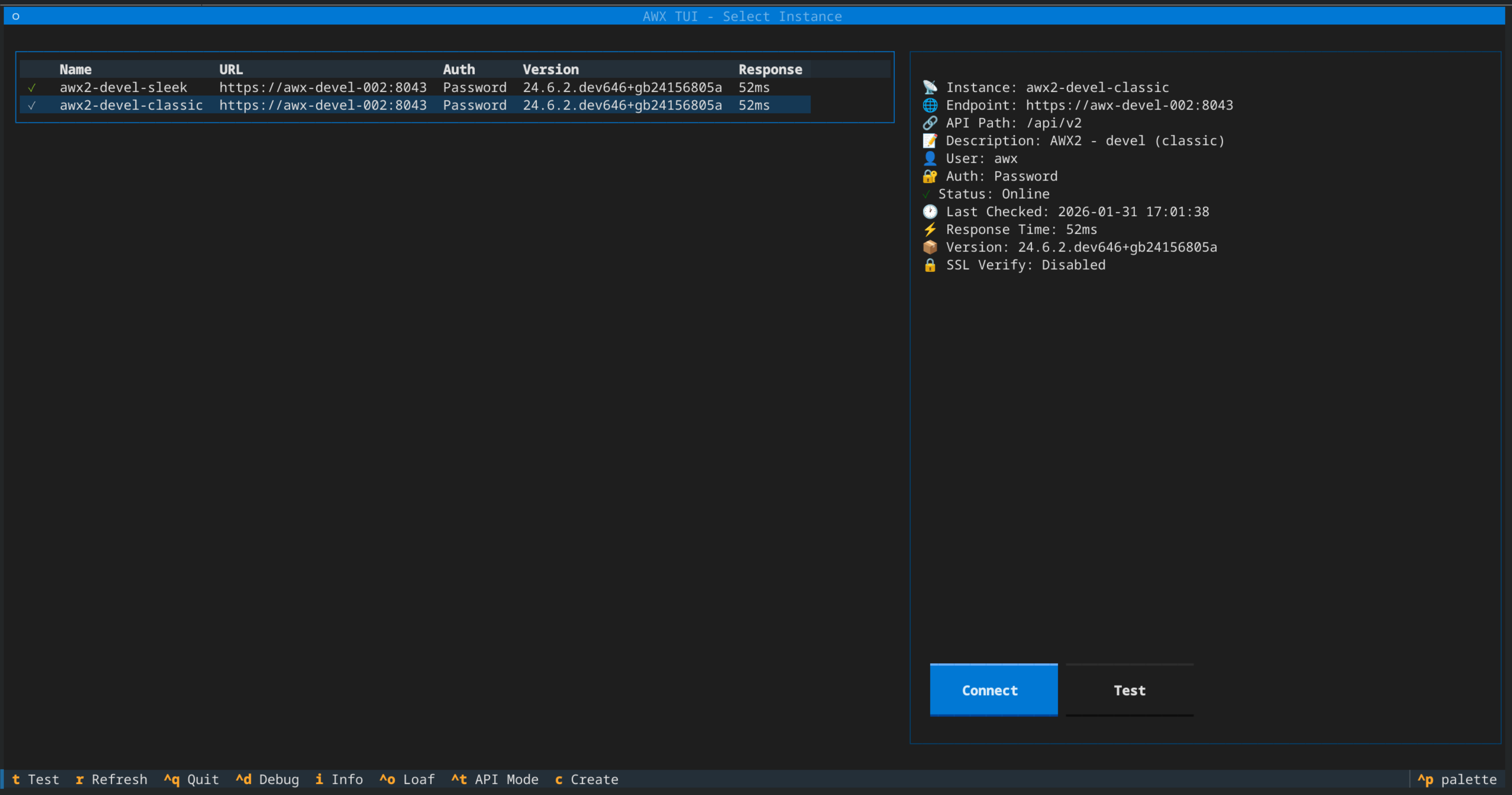
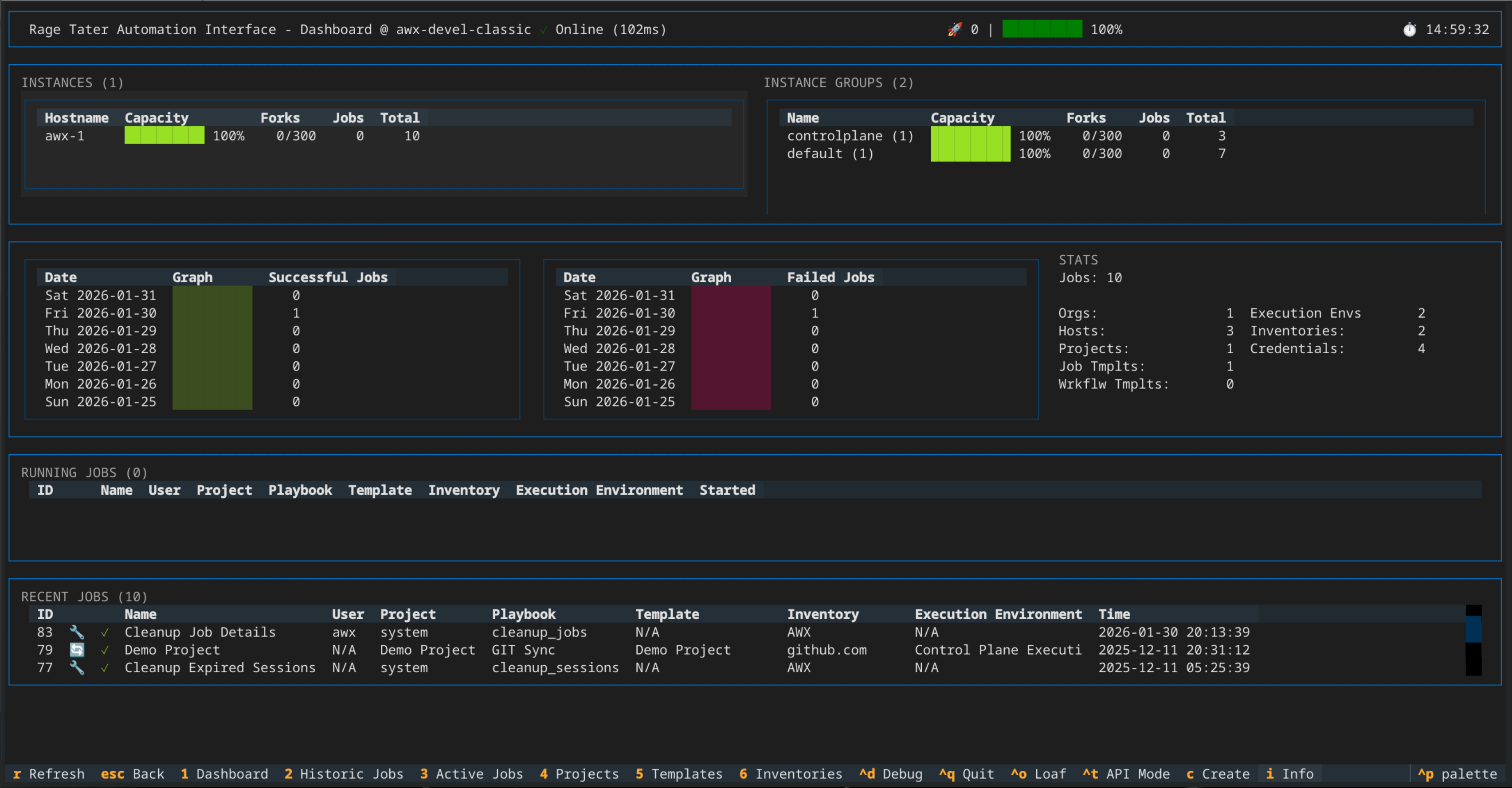
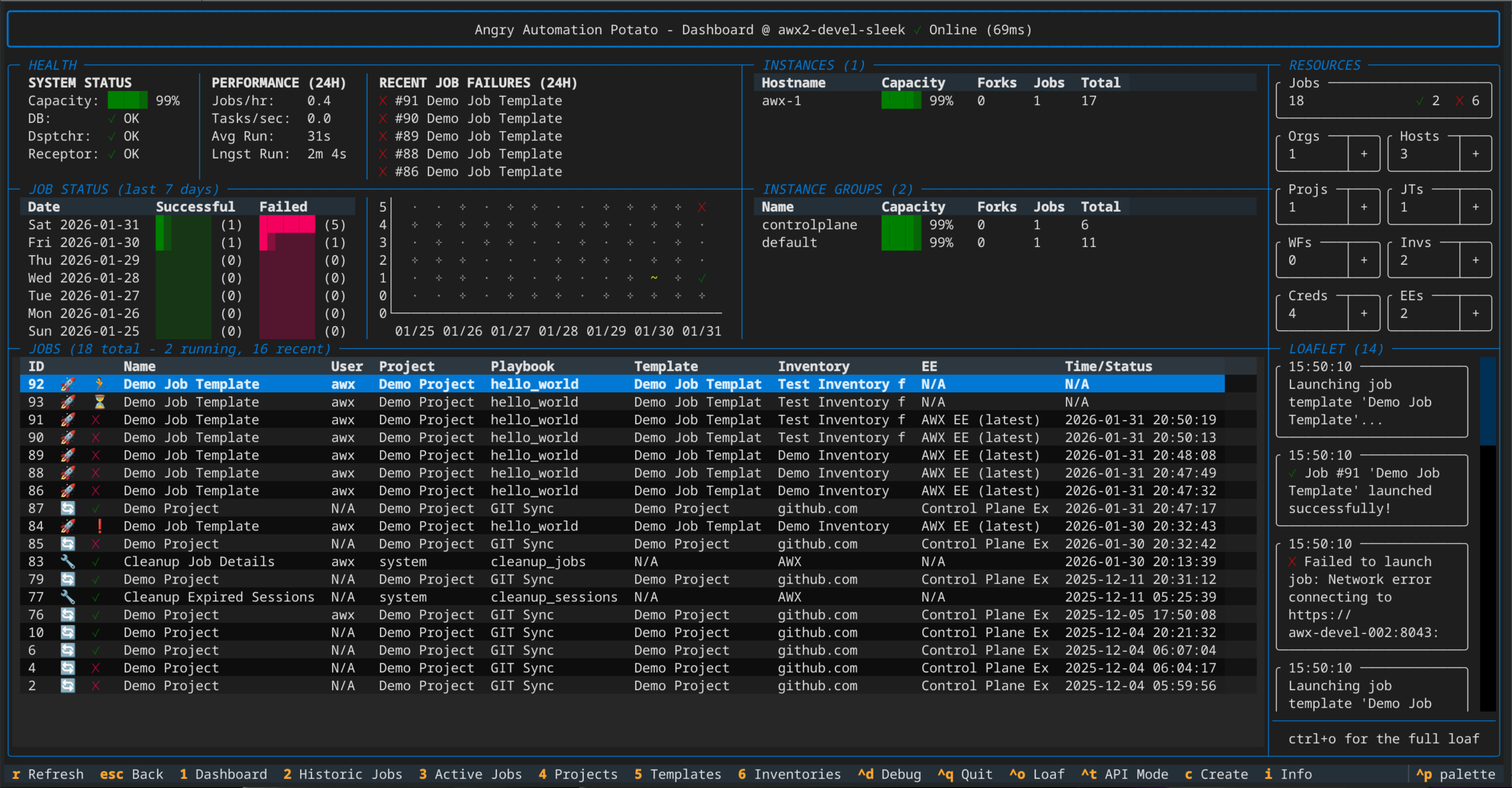
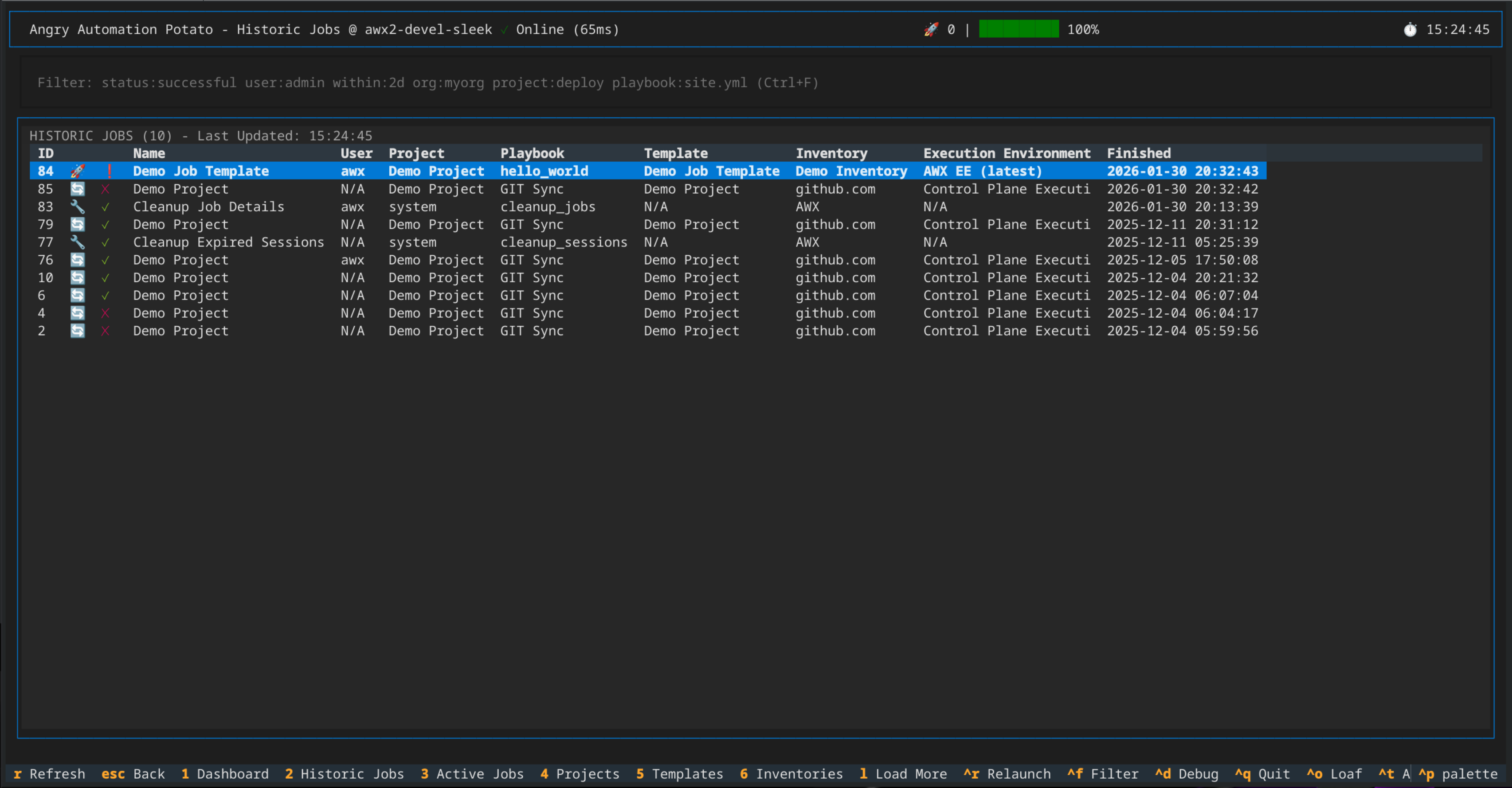
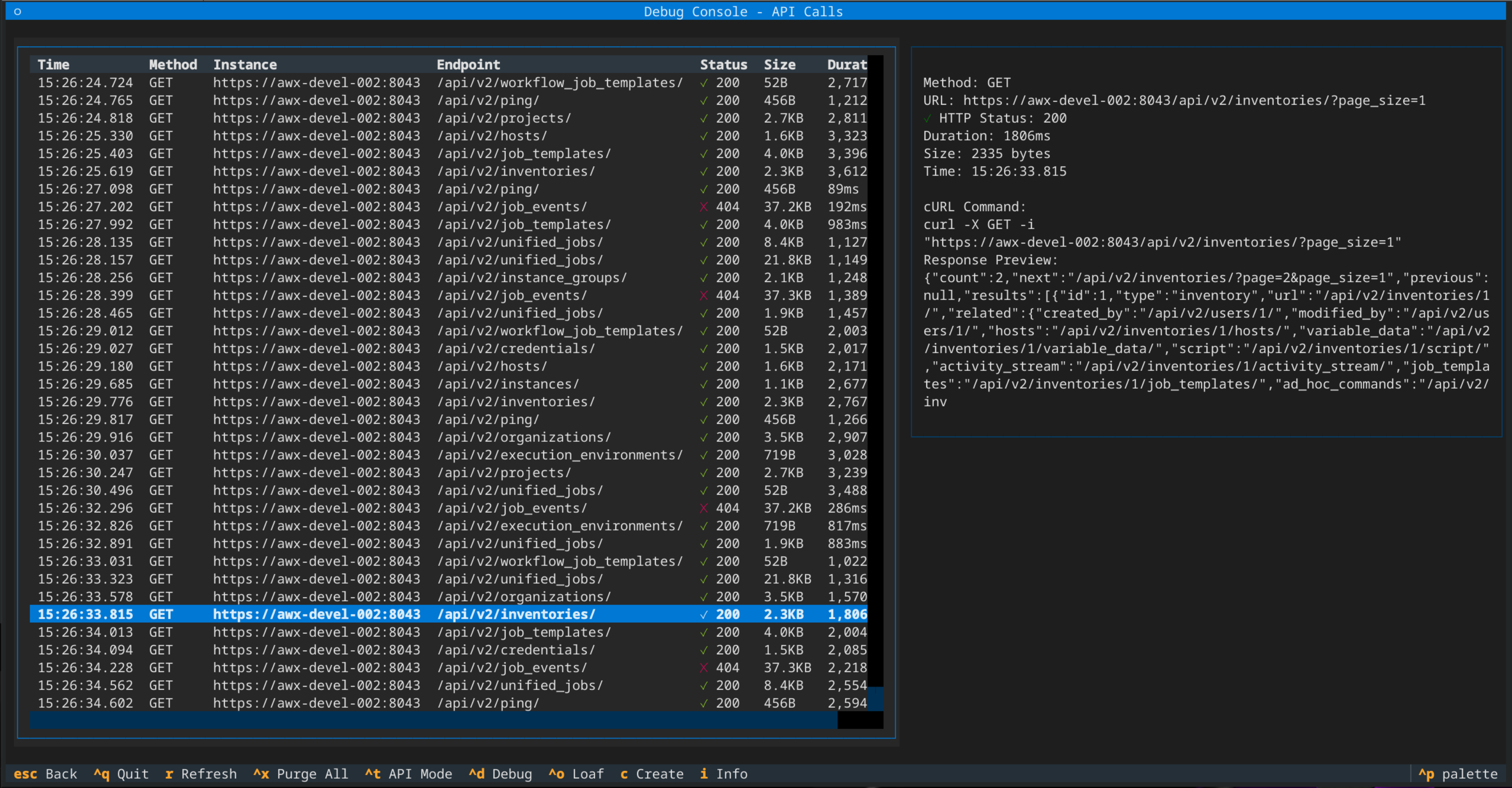
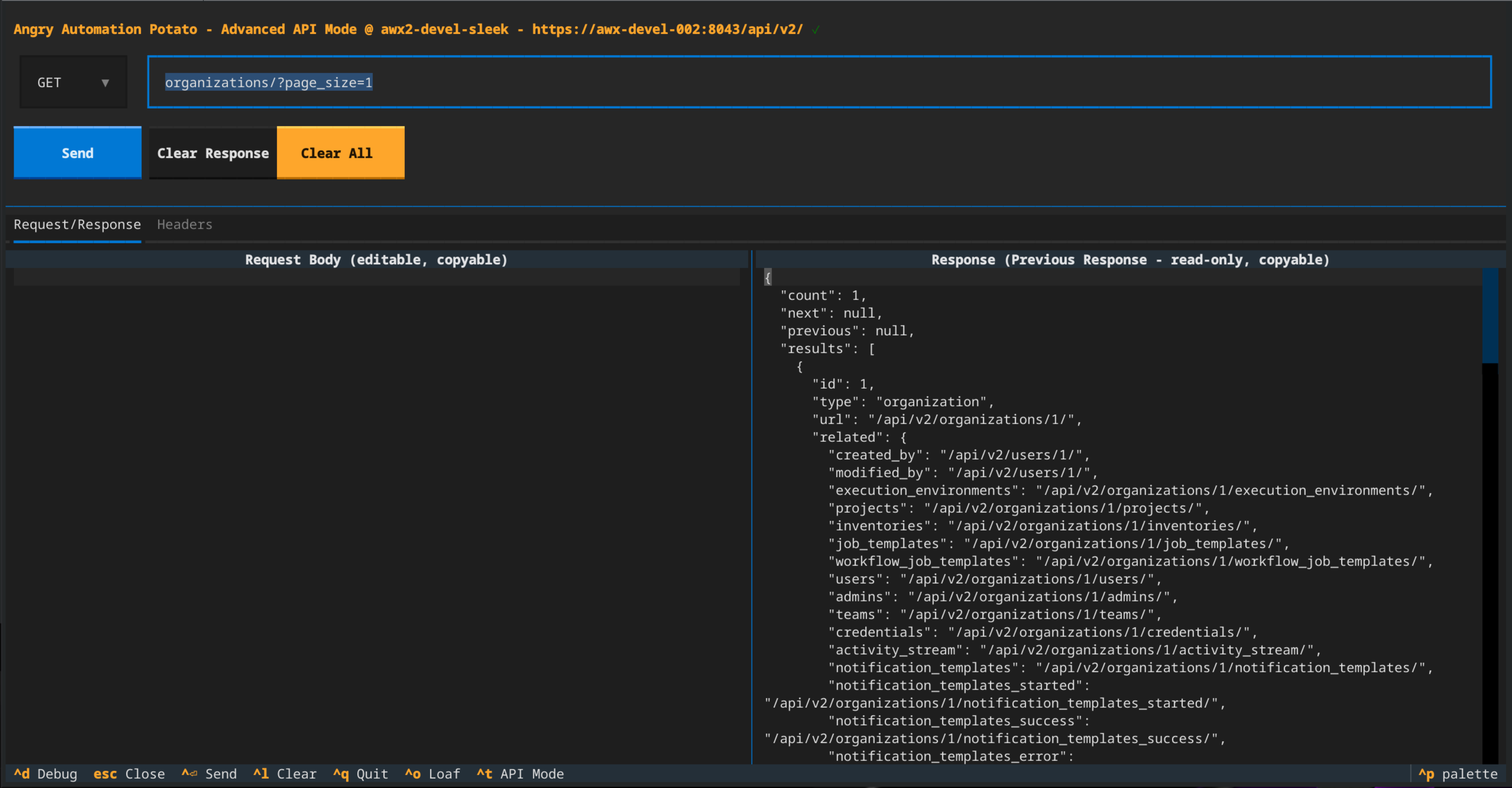
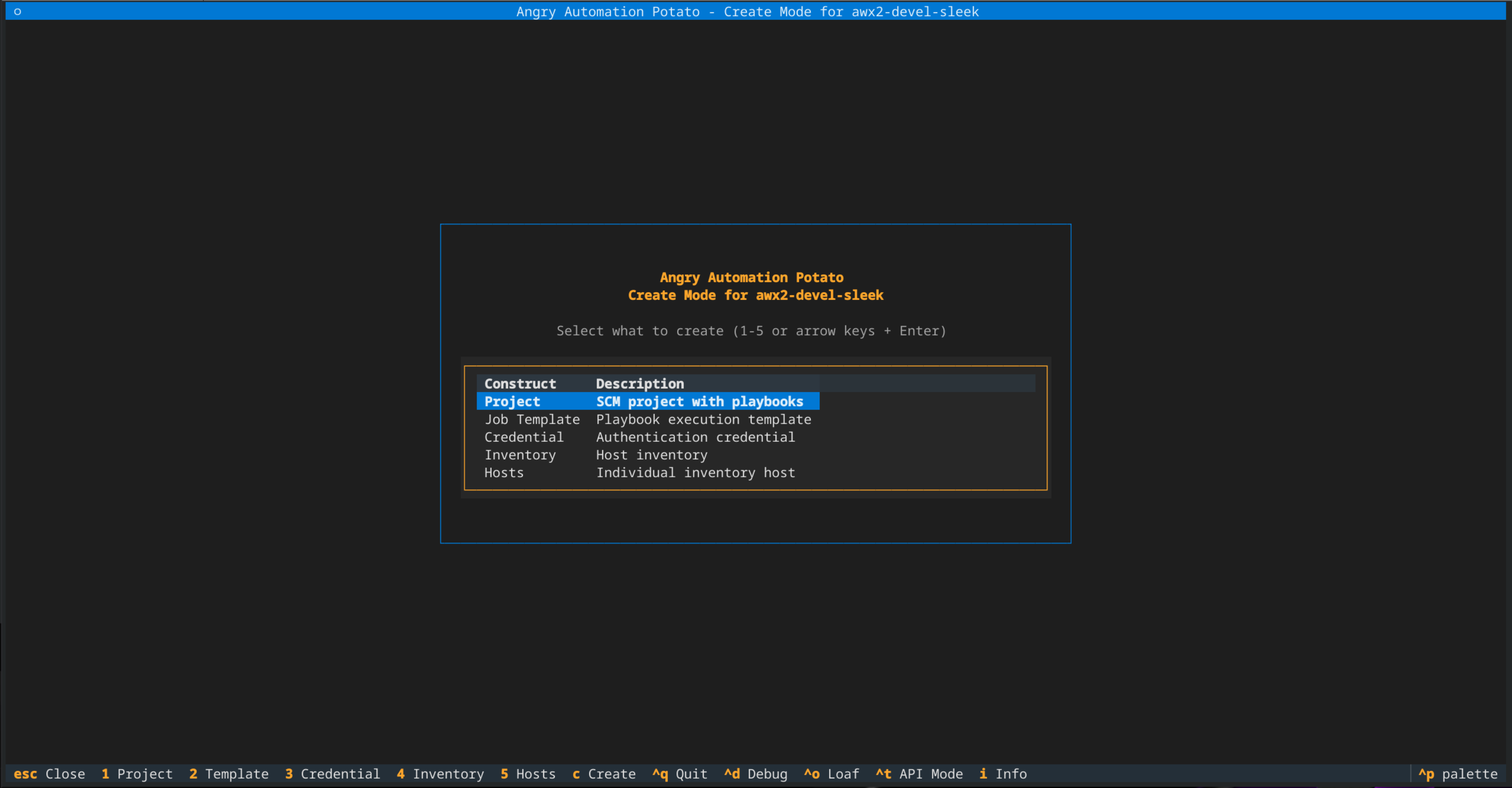
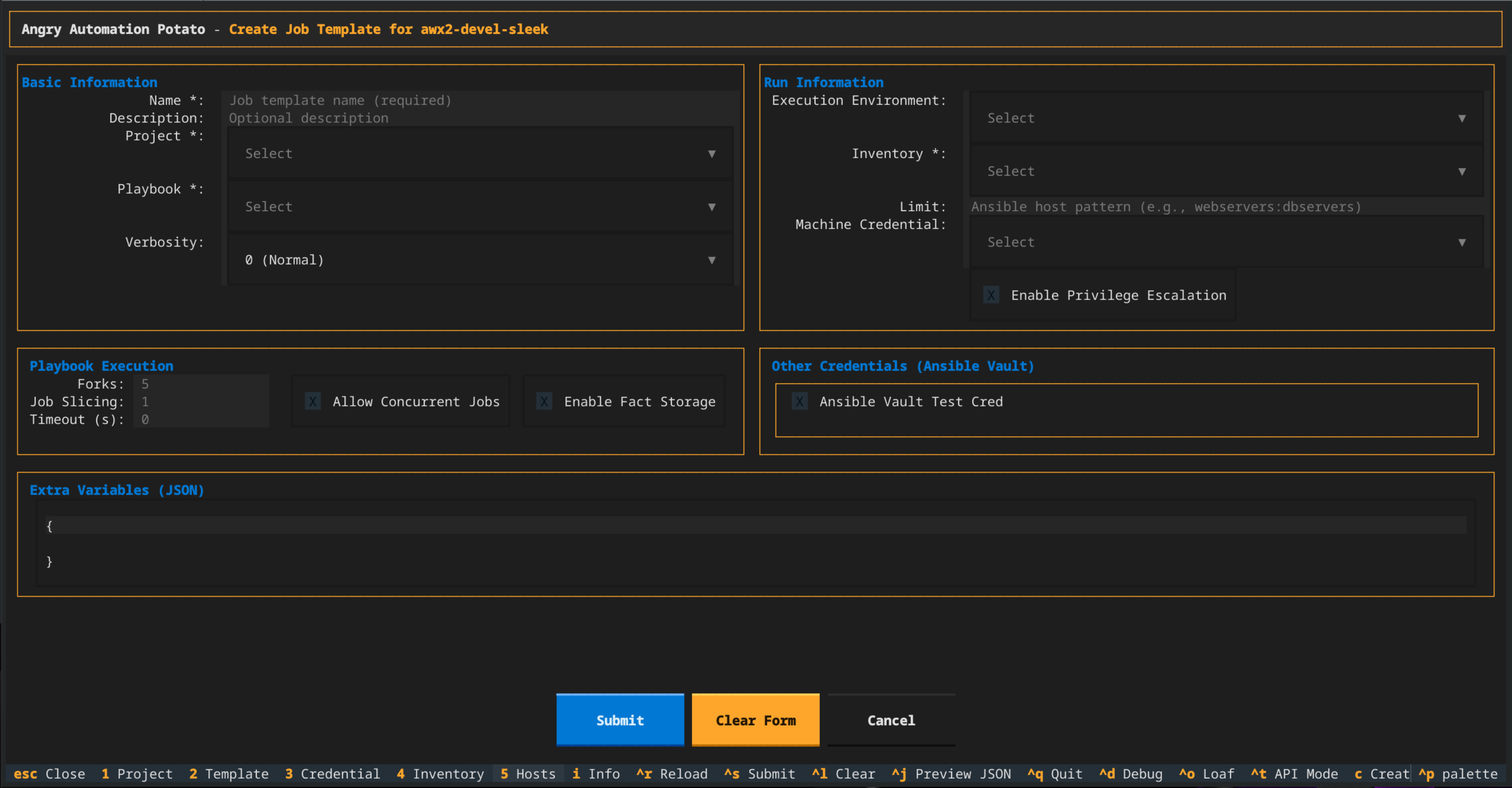
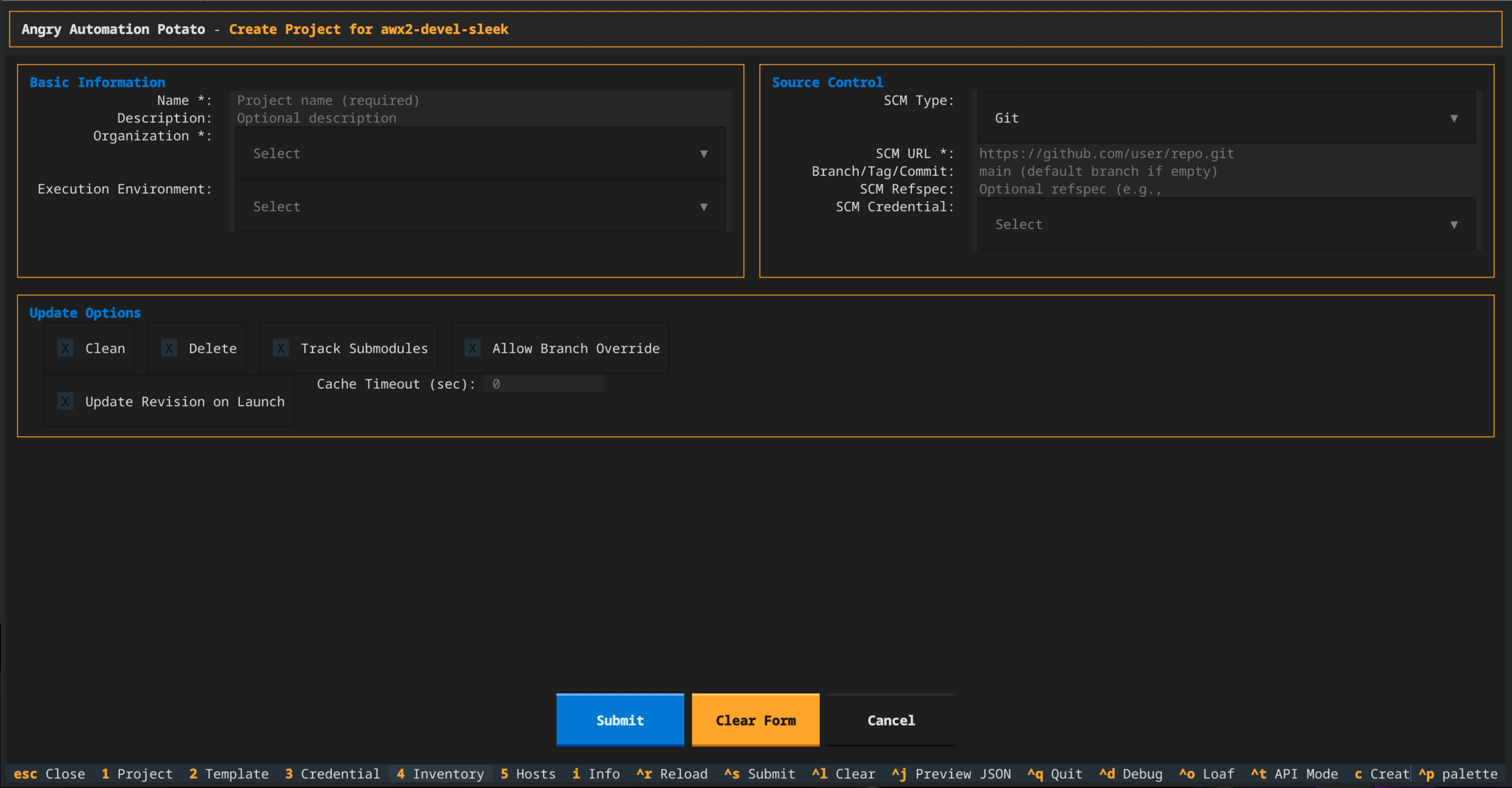
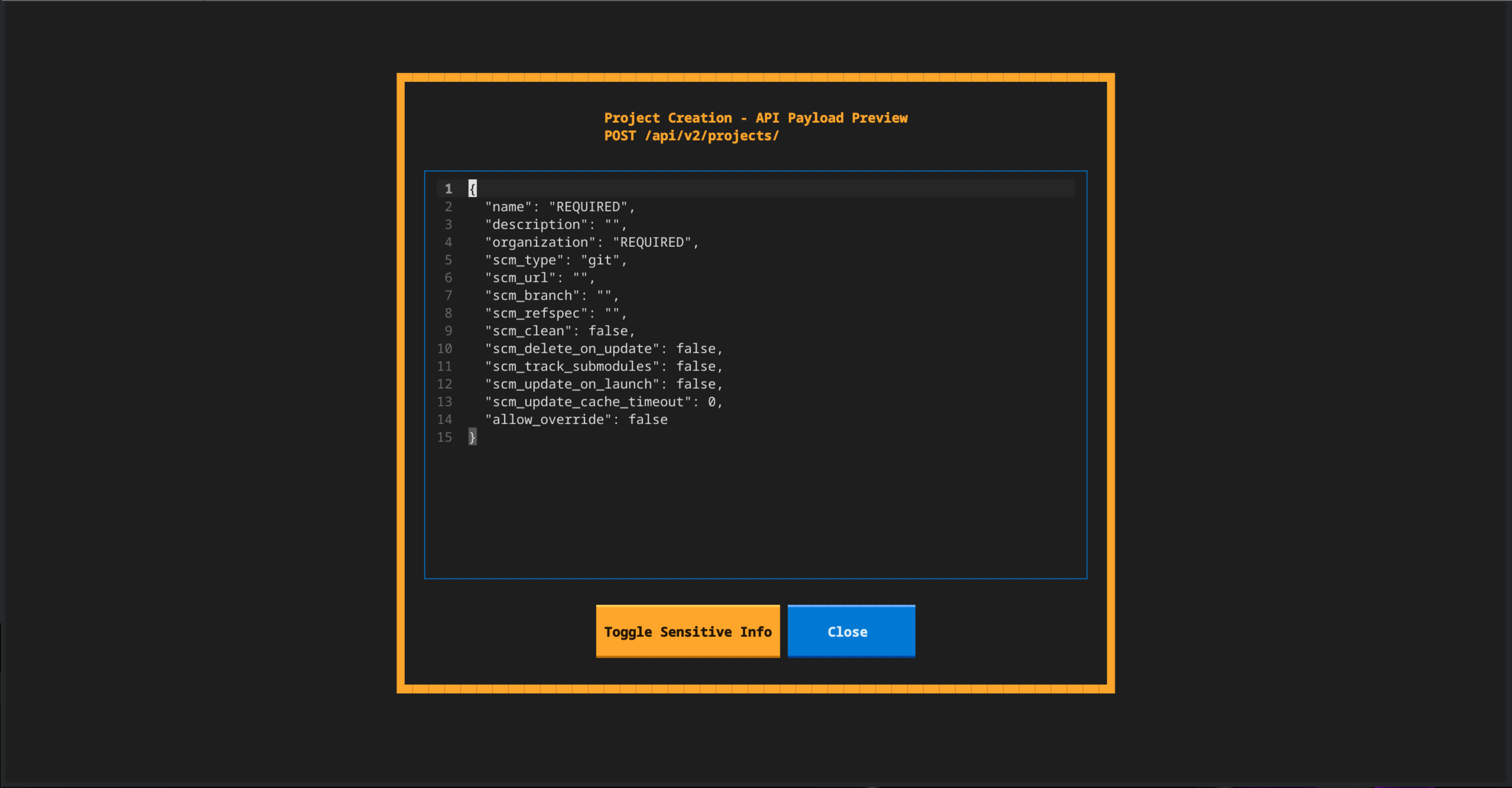
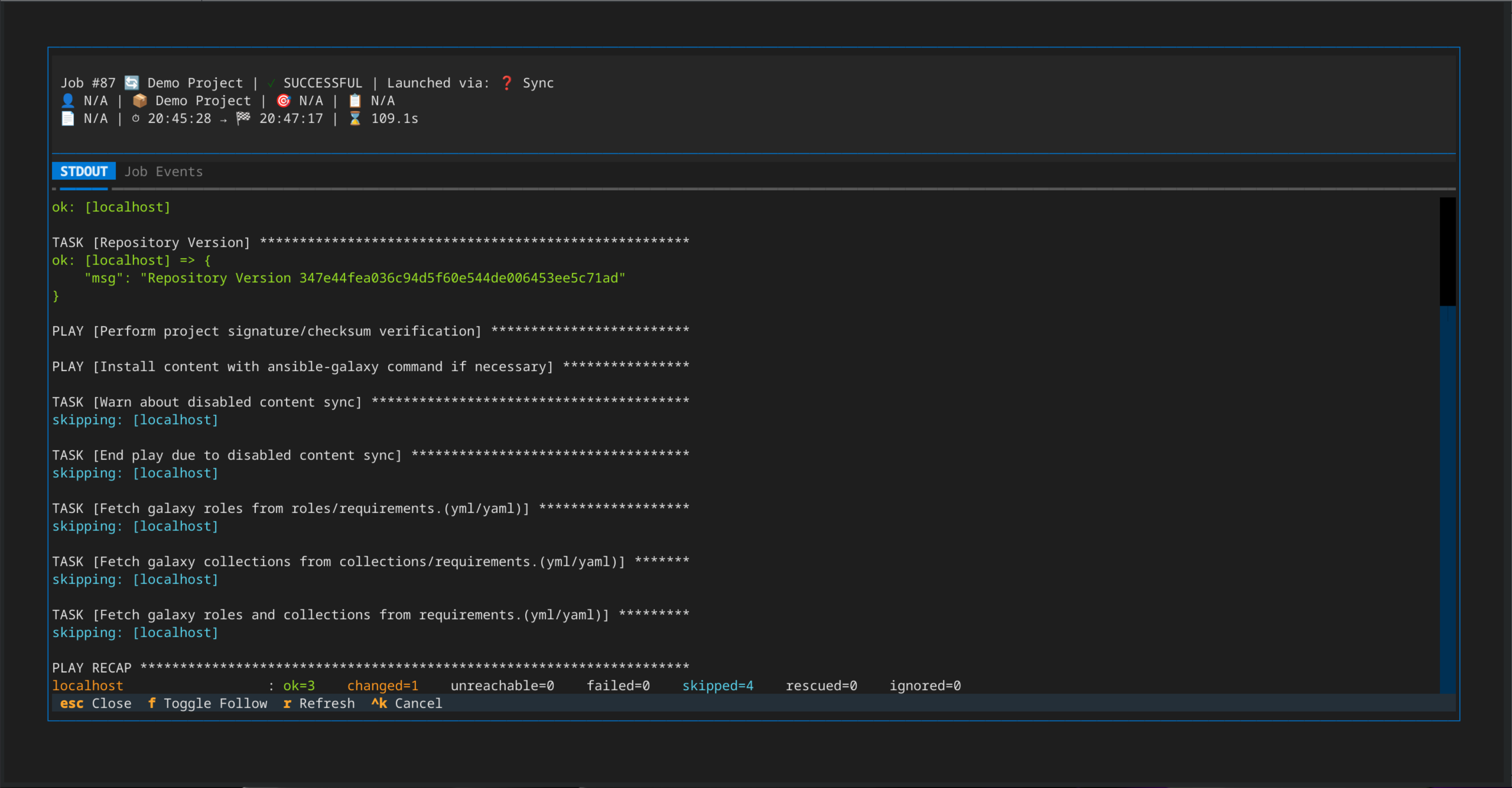
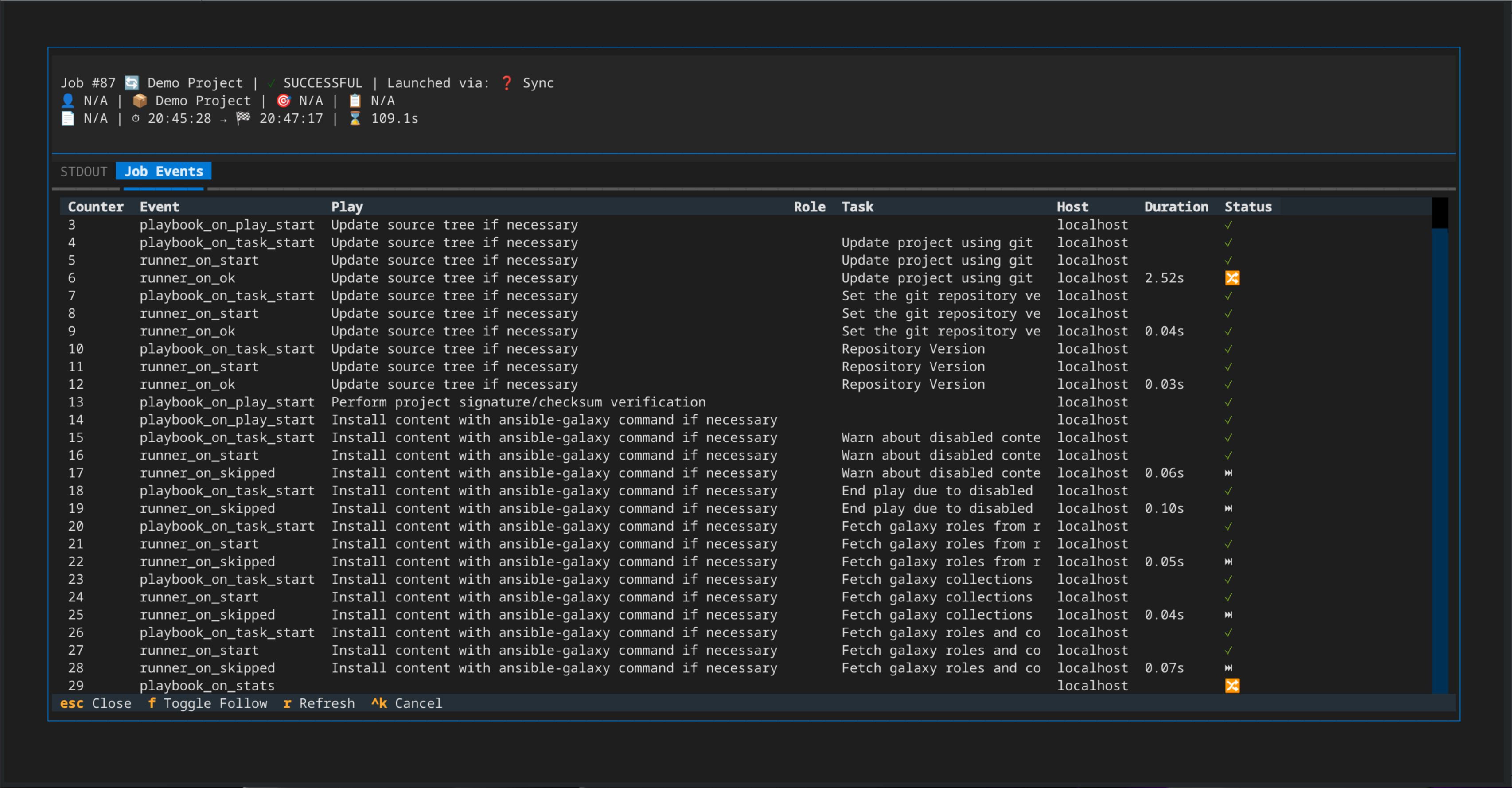
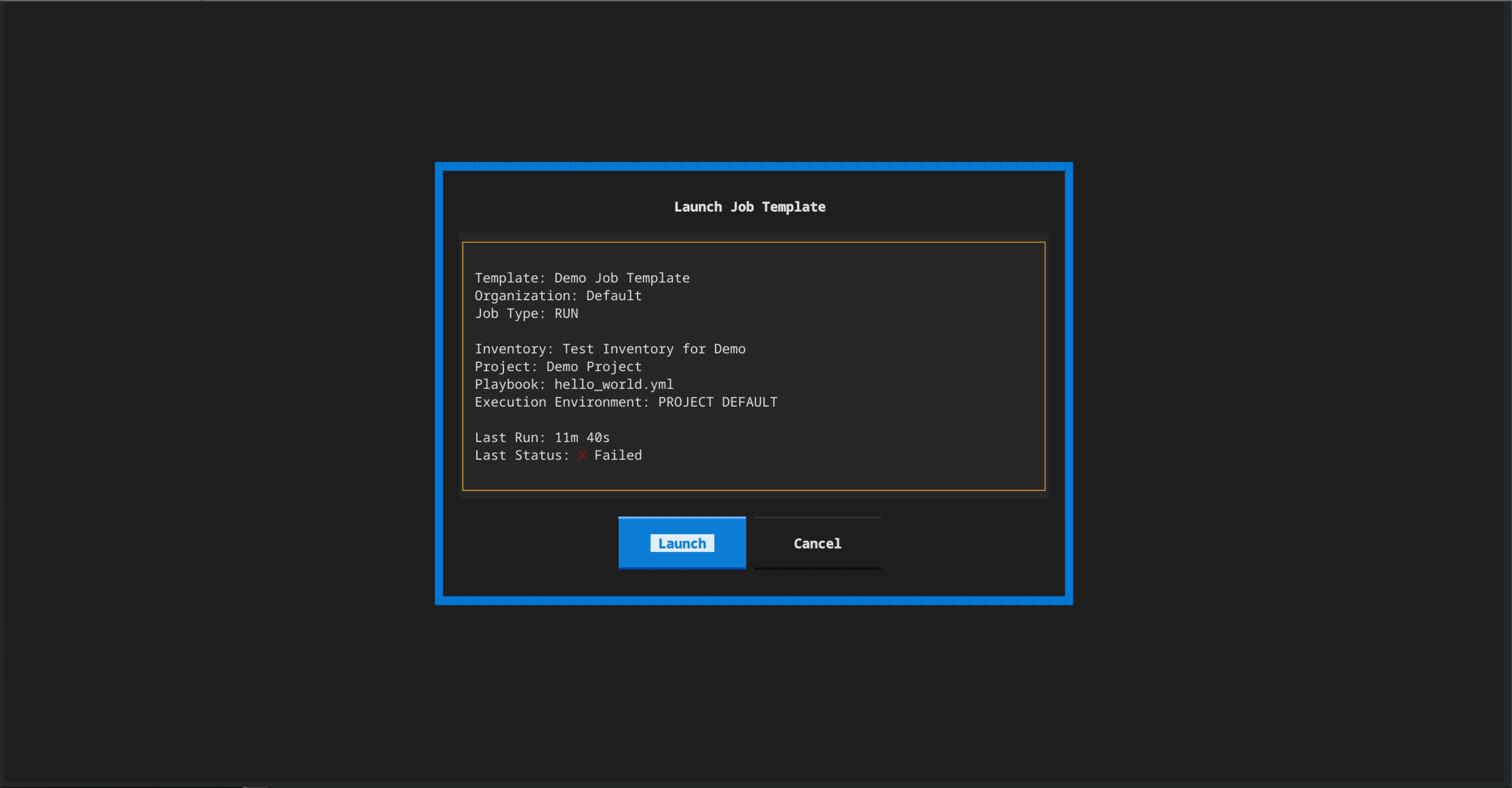
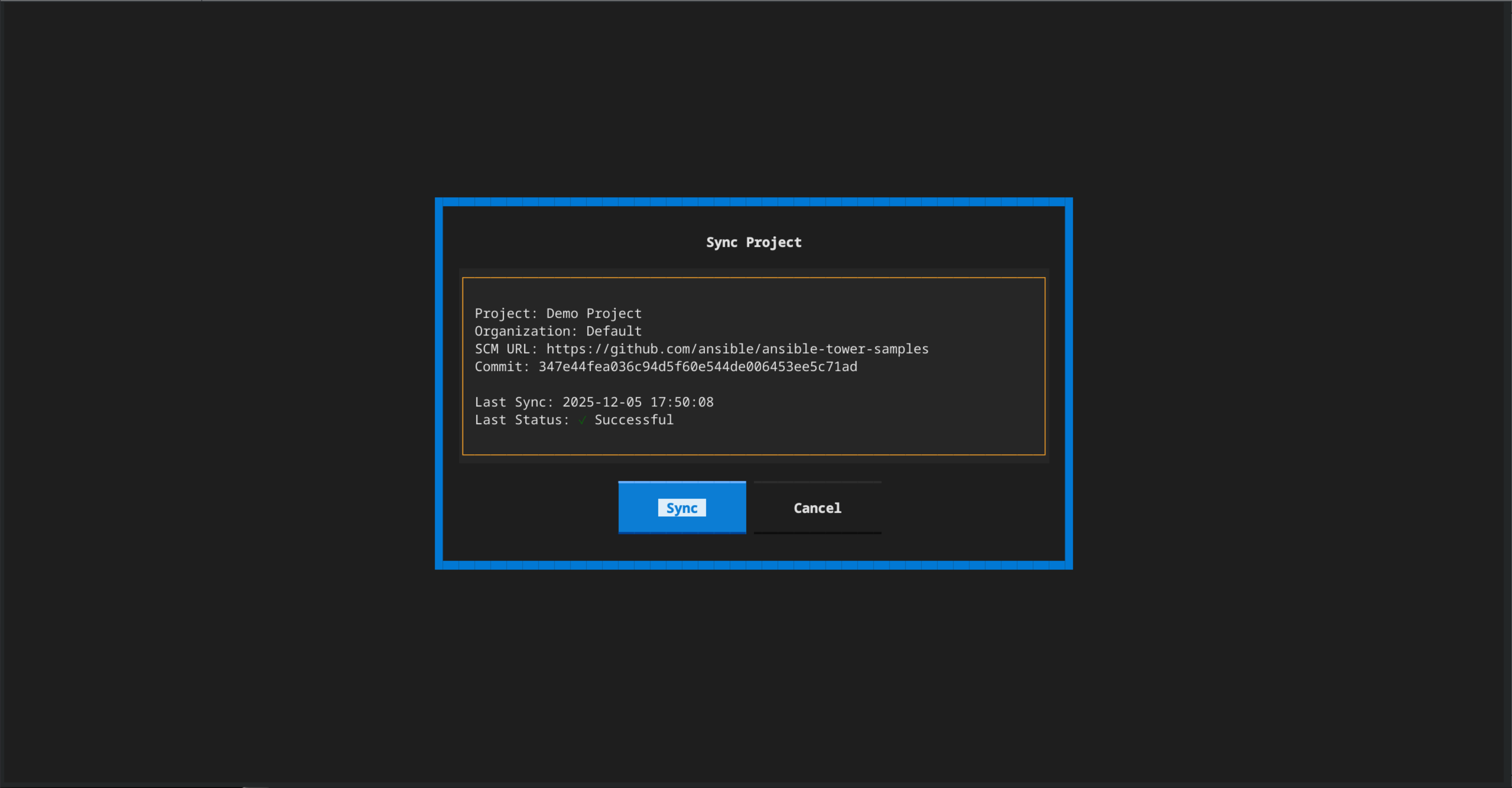
Screenshots
 |
 |
 |
 |
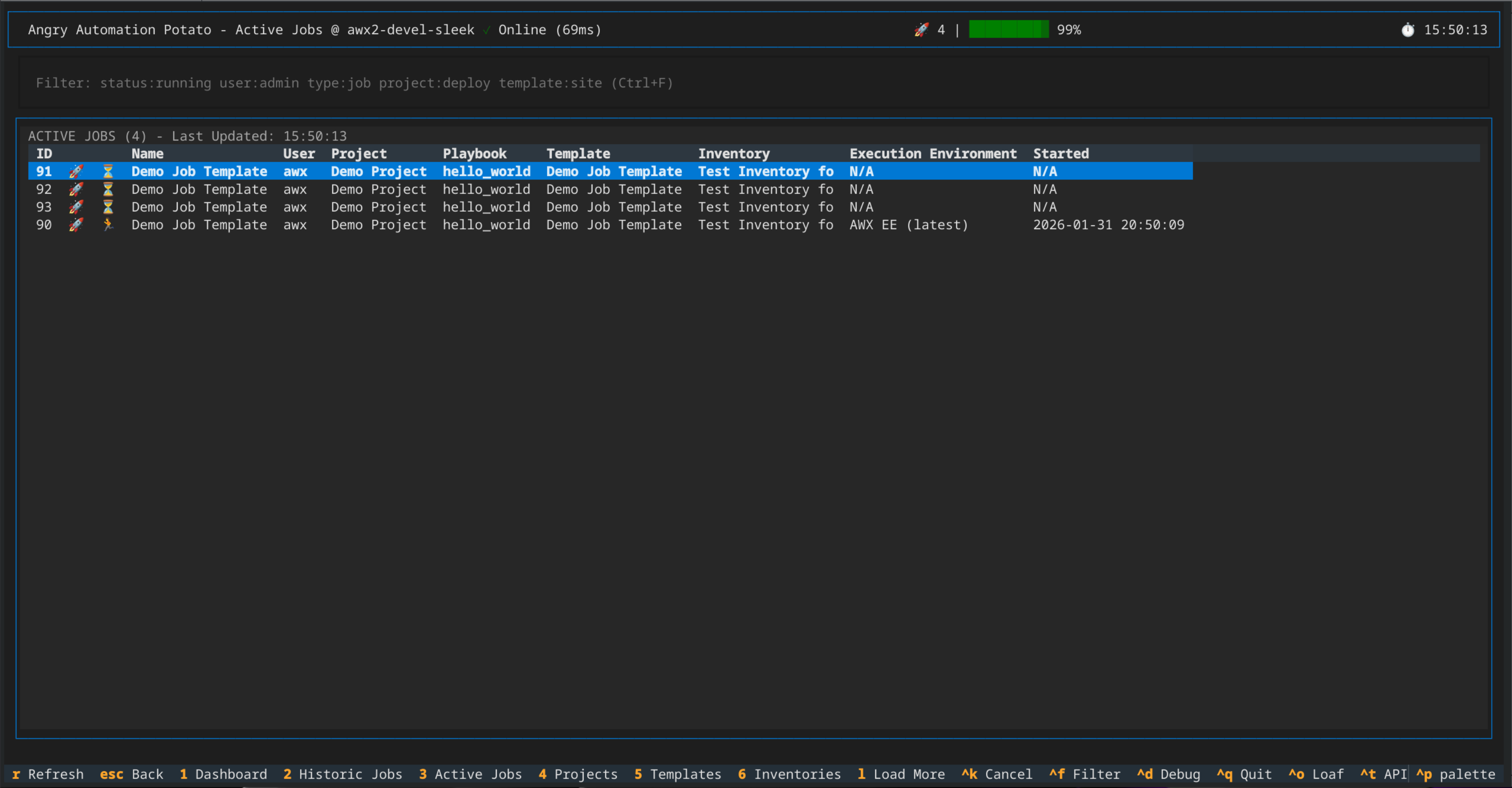 |
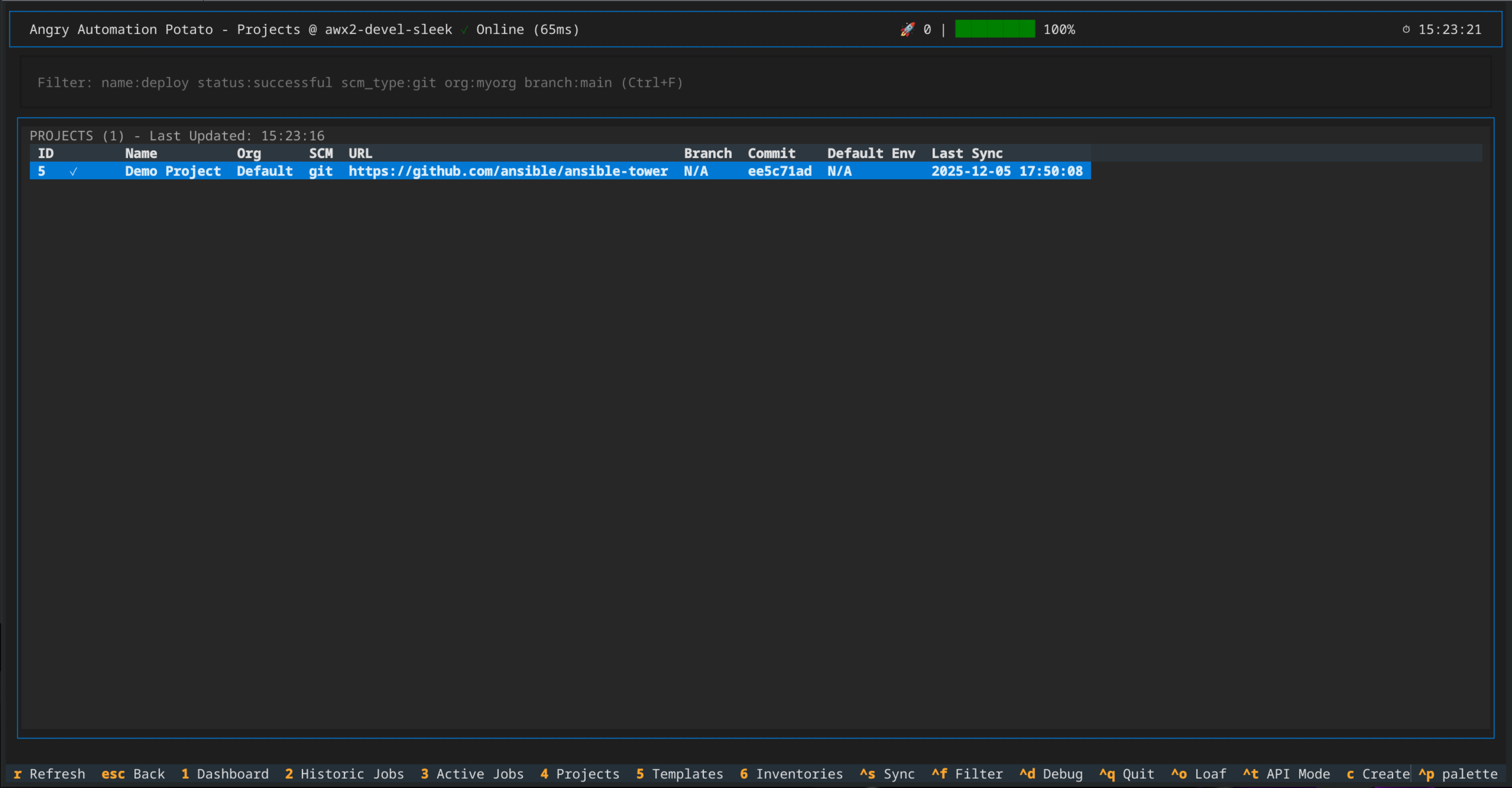 |
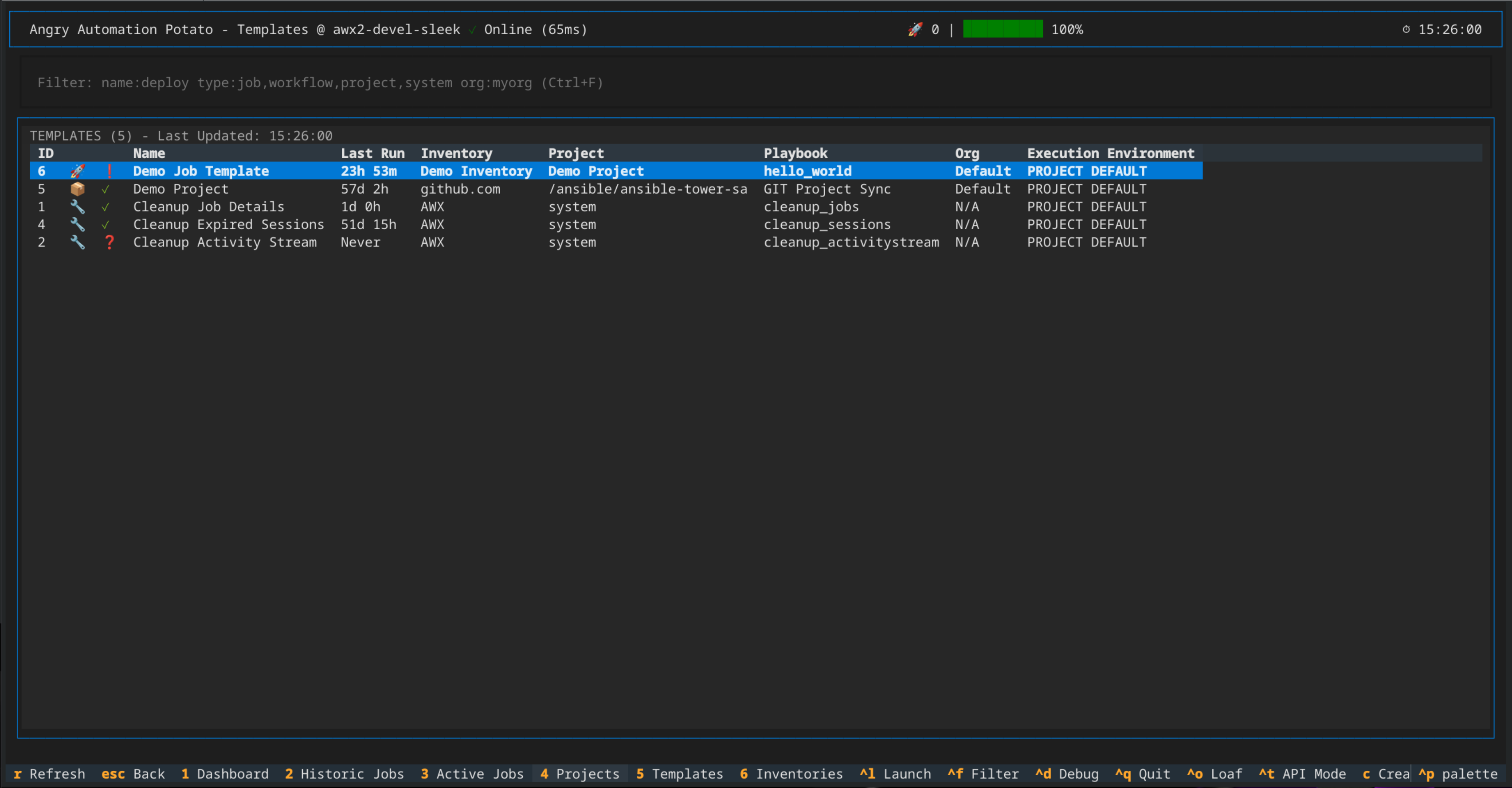 |
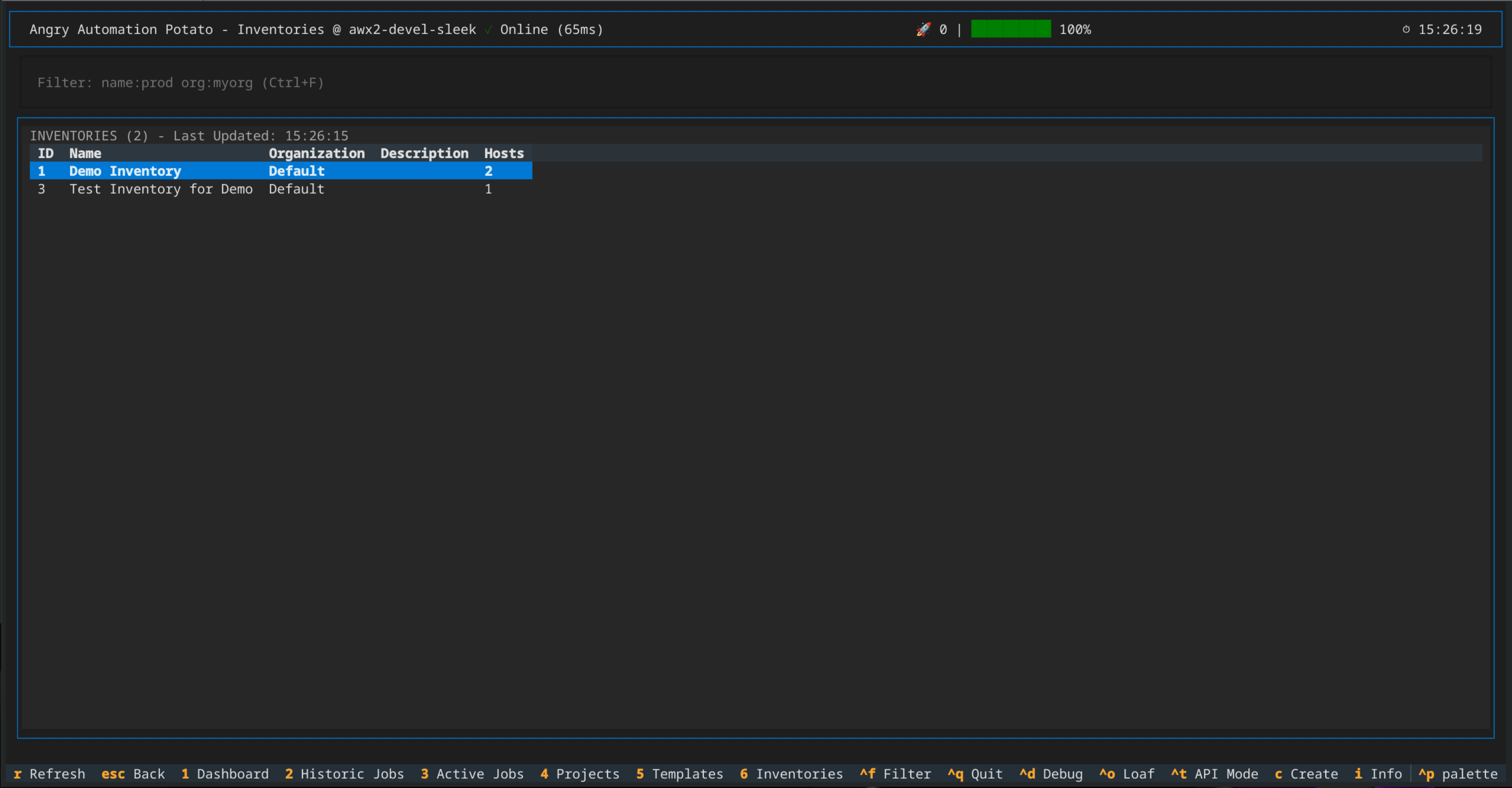 |
 |
 |
 |
 |
 |
 |
 |
 |
 |
 |
Requirements
-
Python 3.12+
-
AWX 21.x+
-
Linux, macOS, or WSL2 on Windows
-
Terminal size: 188x40 (188 columns × 40 rows) recommended for optimal display
- Smaller terminals may require scrolling in some screens
- Create/Update forms are designed for this size
-
tmux (Hot Reloading Development Requirement)
Quick Start
Install from PyPI
Install the latest release of awx-tui from PyPI using your preferred installer:
uv (recommended)
Install as an isolated CLI tool:
uv tool install awx-tui
pip
Install into the active environment:
pip install awx-tui
uv pip
Install into the active environment:
uv pip install awx-tui
Once installed, the awx-tui command is available on your PATH:
awx-tui
[!NOTE] Requires Python 3.12+. See Requirements for details. To configure AWX instance connections, see the configuration sections below.
Clone Project Source
# Clone repository
git clone https://github.com/ansible-community/awx-tui
cd awx-tui
Create a new venv and activate it
python -m venv ~/.venv-awx-tui
source ~/.venv-awx-tui/bin/activate
Install Python dependencies
pip install -r requirements.txt
Run awx-tui from Source
python -m awx_tui.main
[!NOTE] If you do not have any awx instances configured the awx-tui will still launch, but will have no awx instances to target.
Configure an AWX instance connection via Environment Variables and launch awx-tui
export AWX_HOST=https://awx.example.com
export AWX_TOKEN=your-api-token-here
export AWX_VERIFY_SSL=true
python -m awx_tui.main
Configure an AWX instance connection via command-line arguments and launch awx-tui
python -m awx_tui.main --host https://awx.example.com --token your-token
Configure multiple AWX instances via the main configuration file
cp ./config.yaml.example ~/.config/awx-tui/config.yaml
Make updates to your configuration file as appropriate. Below is an example configuration.
Example configuration:
instances:
  # Example: Token-based authentication (recommended)
  dev2:
    url: https://awx.dev2.example.com      # Required: Full URL including https://
    auth:
      method: token                         # Required: "token" or "password"
      username: admin                       # Required: AWX username
      token: your-token-here                # Required for method: token
    verify_ssl: true                        # Optional: Verify SSL certs (default: true)
    description: "Development AWX 2"        # Optional: Human-readable description

  # Example: Password-based authentication
  dev1:
    url: https://awx.dev1.example.com
    auth:
      method: password
      username: admin
      password: your-password-here          # Required for method: password
    verify_ssl: false                       # Disable for self-signed certs
    description: "Development AWX 1"

preferences:
  # --- Dashboard Refresh Settings ---
  dashboard_auto_refresh: true                    # Enable/disable auto-refresh (default: true)
  dashboard_refresh_interval: 5                   # General dashboard refresh interval in seconds (default: 5)
  dashboard_refresh_timeout: 30                   # Max wait time for refresh before timeout (default: 30)

  # Per-section refresh intervals (seconds)
  dashboard_refresh_interval_running: 1           # Running jobs table (default: 1)
  dashboard_refresh_interval_recent: 1            # Recent jobs table (default: 1)
  dashboard_refresh_interval_capacity: 1          # Capacity metrics (default: 1)
  dashboard_refresh_interval_graphs: 1            # Dashboard graphs (default: 1)
  dashboard_refresh_interval_stats: 1             # Statistics panel (default: 1)

  # --- Job Detail Settings ---
  job_detail_refresh_interval: 1                  # Job detail modal refresh interval (default: 1)
  job_detail_auto_follow: true                    # Auto-scroll to bottom of logs (default: true)

  # --- Instance Management Settings ---
  instance_selection_refresh_interval: 5          # Instance health check interval (default: 5)
  show_instance_in_header: true                   # Show active instance in header (default: true)

  # --- Connection Pool Settings ---
  pool_max_connections: 20                        # Max connections per AWX instance pool (default: 20)
  pool_max_keepalive_connections: 10              # Max keepalive connections per pool (default: 10)

  # --- Development/Testing ---
  mock_mode: false                                # Enable mock mode (default: false)
Then, run awx-tui:
python -m awx_tui.main
AWX TUI Configuration
Configuration file locations:
- Non-Development:
~/.config/awx-tui/config.yaml - Development:
./config.yaml(within the repository root, for use with make targets)
See config.yaml.example for complete configuration guide.
Development
Quick Start
Clone Project Source
# Clone repository
git clone https://github.com/ansible-community/awx-tui
cd awx-tui
Setup the Development Environment
# One-command setup (creates venv, installs everything)
make setup
Run the TUI
# Option 1: Mock mode (no AWX required - great for testing)
make run-mock

# Option 2: Connect to real AWX instance
cp config.yaml.example config.yaml
# Edit config.yaml with your AWX credentials
make run

# Option 3: Development mode with hot reload and mock data
make dev-mock

# Option 4: Development mode with hot reload connecting to the AWX instance configured in config.yaml (see Development section below)
make dev
Stopping dev mode
make stop-dev
Testing
Run Tests
# Run all tests
make test

# Run with coverage report
make coverage

# Run basic smoke tests only
make test-basic
Makefile Targets
# To see the full list of available make targets run
make help

# A few basic ones are described below:

# Setup & Installation
make setup       # Create venv and install all dependencies
make install     # Install package in development mode (if venv exists)

# Running
make run         # Run with real AWX (requires awx-env.sh)
make run-mock    # Run in mock mode (no AWX required)

# Development with Hot Reload (tmux + textual console)
make dev         # Real AWX + auto-reload on file changes
make dev-mock    # Mock mode + auto-reload on file changes
make stop-dev    # Stop the dev tmux session

# Testing
make test        # Run all tests
make test-basic  # Run basic smoke tests
make coverage    # Run tests with coverage report

# Cleanup
make clean       # Remove venv and build artifacts
AWX TUI Key Bindings
Global
Ctrl+Q- QuitCtrl+D- Debug consoleCtrl+T- Advanced API ModeCtrl+O- The Loaf (notification history)Ctrl+N- The Network Queue (connection pool management)H/J/K/L- Vim-style navigation (left/down/up/right)Ior?- AWX-TUI Info
Dashboard
Tab- Switch between tables↑/↓orK/J- NavigateEnter- Job detailsR- Refresh
Create/Update Screens
Ctrl+J- JSON PreviewCtrl+S- Submit/SaveCtrl+L- Clear formCtrl+R- Reload dropdowns
AWX TUI Known Limitations
AWX Instance Configuration
- Can only configure AWX Instances from config files, env vars or command line arguments
Job Templates
Limited Credential Type Support
- Create/update job template screens support:
- Machine (SSH) credentials: Single-select dropdown (one credential only)
- Vault credentials: Multi-select list (multiple credentials supported)
- Other credential types (Cloud, Kubernetes, Network, etc.) must be added via AWX web UI
- Rationale: Machine and Vault credentials cover the most common use cases; other types are less frequent
- API endpoints used:
- Machine:
/api/v2/credentials/?credential_type__kind=ssh - Vault:
/api/v2/credentials/?credential_type__kind=vault
- Machine:
Prompt-on-Launch Templates
- Templates with any
ask_*_on_launchfields enabled cannot be edited via TUI - Templates with prompt-on-launch fields cannot be launched via TUI (Ctrl+L)
- Affected fields: variables, inventory, credential, limit, tags, job type, execution environment, labels, SCM branch, diff mode, verbosity, forks
- Rationale: TUI forms are pre-populated; prompt-on-launch requires runtime input dialogs
- Workaround: Edit/launch these templates via AWX web UI
Projects
Git SCM Only
- Create/update project screens only support Git SCM type
- Manual, SVN, Insights, and Archive types not supported in TUI
- Rationale: Git is the dominant SCM type; other types require different form fields
- API: Projects can still use other SCM types if created via web UI
SCM Credentials - All Token Types Shown
- SCM credential dropdown shows all token-type credentials, not just GitHub/GitLab PATs
- May include unrelated token credentials (e.g., custom credential types)
- Rationale: API doesn't expose specific token type filtering; filtering by name is unreliable
- Impact: Minor UX issue - extra credentials in dropdown that may not work for Git
Advanced API Mode
Response Headers Limited
- Response headers tab only shows pre-populated headers from debug console log
- Fresh API requests via "Send" button don't populate response headers tab
- Headers are displayed for debug console replays only
- Rationale: Deferred feature - full header capture requires client modifications
User Interface
DataTable Click Behavior
- Single click on table row both selects AND opens detail view
- Expected: Click to select, Enter key to open
- Affects: Historic Jobs, Active Jobs, Dashboard tables, Templates screen, Projects screen
- Rationale: Textual framework fires
RowSelectedevent for both click and Enter - Workaround: Use arrow keys for selection without opening details
Credentials
Six Credential Types Supported
- Create credential screen supports: Machine, Source Control, GitHub PAT, GitLab PAT, Vault, Kubernetes
- Other credential types (AWS, Azure, VMware, etc.) must be created via AWX web UI
- Rationale: These six types cover common use cases; TUI forms can't dynamically adapt to all custom types
- All credential types visible in dropdowns (when created via web UI)
General API Limitations
Read-Only for Complex Objects
- Workflow templates: Visible in templates list but cannot be edited (complex node graph)
- System job templates: Visible but cannot be edited (system-defined)
- Inventory sources: Visible but cannot be edited (complex sync configuration)
- Rationale: These objects require specialized UIs beyond TUI form capabilities
No Bulk Operations
- Cannot select multiple items for bulk actions
- Cannot delete multiple jobs/templates/projects at once
- Rationale: TUI focused on monitoring and basic CRUD; bulk operations are web UI domain
License
MIT License - See LICENSE
Contributing
This project is in early development. Contributions welcome after Phase 1 MVP is complete.
For bugs or feature requests: https://github.com/ansible-community/awx-tui/issues
Mascot
Rage-Tater 🥔 - The Starchy Angry Automation Potato
Too much personality to render in ASCII art, but lives on in our hearts (and our tagline).
Project details
Release history Release notifications | RSS feed


Download files
Download the file for your platform. If you're not sure which to choose, learn more about installing packages.
Source Distribution
Built Distribution
Filter files by name, interpreter, ABI, and platform.
If you're not sure about the file name format, learn more about wheel file names.
Copy a direct link to the current filters
File details
Details for the file awx_tui-2026.5.0.tar.gz.
File metadata
- Download URL: awx_tui-2026.5.0.tar.gz
- Upload date:
- Size: 221.9 kB
- Tags: Source
- Uploaded using Trusted Publishing? Yes
- Uploaded via: twine/6.1.0 CPython/3.13.13
File hashes
| Algorithm | Hash digest | |
|---|---|---|
| SHA256 |
ff758b7a96a4d770cc1f66d7f03ac336d7d82fa343345c670f5a6eae7c89c540
|
|
| MD5 |
7facf5e45c9ae0ca7de5b03ffda89da1
|
|
| BLAKE2b-256 |
edd3fe1bedee8d09e7fb4937386a3c2f8c2305cb73f514e41c0caa5a8e7deb51
|
Provenance
The following attestation bundles were made for awx_tui-2026.5.0.tar.gz:
Publisher:
release.yml on ansible-community/awx-tui
-
Statement:
-
Statement type:
https://in-toto.io/Statement/v1 -
Predicate type:
https://docs.pypi.org/attestations/publish/v1 -
Subject name:
awx_tui-2026.5.0.tar.gz -
Subject digest:
ff758b7a96a4d770cc1f66d7f03ac336d7d82fa343345c670f5a6eae7c89c540 - Sigstore transparency entry: 1655870494
- Sigstore integration time:
-
Permalink:
ansible-community/awx-tui@29b7d791ef1b13ab8f307478e2c517560a28cf59 -
Branch / Tag:
refs/tags/2026.5.0 - Owner: https://github.com/ansible-community
-
Access:
public
-
Token Issuer:
https://token.actions.githubusercontent.com -
Runner Environment:
github-hosted -
Publication workflow:
release.yml@29b7d791ef1b13ab8f307478e2c517560a28cf59 -
Trigger Event:
release
-
Statement type:
File details
Details for the file awx_tui-2026.5.0-py3-none-any.whl.
File metadata
- Download URL: awx_tui-2026.5.0-py3-none-any.whl
- Upload date:
- Size: 242.4 kB
- Tags: Python 3
- Uploaded using Trusted Publishing? Yes
- Uploaded via: twine/6.1.0 CPython/3.13.13
File hashes
| Algorithm | Hash digest | |
|---|---|---|
| SHA256 |
43924431086687e205426c3e7c1ff60ebd4a34e11ab15cd837df48b9261ef125
|
|
| MD5 |
346ac2831460f8d1d746b46ae81e433a
|
|
| BLAKE2b-256 |
dd95ab3599be076246980f6ef327792c6b51fa7568624799263fab262ec10984
|
Provenance
The following attestation bundles were made for awx_tui-2026.5.0-py3-none-any.whl:
Publisher:
release.yml on ansible-community/awx-tui
-
Statement:
-
Statement type:
https://in-toto.io/Statement/v1 -
Predicate type:
https://docs.pypi.org/attestations/publish/v1 -
Subject name:
awx_tui-2026.5.0-py3-none-any.whl -
Subject digest:
43924431086687e205426c3e7c1ff60ebd4a34e11ab15cd837df48b9261ef125 - Sigstore transparency entry: 1655870686
- Sigstore integration time:
-
Permalink:
ansible-community/awx-tui@29b7d791ef1b13ab8f307478e2c517560a28cf59 -
Branch / Tag:
refs/tags/2026.5.0 - Owner: https://github.com/ansible-community
-
Access:
public
-
Token Issuer:
https://token.actions.githubusercontent.com -
Runner Environment:
github-hosted -
Publication workflow:
release.yml@29b7d791ef1b13ab8f307478e2c517560a28cf59 -
Trigger Event:
release
-
Statement type:






