

Axross
One UI for 30+ file, cloud, network, legacy, database, scripting, and MCP workflows.
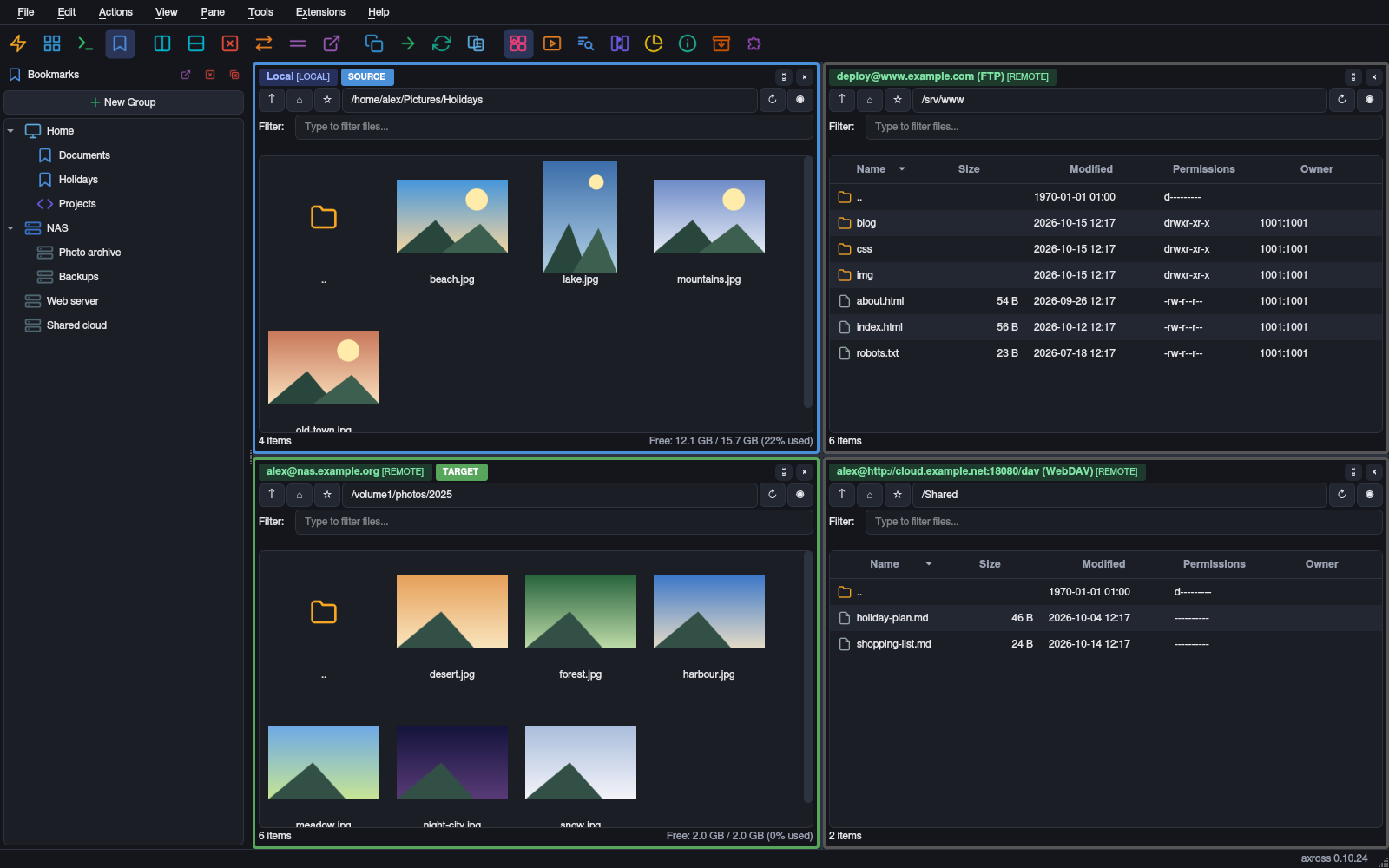
- 30+ protocols in one window — SFTP, SMB, S3, WebDAV, cloud drives, IMAP, Git, databases and more.
- Copy between any two backends — S3 → SFTP, WebDAV → SMB, directly, no detour via local disk.
- Commander-style panes and workspaces — as many split panes as you like, presets, drag & drop, detachable workspace tabs.
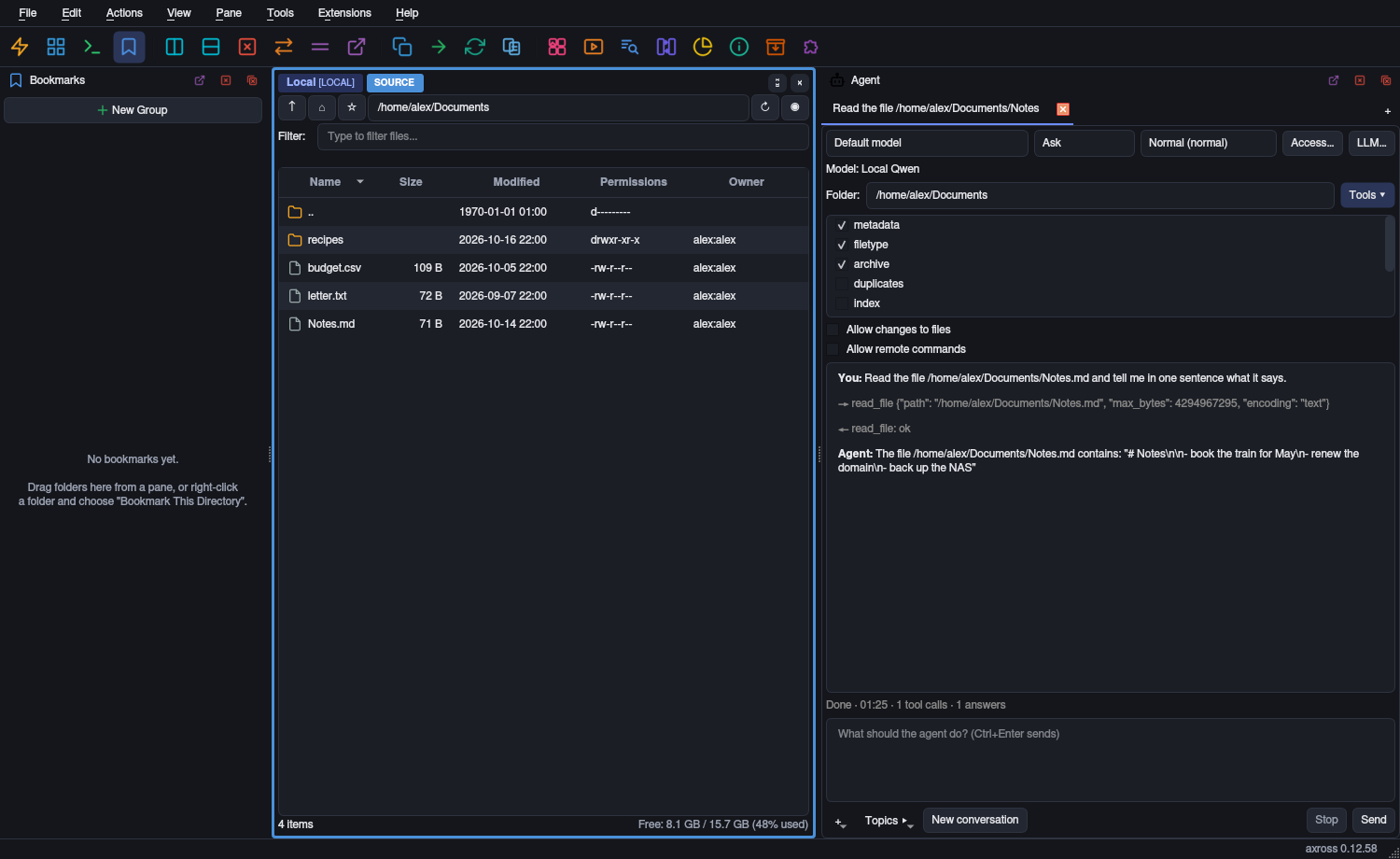
- An LLM agent built in — Agent dock with sandboxes for LM Studio, Ollama, vLLM or llama.cpp, read-only by default, push-to-talk.
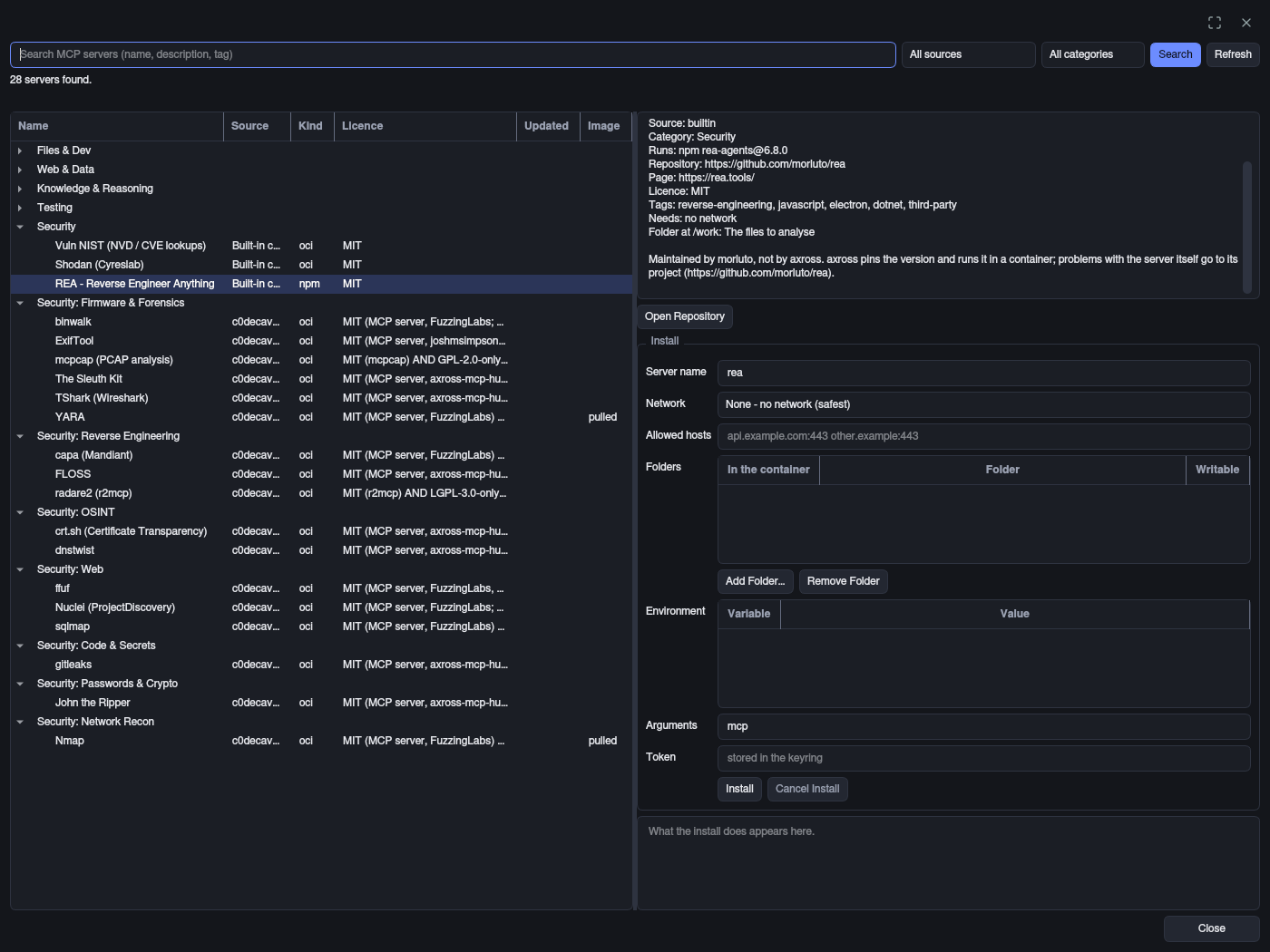
- MCP server and client — LLMs drive axross over stdio or HTTP; the agent uses further MCP servers, contained in podman.
- Built-in Python scripting — REPL, Scripts dock and 32 ready-made scripts on one
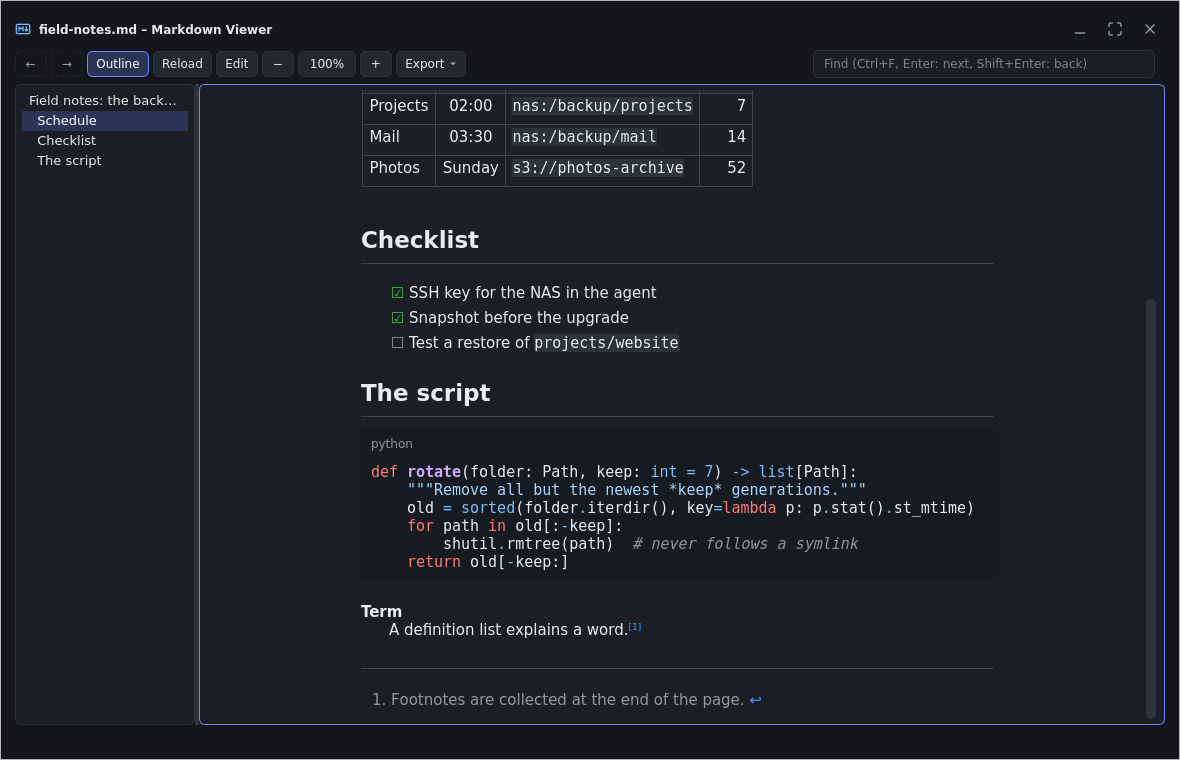
axross.*API. - Editor, Markdown viewer, Find Files — tabbed editor for remote files, Markdown with math, search inside archives too.
- Forensics and privacy tools — disk images, The Sleuth Kit, duplicate finder, metadata removal,
.axencfiles decrypted into RAM only. - Safe by default — preview before delete/move, operation journal,
paranoidmode, SSRF-guarded proxies. - Install in one line —
pip install axross, or a single-file binary for Linux, macOS and Windows.
Contents
- Everything in detail: the extended README — 48 highlights, every download, all docs, licences, credits
- Screenshots
- Install
- First checks
- Documentation
- License
Screenshots
 |
 |
|---|---|
| The LLM agent, in a sandbox | MCP servers from a catalog |
 |
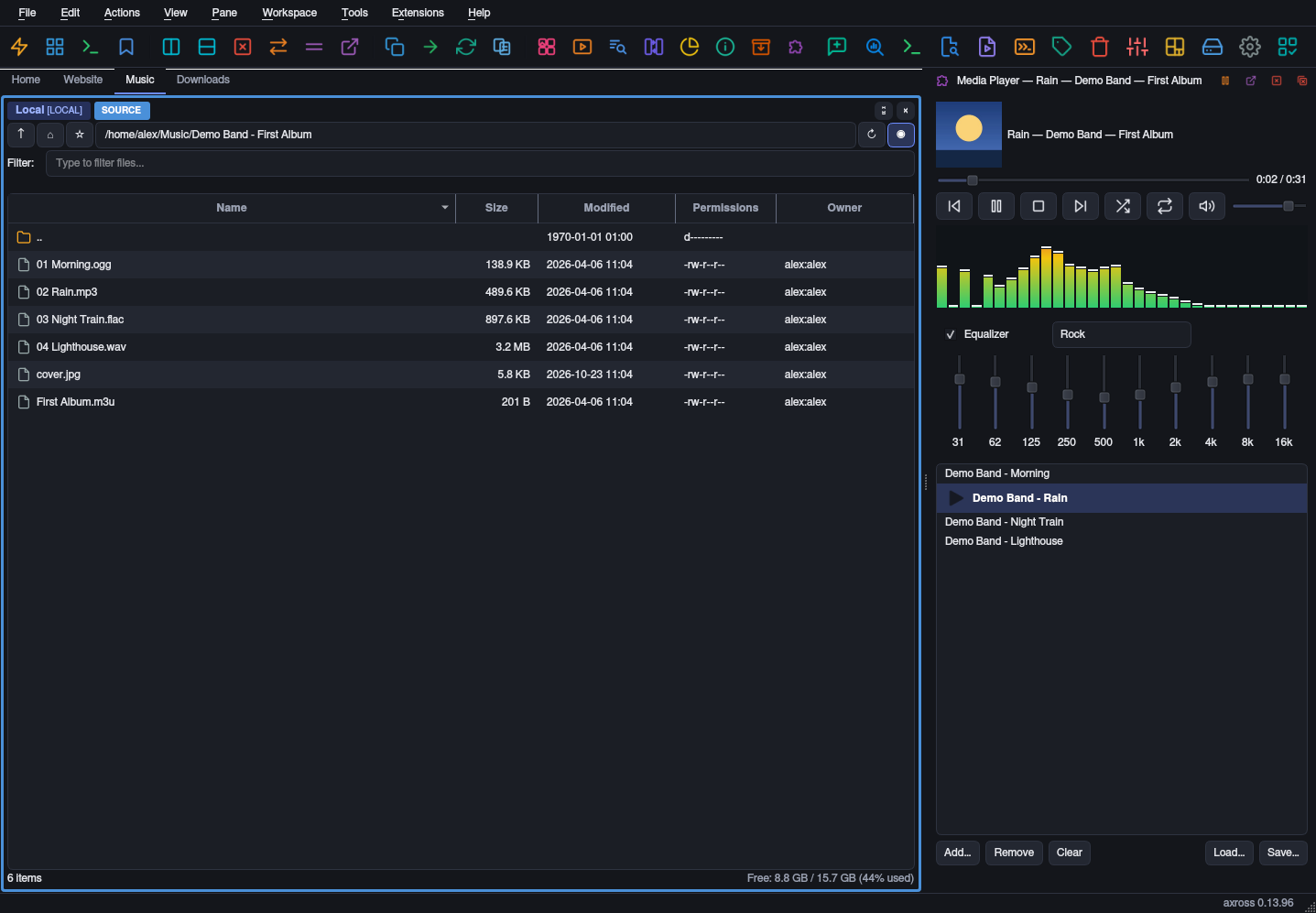 |
| The Markdown viewer | The Media Player |
Every screenshot with what it shows: the slideshow.
Install
python -m venv .venv && source .venv/bin/activate
pip install "axross[all]"       # the common light protocol extras; or just: pip install axross
pip install "axross[smb]"       # or one extra per backend: smb, s3, webdav, gdrive, dropbox, git, ...
axross
Heavy or platform-sensitive extras stay explicit (winrm, wmi, exchange, fuse); every
extra and the system libraries a minimal container needs for the GUI:
INSTALL.md.
Without Python: each release has
single-file programs for Linux (axross-full, -slim, -base, also as AppImages), macOS on
Apple silicon (also as disk images) and Windows x64, every file in SHA256SUMS, signed with
the axross release key (Ed25519): which axross?
First checks
axross --version
axross --script script.py                          # run an axross automation script
axross --mcp-server                                # stdio MCP server for local agents
axross --mcp-server --mcp-http 127.0.0.1:7331      # or over HTTP
python -c "import axross; print(axross.localfs().list_dir('.')[:3])"
Headless modes (--help, --script, --mcp-server) work without the GUI libraries.
Documentation
| Guide | What it covers |
|---|---|
| User guide | Connections, panes, transfers, terminal, every window |
| Scripting · reference · examples | The axross.* API, the REPL and runnable recipes |
| Multi-system workflows · trail · reverse-serve | where_was_i, compare_file, federated_search, resumable_copy, snapshots, S3 / WebDAV endpoints |
| MCP server | Tools, sessions, mTLS, hardening |
| OPSEC · credential testing | What the client reveals; authorised assessments only (authorized=True) |
| Supply-chain gate | How every dependency of a release is checked |
License
Apache License 2.0; the license, notice and third-party attribution files are in the source repository.
1 maintainer

Metadata
1 maintainer
Release files for axross 0.15.181
For a detailed explanation of source distributions (sdists) and built distributions (wheels), please see the package formats documentation.
Source distribution (sdist)
| File | Size | Uploaded | Provenance | Actions |
|---|---|---|---|---|
| axross-0.15.181.tar.gz | 11.3 MB | Without provenance | Details for axross-0.15.181.tar.gz |
Built distribution (wheel)
| File | Interpreter | ABI | Platform | Actions Reset |
|---|---|---|---|---|
| axross-0.15.181-py3-none-any.whl | Python 3 | none | any | Details for axross-0.15.181-py3-none-any.whl |
Total release size: 16.0 MB
Release files / axross-0.15.181.tar.gz
| Download URL | axross-0.15.181.tar.gz |
|---|---|
| Size | 11.3 MB |
| Tags | Source |
|
SHA-256 checksum How to use checksums |
adf908391f6cd95c398db083f0fbc4ce5c43fc29be00252c5f5c1404efc95018
|
|
BLAKE2b-256 checksum How to use checksums |
0fed9937a93554ab8da977a28c15986bced93d6b6a3edaf5729880242d95fa57
|
| Upload date | |
|
Uploaded using Trusted Publishing? What is trusted publishing? |
No |
| Uploaded via |
twine/7.0.0 CPython/3.11.2
|
Release files / axross-0.15.181-py3-none-any.whl
| Download URL | axross-0.15.181-py3-none-any.whl |
|---|---|
| Size | 4.7 MB |
| Tags | Python 3 |
|
SHA-256 checksum How to use checksums |
e98b28624158d34d57549326484f2b9b5391333ca68e8b7b92c4c6a7806915cf
|
|
BLAKE2b-256 checksum How to use checksums |
b3123da0d76f580ea5ad62487c20d370bc80914ed0828247a479c920d4b5e000
|
| Upload date | |
|
Uploaded using Trusted Publishing? What is trusted publishing? |
No |
| Uploaded via |
twine/7.0.0 CPython/3.11.2
|
Security for axross 0.15.181
Provenance
Provenance describes where a file came from. On PyPI, provenance is shared via attestations, which provide a verifiable record of the build or publishing details. View details, limitations and caveats.
No provenance found
None of the files in this release were uploaded with provenance metadata.
A note on package security
PyPI is a repository for distributing packages, not a service for auditing them. While third-party security researchers and our staff do their best to detect and remove malicious packages, PyPI cannot guarantee the quality, security or suitability of any given package.
To learn more about protecting yourself from malicious actors, visit our package security documentation.














