
An interactive TUI for pytest

Project description






ayu
ayu is a TUI and pytest-plugin, which allows you to run your pytest tests in a more interactive fashion in your terminal.
Features
Main Screen
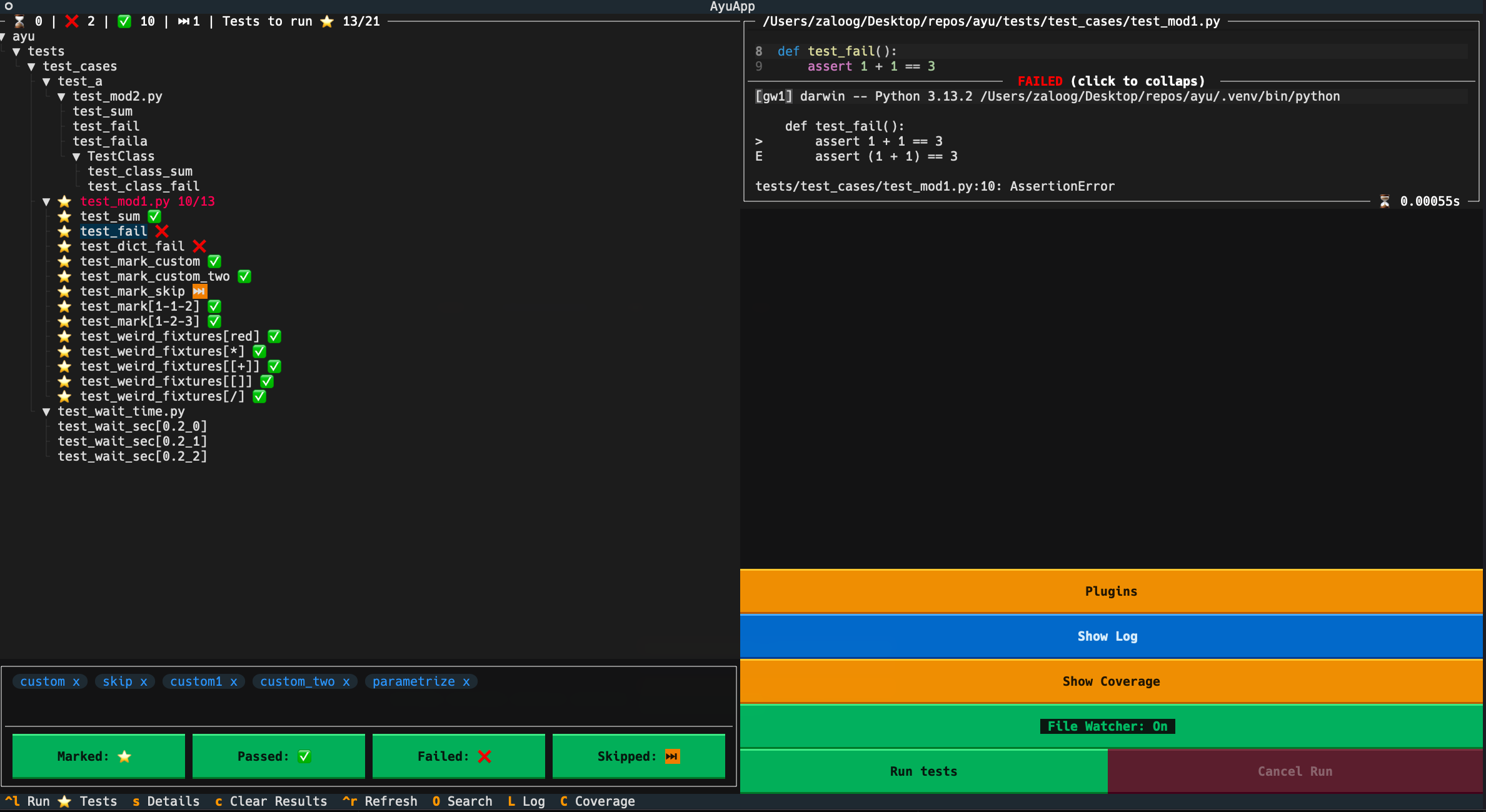
- Explore your Test tree
- Mark tests to run, via the test-tree, markers or the search function
- View and filter test results and debug errors
Coverage Viewer
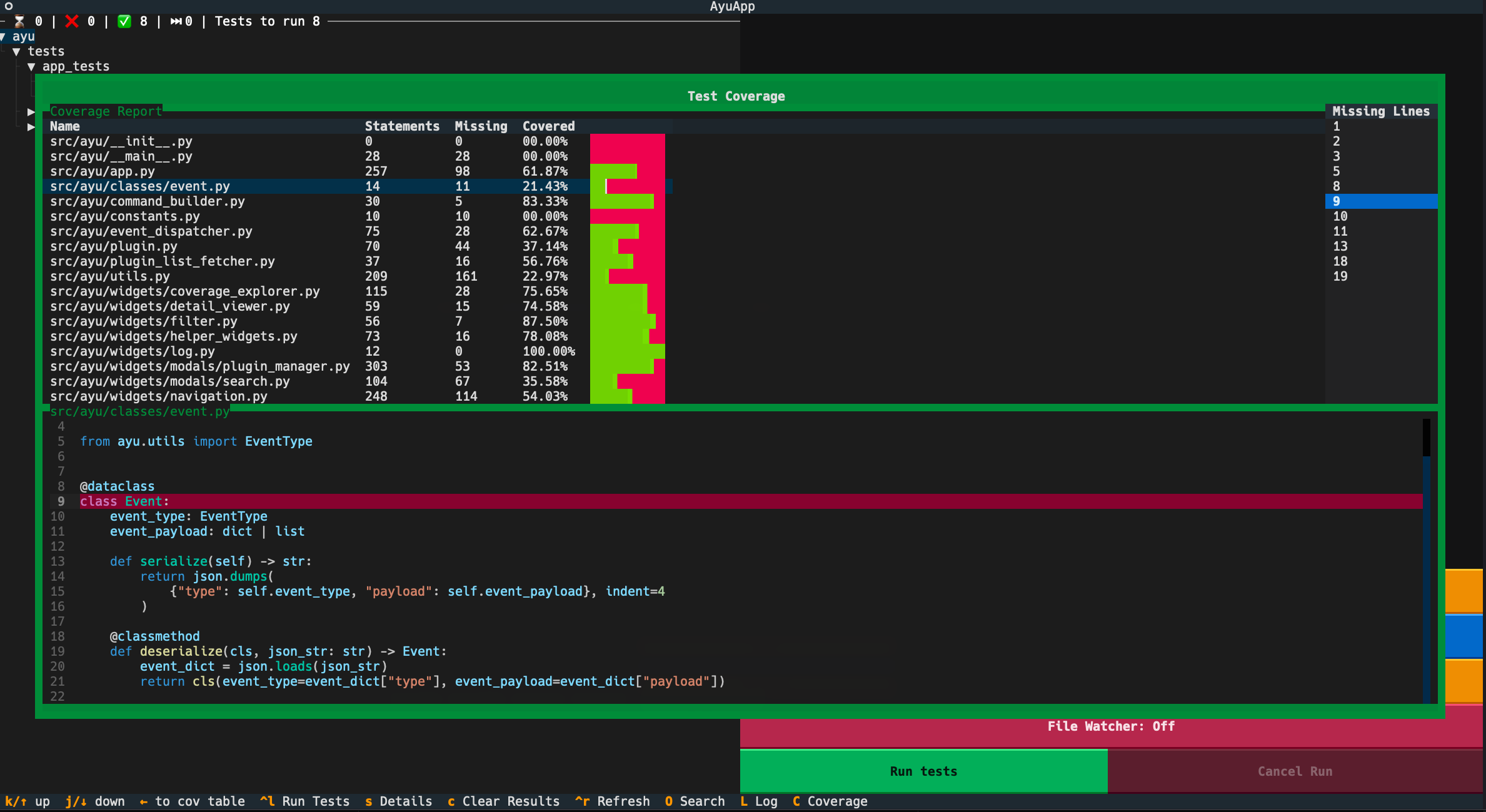
- View your code coverage (first view is just based on a
--collect-only)
Plugin Explorer
Currently just exploratory, changes made here are not persisted to your pytest config
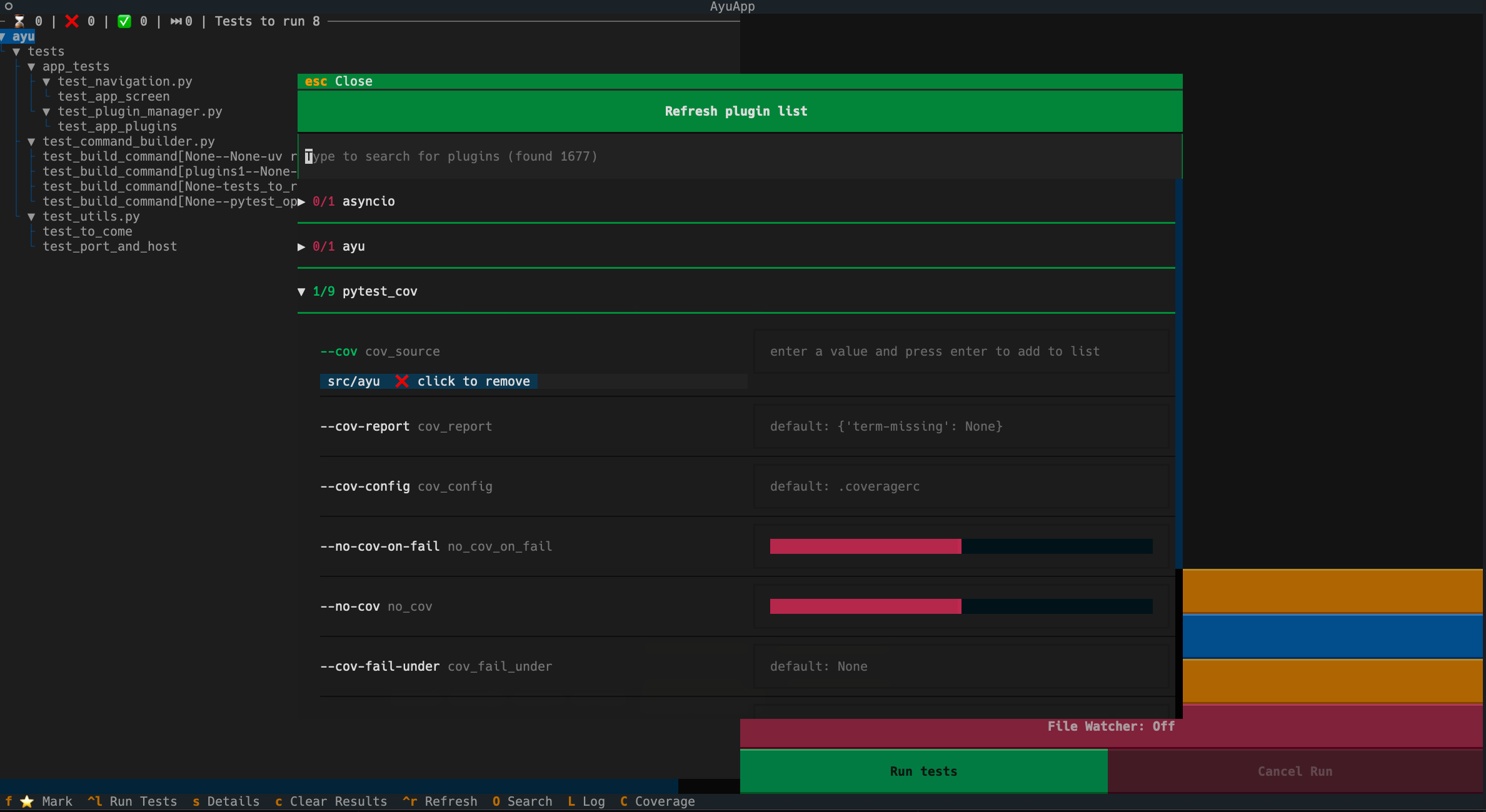
- View your plugin options and discover new plugins
Log
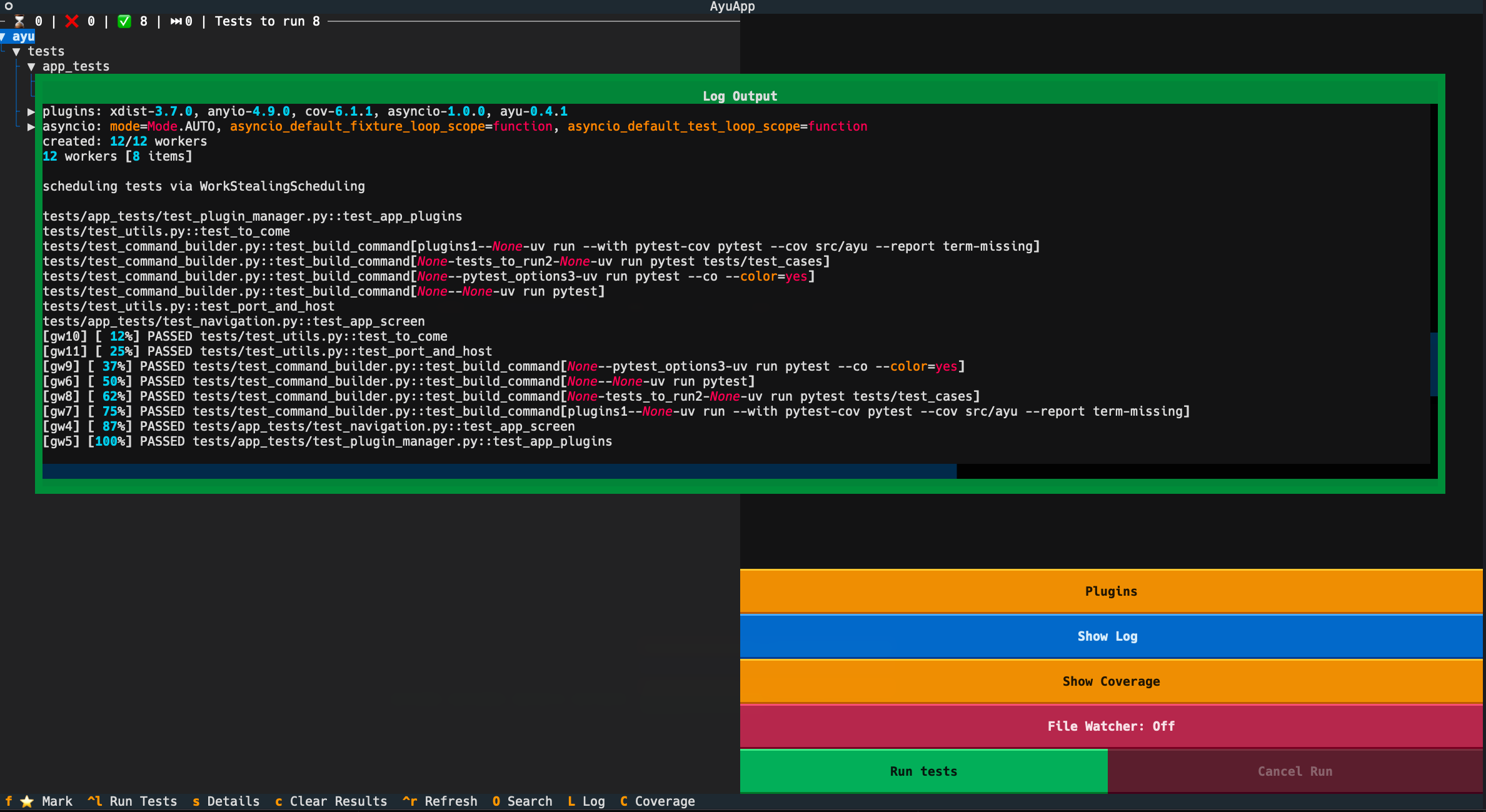
- Shows the console output, that would normally be written into the terminal
File Watcher
If toggled, ayu utilizes watchfiles, to detect changes in the directory you declared when executing ayu (default: tests).
After a change is detected, a notification is shown and all tests under the specific file will be run automatically.
How does it work
The application starts a local websocket server at localhost:1337 and the plugin sends data about
collected tests/plugins/results to the app.
The host and port can be customized with the following environment variables
It utilizes uv in the background to run pytest commands.
Concrete it runs uv run --with ayu pytest [PYTEST-OPTION] to utilize your python environment and installs the
plugin temporary on the fly to send the data to the TUI, without changing your local environment
or adding dependencies to your project.
AYU_HOST=localhost
AYU_PORT=1337
Requirements & Usage
Requirements
ayu needs your tests be discoverable by pytest. It works best when your project is managed by uv. Using it without uv may work, but is not supported.
Usage
To discover all your tests under tests
uvx ayu
To discover all your tests under a specific directory
uvx ayu <PATH/TO/DIR>
Feedback and Issues
Feel free to reach out and share your feedback, or open an Issue, if something doesnt work as expected. Also check the Changelog for new updates.
Release history Release notifications | RSS feed


Download files
Download the file for your platform. If you're not sure which to choose, learn more about installing packages.
Source Distribution
Built Distribution
Filter files by name, interpreter, ABI, and platform.
If you're not sure about the file name format, learn more about wheel file names.
Copy a direct link to the current filters
File details
Details for the file ayu-0.5.3.tar.gz.
File metadata
- Download URL: ayu-0.5.3.tar.gz
- Upload date:
- Size: 1.1 MB
- Tags: Source
- Uploaded using Trusted Publishing? No
- Uploaded via: uv/0.11.21 {"installer":{"name":"uv","version":"0.11.21","subcommand":["publish"]},"python":null,"implementation":{"name":null,"version":null},"distro":{"name":"Ubuntu","version":"24.04","id":"noble","libc":null},"system":{"name":null,"release":null},"cpu":null,"openssl_version":null,"setuptools_version":null,"rustc_version":null,"ci":true}
File hashes
| Algorithm | Hash digest | |
|---|---|---|
| SHA256 |
243e75b78203edda582099dd7d22e1f20e18be974bfab5654a9a827f40e2cc89
|
|
| MD5 |
442519c8c9ab55cd98ee013d4cc1f925
|
|
| BLAKE2b-256 |
b2881c9d6fd1114165de0e328d4adbdc33809deef9dde0eea4b1965eeadfe612
|
File details
Details for the file ayu-0.5.3-py3-none-any.whl.
File metadata
- Download URL: ayu-0.5.3-py3-none-any.whl
- Upload date:
- Size: 36.2 kB
- Tags: Python 3
- Uploaded using Trusted Publishing? No
- Uploaded via: uv/0.11.21 {"installer":{"name":"uv","version":"0.11.21","subcommand":["publish"]},"python":null,"implementation":{"name":null,"version":null},"distro":{"name":"Ubuntu","version":"24.04","id":"noble","libc":null},"system":{"name":null,"release":null},"cpu":null,"openssl_version":null,"setuptools_version":null,"rustc_version":null,"ci":true}
File hashes
| Algorithm | Hash digest | |
|---|---|---|
| SHA256 |
e1a4ee95a7c9fc2aec9fe188630fb0d6ac03d635a06617586de496c3506a3ddb
|
|
| MD5 |
f4f0474b170c117229856445b54d2c31
|
|
| BLAKE2b-256 |
330fb95b94737213195d711f5e2e403c6e62a3166a4955111f3a5dbb433143b8
|






