
baca: TUI E-book Reader
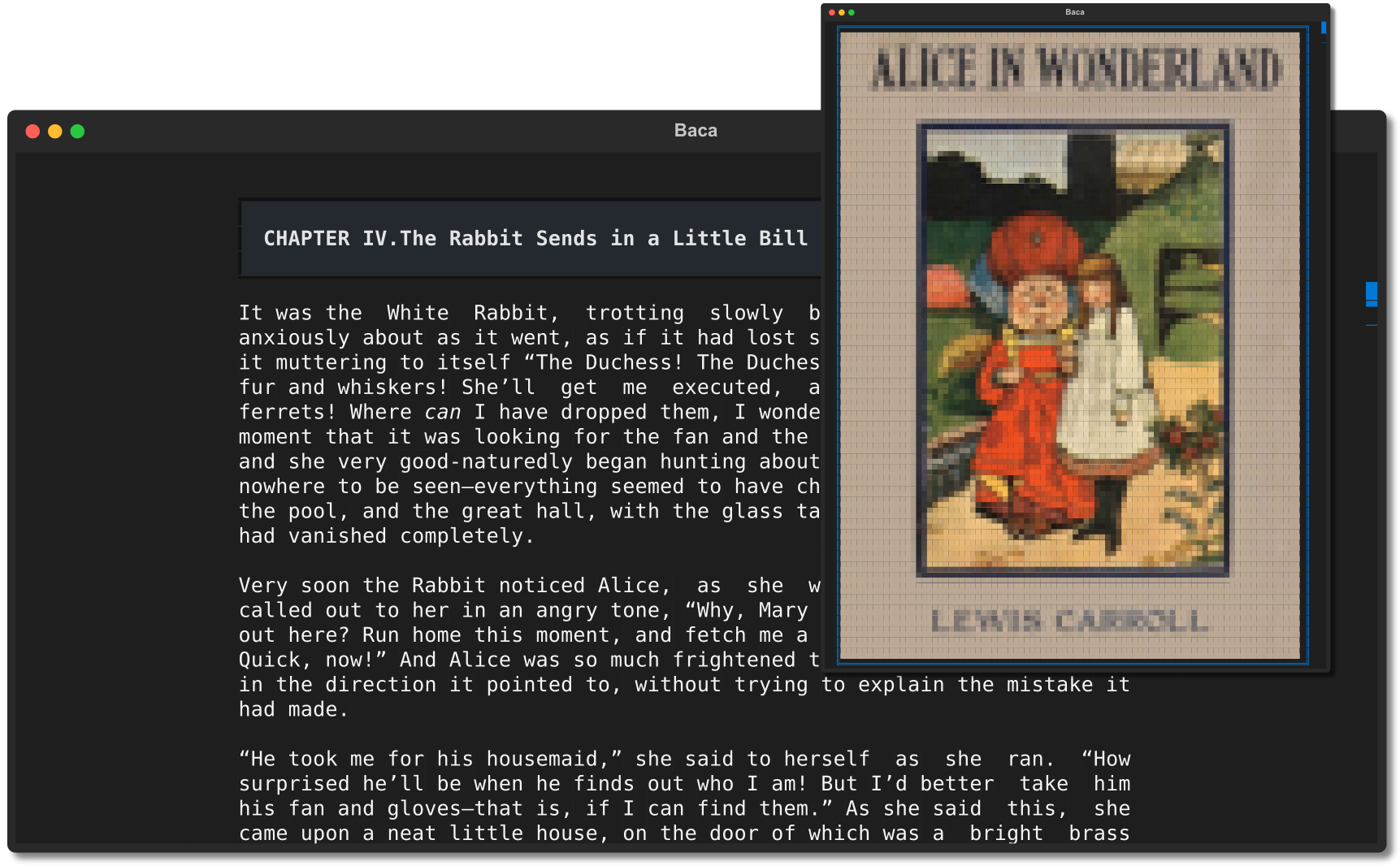
Meet baca, epy's lovely sister who lets you indulge
in your favorite e-books in the comfort of your terminal.
But with a sleek and contemporary appearance that's sure to captivate you!
Features
- Formats supported: Epub, Epub3, Mobi & Azw
- Remembers last reading position
- Show images as ANSI image & you can click it for more detail
- Scroll animations
- Clean & modern looks
- Text justification
- Dark & light color scheme
- Regex search
- Hyperlinks
Requirements
python>=3.10
Installation
- Via pip:
pip install baca - Via git:
pip install git+https://github.com/wustho/baca - Via AUR:
yay -S baca-ereader-git
Usage
# to read an ebook
baca path/to/your/ebook.epub

# to read your last read ebook, just run baca without any argument
baca

# to see your reading history use -r as an argument
baca -r

# say you want to read an ebook from your reading history,
# but you forgot the path to your ebook
# just type any words you remember about your ebook
# and baca will try to match it to path or title+author
baca doc ebook.epub
baca alice wonder lewis carroll
Opening an Image
To open an image, when you encounter an ANSI image (when ShowImageAsANSI=yes) or some thing like this
(if ShowImageAsANSI=no):
┌──────────────────────────────────────────────────────────────────────────────┐
│                                    IMAGE                                     │
└──────────────────────────────────────────────────────────────────────────────┘
just click on it using mouse and it will open the image using system app. Yeah, I know you want to use keyboard for this, me too, but bear with this for now.
"Why show the images as ANSI images instead of render it directly on terminal like ranger does?"
-
The main reason is that currently, rendering images directly on the terminal doesn't allow for partial scrolling of the image. This means that we can't display only a portion (e.g., 30%) of the image when scrolling, resulting in a broken and non-seamless scrolling experience.
-
My primary intention in developing this app is for reading fiction e-books rather than technical ones, and most fiction e-books don't contain many images.
-
Displaying images on the terminal requires different implementations for various terminal emulators, which requires a lot of maintenance.
Configurations
Configuration file available at ~/.config/baca/config.ini for linux users. Here is the default:
[General]
# pick your favorite image viewer
PreferredImageViewer = auto

# int or css value string like 90%%
# (escape percent with double percent %%)
MaxTextWidth = 80

# 'justify', 'center', 'left', 'right'
TextJustification = justify

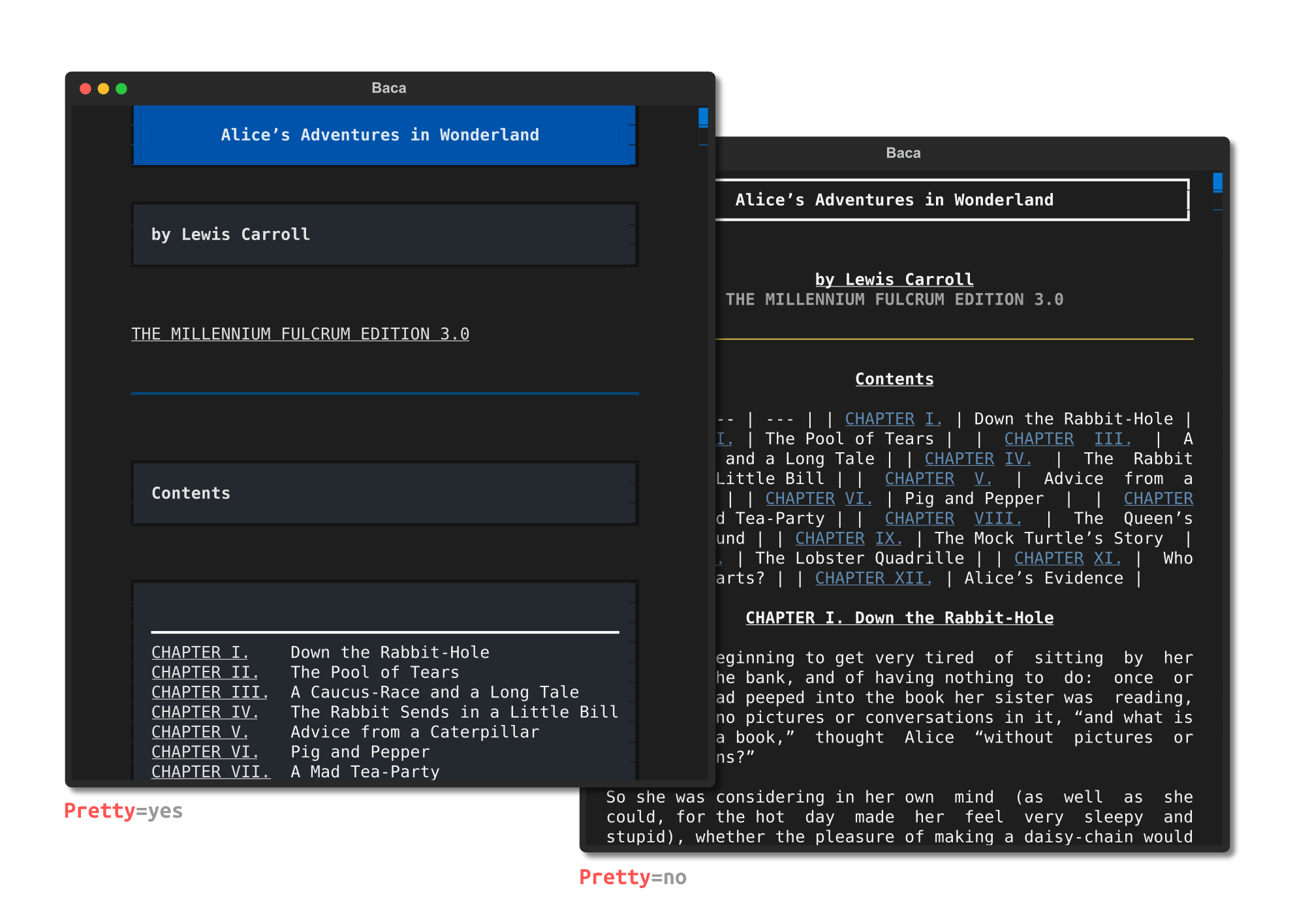
# currently using pretty=yes is slow
# and taking huge amount of memory
Pretty = no

PageScrollDuration = 0.2

# either show image as ansii image
# or text 'IMAGE' as a placehoder
# (showing ansii image will affect
# performance & resource usage)
ShowImageAsANSII = yes

[Color Dark]
Background = #1e1e1e
Foreground = #f5f5f5
Accent = #0178d4

[Color Light]
Background = #f5f5f5
Foreground = #1e1e1e
Accent = #0178d4

[Keymaps]
ToggleLightDark = c
ScrollDown = down,j
ScrollUp = up,k
PageDown = ctrl+f,pagedown,l,space
PageUp = ctrl+b,pageup,h
Home = home,g
End = end,G
OpenToc = tab
OpenMetadata = M
OpenHelp = f1
SearchForward = slash
SearchBackward = question_mark
NextMatch = n
PreviousMatch = N
Confirm = enter
CloseOrQuit = q,escape
Screenshot = f12
Known Limitations
-
When searching for specific phrases in
baca, keep in mind that it may not be able to find them if they span across two lines, much like in the search behavior of editor vi(m).For example,
bacawon't be able to find the phrase"for it"because it is split into two lines in this example.... she had forgotten the little golden key, and when she went back to the table for it, she found she could not possibly reach it: she could see it quite plainly ...Additionally,
bacamay struggle to locate certain phrases due to adjustments made for text justification. See the example above,"see_it"may become"see__it"due to adjusted spacing between words. In this case, it may be more effective to use a regex search for"see +it"or simply search for the word"see"alone.Overall,
baca's search feature is most effective for locating individual words rather than phrases that may be split across multiple lines or impacted by text justification. -
Compared to epy, currently
bacahas some missing features. But these are planned to be implemented tobacain the near future:- TODO Bookmarks
- TODO FictionBook support
- TODO URL reading support
Credits
- Thanks to awesome Textual Project
- Kindle Unpack
- And many others!
License
GPL-3
1 maintainer

Metadata
1 maintainer
Release files for baca 0.1.17
For a detailed explanation of source distributions (sdists) and built distributions (wheels), please see the package formats documentation.
Source distribution (sdist)
| File | Size | Uploaded | |
|---|---|---|---|
| baca-0.1.17.tar.gz | 112.0 kB | Details |
Built distribution (wheel)
| File | Interpreter | ABI | Platform | Reset |
|---|---|---|---|---|
| baca-0.1.17-py3-none-any.whl | Python 3 | none | any | Details |
Total release size: 238.9 kB
Release files / baca-0.1.17.tar.gz
| Download URL | baca-0.1.17.tar.gz |
|---|---|
| Size | 112.0 kB |
| Tags | Source |
|
SHA-256 checksum How to use checksums |
568fd577cdaad49c5a1161f399ee2a96cc1f1e6ccaa704eb9cad9c0a2ac2d1af
|
|
BLAKE2b-256 checksum How to use checksums |
0f3430b330e354fe6c0275060b83cccd0012edaf0ad50adb4e894af8ef41959a
|
| Upload date | |
|
Uploaded using Trusted Publishing? What is trusted publishing? |
No |
| Uploaded via |
poetry/1.2.2 CPython/3.8.10 Linux/6.2.0-39-generic
|
Release files / baca-0.1.17-py3-none-any.whl
| Download URL | baca-0.1.17-py3-none-any.whl |
|---|---|
| Size | 126.9 kB |
| Tags | Python 3 |
|
SHA-256 checksum How to use checksums |
8a8da0848794bd03cab69a19051cfae8c9400be7dbcbedee0e3d96c5201494e7
|
|
BLAKE2b-256 checksum How to use checksums |
bf3f0713b3f4e14ad4831235b4c65f9a815a22f897ca42db7528c6dcf236227f
|
| Upload date | |
|
Uploaded using Trusted Publishing? What is trusted publishing? |
No |
| Uploaded via |
poetry/1.2.2 CPython/3.8.10 Linux/6.2.0-39-generic
|














