
backseat-harness
Simple, single-task agent loops. Buckle up, you're not at the wheel anymore.
What it does
backseat-harness automates vibecoding toward a goal. You write the goal once, as the requirements for finishing a task. The harness drives an off-the-shelf CLI coding agent (opencode, claude, or kiro-cli) one small step at a time toward it. This is the "managed" agent session. After each step, a separate operator agent reviews the whole change, code, tests, and transcript, and writes the next prompt. That is the ordinary vibecoding loop (prompt, work, review, next prompt) that coding models are already trained to follow.
The managed agent keeps the long-horizon context across the whole task, instead of passing lossy summaries between agents. The operator is a fresh, adversarial reviewer: it starts each review cold and reads the full diff itself, along with a transcript of the managed agent session. Rather than a fixed pipeline of stages, it is a continuous, unstructured adversary. Each managed turn is a plain session of the provider's own CLI, so you can intervene and takeover a lane and drive it yourself at any time.
Requirements
- Python 3.11 or newer.
- At least one provider CLI on your PATH, installed and signed in:
claude,kiro-cli, oropencode. Each CLI uses its own login. - Managed runs are auto-approved, since a non-interactive run has nobody to answer a prompt.
Quick start
The quick start sets up Caddy in front of the web interface (HTTPS + a login prompt).
-
Install the tool:
uv tool install backseat-harness
-
Install caddy and write the caddyfile (caddy is installed with
wingetif it is missing; on Windows this must run from an elevated, Administrator shell):backseat-harness setup-caddy # installs caddy, opens the site port, writes ~/.backseat/caddyfile
-
Install and start the daemon (caddy is expected on
PATH):backseat-harness daemon install
-
Open the local web page and sign in —
https://localhost:8443(or the hostname you configured for Caddy).
Upgrading
uv tool upgrade backseat-harness
backseat-harness daemon restart   # restart the daemon on the new version
Web interface
The main workflow, in brief:
-
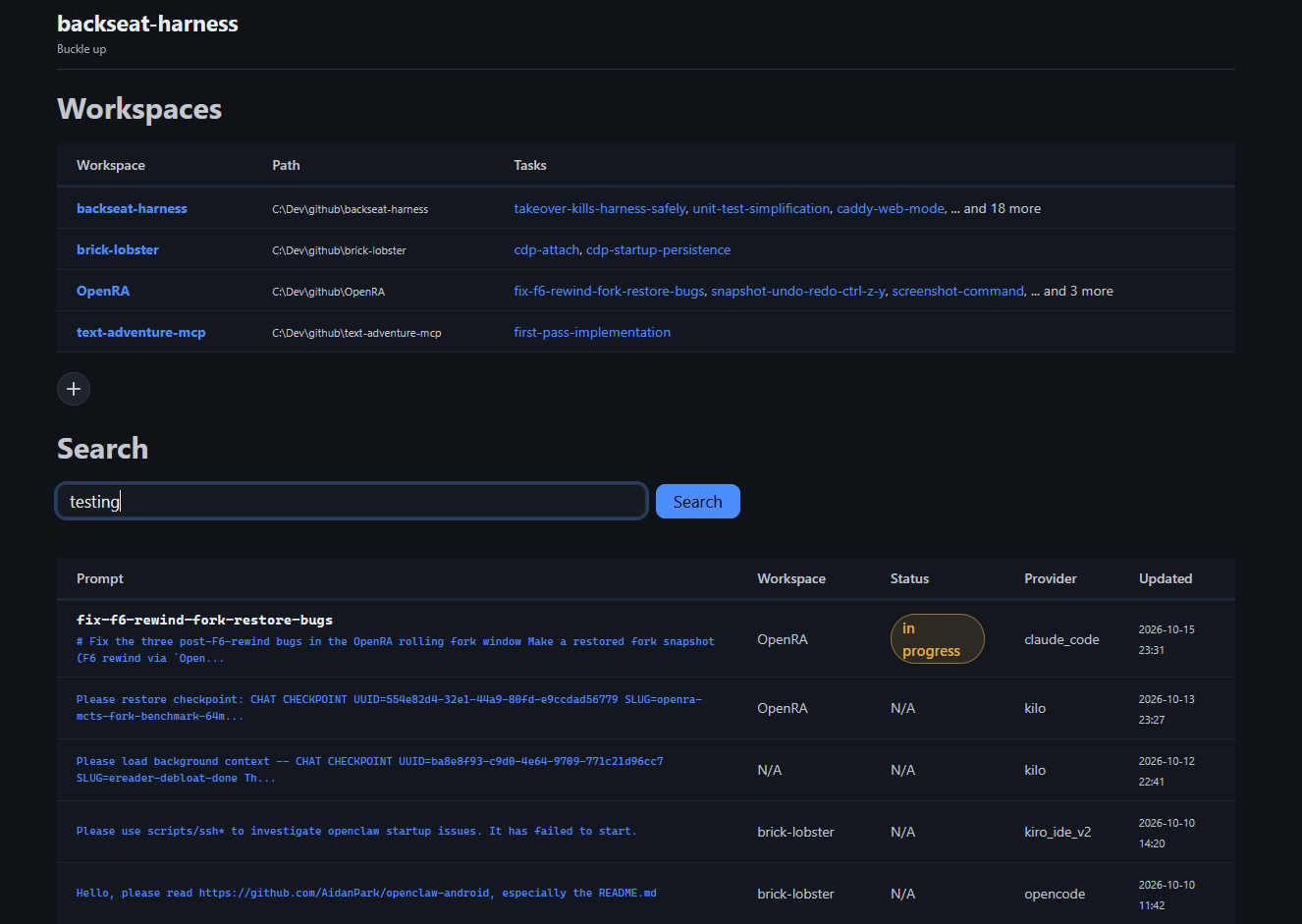
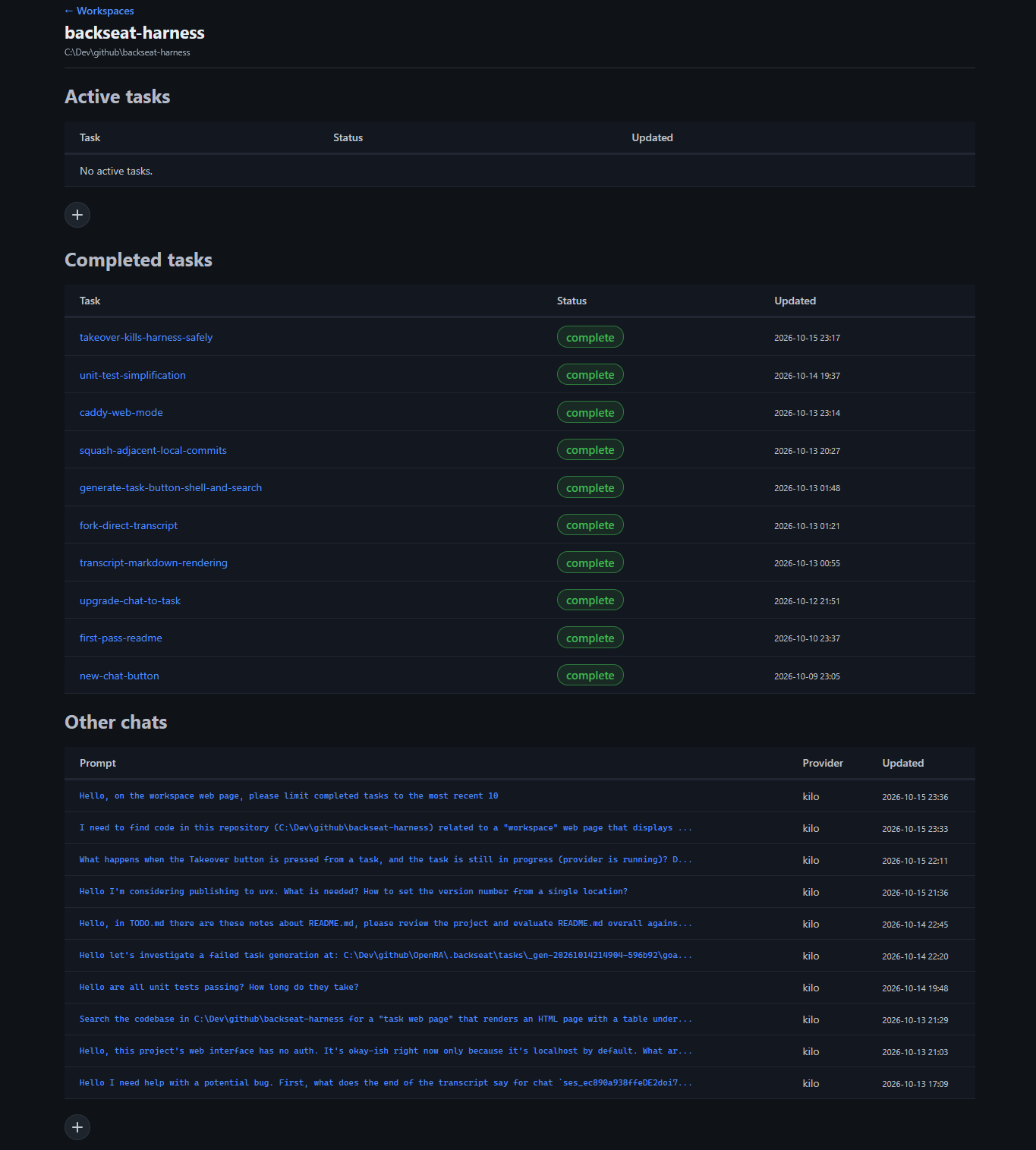
Register a workspace — add a folder (it gets a
.backseat/marker) and open it. -
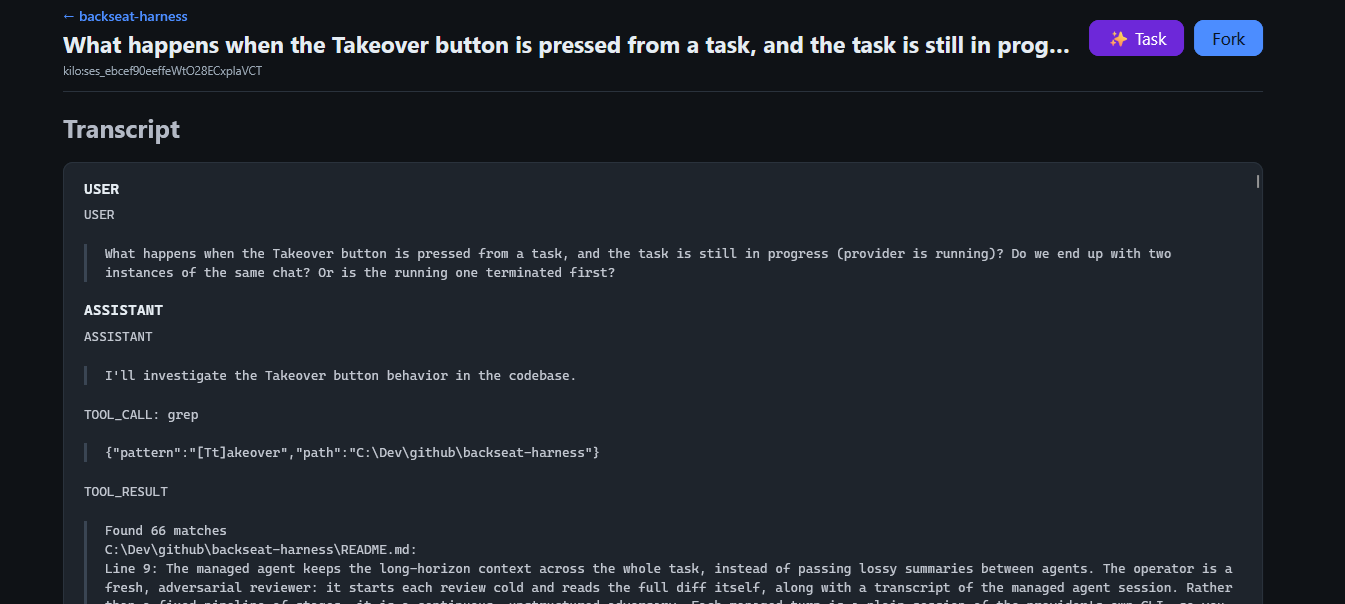
Start a chat — from the workspace web UI (New chat), your IDE, or the CLI of your choice. Discuss a plan for your idea interactively with the agent.
-
Generate a task from the chat — the ✨ Task button distils the finished chat into task requirements (
goal.md). -
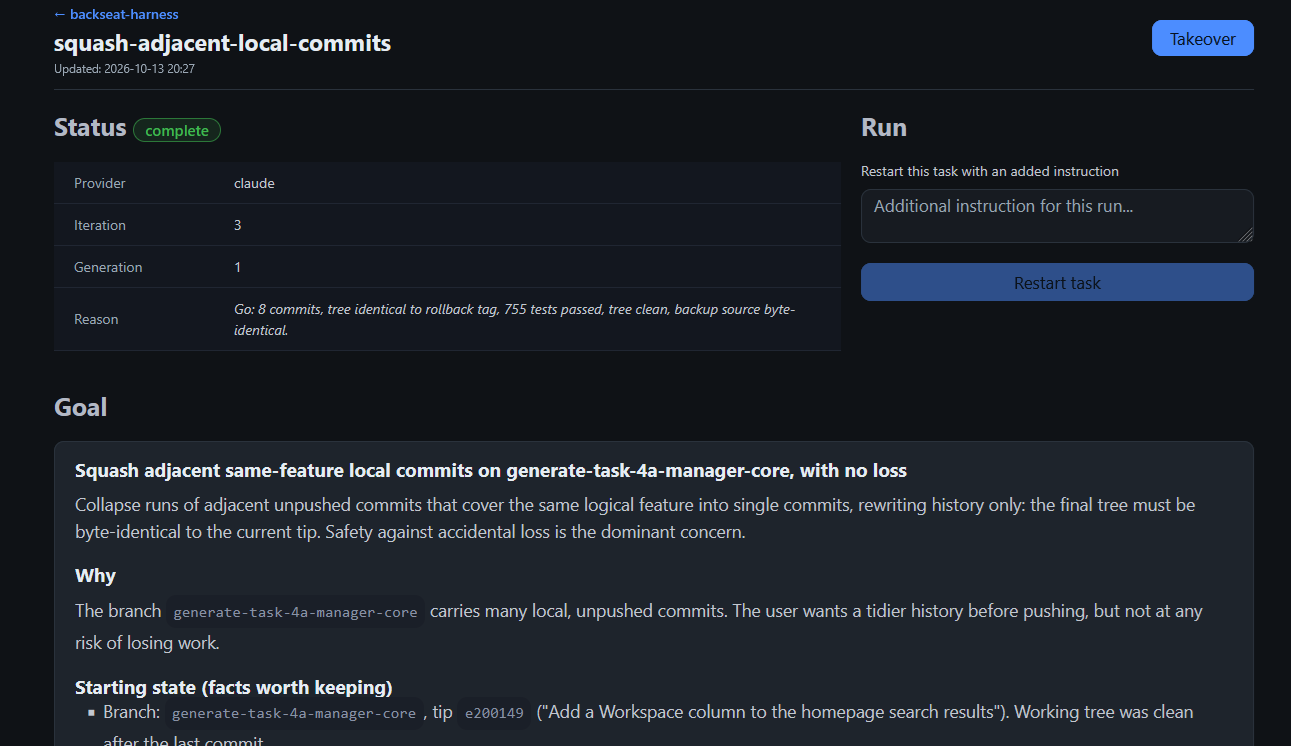
The task completes autonomously — the daemon runs it to the goal: managed agent step, operator review, next step.
-
Amend or takeover — after a run, add a brief to guide/redirect it, or Takeover to drive the managed session yourself. On exit the task continues autonomously.
For simpler requests, skip the chat: add a task directly with a name and goal, and let it run (fire-and-forget).
Configuration
Two optional files under ~/.backseat/:
config.toml — providers, models, timeouts, loop budgets, web port. Layered: ~/.backseat/config.toml, then .backseat/config.toml in the workspace, then .backseat/tasks/<slug>/config.toml; higher layers win. See examples/.backseat/config.toml.
caddyfile — when present, the web interface is served over HTTPS with a login prompt (auto mode). A minimal file:
site.lan:8443 {
	tls internal
	basic_auth {
		alice <bcrypt hash>
	}
	reverse_proxy 127.0.0.1:8090
}
Replace <bcrypt hash> with caddy hash-password; the reverse_proxy port must match [web] port (default 8090). backseat-harness setup-caddy writes this file for you. The web app itself listens on 127.0.0.1 only.
Choose the serving mode with --mode on web, or --web on the daemon: auto (caddy when the caddyfile exists), direct (plain http only), caddy (caddyfile required), none (CLI only).
CLI
Everything the web does is also a subcommand:
backseat-harness init <slug> [goal]        # scaffold a task lane
backseat-harness run <slug> "goal"         # create and drive a task
backseat-harness run <slug> "brief"        # resume with an instruction for this run
backseat-harness takeover <slug>           # drive the managed session yourself, then resume
backseat-harness generate-task <provider>:<conversation_id>   # task from a chat
backseat-harness status <slug>
backseat-harness list
The daemon runs ready lanes unattended, one at a time per workspace:
backseat-harness register-workspace /path/to/workspace
backseat-harness daemon install            # register and start (Task Scheduler / systemd / LaunchAgent)
backseat-harness daemon status|restart|stop
backseat-harness daemon install --uninstall
Daemon output goes to ~/.backseat/daemon.log; daemon run --web serves the web interface from the same process.
Development
uv sync
uv run ruff check .
uv run pytest
License
MIT. See LICENSE.
1 maintainer

Metadata
1 maintainer
Release files for backseat-harness 0.1.1
For a detailed explanation of source distributions (sdists) and built distributions (wheels), please see the package formats documentation.
Source distribution (sdist)
| File | Size | Uploaded | |
|---|---|---|---|
| backseat_harness-0.1.1.tar.gz | 1.0 MB | Details |
Built distribution (wheel)
| File | Interpreter | ABI | Platform | Reset |
|---|---|---|---|---|
| backseat_harness-0.1.1-py3-none-any.whl | Python 3 | none | any | Details |
Total release size: 1.2 MB
Release files / backseat_harness-0.1.1.tar.gz
| Download URL | backseat_harness-0.1.1.tar.gz |
|---|---|
| Size | 1.0 MB |
| Tags | Source |
|
SHA-256 checksum How to use checksums |
66b02c0b1dd61e23c8d784f9e9a83341a8fab5cf2dec010dc4e7bc184947dbec
|
|
BLAKE2b-256 checksum How to use checksums |
36c19c73456ceaeeae628bd9c5fe51ac2cdaee1e72eb156436bd7f8776b84e90
|
| Upload date | |
|
Uploaded using Trusted Publishing? What is trusted publishing? |
No |
| Uploaded via |
twine/7.0.0 CPython/3.14.3
|
Release files / backseat_harness-0.1.1-py3-none-any.whl
| Download URL | backseat_harness-0.1.1-py3-none-any.whl |
|---|---|
| Size | 237.9 kB |
| Tags | Python 3 |
|
SHA-256 checksum How to use checksums |
b7e054e4e7ebbbc37aac90aa79fc325f7d3c0f2e7c760396743749400f3a9513
|
|
BLAKE2b-256 checksum How to use checksums |
b777f9cd7e19b25628475b7c742a84665301747b6c0698ee09ebcde1cd8a1abf
|
| Upload date | |
|
Uploaded using Trusted Publishing? What is trusted publishing? |
No |
| Uploaded via |
twine/7.0.0 CPython/3.14.3
|














