
This release is a pre-release and may not be stable for production use.







WARNING: THIS PROJECT IS CURRENTLY IN MAINTENANCE MODE, DUE TO COMPANY REORGANIZATION.
Bagua is a deep learning training acceleration framework for PyTorch developed by AI platform@Kuaishou Technology and DS3 Lab@ETH Zürich. Bagua currently supports:
- Advanced Distributed Training Algorithms: Users can extend the training on a single GPU to multi-GPUs (may across multiple machines) by simply adding a few lines of code (optionally in elastic mode). One prominent feature of Bagua is to provide a flexible system abstraction that supports state-of-the-art system relaxation techniques of distributed training. So far, Bagua has integrated communication primitives including
- Centralized Synchronous Communication (e.g. Gradient AllReduce)
- Decentralized Synchronous Communication (e.g. Decentralized SGD)
- Low Precision Communication (e.g. ByteGrad)
- Asynchronous Communication (e.g. Async Model Average)
- Cached Dataset: When data loading is slow or data preprocessing is tedious, they could become a major bottleneck of the whole training process. Bagua provides cached dataset to speedup this process by caching data samples in memory, so that reading these samples after the first time becomes much faster.
- TCP Communication Acceleration (Bagua-Net): Bagua-Net is a low level communication acceleration feature provided by Bagua. It can greatly improve the throughput of AllReduce on TCP network. You can enable Bagua-Net optimization on any distributed training job that uses NCCL to do GPU communication (this includes PyTorch-DDP, Horovod, DeepSpeed, and more).
- Performance Autotuning: Bagua can automatically tune system parameters to achieve the highest throughput.
- Generic Fused Optimizer: Bagua provides generic fused optimizer which improve the performance of optimizers by fusing the optimizer
.step()operation on multiple layers. It can be applied to arbitrary PyTorch optimizer, in contrast to NVIDIA Apex's approach, where only some specific optimizers are implemented. - Load Balanced Data Loader: When the computation complexity of samples in training data are different, for example in NLP and speech tasks, where each sample have different lengths, distributed training throughput can be greatly improved by using Bagua's load balanced data loader, which distributes samples in a way that each worker's workload are similar.
- Integration with PyTorch Lightning: Are you using PyTorch Lightning for your distributed training job? Now you can use Bagua in PyTorch Lightning by simply set
strategy=BaguaStrategyin your Trainer. This enables you to take advantage of a range of advanced training algorithms, including decentralized methods, asynchronous methods, communication compression, and their combinations!
Its effectiveness has been evaluated in various scenarios, including VGG and ResNet on ImageNet, BERT Large and many industrial applications at Kuaishou.
Links
Performance

The performance of different systems and algorithms on VGG16 with 128 GPUs under different network bandwidth.
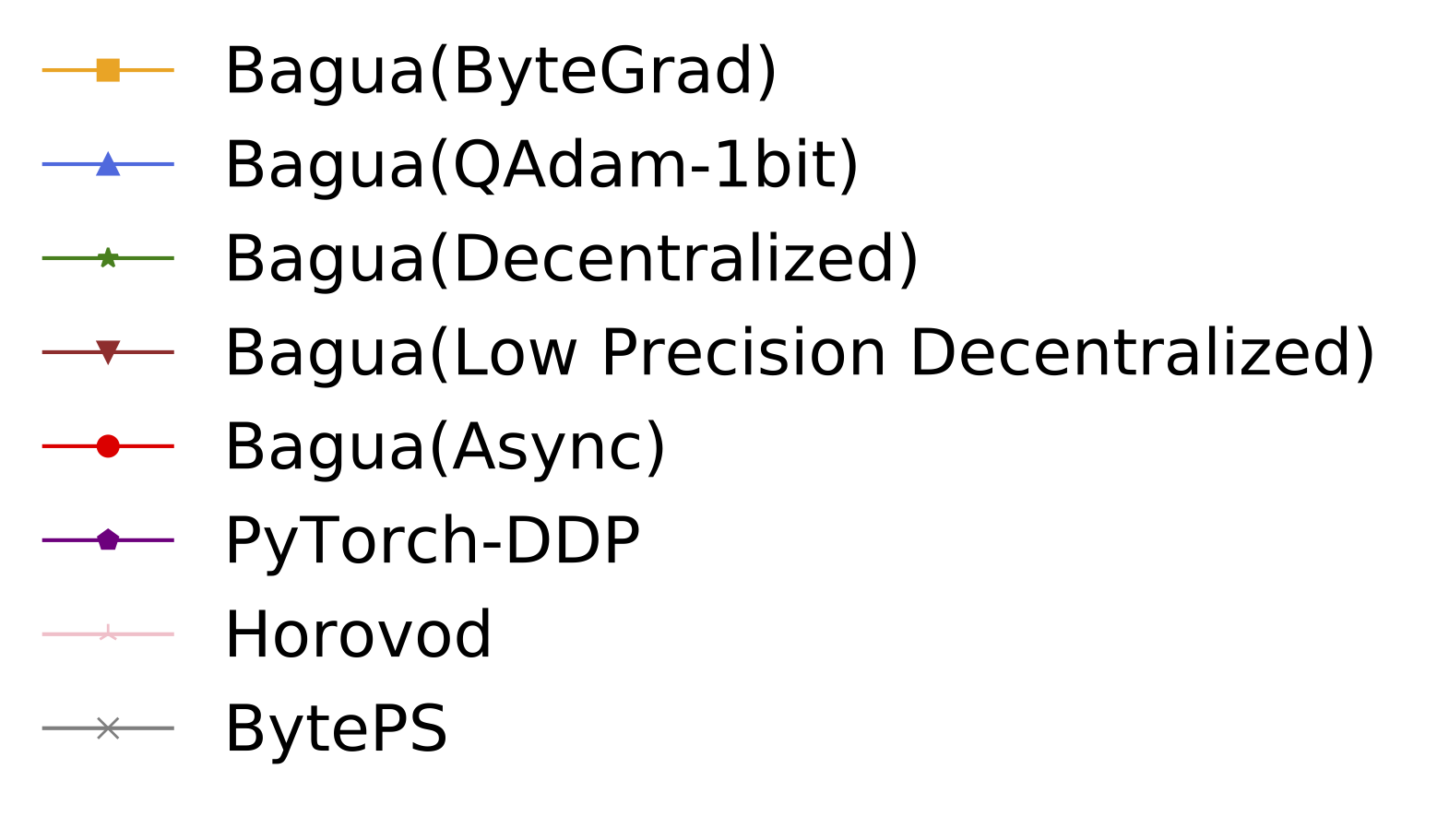


Epoch time of BERT-Large Finetune under different network conditions for different systems.
For more comprehensive and up to date results, refer to Bagua benchmark page.
Installation
Wheels (precompiled binary packages) are available for Linux (x86_64). Package names are different depending on your CUDA Toolkit version (CUDA Toolkit version is shown in nvcc --version).
| CUDA Toolkit version | Installation command |
|---|---|
| >= v10.2 | pip install bagua-cuda102 |
| >= v11.1 | pip install bagua-cuda111 |
| >= v11.3 | pip install bagua-cuda113 |
| >= v11.5 | pip install bagua-cuda115 |
Add --pre to pip install commands to install pre-release (development) versions. See Bagua tutorials for quick start guide and more installation options.
Quick Start on AWS
Thanks to the Amazon Machine Images (AMI), we can provide users an easy way to deploy and run Bagua on AWS EC2 clusters with flexible size of machines and a wide range of GPU types. Users can find our pre-installed Bagua image on EC2 by the unique AMI-ID that we publish here. Note that AMI is a regional resource, so please make sure you are using the machines in same reginon as our AMI.
| Bagua version | AMI ID | Region |
|---|---|---|
| 0.6.3 | ami-0e719d0e3e42b397e | us-east-1 |
| 0.9.0 | ami-0f01fd14e9a742624 | us-east-1 |
To manage the EC2 cluster more efficiently, we use Starcluster as a toolkit to manipulate the cluster. In the config file of Starcluster, there are a few configurations that need to be set up by users, including AWS credentials, cluster settings, etc. More information regarding the Starcluster configuration can be found in this tutorial.
For example, we create a EC2 cluster with 4 machines, each of which has 8 V100 GPUs (p3.16xlarge). The cluster is based on the Bagua AMI we pre-installed in us-east-1 region. Then the config file of Starcluster would be:
# region of EC2 instances, here we choose us_east_1
AWS_REGION_NAME = us-east-1
AWS_REGION_HOST = ec2.us-east-1.amazonaws.com
# AMI ID of Bagua
NODE_IMAGE_ID = ami-0e719d0e3e42b397e
# number of instances
CLUSTER_SIZE = 4
# instance type
NODE_INSTANCE_TYPE = p3.16xlarge
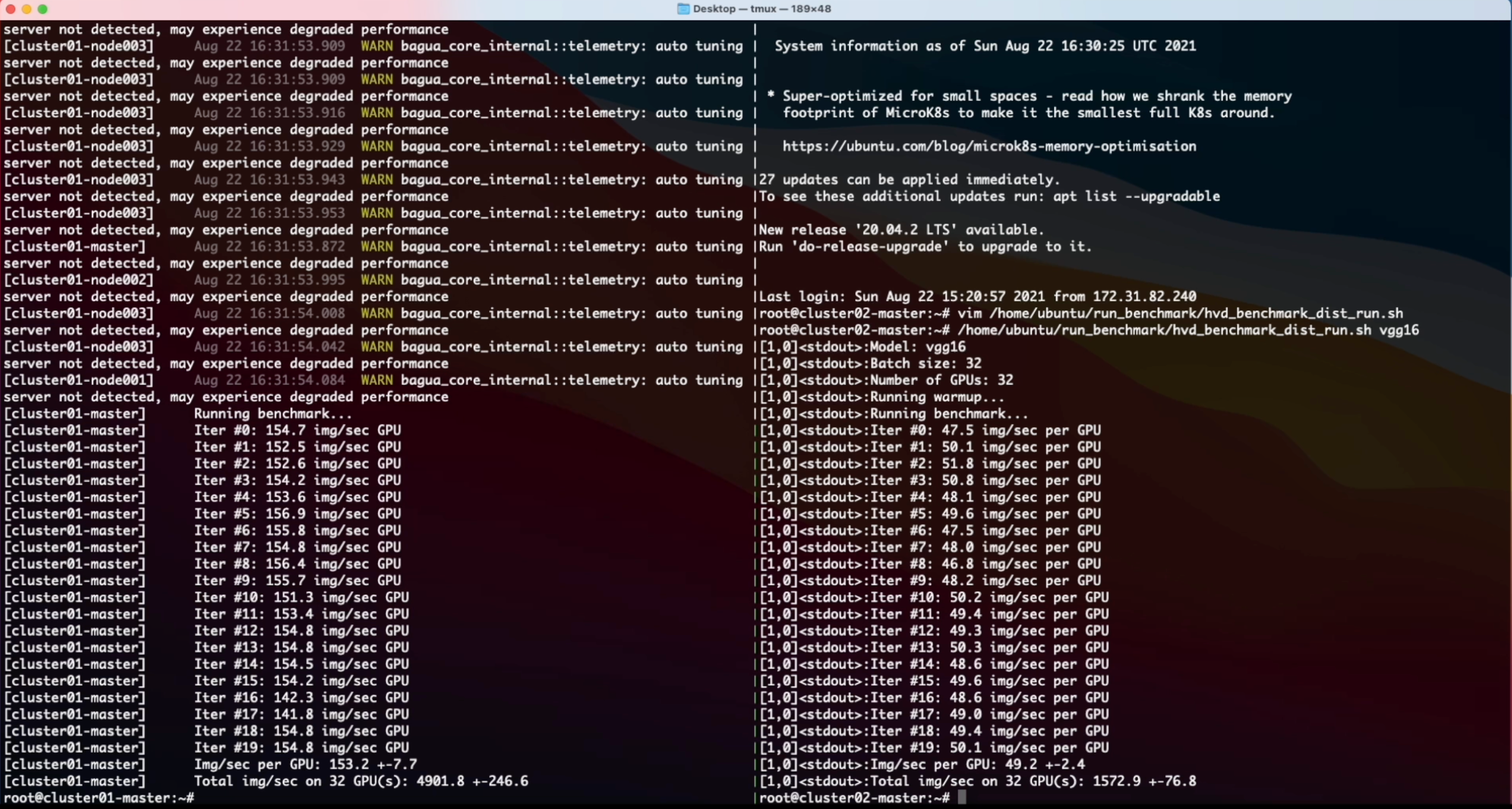
With above setup, we created two identical clusters to benchmark a synthesized image classification task over Bagua and Horovod, respectively. Here is the screen recording video of this experiment.
Cite Bagua
% System Overview
@misc{gan2021bagua,
  title={BAGUA: Scaling up Distributed Learning with System Relaxations},
  author={Shaoduo Gan and Xiangru Lian and Rui Wang and Jianbin Chang and Chengjun Liu and Hongmei Shi and Shengzhuo Zhang and Xianghong Li and Tengxu Sun and Jiawei Jiang and Binhang Yuan and Sen Yang and Ji Liu and Ce Zhang},
  year={2021},
  eprint={2107.01499},
  archivePrefix={arXiv},
  primaryClass={cs.LG}
}

% Theory on System Relaxation Techniques
@book{liu2020distributed,
  title={Distributed Learning Systems with First-Order Methods: An Introduction},
  author={Liu, J. and Zhang, C.},
  isbn={9781680837018},
  series={Foundations and trends in databases},
  url={https://books.google.com/books?id=vzQmzgEACAAJ},
  year={2020},
  publisher={now publishers}
}
Contributors

1 maintainer

Metadata
1 maintainer
Release files for bagua-cuda116 0.8.3.dev215
For a detailed explanation of source distributions (sdists) and built distributions (wheels), please see the package formats documentation.
Built distributions (wheels)
| File | Interpreter | ABI | Platform | Reset |
|---|---|---|---|---|
| bagua_cuda116-0.8.3.dev215-cp39-cp39-manylinux_2_17_x86_64.manylinux2014_x86_64.whl | CPython 3.9 | CPython 3.9 | Linux glibc 2.17+ x86-64 | Details |
| bagua_cuda116-0.8.3.dev215-cp38-cp38-manylinux_2_17_x86_64.manylinux2014_x86_64.whl | CPython 3.8 | CPython 3.8 | Linux glibc 2.17+ x86-64 | Details |
| bagua_cuda116-0.8.3.dev215-cp37-cp37m-manylinux_2_17_x86_64.manylinux2014_x86_64.whl | CPython 3.7 | CPython 3.7 pymalloc | Linux glibc 2.17+ x86-64 | Details |
Total release size: 55.5 MB
Release files / bagua_cuda116-0.8.3.dev215-cp39-cp39-manylinux_2_17_x86_64.manylinux2014_x86_64.whl
| Download URL | bagua_cuda116-0.8.3.dev215-cp39-cp39-manylinux_2_17_x86_64.manylinux2014_x86_64.whl |
|---|---|
| Size | 18.5 MB |
| Tags | CPython 3.9 Linux glibc 2.17+ x86-64 |
|
SHA-256 checksum How to use checksums |
8730561f28336a8a66276bcdd217f62bc5d6abcae4d25477a27fef7df28660dd
|
|
BLAKE2b-256 checksum How to use checksums |
67d58df5bd02cd6d2ddd4a74a0e63da628240cbe3fc9cf8ffa5093a4b1eb3563
|
| Upload date | |
|
Uploaded using Trusted Publishing? What is trusted publishing? |
No |
| Uploaded via |
twine/4.0.1 CPython/3.9.13
|
Release files / bagua_cuda116-0.8.3.dev215-cp38-cp38-manylinux_2_17_x86_64.manylinux2014_x86_64.whl
| Download URL | bagua_cuda116-0.8.3.dev215-cp38-cp38-manylinux_2_17_x86_64.manylinux2014_x86_64.whl |
|---|---|
| Size | 18.5 MB |
| Tags | CPython 3.8 Linux glibc 2.17+ x86-64 |
|
SHA-256 checksum How to use checksums |
2d6d4958378619b4d7c2c1114aea56e6eb35c9c424d5d7e2706125d42714f9e3
|
|
BLAKE2b-256 checksum How to use checksums |
4636033b615bab99dd0ef147689971bc6c37b2633573351ea0c0a3323c20ae32
|
| Upload date | |
|
Uploaded using Trusted Publishing? What is trusted publishing? |
No |
| Uploaded via |
twine/4.0.1 CPython/3.9.13
|
Release files / bagua_cuda116-0.8.3.dev215-cp37-cp37m-manylinux_2_17_x86_64.manylinux2014_x86_64.whl
| Download URL | bagua_cuda116-0.8.3.dev215-cp37-cp37m-manylinux_2_17_x86_64.manylinux2014_x86_64.whl |
|---|---|
| Size | 18.5 MB |
| Tags | CPython 3.7 CPython 3.7 pymalloc Linux glibc 2.17+ x86-64 |
|
SHA-256 checksum How to use checksums |
6604606e64c88c423b721faff401ae382d0f179e3e06dfcf9e5e10e0e593fbe3
|
|
BLAKE2b-256 checksum How to use checksums |
b36304d4f4882211bc7c4092ae9cfad363fdddcbde62af1723396502a1fabc45
|
| Upload date | |
|
Uploaded using Trusted Publishing? What is trusted publishing? |
No |
| Uploaded via |
twine/4.0.1 CPython/3.9.13
|
Security for bagua-cuda116 0.8.3.dev215
Provenance
Provenance describes where a file came from. On PyPI, provenance is shared via attestations, which provide a verifiable record of the build or publishing details. View details, limitations and caveats.
No provenance found
None of the files in this release were uploaded with provenance metadata.
A note on package security
PyPI is a repository for distributing packages, not a service for auditing them. While third-party security researchers and our staff do their best to detect and remove malicious packages, PyPI cannot guarantee the quality, security or suitability of any given package.
To learn more about protecting yourself from malicious actors, visit our package security documentation.














