
Bakaláři CLI
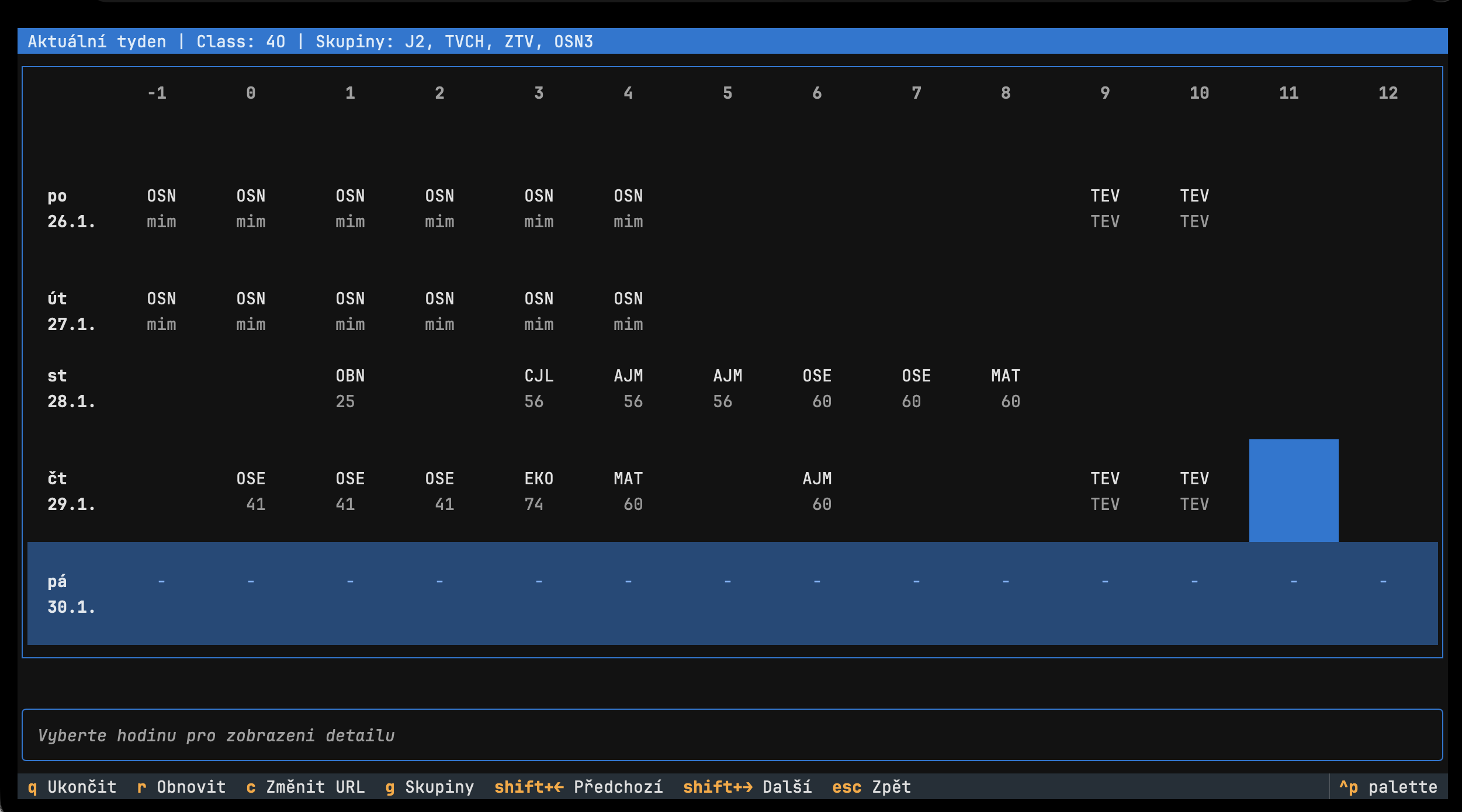
Terminal timetable viewer for the Bakaláři school system.
A TUI (Terminal User Interface) application built with Textual.
Installation
The recommended way to install bakalari-cli is using uv or pipx:
# Using uv (fastest)
uv tool install bakalari-cli

# Using pipx
pipx install bakalari-cli

# Using standard pip (fallback)
pip install bakalari-cli
Usage
-
Run the application:
bakalari
-
Enter your Bakaláři timetable URL, e.g.:
https://bakalar.skola.cz/Timetable/Public/Permanent/Class/FF -
Navigate the timetable:
- Arrow keys: Move between cells
- Shift+Left/Right: Switch between week types
- R: Refresh
- Q: Quit
URL Format
https://<school_bakalari_url>/Timetable/Public/<Type>/<EntityType>/<ID>
| Type | Description |
|---|---|
Permanent |
Fixed schedule (stálý rozvrh) |
Actual |
Current week with changes |
Next |
Next week |
| EntityType | Description |
|---|---|
Class |
Class timetable |
Teacher |
Teacher timetable |
Room |
Room timetable |
Development
This project uses uv for development.
# Clone the repository
git clone https://github.com/axo4xo/bakalari-cli.git
cd bakalari-cli

# Install dependencies and setup environment
uv sync

# Run the app
uv run bakalari

# Run tests
uv run pytest
Textual Development
To run with the Textual developer console:
uv run textual run --dev bakalari_cli.app:BakalariApp
1 maintainer

Metadata
1 maintainer
Release files for bakalari-cli 0.1.1.1.1
For a detailed explanation of source distributions (sdists) and built distributions (wheels), please see the package formats documentation.
Source distribution (sdist)
| File | Size | Uploaded | |
|---|---|---|---|
| bakalari_cli-0.1.1.1.1.tar.gz | 18.1 kB | Details |
Built distribution (wheel)
| File | Interpreter | ABI | Platform | Reset |
|---|---|---|---|---|
| bakalari_cli-0.1.1.1.1-py3-none-any.whl | Python 3 | none | any | Details |
Total release size: 39.8 kB
Release files / bakalari_cli-0.1.1.1.1.tar.gz
| Download URL | bakalari_cli-0.1.1.1.1.tar.gz |
|---|---|
| Size | 18.1 kB |
| Tags | Source |
|
SHA-256 checksum How to use checksums |
edc978ea14f75967f47dac7cbf25e83182b964852bd6ea8a9ef0d79ac56d45cc
|
|
BLAKE2b-256 checksum How to use checksums |
3887ac734a0bf333304e211aaf1653222eacb2f63d02aed350ae35ffb5ef0351
|
| Upload date | |
|
Uploaded using Trusted Publishing? What is trusted publishing? |
No |
| Uploaded via |
uv/0.6.2
|
Release files / bakalari_cli-0.1.1.1.1-py3-none-any.whl
| Download URL | bakalari_cli-0.1.1.1.1-py3-none-any.whl |
|---|---|
| Size | 21.7 kB |
| Tags | Python 3 |
|
SHA-256 checksum How to use checksums |
543b96e08738a51ac0020d24841e1780488fe43eb31f8a5cd14d5fec2a7bdbd0
|
|
BLAKE2b-256 checksum How to use checksums |
32f7d2027cdf456c1b69c70254acde8bcf2896016f7ff5fedccdb6125b2e3e43
|
| Upload date | |
|
Uploaded using Trusted Publishing? What is trusted publishing? |
No |
| Uploaded via |
uv/0.6.2
|














