
Fast Firecracker microVM manager

Project description
BandSox

BandSox is a fast, lightweight Python library and CLI for managing Firecracker microVMs. It provides a simple interface to create, manage, and interact with secure sandboxes, making it easy to run untrusted code or isolate workloads.
Features
- Fast Boot Times: Leverages Firecracker's speed to start VMs in milliseconds.
- Docker Image Support: Create VMs directly from Docker images (requires Python 3 installed in the image).
- Snapshotting: Pause, resume and snapshot VMs for instant restoration.
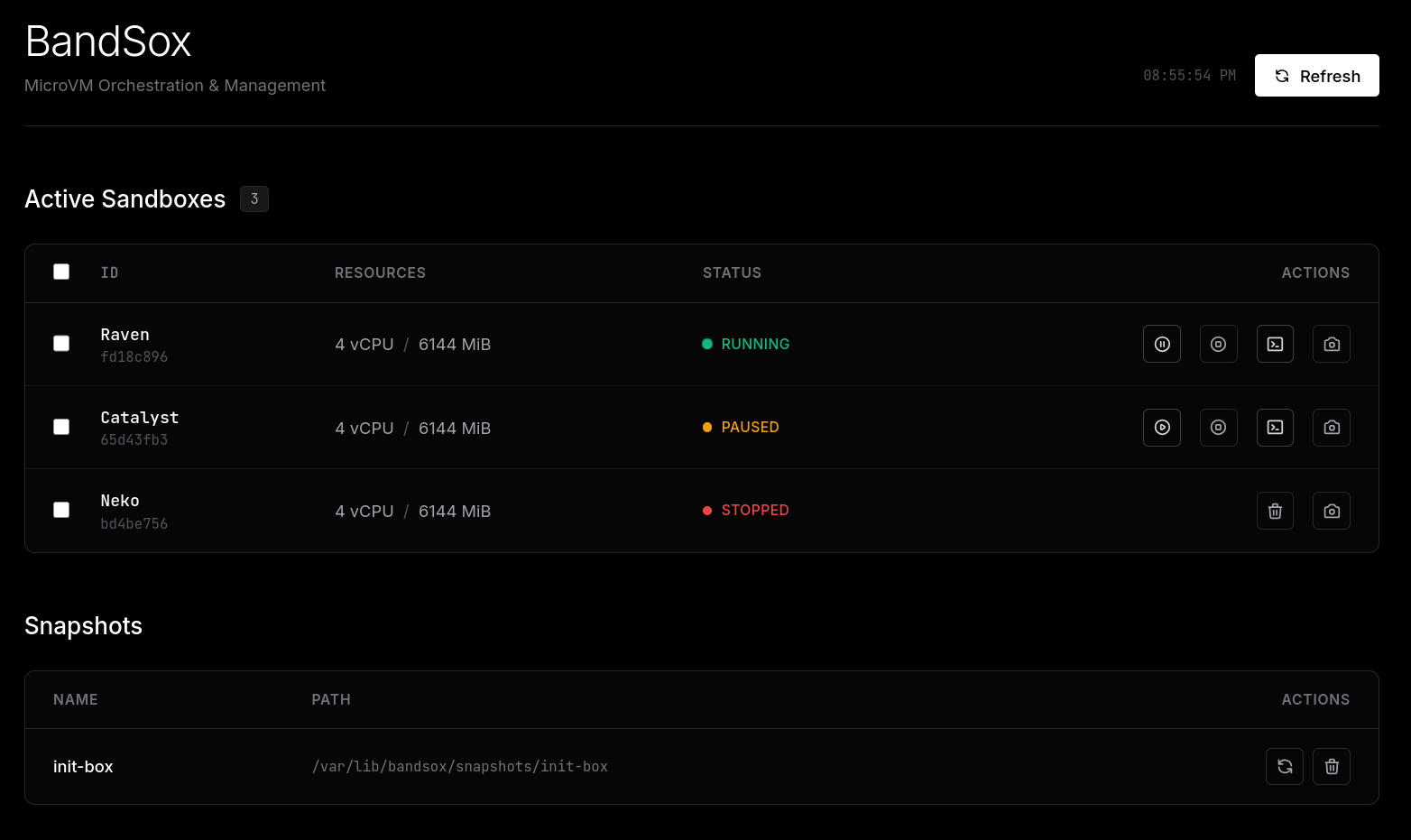
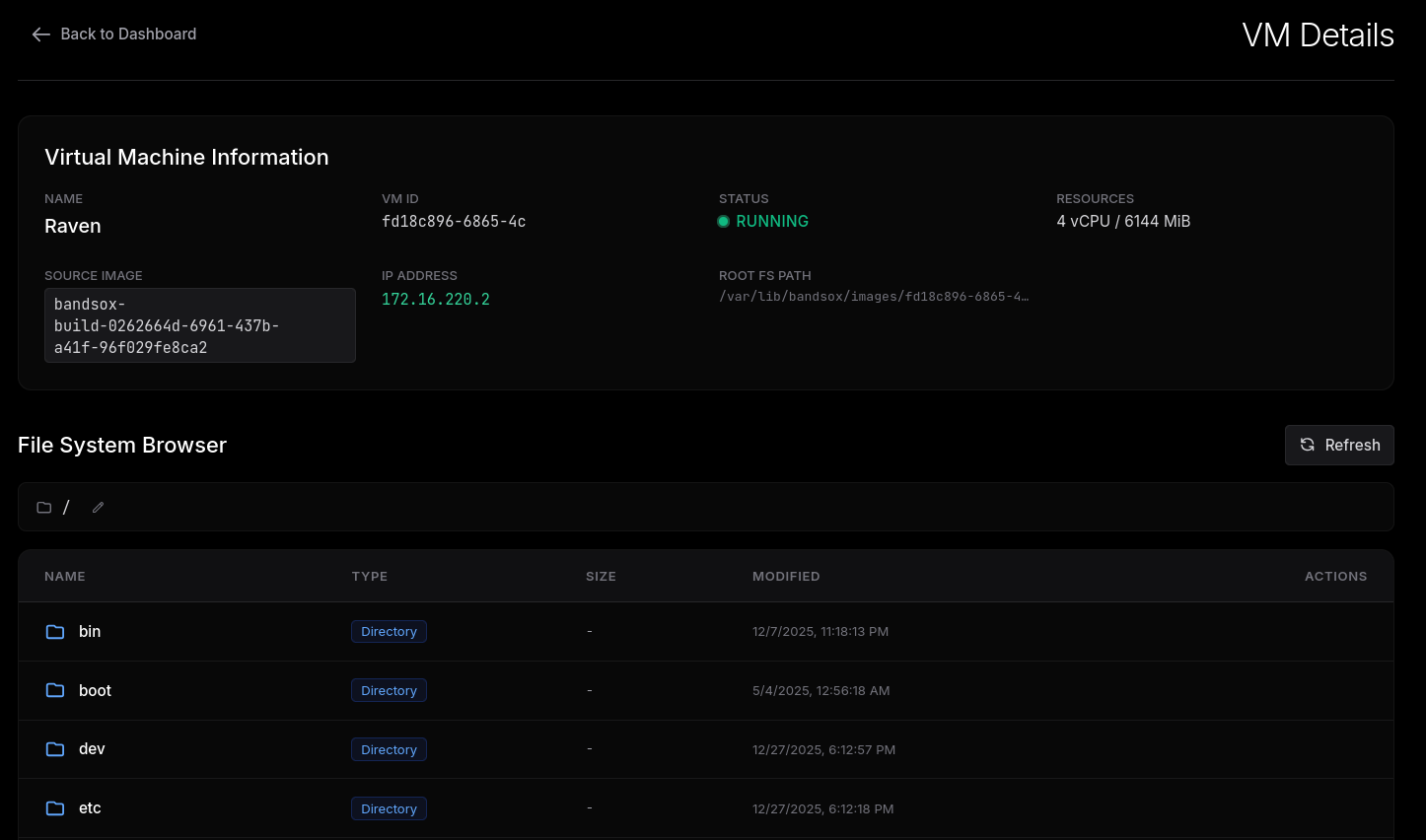
- Web Dashboard: Visual interface to manage VMs, snapshots, and view terminal sessions.
- CLI Tool: Comprehensive command-line interface for all operations.
- Python API: Easy-to-use Python library for integration into your own applications.
- Vsock File Transfers: Lightning-fast file operations (100-10,000x faster than serial) with automatic fallback.
- File Operations: Upload, download and manage files within VM.
- Terminal Access: Interactive web-based terminal for running VMs.
Usage
Quick Start - Hello World
Create a VM and run Python code in just a few seconds:
from bandsox.core import BandSox

bs = BandSox()
vm = bs.create_vm("python:3-alpine", enable_networking=False)

result = vm.exec_python_capture("print('Hello from VM!')")
print(result['stdout'])  # Output: Hello from VM!

vm.stop()
Python API
from bandsox.core import BandSox

# Initialize
bs = BandSox()

# Create a VM from a Docker image (which has python preinstalled)
vm = bs.create_vm("python:3-alpine", name="test-vm")
print(f"VM started: {vm.vm_id}")

# Execute a command
exit_code = vm.exec_command("echo Hello World > /root/hello.txt")

# Execute Python code directly in the VM (capture output)
result = vm.exec_python_capture("print('Hello World')")
print(result['stdout'])  # Output: Hello World

# Read a file
content = vm.get_file_contents("/root/hello.txt")
print(content) # Output: Hello World

# Stop the VM
vm.stop()
Web UI
Start the web dashboard:
sudo python3 -m bandsox.cli serve --host 0.0.0.0 --port 8000
Visit http://localhost:8000 to access the dashboard.
CLI
BandSox includes a CLI tool bandsox (or python -m bandsox.cli).
Create a VM:
sudo python3 -m bandsox.cli create ubuntu:latest --name my-vm
Open a Terminal:
sudo python3 -m bandsox.cli terminal <vm_id>
Start the Web Dashboard:
sudo python3 -m bandsox.cli serve --host 0.0.0.0 --port 8000
Visit http://localhost:8000 to access the dashboard.
Vsock - High-Performance File Transfers
BandSox uses vsock (Virtual Socket) for fast, efficient file transfers between host and guest VMs.
Performance
File transfer speeds with vsock:
| File Size | Expected Speed | Expected Time |
|---|---|---|
| 1 MB | ~50 MB/s | < 0.1s |
| 10 MB | ~80 MB/s | < 0.2s |
| 100 MB | ~100 MB/s | < 1s |
| 1 GB | ~100 MB/s | < 10s |
This is 100-10,000x faster than traditional serial-based file transfers!
How It Works
- Each VM gets a unique CID (Context ID) and port for vsock communication
- File operations automatically use vsock when available
- Falls back gracefully to serial if vsock module is unavailable
- No VM pause required during transfers
- Snapshot support: Vsock bridge disconnected before snapshot; restores use per-VM vsock isolation to avoid socket collisions
Restore vsock isolation
Restores now mount per-VM vsock paths in a private mount namespace so multiple restores can run from the same snapshot without EADDRINUSE socket collisions. The isolation root defaults to /tmp/bsx and can be overridden with BANDSOX_VSOCK_ISOLATION_DIR.
Checking Vsock Status
In a running VM terminal:
# Check if vsock module is loaded
lsmod | grep vsock
# Should show: virtio_vsock

# Check kernel config
zcat /proc/config.gz | grep VSOCK
# Should see: CONFIG_VIRTIO_VSOCK=y or m
Upgrading from Older Versions
VMs created before vsock support require recreation. See VSOCK_MIGRATION.md for detailed migration instructions.
Prerequisites
- Linux system with KVM support (bare metal or nested virtualization).
- Firecracker installed and in your PATH (
/usr/bin/firecracker). - Python 3.8+.
sudoaccess (required for setting up TAP devices for networking).- Vsock kernel module (
virtio-vsock) in guest kernel for fast file transfers (optional, will fallback to serial if unavailable).
Installation
Install from PyPI (Recommended)
Install BandSox directly using pip or uv:
# Using pip
pip install bandsox

# Using uv (faster)
uv pip install bandsox
Then initialize the required artifacts:
bandsox init --rootfs-url ./bandsox-base.ext4
Install from Source
-
Clone the repository:
git clone https://github.com/HACKE-RC/Bandsox.git
cd bandsox
-
Install dependencies:
pip install -e .
-
Initialize required artifacts (kernel, CNI plugins, optional base rootfs):
# Use a locally-built rootfs (see instructions below)
bandsox init --rootfs-url ./bandsox-base.ext4
This downloads:
vmlinux(Firecracker kernel)- CNI plugins (from the official upstream releases, e.g.
https://github.com/containernetworking/plugins/releases/download/v1.5.1/cni-plugins-linux-amd64-v1.5.1.tgz) intocni/bin/(or your chosen--cni-dir) - (Optional) a base rootfs
.ext4intostorage/images/when--rootfs-urlis provided
Default URLs are provided for kernel and CNI. For the rootfs, build one locally (instructions below) and point
--rootfs-urlto a local path (orfile://URL). Use--skip-*flags to omit specific downloads or--forceto re-download.
Web UI Screenshots
Home Page
Details Page
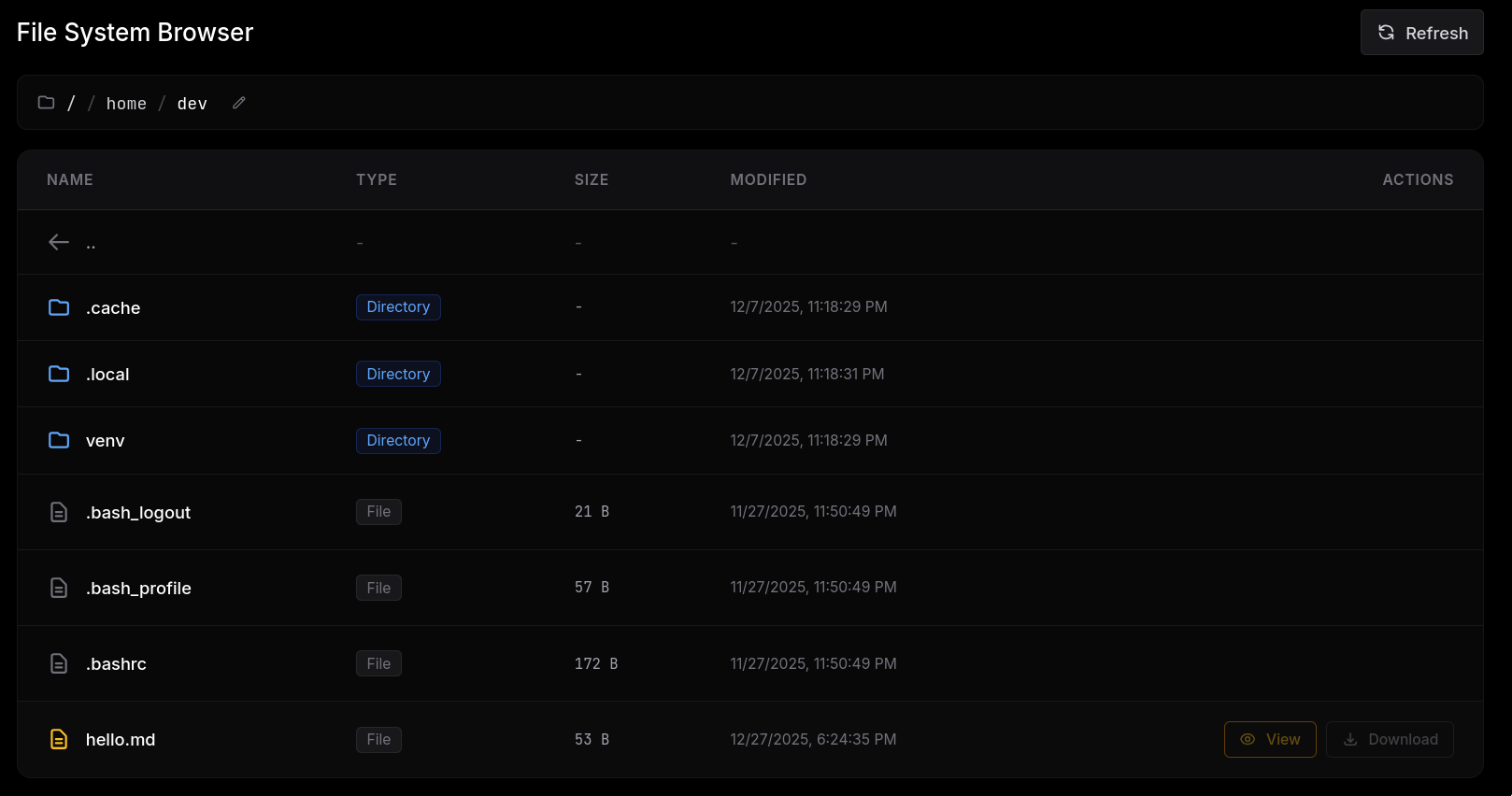
File browser
The details page has a file browser which you can use to explore the files inside the VM.
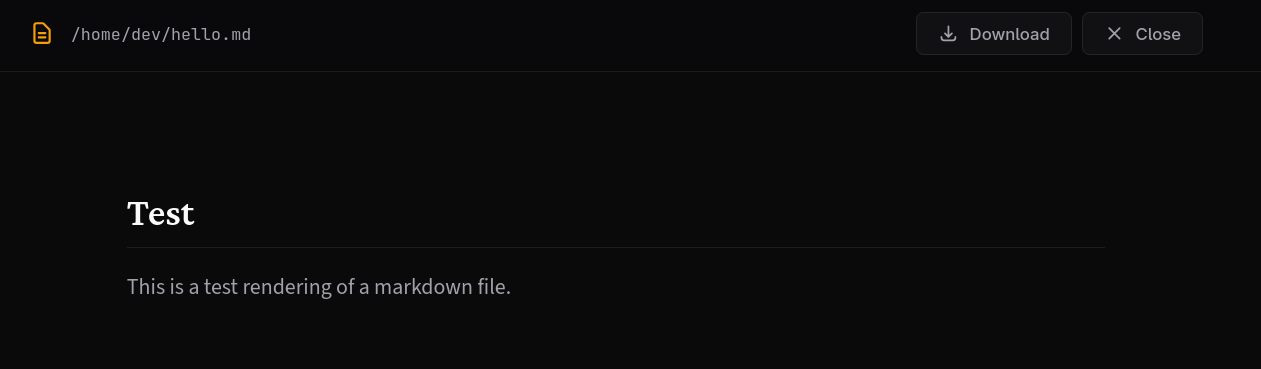
Markdown viewer
Markdown files have a view button next to them, which opens a markdown viewer
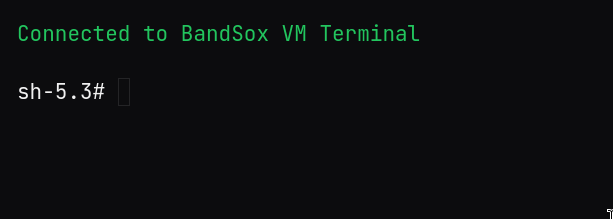
Terminal
The webui has a terminal which can be accessed by clicking on the terminal button
Architecture
BandSox consists of several components:
- Core (
bandsox.core): High-level manager for VMs and snapshots, including CID/port allocation. - VM (
bandsox.vm): Wrapper around the Firecracker process, handling configuration, network, vsock bridge, and interaction. - Agent (
bandsox.agent): A lightweight Python agent injected into the VM to handle command execution and file operations (with vsock/serial dual-mode support). - Server (
bandsox.server): FastAPI-based backend for the web dashboard.
Communication
Vsock (Fast):
- VMs communicate with host via
AF_VSOCKsockets - Firecracker forwards vsock connections to Unix domain sockets
- File transfers are 100-10,000x faster than serial
Serial (Fallback):
- Gracefully falls back to serial console if vsock is unavailable
- Ensures compatibility with custom kernels
Storage Layout
Default: /var/lib/bandsox (override with BANDSOX_STORAGE env var)
├── images/           # Rootfs ext4 images
├── snapshots/        # VM snapshots
├── sockets/          # Firecracker API sockets
├── metadata/         # VM metadata (including vsock_config)
├── cid_allocator.json  # CID allocation state
└── port_allocator.json # Port allocation state
Docs & APIs
- Full library, CLI, and HTTP endpoint reference:
API_DOCUMENTATION.md - Vsock migration guide:
VSOCK_MIGRATION.md - Vsock restoration fix:
VSOCK_RESTORATION_FIX.md - REST base path:
http://<host>:<port>/api(see docs for endpoints such as/api/vms,/api/snapshots,/api/vms/{id}/terminalWebSocket)
Building a local base rootfs (no hosting required)
Build a minimal ext4 from a Docker image and keep it local:
IMG=alpine:latest          # pick a base image with python if needed
OUT=bandsox-base.ext4
SIZE_MB=512                # increase for more disk
TMP=$(mktemp -d)

docker pull "$IMG"
CID=$(docker create "$IMG")
docker export "$CID" -o "$TMP/rootfs.tar"
docker rm "$CID"

dd if=/dev/zero of="$OUT" bs=1M count=$SIZE_MB
mkfs.ext4 -F "$OUT"
mkdir -p "$TMP/mnt"
sudo mount -o loop "$OUT" "$TMP/mnt"
sudo tar -xf "$TMP/rootfs.tar" -C "$TMP/mnt"

cat <<'EOF' | sudo tee "$TMP/mnt/init" >/dev/null
#!/bin/sh
export PATH=/usr/local/bin:/usr/bin:/bin:/sbin
mount -t proc proc /proc
mount -t sysfs sysfs /sys
mkdir -p /dev/pts
mount -t devpts devpts /dev/pts
P=$(command -v python3 || command -v python)
[ -z "$P" ] && exec /usr/local/bin/agent.py
exec "$P" /usr/local/bin/agent.py
EOF
sudo chmod +x "$TMP/mnt/init"

sudo mkdir -p "$TMP/mnt/usr/local/bin"
sudo cp bandsox/agent.py "$TMP/mnt/usr/local/bin/agent.py"
sudo chmod 755 "$TMP/mnt/usr/local/bin/agent.py"

sudo umount "$TMP/mnt"
sudo e2fsck -fy "$OUT"
sudo resize2fs -M "$OUT"   # optional: shrink to minimum
rm -rf "$TMP"
Use it locally with bandsox init --rootfs-url ./bandsox-base.ext4 (or file://$PWD/bandsox-base.ext4).
Alternative: skip providing a base rootfs entirely—BandSox can build per-image rootfs on demand from Docker images when you call bandsox create <image>.
Storage & Artifacts
- Large artifacts (ext4 rootfs images, snapshots,
vmlinux, CNI binaries) are not tracked in git;bandsox initdownloads them intostorage/andcni/bin/(or a directory you pass via--cni-dirpointing at the official CNI release tarball). - Default storage path is
/var/lib/sandbox; override withBANDSOX_STORAGEor--storagewhen running the server. - To pre-seed a base rootfs, build it locally and reference it via
--rootfs-url file://...; otherwise, create VMs from Docker images on demand (no prebuilt rootfs needed).
Verification & Testing
The verification/ directory contains scripts to verify various functionalities:
verify_bandsox.py: General smoke test.verify_file_ops.py: Tests file upload/download.verify_internet.py: Tests network connectivity inside the VM.
To run a verification script:
sudo python3 verification/verify_bandsox.py
License
Apache License 2.0
Note: This project wasn't supposed to be made public so it may have artifacts which make no sense. Please open issues so I can remove them.
Release history Release notifications | RSS feed


Download files
Download the file for your platform. If you're not sure which to choose, learn more about installing packages.
Source Distribution
Built Distribution
Filter files by name, interpreter, ABI, and platform.
If you're not sure about the file name format, learn more about wheel file names.
Copy a direct link to the current filters
File details
Details for the file bandsox-1.8.0.tar.gz.
File metadata
- Download URL: bandsox-1.8.0.tar.gz
- Upload date:
- Size: 80.5 kB
- Tags: Source
- Uploaded using Trusted Publishing? No
- Uploaded via: twine/6.2.0 CPython/3.14.2
File hashes
| Algorithm | Hash digest | |
|---|---|---|
| SHA256 |
7e132519747784cefa5b897279a6f531dee4fadfd714904a49245fc08d054238
|
|
| MD5 |
eb1d384a6dd692f098c28e9422e0d1cf
|
|
| BLAKE2b-256 |
2b89e8a5c480805189fc95be988cb0e64ea15f146d872da7de2c88c2c1258331
|
File details
Details for the file bandsox-1.8.0-py3-none-any.whl.
File metadata
- Download URL: bandsox-1.8.0-py3-none-any.whl
- Upload date:
- Size: 91.7 kB
- Tags: Python 3
- Uploaded using Trusted Publishing? No
- Uploaded via: twine/6.2.0 CPython/3.14.2
File hashes
| Algorithm | Hash digest | |
|---|---|---|
| SHA256 |
d7b529626eafd2df9f66e1911a3b036f832a6154602eacd94263265211e67acc
|
|
| MD5 |
ac8b19a0305bb0ded88a09af8b7592ac
|
|
| BLAKE2b-256 |
c3489dcda1bf49f7eae5754a5834a36ccd38cc473c7271d82f7fc441b3b59603
|






