








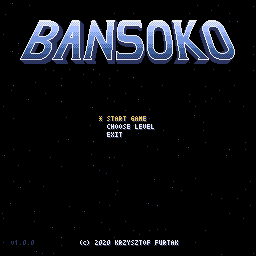
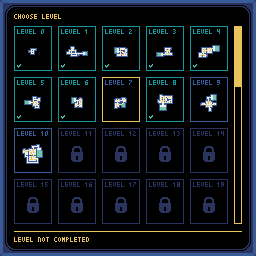
Bansoko is a reimagined, space-themed 🚀 clone of MS-DOS Soko-Ban from 1984 created in Python using Pyxel.
You can download 📦 for both Windows and Linux from the latest release, or from:

📖 Introduction
Welcome to Bansoko!
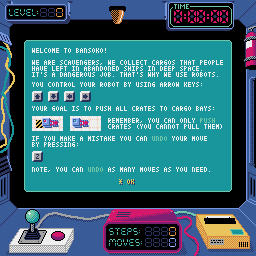
You are a scavenger. You collect cargo that people have left in abandoned ships in deep space. It's a dangerous job, that's why we're using robots.
Your goal is to use a remotely controlled robot to push all crates to cargo bays. Remember, you can only push them (you cannot pull) Fortunately, in case of a mistake, you can undo as many steps as you need.
Good luck!



🎮 Installation
Download
The simplest way to play is to download a standalone build from the latest release or from itch.io. Nothing else is needed: Python and every library the game uses are bundled.
Windows
Install Python (version 3.11 or higher) and make sure that python is added to PATH.
Install Bansoko by running:
pip install -U bansoko
Run the game:
bansoko
Linux
Install python3 (version 3.11 or higher). No SDL2 packages are
required — Pyxel ships its own copy.
On Ubuntu:
sudo apt install python3 pipx
Install Bansoko by running:
pipx install bansoko
Run the game:
bansoko
💻 Development setup
1. Install prerequisites
uv is the only prerequisite. It installs a suitable Python itself, so one does not need to be present.
Windows
pip install uv
Linux
On Ubuntu:
sudo apt install git pipx
pipx install uv
2. Set up the project
Clone the repository:
git clone https://github.com/kfurtak1024/bansoko
Navigate to the directory Bansoko was cloned to.
Create the virtual environment and install all dependencies needed for development:
uv sync
3. Run the game
Run Bansoko from the virtual environment created in the previous step:
uv run python -m bansoko
4. Run the checks
uv run pytest
uv run pylint bansoko resbuilder tests
uv run mypy bansoko resbuilder tests
Tests that need a display are skipped automatically when there is none. To run them without a desktop session:
xvfb-run -a uv run pytest
5. Build a standalone binary
uv run pyinstaller bansoko.spec --noconfirm
This produces a single executable in dist/. Release downloads are built
by the release workflow, which builds the Linux one inside a
manylinux_2_28 container so that it runs on older distributions too.
🧰 Modding
Bansoko is heavily modifiable thanks to included resource builder. More information on how to 'mod' it can be found on the Bansoko modding page.
After changing anything under resources/, rebuild the game data:
uv run python -m resbuilder resources/main.ressrc --outdir bansoko/gamedata --force
The generated files are checked in, and the test suite fails if they do not match the assets they were built from.
📝 Changelog
Notable changes for each release are listed in CHANGELOG.md.
🤝 How to contribute
Submitting an issue
Use the issue tracker to submit bug reports and feature/enhancement requests. When submitting a report, please select the appropriate template.
Submitting a 'mod'
If you have created a modification for Bansoko which you would like to publish then please contact me via contact@krzysztoffurtak.dev
⚖️ License
This project is licensed under the MIT License - see the LICENSE file for details.
Copyright © 2020-2026 Krzysztof Furtak
1 maintainer

Metadata
1 maintainer
Release files for bansoko 2.0.0
For a detailed explanation of source distributions (sdists) and built distributions (wheels), please see the package formats documentation.
Source distribution (sdist)
| File | Size | Uploaded | |
|---|---|---|---|
| bansoko-2.0.0.tar.gz | 139.5 kB | Details |
Built distribution (wheel)
| File | Interpreter | ABI | Platform | Reset |
|---|---|---|---|---|
| bansoko-2.0.0-py3-none-any.whl | Python 3 | none | any | Details |
Total release size: 252.1 kB
Release files / bansoko-2.0.0.tar.gz
| Download URL | bansoko-2.0.0.tar.gz |
|---|---|
| Size | 139.5 kB |
| Tags | Source |
|
SHA-256 checksum How to use checksums |
034b3d68b60cff538fd135732221c2ec3be593bc8d2fae90be7a73e48e73ab87
|
|
BLAKE2b-256 checksum How to use checksums |
f67d892e19f2223e8445b75971042b27ba84c2401c23d532db330d5fd11b4cae
|
| Upload date | |
|
Uploaded using Trusted Publishing? What is trusted publishing? |
Yes |
| Uploaded via |
twine/7.0.0 CPython/3.13.14
|
Provenance
Provenance describes where a file came from. On PyPI, provenance is shared via attestations, which provide a verifiable record of the build or publishing details. View details, limitations and caveats.


PyPI Publish Attestation
PyPI verified that this artifact, at this checksum, originated from the publisher listed below.
Signed by GitHub Actions, verified by PyPI on Sep 3, 2026.
Transparency logRelease files / bansoko-2.0.0-py3-none-any.whl
| Download URL | bansoko-2.0.0-py3-none-any.whl |
|---|---|
| Size | 112.6 kB |
| Tags | Python 3 |
|
SHA-256 checksum How to use checksums |
35510c86c930a4eb485f689cb429ebaaff33c85e269313c5af80e3c0ac09b4ef
|
|
BLAKE2b-256 checksum How to use checksums |
a9e149be4032a5e6371723f7af63a81d2ccdb8f6568c3bd004b985b98a0e40ec
|
| Upload date | |
|
Uploaded using Trusted Publishing? What is trusted publishing? |
Yes |
| Uploaded via |
twine/7.0.0 CPython/3.13.14
|
Provenance
Provenance describes where a file came from. On PyPI, provenance is shared via attestations, which provide a verifiable record of the build or publishing details. View details, limitations and caveats.
PyPI Publish Attestation
PyPI verified that this artifact, at this checksum, originated from the publisher listed below.
Signed by GitHub Actions, verified by PyPI on Sep 3, 2026.
Transparency log













