
Save 50% off GenAI costs in two lines of code

Project description
Save 50% off GenAI costs in two lines of code






batchling is a frictionless, batteries-included plugin to convert any GenAI async function or script into half-cost batch jobs.
Key features:
- Simple: a simple 2-liner gets you 50% off your GenAI bill instantly.
- Transparent: Your code remains the same, no added behaviors. Track sent batches easily.
- Global: Integrates with most providers and all frameworks.
- Safe: Get a complete breakdown of your cost savings before launching a single batch.
- Lightweight: Very few dependencies.
What's the catch?
The batch is the catch!
Batch APIs enable you to process large volumes of requests asynchronously (usually at 50% lower cost compared to real-time API calls). It's perfect for workloads that don't need immediate responses such as:
- Running mass offline evaluations
- Classifying large datasets
- Generating large-scale embeddings
- Offline summarization
- Synthetic data generation
- Structured data extraction (e.g. OCR)
- Audio transcriptions/translations at scale
Compared to using standard endpoints directly, Batch API offers:
- Better cost efficiency: usually 50% cost discount compared to synchronous APIs
- Higher rate limits: Substantially more headroom with separate rate limit pools
- Large-scale support: Process thousands of requests per batch
- Flexible completion: Best-effort completion within 24 hours with progress tracking, batches usually complete within an hour.
Installation
batchling is available on PyPI as batchling, install using either pip:
pip install batchling
Get Started
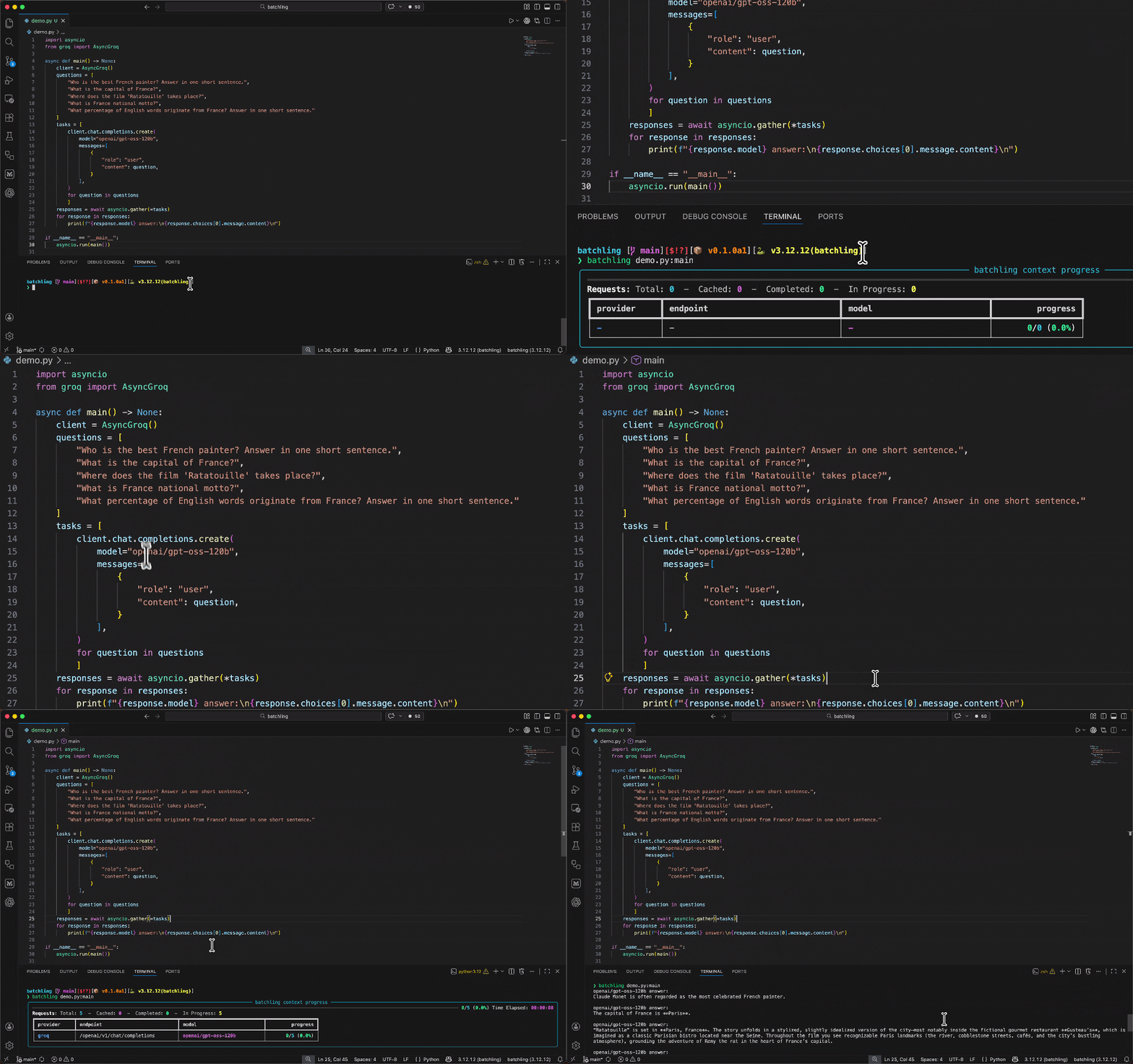
batchling integrates smoothly with any async function doing GenAI calls or within a whole async script that you'd run with asyncio.
Let's suppose we have an existing script main.py that uses the OpenAI client to make two parallel calls using asyncio.gather:
Using the async context manager (recommended)
To selectively batchify certain pieces of your code execution, you can rely on the batchify function, which exposes an async context manager.
import asyncio
from batchling import batchify
from openai import AsyncOpenAI

async def generate():
    client = AsyncOpenAI()
    questions = [
        "Who is the best French painter? Answer in one short sentence.",
        "What is the capital of France?",
    ]
    tasks = [
        client.responses.create(input=question, model="gpt-4o-mini") for question in questions
    ]
    async with batchify(): # Runs your tasks as batches, save 50%
        responses = await asyncio.gather(*tasks)
    for response in responses:
        content = response.output[-1].content # skip reasoning output, get straight to the answer
        print(content[0].text)

if __name__ == "__main__":
    asyncio.run(generate())
Then, just run main.py like you would normally:
python main.py
Output:
The best French painter is often considered to be Claude Monet, a leading figure in the Impressionist movement.
The capital of France is Paris.
Using the CLI wrapper
For you to switch this async execution to a batched inference one, you just have to run your script using the batchling CLI and targetting the main function ran by asyncio:
import asyncio
from openai import AsyncOpenAI

async def generate():
    client = AsyncOpenAI()
    questions = [
        "Who is the best French painter? Answer in one short sentence.",
        "What is the capital of France?",
    ]
    tasks = [
        client.responses.create(input=question, model="gpt-4o-mini") for question in questions
    ]
    responses = await asyncio.gather(*tasks)
    for response in responses:
        content = response.output[-1].content # skip reasoning output, get straight to the answer
        print(content[0].text)
Output:
The best French painter is often considered to be Claude Monet, a leading figure in the Impressionist movement.
The capital of France is Paris.
Run your function in batch mode:
batchling main.py:generate
Supported providers
Next Steps
To try batchling for yourself, follow this quickstart guide.
Read the docs to learn more about how you can save on your GenAI expenses with batchling.
If you have any question, file an issue on GitHub.
Connect
- Community (Discord): https://discord.gg/8sdXXCXaHK
- LinkedIn: https://www.linkedin.com/in/raphael-vienne/
Release history Release notifications | RSS feed


Download files
Download the file for your platform. If you're not sure which to choose, learn more about installing packages.
Source Distribution
Built Distribution
Filter files by name, interpreter, ABI, and platform.
If you're not sure about the file name format, learn more about wheel file names.
Copy a direct link to the current filters
File details
Details for the file batchling-0.1.0a3.tar.gz.
File metadata
- Download URL: batchling-0.1.0a3.tar.gz
- Upload date:
- Size: 49.9 kB
- Tags: Source
- Uploaded using Trusted Publishing? No
- Uploaded via: uv/0.11.21 {"installer":{"name":"uv","version":"0.11.21","subcommand":["publish"]},"python":null,"implementation":{"name":null,"version":null},"distro":{"name":"Ubuntu","version":"24.04","id":"noble","libc":null},"system":{"name":null,"release":null},"cpu":null,"openssl_version":null,"setuptools_version":null,"rustc_version":null,"ci":true}
File hashes
| Algorithm | Hash digest | |
|---|---|---|
| SHA256 |
ce55874d13cfbc118f829a0e6d979ebcbdf5c4b2338efff8125b25d49d503b28
|
|
| MD5 |
bbff992df559ceeb179ee854fa2f7199
|
|
| BLAKE2b-256 |
76a546b3852c516cdd425815df285291c727677f7bb8f2ab4d1404693ff9f11c
|
File details
Details for the file batchling-0.1.0a3-py3-none-any.whl.
File metadata
- Download URL: batchling-0.1.0a3-py3-none-any.whl
- Upload date:
- Size: 68.3 kB
- Tags: Python 3
- Uploaded using Trusted Publishing? No
- Uploaded via: uv/0.11.21 {"installer":{"name":"uv","version":"0.11.21","subcommand":["publish"]},"python":null,"implementation":{"name":null,"version":null},"distro":{"name":"Ubuntu","version":"24.04","id":"noble","libc":null},"system":{"name":null,"release":null},"cpu":null,"openssl_version":null,"setuptools_version":null,"rustc_version":null,"ci":true}
File hashes
| Algorithm | Hash digest | |
|---|---|---|
| SHA256 |
65fd774291d685609c391378ac4135b99eb492e0d204939a7603206d58a2ee22
|
|
| MD5 |
c13ac045f7fd9bb6de549e2cbcbd66c1
|
|
| BLAKE2b-256 |
f6c7afe9f157fecdc86a3b50bb6d8a23dc19dec3b90896f913a283ed808a108a
|






