

BCI-MCP
Stream live EEG brain state — focus, calm, attention — into Claude and any MCP client. Works with no EEG hardware.
Open-source Model Context Protocol server for brain-computer interface (BCI) data, for developers and neurotech tinkerers who want their AI assistant to read real-time brainwaves.







$ bci-mcp stream --device synthetic://

  FOCUS        ##############......  0.71
  CALM         ######..............  0.32
  ATTENTION    #################...  0.86
  ENGAGEMENT   ##############......  0.70
  alpha ####  beta #######  theta ##  delta #  gamma ###     signal: GOOD
Contents
- What it is
- Quickstart (30 seconds)
- Install in one line
- Any EEG device
- Use it from Claude Desktop
- Use it from Claude Code
- MCP tools, resources, and prompt
- What you get
- Architecture
- Install options
- Use cases
- Why it exists
- Documentation
- A note on accuracy
- Disclaimer
- Contributing
- License
What it is
BCI-MCP is a small brain-computer interface toolkit built around one idea: read an EEG signal, turn it into a few honest real-time metrics, and make those available to an AI assistant through the Model Context Protocol.
The signal can come from an OpenBCI board, a Muse headband, a NeuroFocus device, any Lab Streaming Layer (LSL) stream, a generic serial sensor, a recorded session, or a built-in synthetic generator that needs no hardware at all. Same code path for every source — so you can run the entire stack, including the live MCP server, before you own a headset.
Quickstart (30 seconds)
pip install -e ".[all]"               # from a clone; "." alone gives core synthetic + MCP + CLI

bci-mcp stream --device synthetic://  # live terminal brain-meter, no hardware
bci-mcp dashboard                     # web dashboard at http://127.0.0.1:8000
That's it — you now have a running EEG brain-meter and a live MCP server, with zero hardware.
Record a session and replay it later:
bci-mcp record --device synthetic:// --seconds 30 --out session.npz
bci-mcp play session.npz
Run a neurofeedback session that nudges a single metric toward a target:
bci-mcp neurofeedback --device synthetic:// --metric focus --target 0.7
Install in one line
Claude Code (needs Claude Code + Node or uv):
claude mcp add bci-mcp -- npx -y bci-mcp
No Node? Python-only:
claude mcp add bci-mcp -- uvx bci-mcp serve
Fully automatic (picks npx → uvx → pip for you):
curl -fsSL https://raw.githubusercontent.com/enkhbold470/bci-mcp/main/scripts/install-mcp.sh | bash
Claude Desktop — Settings → Developer → Edit Config:
{
  "mcpServers": {
    "bci-mcp": {
      "command": "npx",
      "args": ["-y", "bci-mcp"]
    }
  }
}
Cursor — add to ~/.cursor/mcp.json under mcpServers:
"bci-mcp": { "command": "npx", "args": ["-y", "bci-mcp"] }
Then ask Claude: “Connect to the demo brain — what’s my focus?” No headset required.
PyPI:
pip install bci-mcp· npm launcher:npx -y bci-mcp(seenpm/bci-mcpto publish)
Any EEG device
One URI registry, one interface, every source:
| Device | URI | Install |
|---|---|---|
| Synthetic (no hardware) | synthetic:// |
core |
| NeuroFocus v4 (USB serial) | neurofocus://serial/<port> |
[devices] |
| NeuroFocus v4 (BLE) | neurofocus://ble/<name> |
[devices] |
| OpenBCI Cyton / Ganglion | brainflow://cyton?serial_port=<port> |
[devices] |
| Muse 2 / S (via BrainFlow) | brainflow://muse_s |
[devices] |
| Any LSL stream | lsl://<name> |
[lsl] |
| Generic serial (1 int/line) | serial://<port> |
[devices] |
| Recording replay | playback://<file> |
core |
NeuroFocus v4 is supported over both serial and BLE, using the device's exact firmware UUIDs and counts-to-microvolt scaling.
Use it from Claude Desktop
Add this to your Claude Desktop MCP config (claude_desktop_config.json):
{
  "mcpServers": {
    "bci-mcp": {
      "command": "bci-mcp",
      "args": ["serve"]
    }
  }
}
Restart Claude Desktop, then talk to your brain data in plain language. An example exchange:
You:    What's my current focus level?
Claude: (calls get_brain_state) -> Your focus is 0.71 and rising, calm is
        0.32, attention 0.86, signal quality GOOD. You look engaged and alert.

You:    Run a 60-second neurofeedback session targeting calm and tell me how I did.
Claude: (calls start_neurofeedback, then get_neurofeedback_score)
        -> Session done. Mean calm 0.58, time-in-target 41%, best streak 9s.
The synthetic device means this works the moment you install — no headset required to wire up and test the MCP integration.
Use it from Claude Code
claude mcp add bci-mcp -- npx -y bci-mcp
Python only (no Node):
claude mcp add bci-mcp -- uvx bci-mcp serve
If you already ran pip install bci-mcp:
claude mcp add bci-mcp -- bci-mcp serve
Check it connected with claude mcp list or /mcp inside a session. Share with the team via .mcp.json using --scope project.
MCP tools, resources, and prompt
Built on the official MCP Python SDK (FastMCP) over stdio.
- Tools:
list_devices,connect,disconnect,get_brain_state,get_band_powers,get_signal_quality,calibrate,record,start_neurofeedback,get_neurofeedback_score,mark_event,stream_summary - Resources:
brain://state,brain://device - Prompt:
interpret_brain_state
What you get
| Area | What's included |
|---|---|
| Device layer | One URI registry across synthetic, NeuroFocus (serial + BLE), OpenBCI and Muse via BrainFlow, LSL, generic serial, and recording playback |
| MCP server | Real server on the official MCP SDK (FastMCP), stdio transport, drops straight into Claude Desktop |
| DSP pipeline | Bandpass + notch filtering, Welch band powers (delta / theta / alpha / beta / gamma), derived metrics (focus, calm, attention, engagement, fatigue, meditation), signal-quality and artifact checks, optional per-person calibration |
CLI (bci-mcp) |
devices, stream, record, play, neurofeedback, dashboard, serve |
| Tooling | Terminal brain-meter, FastAPI web dashboard, neurofeedback trainer, session recording (CSV / npz / EDF) with replay, LSL publisher |
| Quality | 81 hardware-free tests (synthetic device, playback, in-process LSL, BrainFlow synthetic board), ruff clean, CI on Python 3.10-3.12, MIT licensed |
Architecture
EEG device -> Device (synthetic | neurofocus | brainflow | lsl | serial | playback)
                 |  Chunk (channels x samples, microvolts)
                 v
              Stream --> RingBuffer --> consumers
                 v
            DSP Pipeline  (bandpass/notch -> Welch band powers -> metrics -> quality)
                 |  BrainState (focus, calm, attention, ..., signal quality)
                 +--> CLI brain-meter / web dashboard
                 +--> neurofeedback trainer
                 +--> recorder (CSV / npz / EDF)  <-->  PlaybackDevice
                 +--> LSL publisher
                 +--> MCP server (FastMCP, stdio)  -->  Claude / any MCP client
Install options
pip install -e "."              # core: numpy, scipy, mcp, typer, rich (synthetic + MCP + CLI)
pip install -e ".[devices]"     # + brainflow, bleak, pyserial (OpenBCI, Muse, NeuroFocus, serial)
pip install -e ".[lsl]"         # + pylsl (consume / publish Lab Streaming Layer)
pip install -e ".[edf]"         # + pyedflib (EDF recording)
pip install -e ".[dashboard]"   # + fastapi, uvicorn (web dashboard)
pip install -e ".[all]"         # everything
Use cases
- Give Claude live context about your focus, calm, or fatigue while you work or study.
- Build neurofeedback experiments without writing your own DSP or device drivers.
- Prototype an EEG / BCI app against the synthetic device, then swap in real hardware via a URI change.
- Record EEG sessions to CSV / npz / EDF and replay them deterministically in tests or demos.
- Publish a processed brain state over LSL for other lab tools to consume.
- Teach signal processing and brain-computer interface concepts with a runnable, hardware-free stack.
Why it exists
Most EEG tooling assumes you already own a specific headset and want raw samples or a heavy GUI. BCI-MCP takes a narrower, more practical position:
- Hardware-optional. The synthetic device runs the full pipeline and a real MCP server with nothing plugged in. Most BCI projects can't be tried until hardware arrives.
- Device-agnostic by URI. OpenBCI, Muse, NeuroFocus, LSL, serial, and playback all share one interface, instead of one SDK per vendor.
- Built for AI assistants. The output is an MCP server, not just a plotting window — so any MCP client, Claude included, can read and act on brain state.
- Honest, readable metrics. Plain band-power ratios documented in the source, not opaque "scores."
Documentation
Full docs: https://enkhbold470.github.io/bci-mcp/ (MkDocs, shadcn theme)
For AI Q&A about the codebase, use DeepWiki. Agents can also read llms.txt for a curated doc index.
A note on accuracy
The metrics here are simple, well-understood band-power ratios, not clinical measures. They are useful for neurofeedback, demos, and experimentation, and each one is documented in the source so you can see exactly how it is computed.
Disclaimer
BCI-MCP is for research, education, and personal experimentation. It is not a medical device and must not be used for diagnosis or treatment.
Contributing
Contributions are welcome — see CONTRIBUTING.md. Good first issues are labeled good first issue. Please run ruff check src tests && pytest before opening a PR.
If this project is useful to you, a star helps others find it.
License
MIT — see LICENSE.
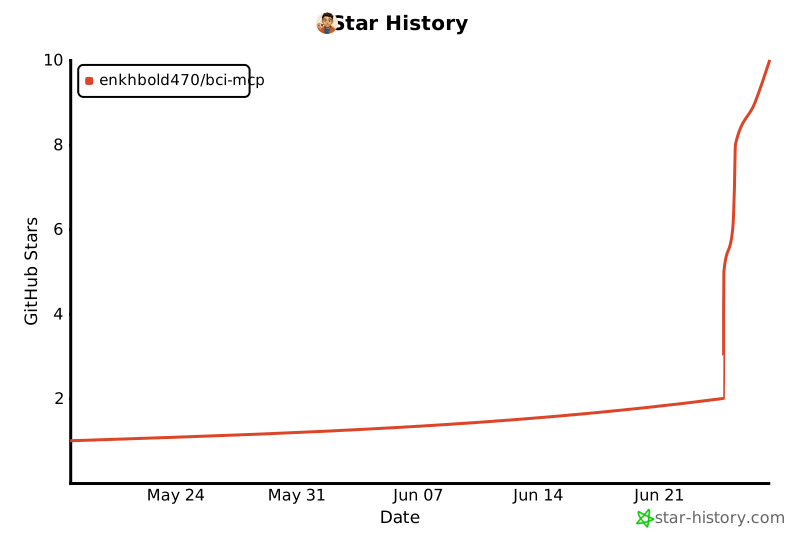
Star history
Topics: EEG · BCI · brain-computer interface · Model Context Protocol · MCP · Claude · neurofeedback · OpenBCI · Muse · BrainFlow · LSL · Lab Streaming Layer · NeuroFocus · brainwave · neurotech · neuroscience · real-time signal processing · band power · alpha/beta/theta · focus tracking · Python
1 maintainer

Metadata
1 maintainer
Release files for bci-mcp 0.1.3
For a detailed explanation of source distributions (sdists) and built distributions (wheels), please see the package formats documentation.
Source distribution (sdist)
| File | Size | Uploaded | |
|---|---|---|---|
| bci_mcp-0.1.3.tar.gz | 25.2 kB | Details |
Built distribution (wheel)
| File | Interpreter | ABI | Platform | Reset |
|---|---|---|---|---|
| bci_mcp-0.1.3-py3-none-any.whl | Python 3 | none | any | Details |
Total release size: 62.5 kB
Release files / bci_mcp-0.1.3.tar.gz
| Download URL | bci_mcp-0.1.3.tar.gz |
|---|---|
| Size | 25.2 kB |
| Tags | Source |
|
SHA-256 checksum How to use checksums |
b597d9f1f9833c8de75f5bdb0a5f5bba8e585875b37c8870e46ff88e09368125
|
|
BLAKE2b-256 checksum How to use checksums |
a1601694d466383f631106edbbd109cc07021bbf075fb262699d5df5c8aa5e20
|
| Upload date | |
|
Uploaded using Trusted Publishing? What is trusted publishing? |
Yes |
| Uploaded via |
uv/0.11.24 {"installer":{"name":"uv","version":"0.11.24","subcommand":["publish"]},"python":null,"implementation":{"name":null,"version":null},"distro":{"name":"Ubuntu","version":"24.04","id":"noble","libc":null},"system":{"name":null,"release":null},"cpu":null,"openssl_version":null,"setuptools_version":null,"rustc_version":null,"ci":true}
|
Release files / bci_mcp-0.1.3-py3-none-any.whl
| Download URL | bci_mcp-0.1.3-py3-none-any.whl |
|---|---|
| Size | 37.3 kB |
| Tags | Python 3 |
|
SHA-256 checksum How to use checksums |
268370d7f610859e7648e3c3044010e0747ea57dfa0afe7bed78558fb08960b7
|
|
BLAKE2b-256 checksum How to use checksums |
28cd9f16c113679aa6d7d5bb87407e6b4c817caec5605cf7e57035ce691a9f89
|
| Upload date | |
|
Uploaded using Trusted Publishing? What is trusted publishing? |
Yes |
| Uploaded via |
uv/0.11.24 {"installer":{"name":"uv","version":"0.11.24","subcommand":["publish"]},"python":null,"implementation":{"name":null,"version":null},"distro":{"name":"Ubuntu","version":"24.04","id":"noble","libc":null},"system":{"name":null,"release":null},"cpu":null,"openssl_version":null,"setuptools_version":null,"rustc_version":null,"ci":true}
|














