
Slider
Slide overlay software based on beamer and inkscape. This project is currently used in DTU coursebox.
You can find a self-contained video guide here:
- Youtube link: https://youtu.be/EoNZMX3QOnU
- Gitlab link to example: https://gitlab.compute.dtu.dk/tuhe/slider/-/blob/main/examples/video/index.pdf
What it does
Slider allows you to combine free-hand drawing with a standard LaTeX beamer slideshow. It allows you to insert a special \osvg{label} tag in your beamer slides:
\begin{frame}\osvg{label}
Various standard latex stuff
\end{frame}
Then by running the slider command (see below) this will automatically create a transparent .svg file placed "above" the LaTeX contents
which allows you to do free-hand drawing. While you could do this manually, slider has the advantage it maintains the LaTeX contents as a non-editable background layer in the .svg file so you can do absolute positioning etc. Naturally, you can insert new \osvg tags (and keep them updated) at any point by just running the slider command.
Install:
Simple pip-install the package and you should be all set.
pip install beamer-slider
You can import the package using import slider.
Use and examples
Go to an empty directory where you want to start a slideshow and run the command:
python -m slider index.tex
This will start a small beamer project and populate it with the (few) necesary files to make the framework work. You can see the
generated files in the /examples/new_project folder. The main LaTeX file looks like this:
\documentclass[aspectratio=43]{beamer}
\usepackage{etoolbox}
\newtoggle{overlabel_includesvgs}
\newtoggle{overlabel_includelabels}
\toggletrue{overlabel_includesvgs}
\toggletrue{overlabel_includelabels}
\input{beamer_slider_preamble.tex}

\title{Example slide show}
\author{Tue Herlau}
\begin{document}
\begin{frame}
\maketitle
\end{frame}

\begin{frame}\osvg{myoverlay} % Use the \osvg{labelname} - tag to create new overlays. Run slider and check the ./osvgs directory for the svg files!
\title{Slide with an overlay}
This is some example text!
\end{frame}

\end{document}
And the generated PDF file looks like this:
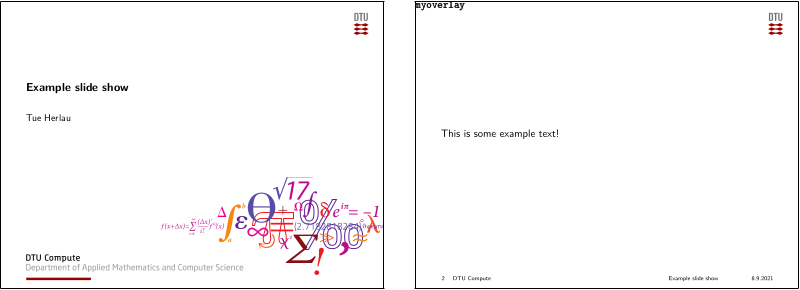
Don't worry about the label in the upper-left corner: you can just turn it off with the LaTeX switch.
Next, go to the osvgs folder. It will contain an image called myoverlay.svg (remember this was our label name).
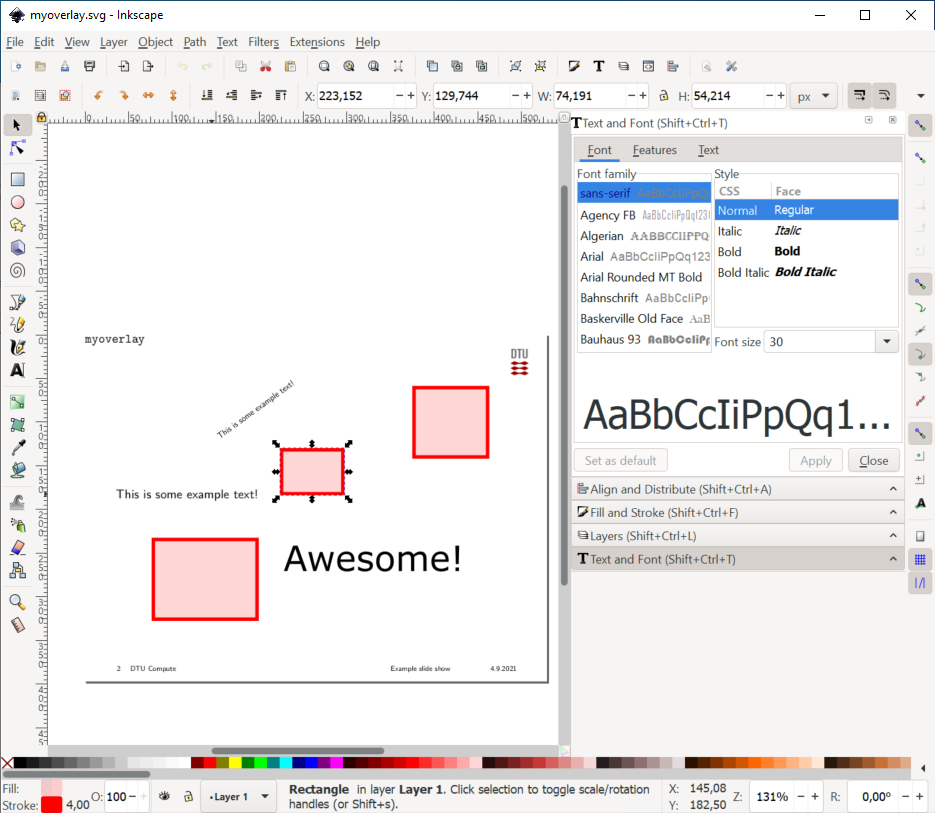
At the start, this file contains all the LaTeX contents as editable svg contents which we can move around (for instance by rotating the text), and we can add
free-hand drawings to the slide. The bottom layer of the image will always be a non-editable layer containing the actual LaTeX content of the slide (in this case the logo and text). You can use this for reference when you edit. When you are happy, simply save the file and re-run
python -m slider index.tex
(it will automatically try to detect the index.tex if run without arguments). This will keep all layers up to date, flatten fonts and generally just make sure everything is okay.
You can find the output in the examples/basic1 folder and the pdf file will now look as follows:
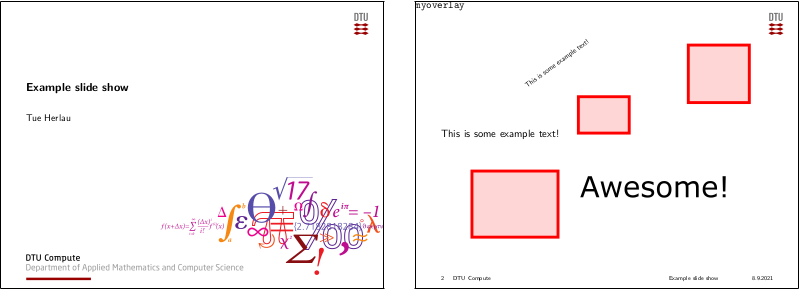
Thats is! And since this is an overlay, you are free to add more LaTeX to the slide or contents to the svg and as long as you run slider, the .svg images will be kept up to date.
Additional features
- You can add new overlays at any point by inserting a '\osvg{my_label}' command in your LaTeX document
- Overlay-images with multiple layers are automatically converted into '\pause'-frames in LaTeX
Citing
@online{beamer_slider,
	title={Beamer-slider (0.1.7): \texttt{pip install beamer-slider}},
	url={https://lab.compute.dtu.dk/tuhe/slider},
	urldate = {2021-09-08},
	month={9},
	publisher={Technical University of Denmark (DTU)},
	author={Tue Herlau},
	year={2021},
}
1 maintainer

Metadata
1 maintainer
Release files for beamer-slider 0.1.26.11
For a detailed explanation of source distributions (sdists) and built distributions (wheels), please see the package formats documentation.
Source distribution (sdist)
| File | Size | Uploaded | |
|---|---|---|---|
| beamer_slider-0.1.26.11.tar.gz | 91.4 kB | Details |
Built distribution (wheel)
| File | Interpreter | ABI | Platform | Reset |
|---|---|---|---|---|
| beamer_slider-0.1.26.11-py3-none-any.whl | Python 3 | none | any | Details |
Total release size: 190.3 kB
Release files / beamer_slider-0.1.26.11.tar.gz
| Download URL | beamer_slider-0.1.26.11.tar.gz |
|---|---|
| Size | 91.4 kB |
| Tags | Source |
|
SHA-256 checksum How to use checksums |
2747fb5b772659e244f8f314036593ac820ff2957857138098e506c9044aada8
|
|
BLAKE2b-256 checksum How to use checksums |
1fa2edc199926d503695a1e60edac1a0519bfd498f417d1720ecc2e7716a4610
|
| Upload date | |
|
Uploaded using Trusted Publishing? What is trusted publishing? |
No |
| Uploaded via |
twine/5.1.1 CPython/3.11.6
|
Release files / beamer_slider-0.1.26.11-py3-none-any.whl
| Download URL | beamer_slider-0.1.26.11-py3-none-any.whl |
|---|---|
| Size | 98.9 kB |
| Tags | Python 3 |
|
SHA-256 checksum How to use checksums |
5a1a7b024416942aa16dc1abc04f517e66876733ecec68afa5986a22cc2c5e59
|
|
BLAKE2b-256 checksum How to use checksums |
fc2c94607707c4b711b5f7f2a2a3c2d1185bd61df3c4b32a9cee68e04d7d0049
|
| Upload date | |
|
Uploaded using Trusted Publishing? What is trusted publishing? |
No |
| Uploaded via |
twine/5.1.1 CPython/3.11.6
|














