
uploaded by TheAmmiR for personal use I don't claim anything, the work was done by @leovoel and contributors
BeautifulDiscord
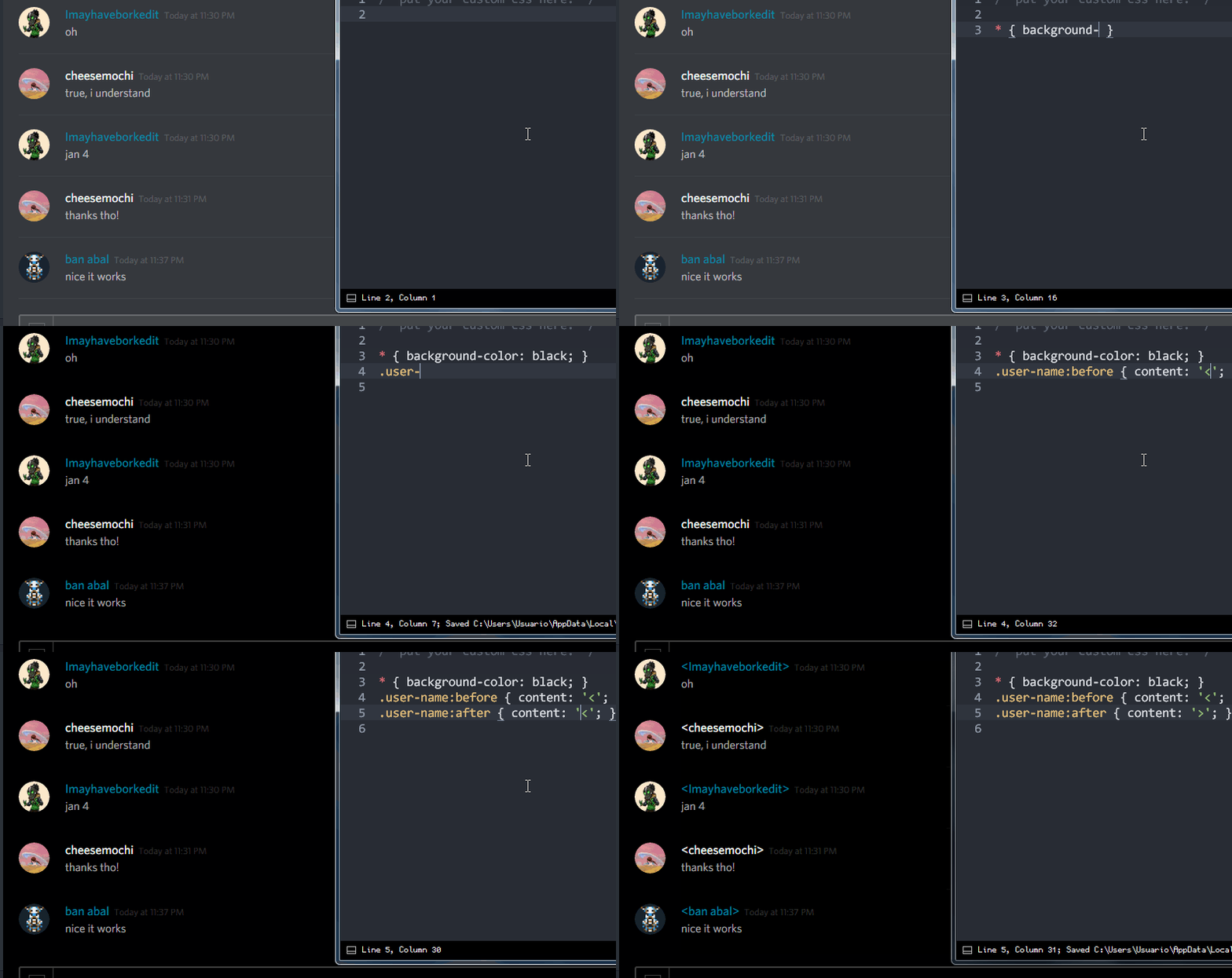
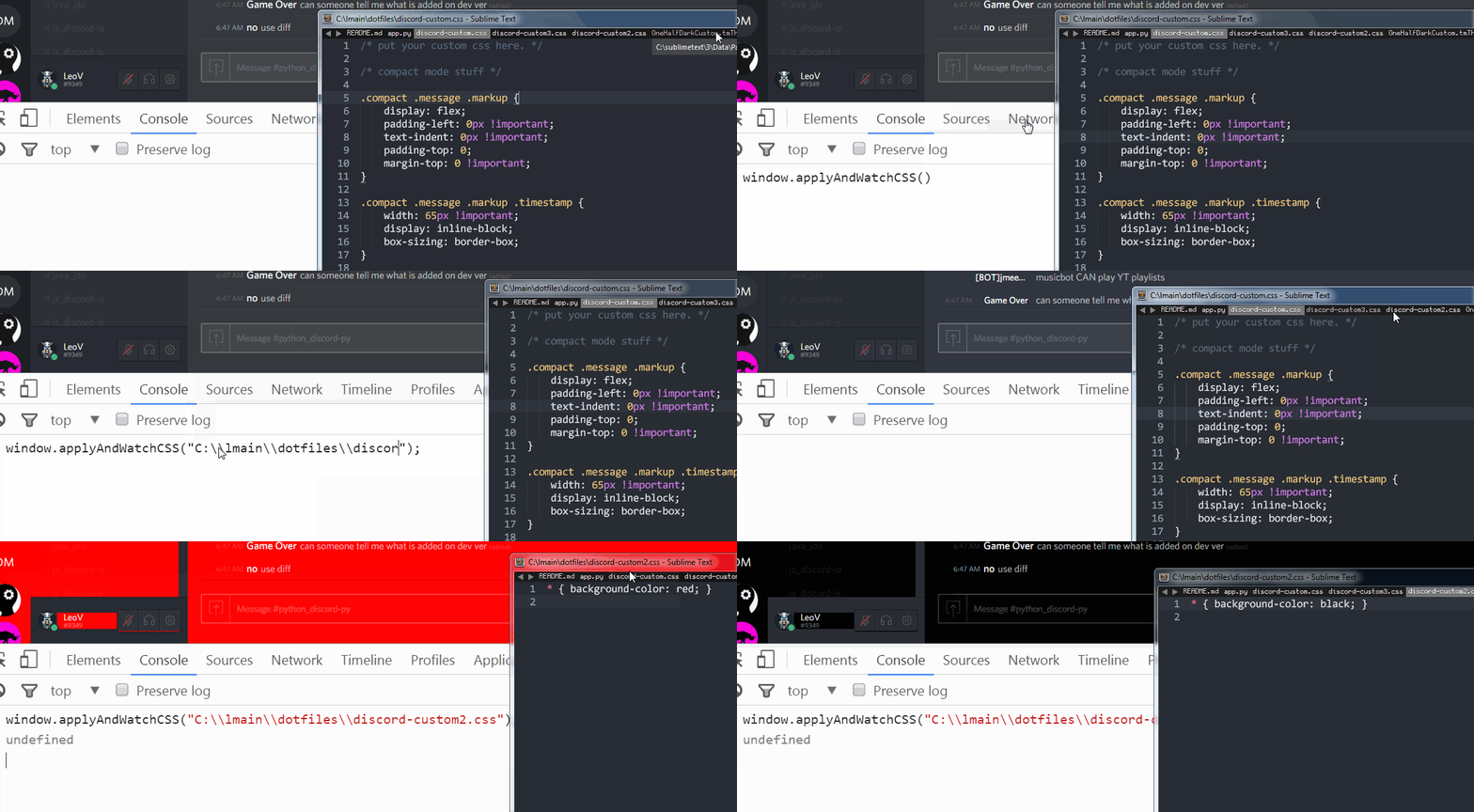
Simple Python script that adds CSS hot-reload to Discord.
Motivation
I wanted custom CSS injection for Discord, with no JavaScript add-ons or anything. That's BeautifulDiscord.
If you want JS, you can either:
- Use BetterDiscord
- Make your own thing!
You could also fork this repo and add it, it's not that big of a stretch. I just didn't add it because it's not what I want to do here.
Usage
Just invoke the script when installed. If you don't pass the --css flag, the stylesheet
will be placed wherever the Discord app resources are found, which is not a very convenient
location.
NOTE: Discord has to be running for this to work in first place. The script works by scanning the active processes and looking for the Discord ones.
(yes, this also means you can fool the program into trying to apply this to some random program named Discord)
$ beautifuldiscord --css C:\mystuff\myown.css
0: Found DiscordPTB.exe
1: Found DiscordCanary.exe
Discord executable to use (number): 1

Done!

You may now edit your C:\mystuff\myown.css file,
which will be reloaded whenever it's saved.

Relaunching Discord now...
$
Pass the --revert flag to restore Discord to its initial state. You can also do this manually if your Discord
install gets screwed up, by first locating where Discord stores its resources:
- On Windows, it's
C:\Users\<username>\AppData\Roaming\discord[ptb,canary]\<version>\modules\discord_desktop_core - On OSX, it's
~/Library/Application Support/discord[ptb,canary]/<version>/modules/discord_desktop_core - On Linux, it's
~/.config/discord[ptb,canary]/<version>/modules/discord_desktop_core
(<...> means it's required, [...] means it's optional)
In that folder, there should be four files, with core.asar and original_core.asar being the interesting ones.
You should then remove the existing core.asar and rename original_core.asar to core.asar.
$ beautifuldiscord --revert
0: Found DiscordPTB.exe
1: Found DiscordCanary.exe
Discord executable to use (number): 1
Reverted changes, no more CSS hot-reload :(
$
You can also run it as a package - i.e. python3 -m beautifuldiscord - if somehow you cannot
install it as a script that you can run from anywhere.
Installing
python3 -m pip install -U https://github.com/leovoel/BeautifulDiscord/archive/master.zip
Usage of a virtual environment is recommended, to not pollute your global package space.
Requirements
- Python 3.x (no interest in compatibility with 2.x, untested on Python 3.x versions below 3.4)
psutillibrary: https://github.com/giampaolo/psutil
Normally, pip should install any required dependencies.
More GIFs
1 maintainer

Metadata
1 maintainer
Release files for beaudis 0.2.0
For a detailed explanation of source distributions (sdists) and built distributions (wheels), please see the package formats documentation.
Source distribution (sdist)
| File | Size | Uploaded | |
|---|---|---|---|
| beaudis-0.2.0.tar.gz | 11.0 kB | Details |
Built distribution (wheel)
| File | Interpreter | ABI | Platform | Reset |
|---|---|---|---|---|
| beaudis-0.2.0-py3-none-any.whl | Python 3 | none | any | Details |
Total release size: 23.0 kB
Release files / beaudis-0.2.0.tar.gz
| Download URL | beaudis-0.2.0.tar.gz |
|---|---|
| Size | 11.0 kB |
| Tags | Source |
|
SHA-256 checksum How to use checksums |
fa9ee41c3572581b377be95127d5975e20cc37a58eec60794e6f26d106600dfa
|
|
BLAKE2b-256 checksum How to use checksums |
e801128aaee10742cdb9c9db2517fb3212e2f97799a07a2200cfaa7bcec0abc4
|
| Upload date | |
|
Uploaded using Trusted Publishing? What is trusted publishing? |
No |
| Uploaded via |
twine/3.7.1 importlib_metadata/4.10.0 pkginfo/1.8.2 requests/2.27.1 requests-toolbelt/0.9.1 tqdm/4.62.3 CPython/3.10.0
|
Release files / beaudis-0.2.0-py3-none-any.whl
| Download URL | beaudis-0.2.0-py3-none-any.whl |
|---|---|
| Size | 12.0 kB |
| Tags | Python 3 |
|
SHA-256 checksum How to use checksums |
f335f3177db46ae8a2e47da62b4e8a35ccc717b238ac813c8b5713a0bcb34d4e
|
|
BLAKE2b-256 checksum How to use checksums |
5dc260750153ab5b866bc6514aaebde6ebd31961ae27c58405739d6d8a470c64
|
| Upload date | |
|
Uploaded using Trusted Publishing? What is trusted publishing? |
No |
| Uploaded via |
twine/3.7.1 importlib_metadata/4.10.0 pkginfo/1.8.2 requests/2.27.1 requests-toolbelt/0.9.1 tqdm/4.62.3 CPython/3.10.0
|













