
BeeAI Framework for Python 
Build production-ready multi-agent systems. Also available in TypeScript.




What is BeeAI Framework?
BeeAI Framework is a comprehensive toolkit for building intelligent, autonomous agents and multi-agent systems. It provides everything you need to create agents that can reason, take actions, and collaborate to solve complex problems.
[!TIP] Get started quickly with the beeai-framework-py-starter template.
Key Features
| Feature | Description |
|---|---|
| 🤖 Agents | Create intelligent agents that can reason, act, and adapt |
| 🔄 Workflows | Orchestrate multi-agent systems with complex execution flows |
| 🔌 Backend | Connect to any LLM provider with unified interfaces |
| 🔧 Tools | Extend agents with web search, weather, code execution, and more |
| 🔍 RAG | Build retrieval-augmented generation systems with vector stores and document processing |
| 📝 Templates | Build dynamic prompts with enhanced Mustache syntax |
| 🧠 Memory | Manage conversation history with flexible memory strategies |
| 📊 Observability | Monitor agent behavior with events, logging, and robust error handling |
| 🚀 Serve | Host agents in servers with support for multiple protocols such as A2A and MCP |
| 💾 Cache | Optimize performance and reduce costs with intelligent caching |
| 💿 Serialization | Save and load agent state for persistence across sessions |
Quick Start
Prerequisite
✅ Python >= 3.11
Installation
pip install beeai-framework
Multi-Agent Example
import asyncio

from beeai_framework.agents.requirement import RequirementAgent
from beeai_framework.agents.requirement.requirements.conditional import ConditionalRequirement
from beeai_framework.backend import ChatModel
from beeai_framework.errors import FrameworkError
from beeai_framework.middleware.trajectory import GlobalTrajectoryMiddleware
from beeai_framework.tools import Tool
from beeai_framework.tools.handoff import HandoffTool
from beeai_framework.tools.search.wikipedia import WikipediaTool
from beeai_framework.tools.think import ThinkTool
from beeai_framework.tools.weather import OpenMeteoTool


async def main() -> None:
    knowledge_agent = RequirementAgent(
        llm=ChatModel.from_name("ollama:granite4:micro"),
        tools=[ThinkTool(), WikipediaTool()],
        requirements=[ConditionalRequirement(ThinkTool, force_at_step=1)],
        role="Knowledge Specialist",
        instructions="Provide answers to general questions about the world.",
    )

    weather_agent = RequirementAgent(
        llm=ChatModel.from_name("ollama:granite4:micro"),
        tools=[OpenMeteoTool()],
        role="Weather Specialist",
        instructions="Provide weather forecast for a given destination.",
    )

    main_agent = RequirementAgent(
        name="MainAgent",
        llm=ChatModel.from_name("ollama:granite4:micro"),
        tools=[
            ThinkTool(),
            HandoffTool(
                knowledge_agent,
                name="KnowledgeLookup",
                description="Consult the Knowledge Agent for general questions.",
            ),
            HandoffTool(
                weather_agent,
                name="WeatherLookup",
                description="Consult the Weather Agent for forecasts.",
            ),
        ],
        requirements=[ConditionalRequirement(ThinkTool, force_at_step=1)],
        # Log all tool calls to the console for easier debugging
        middlewares=[GlobalTrajectoryMiddleware(included=[Tool])],
    )

    question = "If I travel to Rome next weekend, what should I expect in terms of weather, and also tell me one famous historical landmark there?"
    print(f"User: {question}")

    try:
        response = await main_agent.run(question, expected_output="Helpful and clear response.")
        print("Agent:", response.last_message.text)
    except FrameworkError as err:
        print("Error:", err.explain())


if __name__ == "__main__":
    asyncio.run(main())
Source: python/examples/agents/requirement/handoff.py
Message Content Helpers (Text / Image / File)
You can build multimodal user messages with simple factory helpers:
from beeai_framework.backend import UserMessage

# Plain text
msg_text = UserMessage.from_text("Explain the solar eclipse")

# Image (data URI or URL)
msg_image = UserMessage.from_image("data:image/png;base64,iVBORw0KGgoAAA...")

# File (either file_id OR file_data)
msg_file = UserMessage.from_file(
    file_id="https://example.com/sample.pdf",
    format="application/pdf",
)

# Inline base64 file
msg_inline_pdf = UserMessage.from_file(
    file_data="data:application/pdf;base64,AAA...",
    format="application/pdf",
)
The file message API is now flattened (no nested file={...} structure). Use file_id for remote/previously uploaded resources or file_data for a data URI.
Running the Example
[!Note]
To run this example, be sure that you have installed Ollama with the granite4:latest model downloaded.
To run projects, use:
python [project_name].py
➡️ Explore more in our examples library.
Documentation
📖 Complete documentation is available at (framework.beeai.dev)[https://framework.beeai.dev/]
Contribution Guidelines
BeeAI framework is an open-source project and we ❤️ contributions.
If you'd like to help build BeeAI, take a look at our contribution guidelines.
Bugs
We are using GitHub Issues to manage public bugs. We keep a close eye on this, so before filing a new issue, please check to make sure it hasn't already been logged.
Code of Conduct
This project and everyone participating in it are governed by the Code of Conduct. By participating, you are expected to uphold this code. Please read the full text so that you can read which actions may or may not be tolerated.
Legal Notice
All content in these repositories including code has been provided by IBM under the associated open source software license and IBM is under no obligation to provide enhancements, updates, or support. IBM developers produced this code as an open source project (not as an IBM product), and IBM makes no assertions as to the level of quality nor security, and will not be maintaining this code going forward.
Maintainers
For information about maintainers, see MAINTAINERS.md.
Contributors
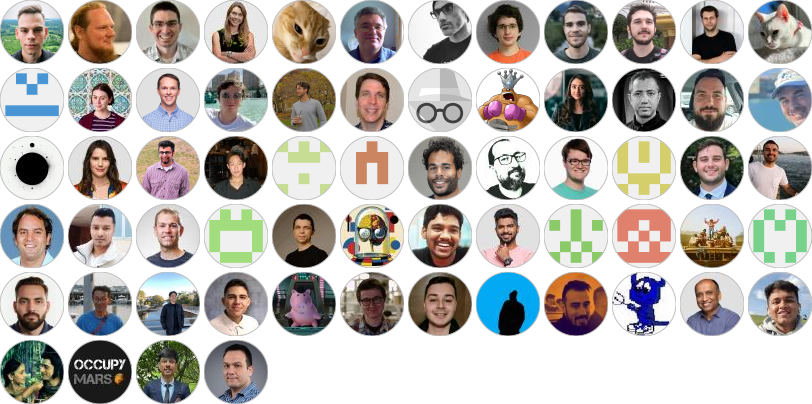
Special thanks to our contributors for helping us improve BeeAI framework.
Developed by contributors to the BeeAI project, this initiative is part of the Linux Foundation AI & Data program. Its development follows open, collaborative, and community-driven practices.


Download files
Download the file for your platform. If you're not sure which to choose, learn more about installing packages.
Source Distribution
Built Distribution
Filter files by name, interpreter, ABI, and platform.
If you're not sure about the file name format, learn more about wheel file names.
Copy a direct link to the current filters
File details
Details for the file beeai_framework-0.1.83.tar.gz.
File metadata
- Download URL: beeai_framework-0.1.83.tar.gz
- Upload date:
- Size: 217.9 kB
- Tags: Source
- Uploaded using Trusted Publishing? No
- Uploaded via:
poetry/2.1.1 CPython/3.13.7 Darwin/25.6.0
File hashes
| Algorithm | Hash digest | |
|---|---|---|
| SHA256 |
783e33d79d8d573fd1cc93a3ecdb8b40b1e2b52347dd4fb8adc4eefdc1ffbfd0
|
|
| MD5 |
b303dcf845dcdc89e0f0dbeccfae0355
|
|
| BLAKE2b-256 |
2c481e8e241080a4420a230eee15949a2b92b2e051afd49bf4eba9dc3b2197c7
|
File details
Details for the file beeai_framework-0.1.83-py3-none-any.whl.
File metadata
- Download URL: beeai_framework-0.1.83-py3-none-any.whl
- Upload date:
- Size: 392.6 kB
- Tags: Python 3
- Uploaded using Trusted Publishing? No
- Uploaded via:
poetry/2.1.1 CPython/3.13.7 Darwin/25.6.0
File hashes
| Algorithm | Hash digest | |
|---|---|---|
| SHA256 |
e8444ff776d1f0ffd503738f7eab479274a882ab4dc70255325de3a97534953f
|
|
| MD5 |
a226c33096c45248fbf5eb72f69f2acf
|
|
| BLAKE2b-256 |
44c7a077a2cb59d3156d186de59f5022f8a845b1d7e105305ce15c1e7443fb98
|







