
Behave Modern HTML Report
The modern, beautiful, single-file HTML report formatter for Behave. Dark mode, charts, instant search, attachments, zero external requests.




behave-modern-html-report is a drop-in formatter for Behave that produces a single,
self-contained HTML file — everything (CSS, JS, icons, attachments) is
embedded so the report works offline, on any machine, forever.
Features
- 🌓 Dark / Light / Auto themes, modern Material-3 inspired UI
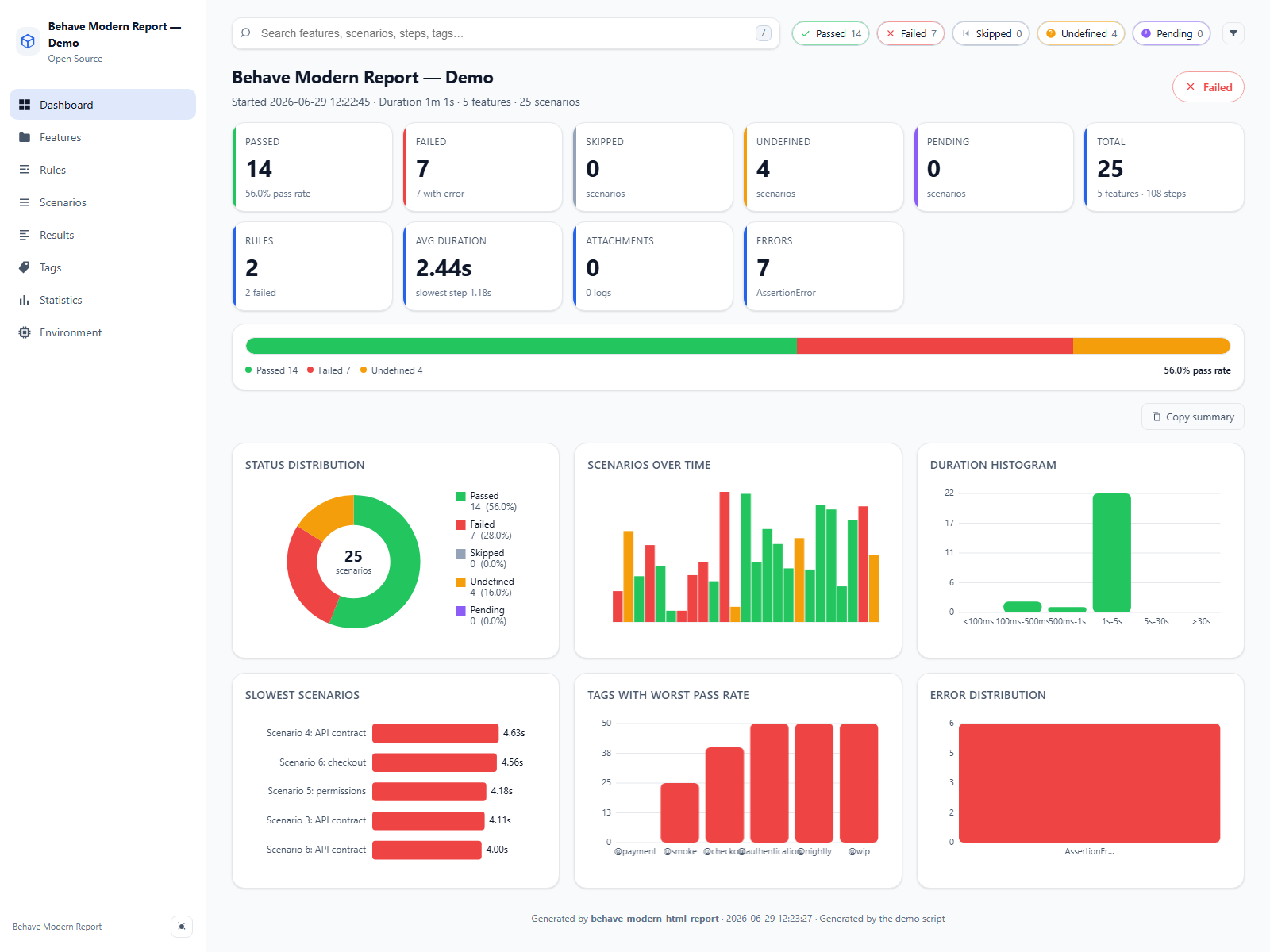
- 📊 Interactive charts (status pie, duration histogram, slowest scenarios, tag pass rate, timeline) — pure vanilla JS, no Chart.js CDN
- 🏷️ Tag analytics page: per-tag counts, pass rate, duration, and a dedicated chart
- 📋 Gherkin Rules support: scenarios under a
Ruleare grouped and tagged correctly (Behave 1.3.x) - 🔍 Instant client-side search across features, scenarios, steps and tags
- 🎚️ Filter by status with one click
- 📁 Expandable features → scenarios → steps with rich metadata
- 🧯 Modern error viewer with copy-to-clipboard tracebacks
- 🖼️ Attachments: images (with lightbox), JSON, text, binaries
- 🚀 Copy-reproduce-command per scenario (
behave "features/example.feature:3") - 📊 Inline step duration bars to spot slow steps at a glance
- ♿ Accessible: keyboard navigation, ARIA labels, reduced-motion support
- 📦 Single HTML file, works offline, no web server, no CDN
- 📌 Fixed sidebar navigation that stays in place while content scrolls
- 🧩 Clean architecture — formatter / collector / models / renderer separation, fully testable
- 🛠️ Extensible — custom CSS/JS, custom title/logo/company, JSON sidecar, future plugin system
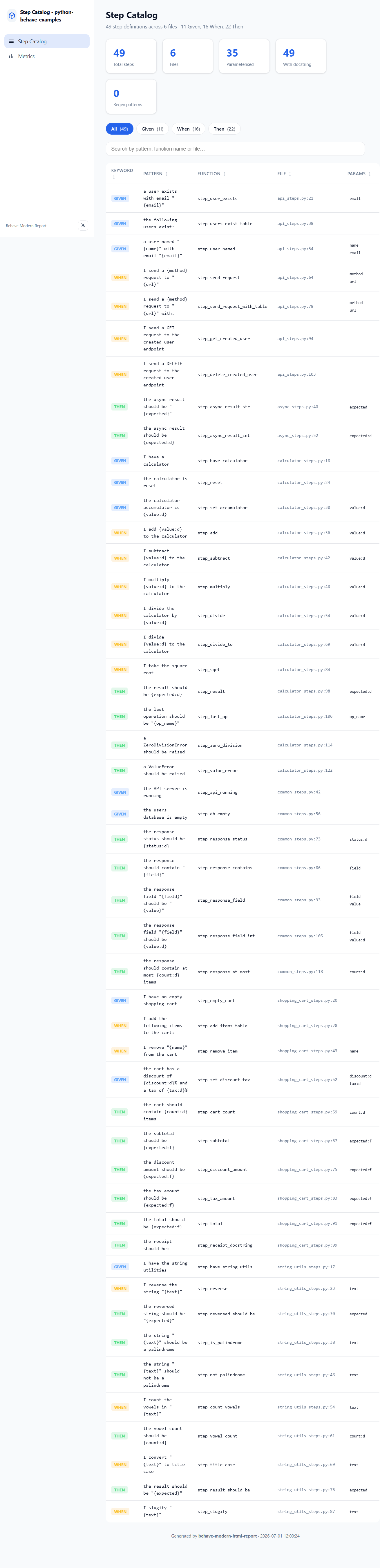
- 📋 Step catalog — static analysis formatter that extracts all step definitions with patterns, params, source and metrics
Installation
pip install behave-modern-html-report
Quick start
In your project's behave.ini (or setup.cfg / tox.ini with the same section):
[behave.formatters]
modern-html = behave_modern_html_report.formatter:ModernHTMLFormatter
steps-catalog = behave_modern_html_report.step_catalog_formatter:StepCatalogFormatter
Then run:
behave -f modern-html -o report.html
Open report.html in any browser. Done.
Useful variations
Run a single feature file:
behave -f modern-html -o report.html features/login.feature
Keep the console output while generating the report (Behave supports multiple formatters at once):
behave -f pretty -o /dev/null -f modern-html -o report.html
On Windows use NUL instead of /dev/null.
Configuration
All reporter options are read from behave's userdata section. Set them in behave.ini, setup.cfg, or via -D on the command line:
[behave.userdata]
bmr.title         = My Awesome Suite
bmr.company       = Acme Inc.
bmr.logo          = https://example.com/logo.svg
bmr.favicon       = https://example.com/favicon.ico
bmr.theme         = auto          ; auto | dark | light
bmr.primary_color = #3b82f6
bmr.accent_color  = #22c55e
bmr.default_view  = dashboard     ; dashboard | features | scenarios | ...
bmr.hidden_views    = rules,statistics
bmr.expand_by_default = false
bmr.max_slowest   = 10
bmr.show_copy_command = true
bmr.show_environment_vars = true
bmr.footer_text   = Build #12345
bmr.link_to_ci    = https://ci.example.com/build/12345
bmr.json_sidecar  = true          ; writes report.json next to report.html
bmr.custom_css    = path/to/extra.css
bmr.custom_js     = path/to/extra.js
Available options:
bmr.title— report title (defaultBehave Modern Report).bmr.company— company name shown under the title.bmr.logo/bmr.favicon— URL or base64 data URI for a logo/favicon.bmr.theme—auto,darkorlight.bmr.primary_color/bmr.accent_color— override the report colors.bmr.default_view— initial view (dashboard,features,rules,scenarios,results,tags,statistics,environment).bmr.hidden_views— comma-separated views to hide (e.g.rules,statistics).bmr.expand_by_default— expand all features, rules and scenarios on load (defaultfalse).bmr.max_slowest— number of slowest scenarios on the dashboard (default10).bmr.show_copy_command— show the copy reproduce command button (defaulttrue).bmr.show_environment_vars— show the environment variables card (defaulttrue).bmr.footer_text— custom footer line.bmr.link_to_ci— "View in CI" button URL.bmr.json_sidecar— writereport.jsonnext to the HTML report (defaultfalse).bmr.custom_css/bmr.custom_js— embed custom CSS/JS files (paths must be readable from where Behave runs).bmr.steps_dir— directory to scan for step definitions when using thesteps-catalogformatter (defaultfeatures/steps).
Note: bmr.* options must be set in behave.ini or via -D — setting them from
environment.py has no effect, because the formatter reads userdata when it
is instantiated, before before_all runs.
Setting options from the command line
Use -D / --define to override any option without touching behave.ini:
behave -f modern-html -o report.html -D bmr.title="API Tests" -D bmr.theme=dark
Full example behave.ini
[behave]
format = modern-html
outfiles = report.html
show_skipped = true
show_timings = true

[behave.formatters]
modern-html = behave_modern_html_report.formatter:ModernHTMLFormatter

[behave.userdata]
bmr.title = My Suite
bmr.company = Acme Inc.
bmr.theme = auto
bmr.json_sidecar = true
Environment variables and secrets
The Environment view captures CI-related environment variables (prefixed CI,
GITHUB, GITLAB, BITBUCKET, JENKINS, TRAVIS, CIRCLE, BUILD,
AGENT, TF_, AZURE, plus PATH, HOME, USER, SHELL, LANG and
TERM). Names containing TOKEN, SECRET, PASSWORD, PASSWD,
CREDENTIAL, PRIVATE, AUTH, COOKIE, CERT, APIKEY, API_KEY or
_KEY are automatically redacted as *** so secrets are never embedded into
the report.
Behave 1.3.x and Gherkin Rules compatibility
behave-modern-html-report is tested against Behave 1.3.x and fully supports the Gherkin Rule keyword.
- Scenarios under a
Rulekeep their parent rule name and inherit their Rule tags correctly. - Extended final statuses (
error,hook_error,cleanup_error,xfailed,xpassed,pending_warn) are normalised and displayed in the UI. - Error-like statuses are grouped as failures for feature status and tag analytics.
Feature: Checkout

  Rule: Payment required
    @payment
    Scenario: Card payment succeeds
      Given the user has items in cart
      When they pay with a valid card
      Then the order is confirmed
Attachments from your environment.py
Use the public helper API — no need to reach into the formatter:
from behave_modern_html_report import attach_screenshot, attach_text, log

def after_step(context, step):
    if step.status == "failed":
        attach_screenshot(context, context.browser, name="failure.png")
        attach_text(context, str(step.exception), name="error.txt")
        log(context, f"URL at failure: {context.browser.current_url}")
The helpers also work with Playwright, Selenium, PIL images, bytes, files, and JSON data.
Behave's native context.attach(mime_type, data) is captured too, via the
formatter's embedding() hook.
Reminder:
environment.pyhooks must live insidefeatures/(Behave only loadsfeatures/environment.py), not at the project root.
Step Catalog
The package also includes a step catalog formatter that statically analyses
your features/steps/ directory and produces an HTML catalog of all step
definitions. Behave still executes the suite normally (the catalog ignores the
test events) — add --dry-run if you only want the catalog.
Register it in behave.ini:
[behave.formatters]
steps-catalog = behave_modern_html_report.step_catalog_formatter:StepCatalogFormatter
Then run:
behave -f steps-catalog -o steps.html --dry-run
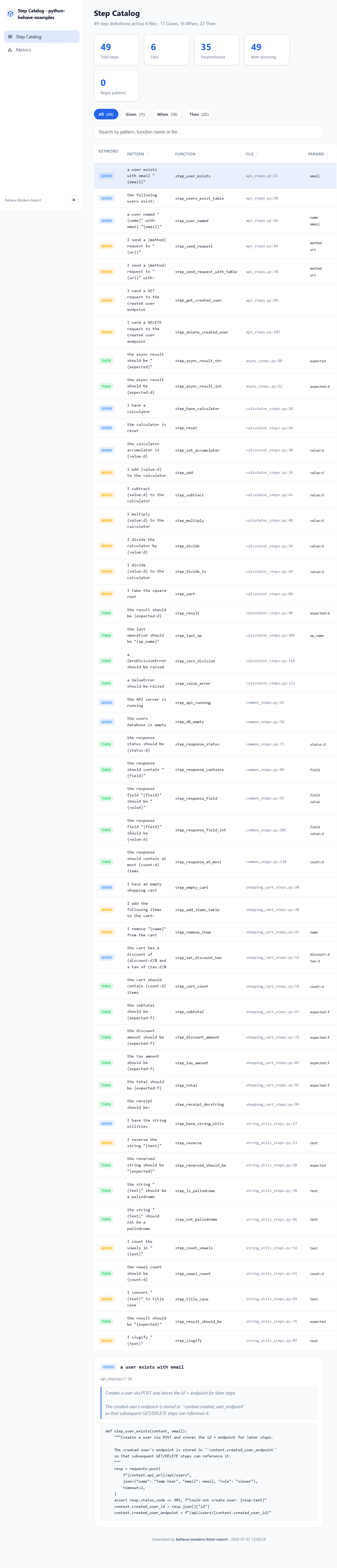
The catalog includes:
- All
@given,@when,@thenand@stepdecorated functions. - Step pattern, function name, file path and line number.
- Extracted parameters from
{placeholder}patterns. - Function docstrings and source code snippets.
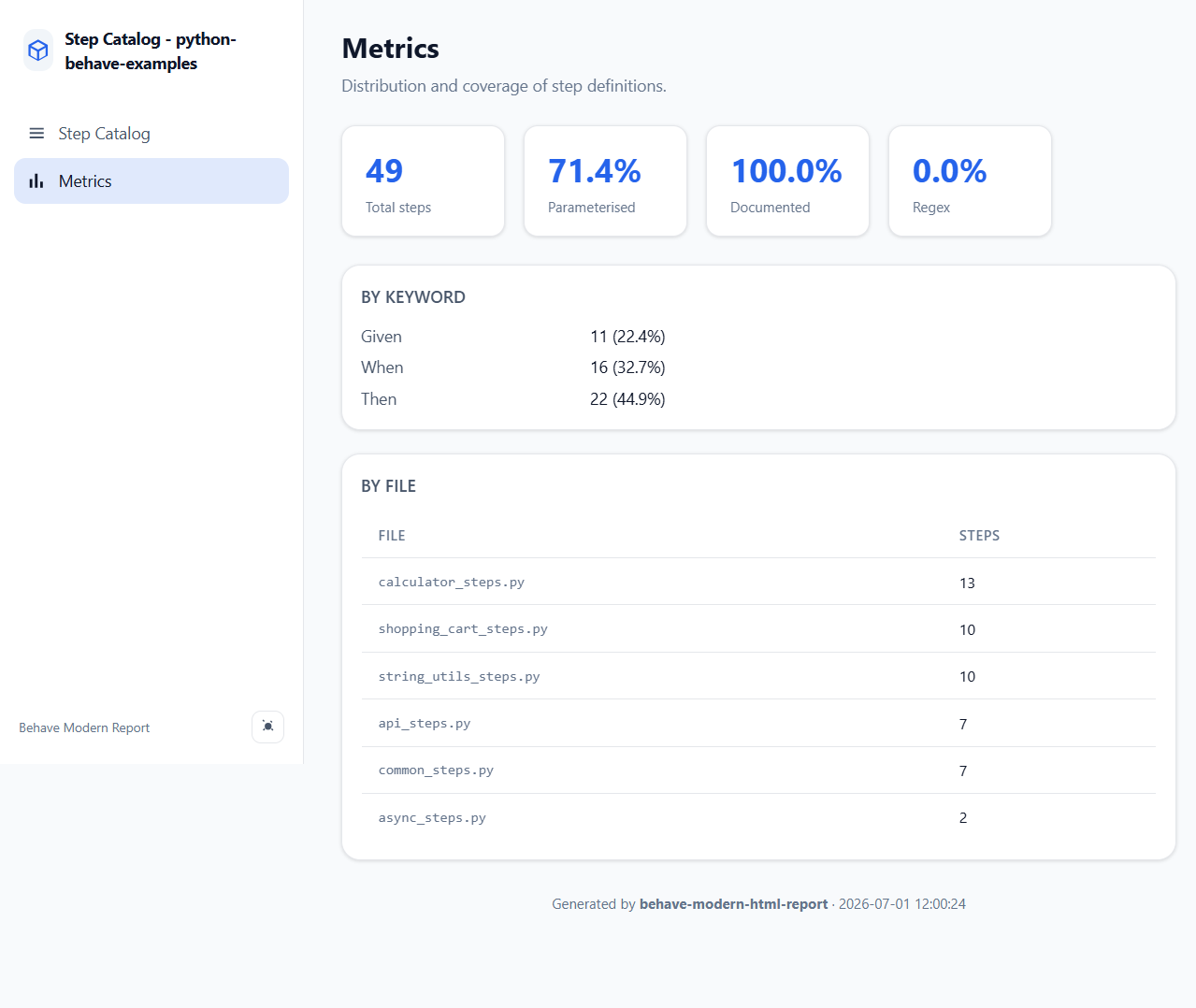
- Metrics: total steps, by keyword, by file, parameterised, documented, regex.
- Searchable, sortable table with keyword filters.
- Detail panel showing the full source code of each step.
You can customise the steps directory with bmr.steps_dir:
[behave.userdata]
bmr.steps_dir = features/steps
Programmatic usage
from behave_modern_html_report import scan_directory
from behave_modern_html_report.step_catalog_formatter import render_catalog
from pathlib import Path

catalog = scan_directory(Path("features/steps"))
html = render_catalog(catalog, title="My Step Catalog")
Path("steps.html").write_text(html, encoding="utf-8")
Report views
The generated report is a single-page application with a sidebar navigation.
Change the initial view with bmr.default_view and hide views with
bmr.hidden_views.
- Dashboard — high-level summary: totals, pass rate, status distribution, duration histogram, slowest scenarios, tag pass rate, error distribution, and a one-click summary for Slack or chat.
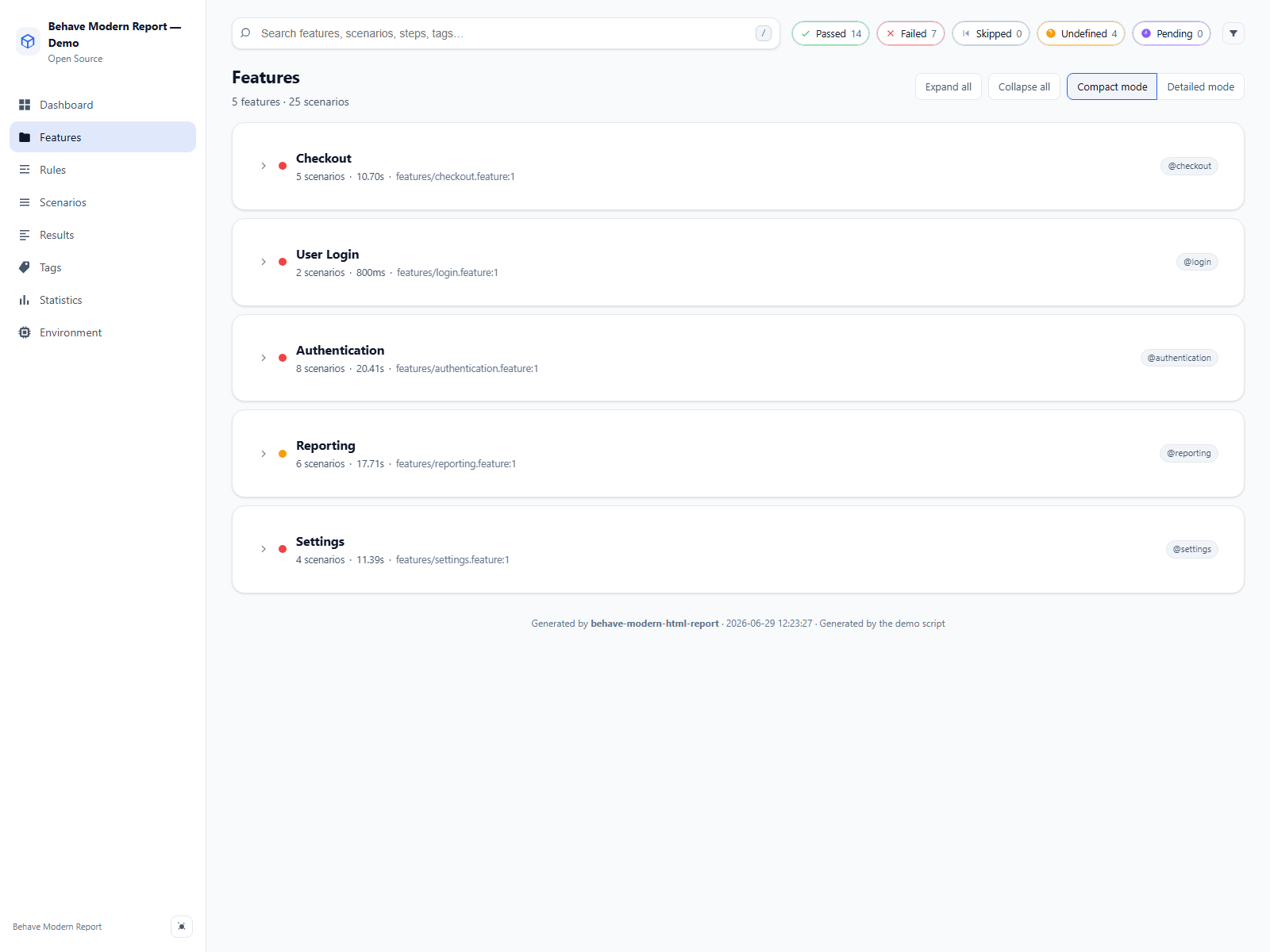
- Features — all features with status badges, tags, description and duration. Expand a feature to see its scenarios; Compact/Detailed toggle shows or hides rule and scenario details.
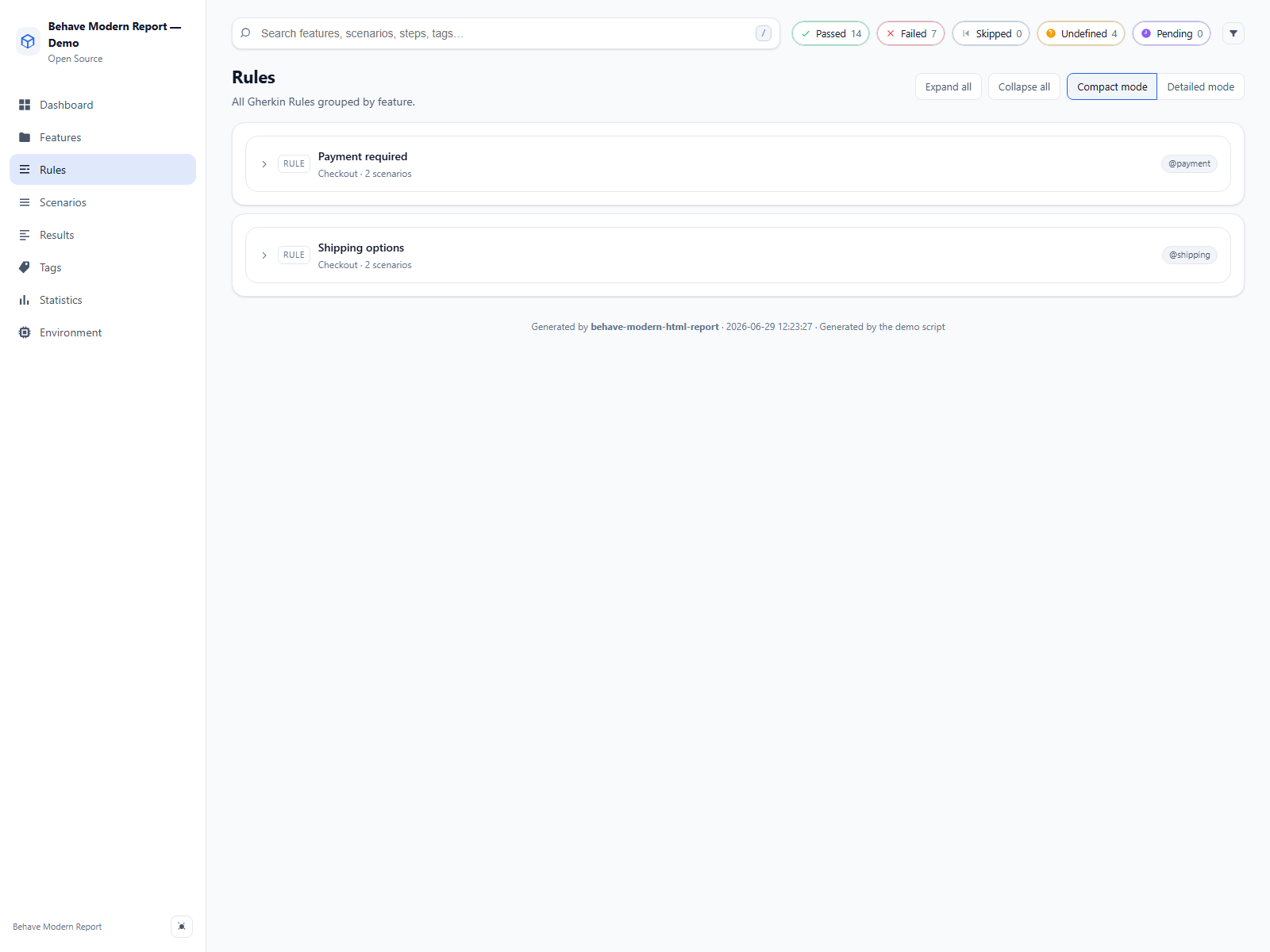
- Rules — all Gherkin
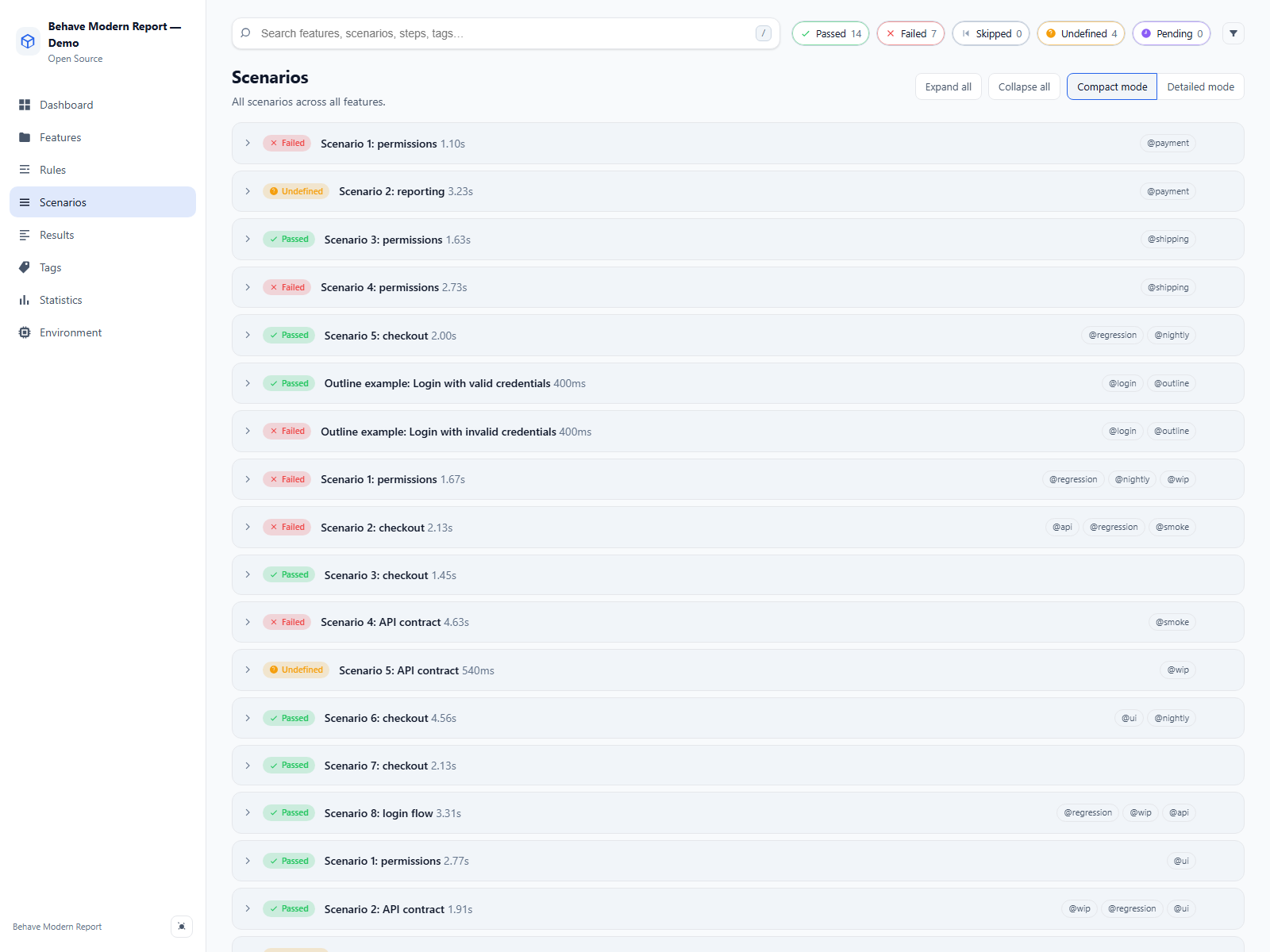
Rulegroups across every feature (Behave 1.3.x). - Scenarios — all scenarios as collapsible cards with steps, background steps, attachments, error traces and scenario outline banners.
- Results — compact table of every scenario with status, feature, rule, duration and tags.
- Tags — per-tag analytics: scenario count, pass rate with colour bars and accumulated duration.
- Statistics — raw metrics: status distribution, duration percentiles, per-feature summary and error distribution by exception type.
- Environment — host and runtime info captured at execution time: Python and Behave versions, platform, hostname, CPU, memory, git data, and CI environment variables (with secret redaction).
Examples
The repository includes two example projects under examples/.
Demo generator
examples/demo_generator/ builds a synthetic execution and renders it as HTML —
useful for previews, screenshots and design iteration without a real suite:
python examples/demo_generator/generate_demo.py
Output: examples/demo_generator/demo-report.html.
Functional Behave project
examples/behave_project/ is a complete Behave project with features, steps,
environment.py hooks, and behave.ini configured for the formatter:
cd examples/behave_project
pip install -r requirements.txt   # installs behave + this package (-e ../..)
behave                            # generates report.html
It exercises: backgrounds and scenario outlines, Gherkin Rule groups,
passing/failing/skipped/undefined scenarios, attachments on failure, slow
scenarios, and custom bmr.* userdata options. Run a subset with
behave --tags=login|checkout|smoke.
Report screenshots
Report views (click to expand)
Dashboard view
Features view
Rules view
Scenarios view
Results view
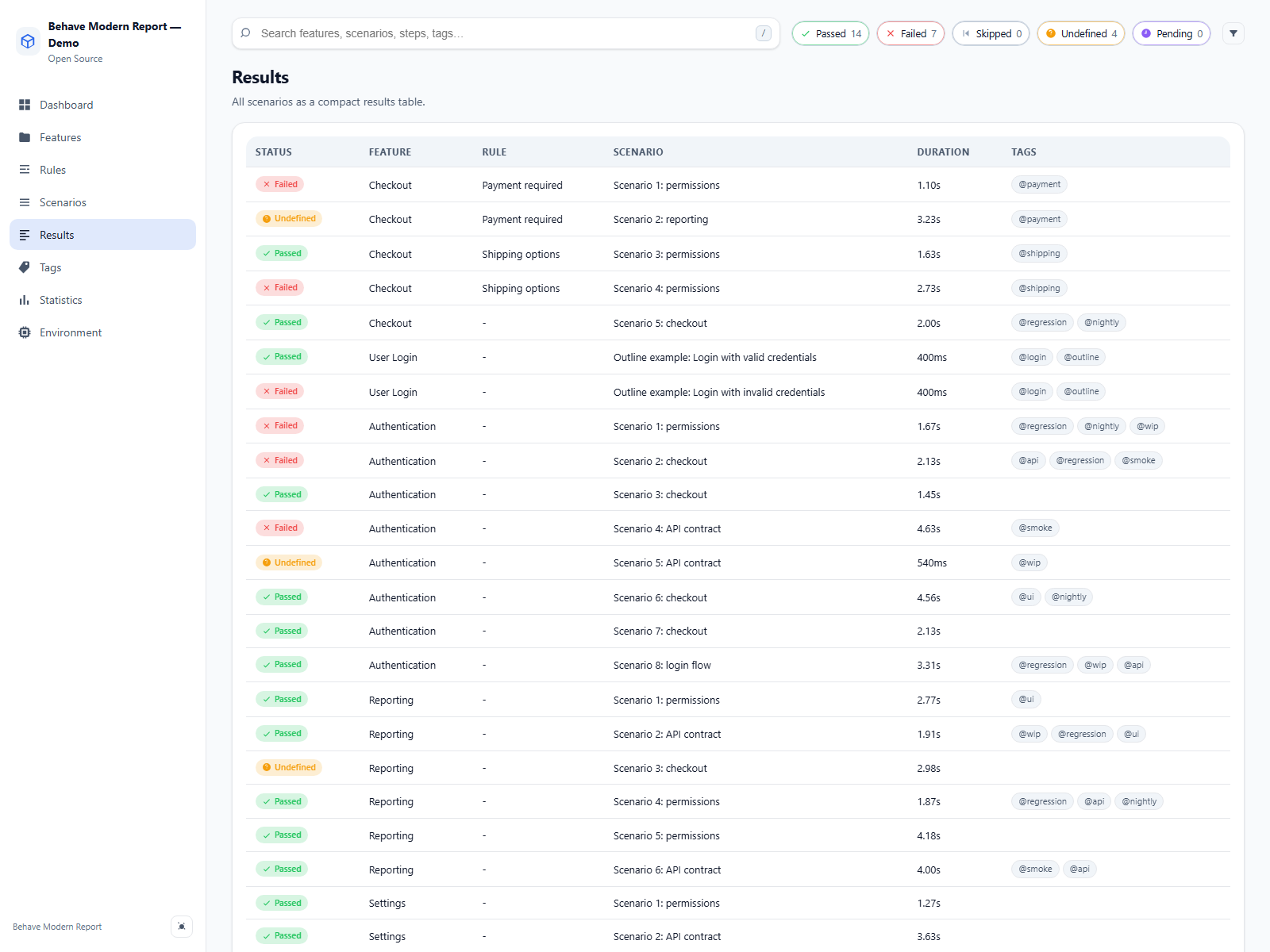
Tags view
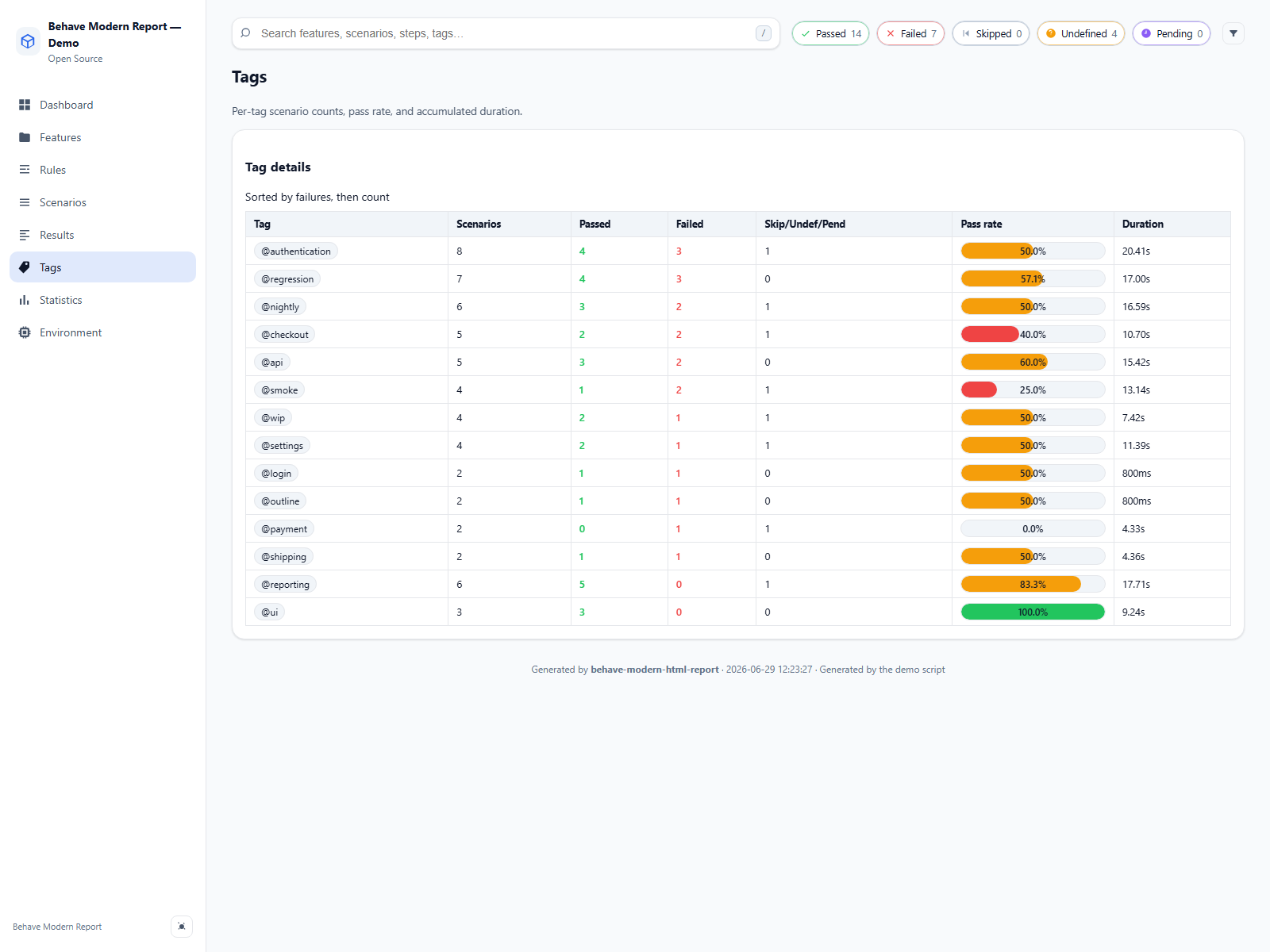
Statistics view
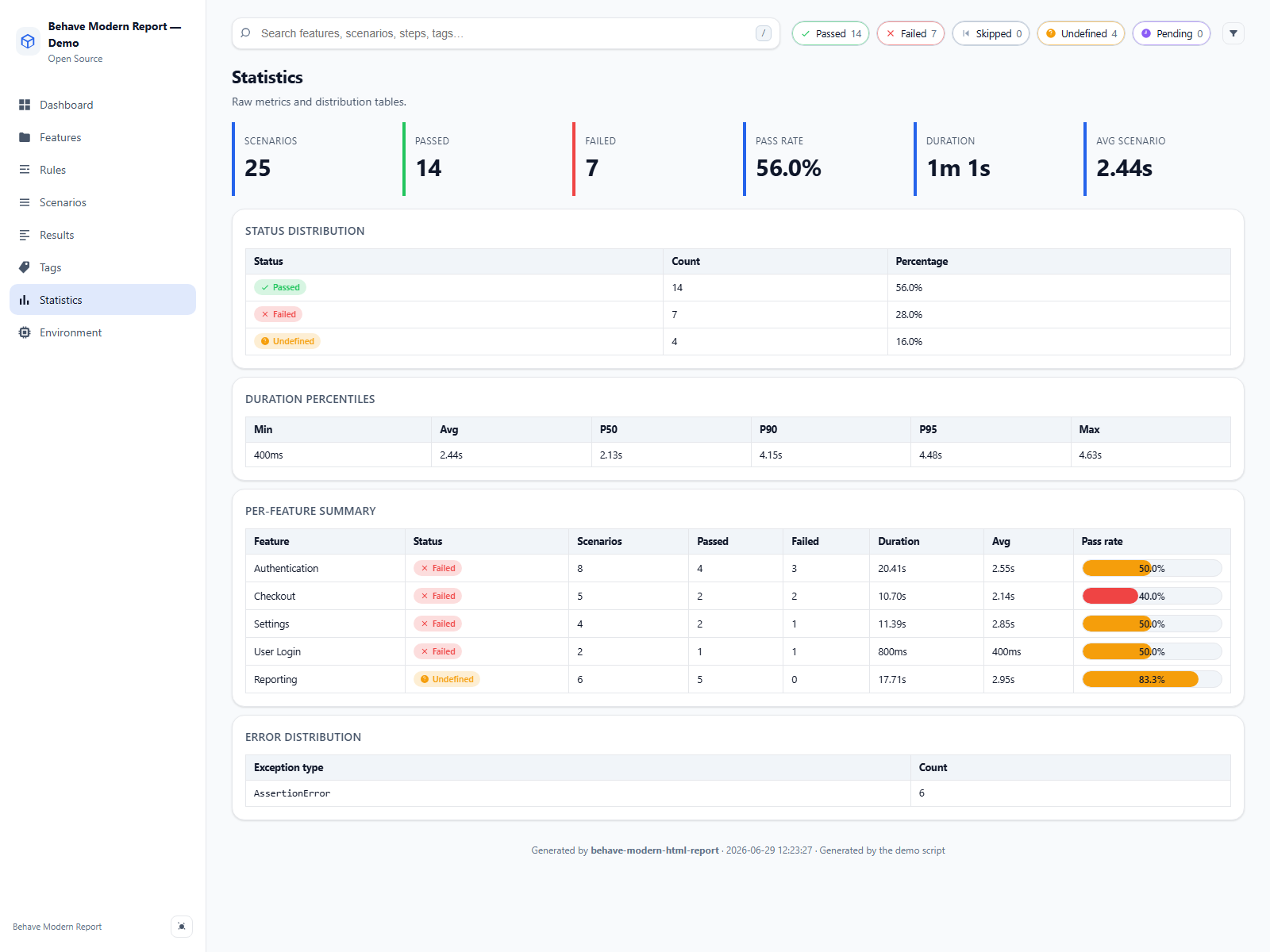
Environment view
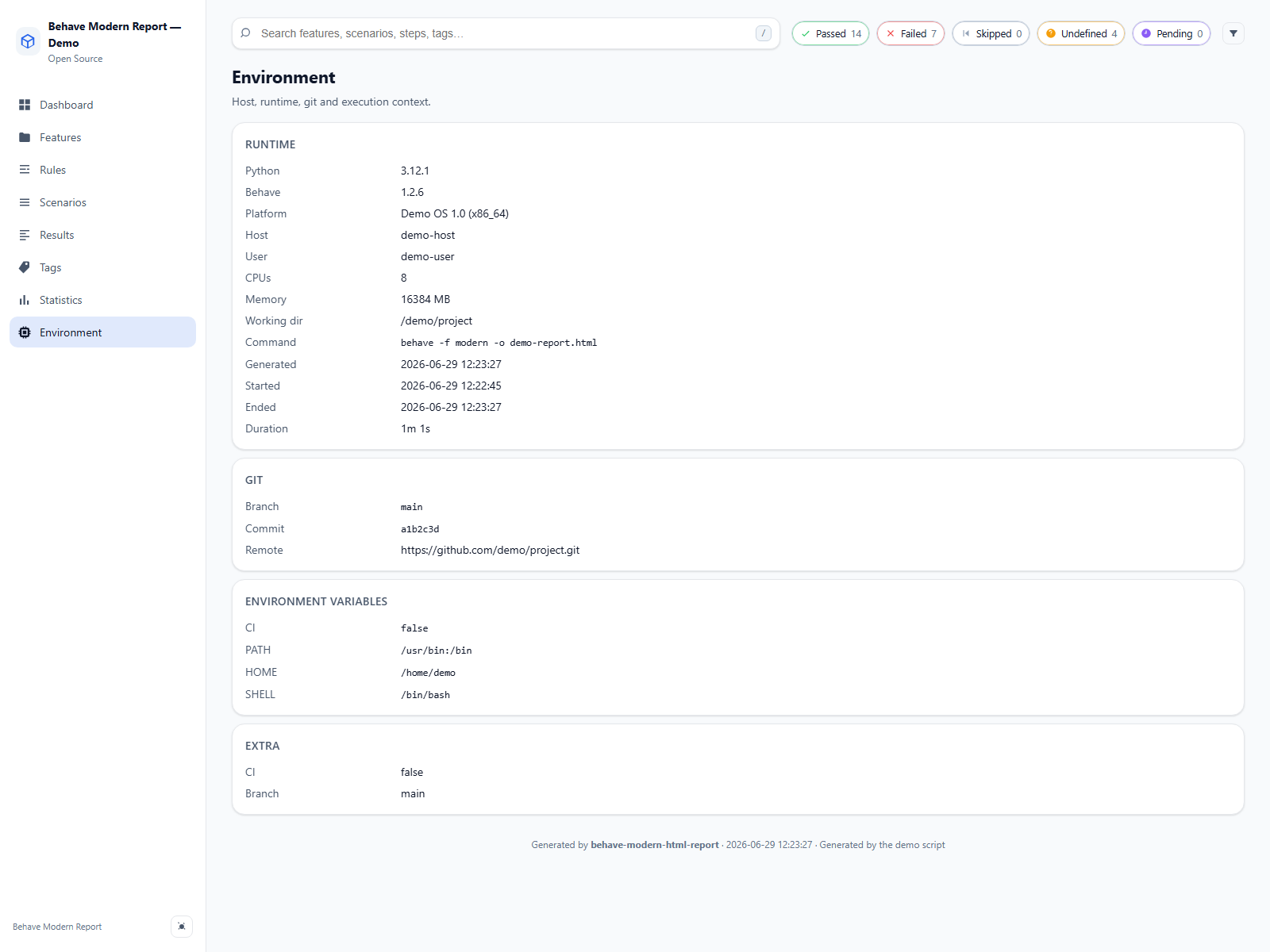
Step catalog
Architecture
behave-modern-html-report follows a strict layered architecture — each layer
has a single responsibility and depends only on the layers above it:
┌──────────────────────────────────────────┐
│  formatter.py   (Behave adapter)         │  ← only this layer knows about Behave
├──────────────────────────────────────────┤
│  collector.py   (event → model builder)  │
├──────────────────────────────────────────┤
│  models.py      (pure dataclasses)       │  ← no I/O, no framework imports
│  statistics.py  (aggregations)           │
├──────────────────────────────────────────┤
│  renderer.py    (Jinja2 → single HTML)   │
│  assets.py      (CSS/JS bundling)        │
│  templates/     (HTML components)        │
│  assets/        (CSS / JS / icons)       │
└──────────────────────────────────────────┘
Data flow:
- Behave invokes the formatter for each feature/scenario/step result.
- The formatter delegates to a
Collector, which builds anExecutiontree of dataclasses. - On
close(), the formatter callsCollector.finalize()which runsstatistics.compute()to derive aggregates. - A
Rendererloads Jinja2 templates and the bundled CSS/JS, embeds everything (and the execution as JSON for client-side rendering), and writes a single.htmlfile.
Why it matters:
- Testability — the collector accepts duck-typed stubs; the renderer
accepts an
Execution, so both can be tested without ever running Behave. - Reusability — anything that can build an
Execution(e.g. a JSON loader) can render the same report. - Future-proofing — new outputs or plugins only touch one layer.
The renderer never references external URLs: CSS, JS, icons (inline SVG sprite), attachments (base64) and the execution payload are all embedded. The output file works offline forever.
Development
git clone https://github.com/MathiasPaulenko/behave-modern-html-report.git
cd behave-modern-html-report
python -m venv .venv
. .venv/Scripts/activate   # PowerShell: .venv\Scripts\Activate.ps1
pip install -e ".[dev]"
pytest
ruff check .
Or use the Makefile: make install-dev, make test, make lint,
make format, make demo, make report.
See CONTRIBUTING.md for the full process, conventions and release steps, and SECURITY.md for the security policy.
License
MIT © Mathias Paulenko
1 maintainer

Metadata
1 maintainer
Release files for behave-modern-html-report 2.4.0
For a detailed explanation of source distributions (sdists) and built distributions (wheels), please see the package formats documentation.
Source distribution (sdist)
| File | Size | Uploaded | |
|---|---|---|---|
| behave_modern_html_report-2.4.0.tar.gz | 164.9 kB | Details |
Built distribution (wheel)
| File | Interpreter | ABI | Platform | Reset |
|---|---|---|---|---|
| behave_modern_html_report-2.4.0-py3-none-any.whl | Python 3 | none | any | Details |
Total release size: 232.2 kB
Release files / behave_modern_html_report-2.4.0.tar.gz
| Download URL | behave_modern_html_report-2.4.0.tar.gz |
|---|---|
| Size | 164.9 kB |
| Tags | Source |
|
SHA-256 checksum How to use checksums |
793136d2ade766b10dcc71f3e0178c2ef984c50f124a8de2ad8d495102cb38be
|
|
BLAKE2b-256 checksum How to use checksums |
bc9ce65ffdf09af779eef8cad74905efbe7482aaffe34b502174106267170cf4
|
| Upload date | |
|
Uploaded using Trusted Publishing? What is trusted publishing? |
Yes |
| Uploaded via |
twine/7.0.0 CPython/3.13.14
|
Provenance
Provenance describes where a file came from. On PyPI, provenance is shared via attestations, which provide a verifiable record of the build or publishing details. View details, limitations and caveats.


PyPI Publish Attestation
PyPI verified that this artifact, at this checksum, originated from the publisher listed below.
Signed by GitHub Actions, verified by PyPI on Oct 3, 2026.
Transparency logRelease files / behave_modern_html_report-2.4.0-py3-none-any.whl
| Download URL | behave_modern_html_report-2.4.0-py3-none-any.whl |
|---|---|
| Size | 67.3 kB |
| Tags | Python 3 |
|
SHA-256 checksum How to use checksums |
45d8a3181cc6532973bf338f1b330e776c3ab5f61db2b369cc59ba19ce8e7220
|
|
BLAKE2b-256 checksum How to use checksums |
b51ea4a8de33462768b81dbaf731dcb4e510b9973cd154ae04036ba9eaa7ce5b
|
| Upload date | |
|
Uploaded using Trusted Publishing? What is trusted publishing? |
Yes |
| Uploaded via |
twine/7.0.0 CPython/3.13.14
|
Provenance
Provenance describes where a file came from. On PyPI, provenance is shared via attestations, which provide a verifiable record of the build or publishing details. View details, limitations and caveats.
PyPI Publish Attestation
PyPI verified that this artifact, at this checksum, originated from the publisher listed below.
Signed by GitHub Actions, verified by PyPI on Oct 3, 2026.
Transparency log













