
No project description provided

Project description

Bench is a free, open-source command-line tool and dashboard web app for visualizing stock metrics.


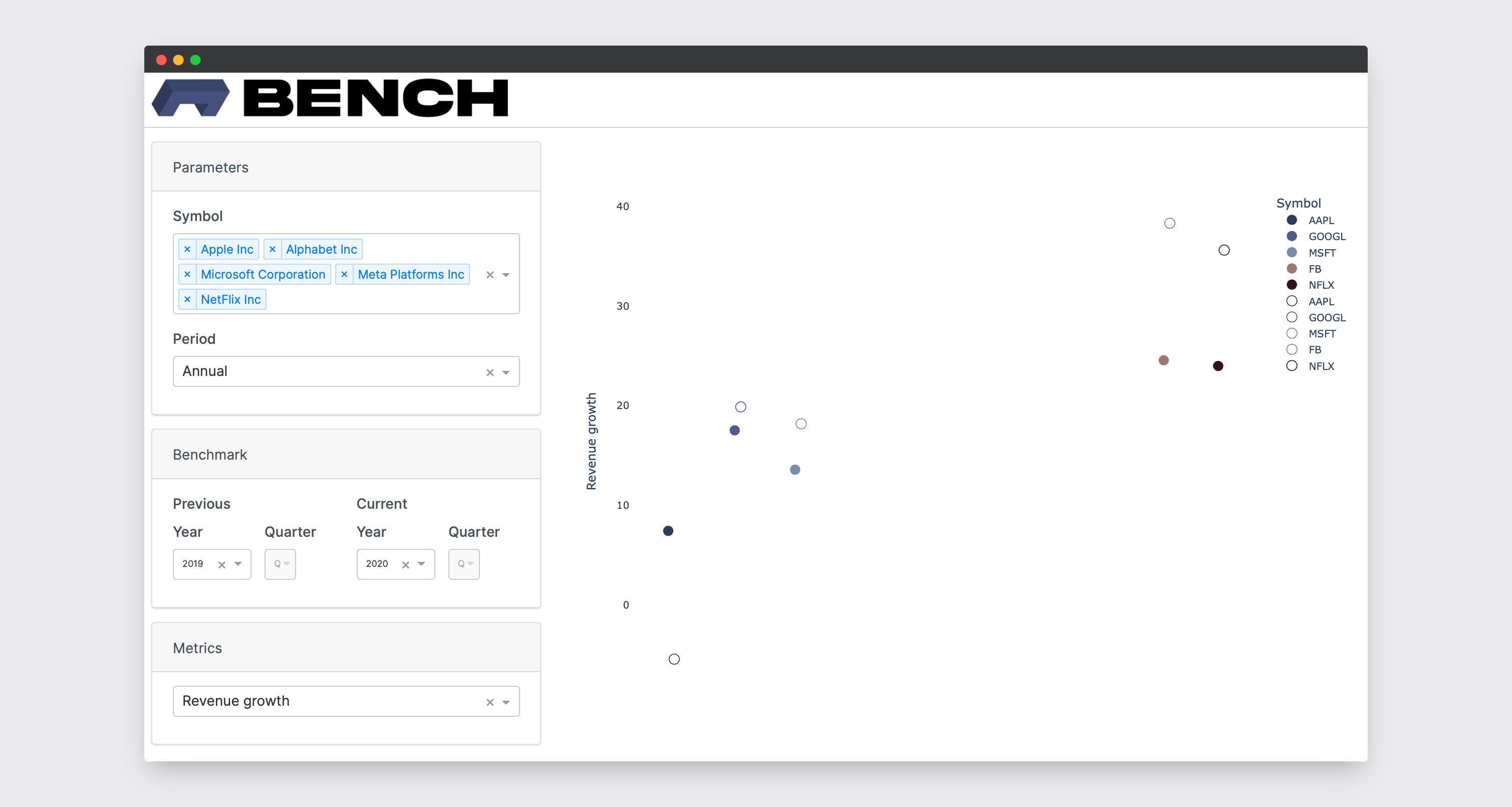
[TOC]
Install Bench
Requirements:
- Python 3.9 or greater
Recommended:
$ pip install bench-cli
You can also install as a dependency within a virtual environment with poetry:
$ poetry add bench-cli
Otherwise, clone the project and in the project directory run:
$ poetry install
Use Bench
Getting Started
IEX Cloud
Sign up for IEX Cloud and get your API token: https://iexcloud.io/
PostgreSQL Database
All you need to do is create a new Postgres database - that's it!
The SQL queries and API calls are executed with $ bench run -- that's where all the magic happens. The SQL queries can be found here.
Commands
$ bench --install-completion zsh # Installs completion for the shell
$ bench --show-completion zsh # Shows completion for the shell
$ bench init # Creates the Bench directory tree at the user's home directory
$ bench init --directory "~/Desktop" # Creates the Bench directory tree at the user's home directory and at specified path
$ bench env # Activates the default .env
$ bench env --use "~/Desktop/bench/envs/.env" # Activates the .env file at the specified path
$ bench add "GOOGL" # adds symbol GOOGL to the watchlist
$ bench remove "FB" # removes symbol FB from the watchlist
$ bench watchlist # Displays a table of symbols in the watchlist
$ bench pipeline -i annual -n 10 # Executes the data pipeline for the last 10 years of annual data (-i or --interval can be annual or quarterly)
$ bench dash # Serves the Dash app at localhost:8050
The directory structure that $ bench init creates should look like:
.
├── envs
└── logs
Environment Configuration
The .env file should look like this:
# The ENV_PATH is created at ~/bench/envs/.env by default. This variable will also update when a path other than the default is used
ENV_PATH='path_to_env'

# PostgreSQL config
BENCH_DB_HOST=''
BENCH_DB_PORT=''
BENCH_DB_USER=''
BENCH_DB_NAME=''
BENCH_DB_PASSWORD=''

# The version can either be 'test' or 'stable'. Test will use the IEX Cloud Sandbox API and the test token
BENCH_IEX_VERSION=''
BENCH_IEX_TOKEN=''
# IEX Cloud Sandbox API key
BENCH_IEX_TEST_TOKEN=''

# Can provide a list of symbols in a comma-separated list (eg. 'AAPL,GOOGL,MSFT'), or use the add and remove commands
BENCH_WATCHLIST=''
Roadmap
| Feature | Completed | Priority |
|---|---|---|
Add option to $ bench dash to specify a port |
N | *** |
| Data dictionary of supported metrics | N | *** |
| Detailed logger and reports | N | *** |
| Tests | N | *** |
| Add pipelines for other data sources | N | * |
| Job scheduler for the pipeline | N | * |
| DMD for the database | N | * |


Download files
Download the file for your platform. If you're not sure which to choose, learn more about installing packages.
Source Distribution
Built Distribution
Filter files by name, interpreter, ABI, and platform.
If you're not sure about the file name format, learn more about wheel file names.
Copy a direct link to the current filters
File details
Details for the file bench-cli-0.1.6.tar.gz.
File metadata
- Download URL: bench-cli-0.1.6.tar.gz
- Upload date:
- Size: 35.3 kB
- Tags: Source
- Uploaded using Trusted Publishing? No
- Uploaded via: poetry/1.1.10 CPython/3.9.7 Darwin/20.6.0
File hashes
| Algorithm | Hash digest | |
|---|---|---|
| SHA256 |
58a3cb104435ffa88f136d4dcdfbd1fb10e5e4ca752e502756207703fbe19ed9
|
|
| MD5 |
8961f5abfa74527278cab086ab988b92
|
|
| BLAKE2b-256 |
94a3ee34cfafbb43f6802abc8cd89836b1e2ca9b5b9c01c52ff23e39a233642d
|
File details
Details for the file bench_cli-0.1.6-py3-none-any.whl.
File metadata
- Download URL: bench_cli-0.1.6-py3-none-any.whl
- Upload date:
- Size: 37.3 kB
- Tags: Python 3
- Uploaded using Trusted Publishing? No
- Uploaded via: poetry/1.1.10 CPython/3.9.7 Darwin/20.6.0
File hashes
| Algorithm | Hash digest | |
|---|---|---|
| SHA256 |
4c37e66a301f7b382a4c17e1f1c04b6954e173d5041d99ec1fadc9ea8f3ea3b3
|
|
| MD5 |
75fee11781bb5121b1b8291535a96304
|
|
| BLAKE2b-256 |
9044f9b2bd63c34c184d5820ae580f0e8eab2af9e8a1b6f0e36168a4735d1f08
|






