
Better Bing Image Downloader
A fast, reliable Python library and CLI tool for bulk downloading images from Bing or DuckDuckGo.





Features
- Embeddable
DownloaderAPI — search programmatically withResult/ImageResultvalue objects, lifecycle hooks (on_image,on_error,on_progress,on_engine_start,on_engine_done), andsearch_asyncfor asyncio code - Two search engines, one API — Bing (default) or DuckDuckGo, switched via a single
engine=parameter - JSONL manifest export (
manifest=True) — one record per download attempt, crash-safe, downstream-auditable min_dimensionfilter — skip images smaller than N pixels on either side, useful for ML training data prep- HTTP/HTTPS proxy support — route all traffic through a proxy with a single
proxy=parameter - Cancel mid-run via
CancelToken— abort asearch()cleanly without leaving partial state - No browser required — both engines use plain HTTP/JSON (no Selenium, no headless Chrome)
- Parallel downloading with configurable worker threads (atomic writes, no partial files)
- Resume support — re-running skips already-downloaded files and fills the gap
- Image deduplication — MD5 hash check prevents saving the same image twice from different URLs
- Image type validation —
filetypelibrary rejects non-image responses - Filtering by image type (photo, clipart, line drawing, animated gif, transparent) on Bing
- Adult content filter control, bad sites exclusion list
bbidCLI command installed automatically with the package- Exponential backoff on network errors with per-page retry
- Requires Python 3.8+
Table of Contents
- Installation
- Quick Start
- Search Engines
- Python API
- CLI — bbid
- Parameters
- Examples
- Multidownloader (Deprecated)
- Changelog
- Disclaimer
- License
Installation
pip install better-bing-image-downloader
For Google/Selenium (legacy, deprecated in 3.1.0) support:
pip install "better-bing-image-downloader[google]"
Both Bing and DuckDuckGo engines work out of the box — no extra dependencies. The brotli package (used to decode DuckDuckGo's Brotli-compressed responses) is a hard runtime dependency as of 3.1.1.
From source
git clone https://github.com/KTS-o7/better_bing_image_downloader
cd better_bing_image_downloader
python -m venv .venv
source .venv/bin/activate  # On Windows: .venv\Scripts\activate
pip install -e ".[dev]"
Quick Start
from better_bing_image_downloader import Downloader

# Bing (default)
result = Downloader().search("golden retriever", limit=50)
# → downloads to ./dataset/golden retriever/
print(result.count, "images saved to", result.output_dir)

# DuckDuckGo
result = Downloader().search("golden retriever", limit=50, engine="duckduckgo")
The legacy downloader() function (downloader("golden retriever", limit=50))
still works and is kept for backwards compatibility.
# Bing (default)
bbid "golden retriever" --limit 50

# DuckDuckGo
bbid "golden retriever" --limit 50 --engine duckduckgo
Search Engines
Bing (default)
- Direct API access via
https://www.bing.com/images/async - Supports image-type filtering:
photo,clipart,line/linedrawing,gif/animatedgif,transparent - Supports market codes (
mkt) for region-specific results - No additional dependencies
DuckDuckGo (new in 3.1.0)
- Direct API access via
https://duckduckgo.com/i.js(Brotli-compressed JSON) - No API key, no rate-limit token beyond a short-lived
vqdcookie - Supports safe-search modes:
strict,moderate(default),off - Supports region codes (e.g.
us-en,uk-en) - No additional dependencies (
brotliis bundled in the base install)
DuckDuckGo is a great fallback when Bing is rate-limiting or blocking your IP, and vice versa.
Python API
from better_bing_image_downloader import downloader

count = downloader(
    query="cute puppies",
    limit=100,
    output_dir="my_images",
    engine="bing",                # "bing" (default) or "duckduckgo"
    adult_filter_off=True,        # Bing only
    force_replace=False,          # False = resume (skip existing files)
    timeout=60,
    image_filter="photo",         # Bing only: "line", "photo", "clipart", "gif", "transparent"
    verbose=True,
    badsites=["stock.adobe.com", "shutterstock.com"],
    name="Puppy",
    max_workers=8,
    mkt="en-US",                  # Bing only: market code
    ddg_safe_search="moderate",   # DuckDuckGo only: "strict", "moderate", "off"
    ddg_region="us-en",           # DuckDuckGo only: region code
)
print(f"Downloaded {count} images")
The return value is the number of newly downloaded images (not counting files that were already on disk from a previous run).
Embedding as a library (recommended for serious use)
For web services, data pipelines, or anywhere you want more than a one-shot
return value, use the Downloader class. It gives you a Result object
with the full list of saved images, lifecycle hooks for progress / error
reporting, a public engine registry for plugging in custom engines, and
a shared session (cookie jar + opener) so DuckDuckGo's vqd cookie
survives across many search calls.
from better_bing_image_downloader import Downloader, ImageResult, Result

# Zero-arg construction
dl = Downloader()

# Optional lifecycle hooks
dl.on_image = lambda img: print(f"saved {img.path.name} ({img.size_bytes} bytes)")
dl.on_error = lambda url, exc: print(f"failed {url}: {exc}")

# Run a search
result: Result = dl.search("red panda", limit=10, engine="duckduckgo")

print(f"Saved {result.count} images to {result.output_dir}")
for img in result.images:
    print(f"  {img.image_index}. {img.path.name} from {img.source_url}")
    # img.size_bytes, img.mime_type, img.engine, img.query also available
Routing through a proxy
If your network requires an HTTP/HTTPS proxy (corporate firewall, ML
training infra that proxies outbound HTTP, regions where Bing/DuckDuckGo
block direct requests), configure it once on the Downloader and every
request — search page fetches and image downloads — is routed through it:
from better_bing_image_downloader import Downloader

dl = Downloader(proxy="http://proxy.example.com:8080")
result = dl.search("red panda", limit=10, engine="duckduckgo")
The proxy is fixed for the lifetime of the Downloader instance
(matching the cookie-jar/opener model). To rotate proxies, construct a
new Downloader per proxy. With no proxy set, requests behave exactly
as before and honour the standard HTTP_PROXY/HTTPS_PROXY environment
variables. Only HTTP/HTTPS proxies are supported in v1 of this feature
(no SOCKS5).
Plugging in a custom engine
Subclass ImageEngine, register it, and the Downloader will route to it:
from better_bing_image_downloader import Downloader, ImageEngine, Bing

class MyEngine(Bing):
    """Engine that searches Bing with a fixed mkt and custom filter."""
    def __init__(self, *args, **kwargs):
        kwargs.setdefault("mkt", "de-DE")
        kwargs.setdefault("filter", "photo")
        super().__init__(*args, **kwargs)

dl = Downloader()
dl.register("myengine", MyEngine)
result = dl.search("bergsteiger", limit=5, engine="myengine")
register(name, cls) enforces that cls is a subclass of ImageEngine,
so the registry only accepts engines that implement the expected
run() / download_image() contract.
Distinguishing "no results" from "all skipped"
In 3.2.x, a query that returned zero results was indistinguishable
from one where all candidates were already on disk (resume). In
3.3.0, Result.no_results_found makes the distinction explicit:
result = dl.search("xyz_no_such_query", limit=10, engine="duckduckgo")
if result.no_results_found:
    print("Search returned no candidates — try different terms")
elif result.count == 0 and result.skipped > 0:
    print("All candidates were already downloaded")
elif result.count == 0 and len(result.errors) > 0:
    print(f"All downloads failed: {result.errors}")
Cancelling a long-running search
For web services, notebooks, or anywhere you might want to abort
a long-running search, use a CancelToken:
import threading
from better_bing_image_downloader import Downloader, CancelToken

dl = Downloader()
token = CancelToken()

def cancel_after(tok, delay):
    import time
    time.sleep(delay)
    tok.cancel()

# Cancel after 1 second
threading.Thread(target=cancel_after, args=(token, 1.0)).start()

result = dl.search(
    "red panda",
    limit=10_000,           # user asked for a lot
    engine="duckduckgo",
    cancel=token,           # cooperative engines will abort
)
print(f"Saved {result.count} images; cancelled={result.cancelled}")
CancelToken is thread-safe and reusable (call token.reset()
between searches). The Result returned from a cancelled search
has cancelled=True and reflects whatever was completed.
Async usage
For web services, notebooks with top-level await, or any async
context, use search_async():
import asyncio
from better_bing_image_downloader import Downloader

async def main():
    dl = Downloader()
    result = await dl.search_async("red panda", limit=10, engine="duckduckgo")
    print(f"Saved {result.count} images")

asyncio.run(main())
search_async runs the existing search() in a worker thread via
asyncio.to_thread(), so it doesn't block the event loop. Hooks,
the CancelToken, and on_progress all work the same way.
Progress callback
If you want a progress bar with percentage and ETA, set on_progress:
from better_bing_image_downloader import Downloader

dl = Downloader()
dl.on_progress = lambda pct, done, total, eta: print(
    f"\r{pct:5.1f}% ({done}/{total}) ETA: {eta:.0f}s" if eta else f"\r{pct:5.1f}%"
)
result = dl.search("red panda", limit=100, engine="duckduckgo")
on_progress(percent, downloaded, total, eta_seconds) fires after
each successful download. eta_seconds is None for the first
download (one sample isn't enough to extrapolate).
Typed error handling
As of 3.4.0, save_image failures are typed so you can handle
specific cases:
from better_bing_image_downloader import (
    Downloader, NetworkError, InvalidImageError, DuplicateImageError, WriteError,
)

dl = Downloader()
def classify(url, exc):
    if isinstance(exc, NetworkError):
        print(f"network: {url}")
    elif isinstance(exc, InvalidImageError):
        print(f"bad mime: {url}")
    elif isinstance(exc, DuplicateImageError):
        print(f"duplicate: {url}")
    elif isinstance(exc, WriteError):
        print(f"disk: {url}")
dl.on_error = classify
Catching the base ImageSaveError continues to work and matches
all four subclasses (Liskov substitution).
Manifest export (v3.5.0+)
For ML training data preparation, write a JSONL manifest with one record per download attempt:
from better_bing_image_downloader import Downloader

dl = Downloader()
result = dl.search(
    "red panda", limit=100, engine="duckduckgo",
    manifest=True,
    # Optional: customise which fields appear in each record.
    manifest_fields=["index", "status", "url", "file", "md5", "error", "source_page"],
)
print(f"Saved {result.count} images")
print(f"Manifest: {result.manifest_path}")
# <output_dir>/red panda/manifest.jsonl
Each line is a self-contained JSON object:
{"index": 1, "status": "ok", "url": "https://example.com/red-panda.jpg", "file": "red panda_1.jpg", "md5": "5d41402abc4b2a76b9719d911017c592", "error": null, "source_page": "https://duckduckgo.com/?q=red+panda&iax=images&ia=images"}
Status values are "ok", "error", or "skipped". The
source_page field is the URL of the search-results page the
image came from. Failed downloads record the typed exception
class name in error (e.g. "NetworkError"). The record format
is described by docs/manifest.schema.json
(JSON Schema Draft 2020-12).
The manifest is line-buffered and flushed after every record by
default, so a partial run leaves a valid (partial) file. Use
ManifestWriter directly if you need custom pipelines:
from pathlib import Path
from better_bing_image_downloader import ManifestWriter

with ManifestWriter(Path("my-manifest.jsonl")) as w:
    w.append({"index": 1, "status": "ok", "url": "...", "file": "x.jpg", "md5": "...", "error": None, "engine": "bing", "query": "cat", "source_page": "...", "downloaded_at": "2026-06-13T15:30:42Z"})
CLI equivalent:
bbid --manifest --manifest-fields index,status,url,md5 "red panda"
Minimum dimension filter (v3.6.0+)
For ML training data, thumbnails are noise. Pass min_dimension to
skip any image smaller than N pixels on either side before it's
saved:
from better_bing_image_downloader import Downloader

dl = Downloader()
result = dl.search(
    "red panda", limit=100, engine="duckduckgo",
    min_dimension=512,  # reject anything under 512x512
)
print(f"Saved {result.count} images, skipped {result.skipped} too-small ones")
Skipped images don't count against result.images or
result.errors — result.skipped is incremented instead, since a
too-small image is an intentional filter outcome, not a failure.
With manifest=True, each skip is recorded as
{"status": "skipped", "error": "BelowMinDimension", ...} so
downstream tooling can audit exactly what was filtered and why.
Dimensions are read from PNG, JPEG, GIF, BMP, and WEBP headers directly (no extra dependency). Formats we can't parse (e.g. TIFF) are never filtered — an unmeasurable image is always kept rather than dropped on a guess.
Resume behaviour
By default (force_replace=False), re-running the same query skips already-downloaded files and downloads only what's missing:
# First run: downloads 100 images
downloader("cats", limit=100, output_dir="dataset")

# Second run: all 100 exist — downloads nothing, returns 0
downloader("cats", limit=100, output_dir="dataset")

# Third run with higher limit: skips 100 existing, downloads 50 new ones
downloader("cats", limit=150, output_dir="dataset")

# DuckDuckGo works the same way
downloader("cats", limit=150, output_dir="dataset", engine="duckduckgo")
Download manifest (legacy, deprecated)
Deprecated:
_manifest.jsonis deprecated since v3.8.1 and will be removed in v4.0.0. Use the JSONLmanifest.jsonlexport (manifest=True, see above) for all new tooling.
The legacy downloader() function also writes a _manifest.json file to the
output directory after every run — a v3.1.x format kept for backwards
compatibility:
{
  "Image_1.jpg": "https://example.com/photo1.jpg",
  "Image_2.png": "https://example.com/photo2.png"
}
Successive runs merge into the existing manifest. Prefer the JSONL
manifest.jsonl export (see above) for new tooling — it records one
entry per download attempt, including errors and skips.
Backward compatibility
The old filter= keyword argument still works but emits a DeprecationWarning. Use image_filter= going forward:
# Deprecated (still works):
downloader("cats", filter="photo")

# Correct:
downloader("cats", image_filter="photo")
CLI — bbid
The bbid command is installed automatically with the package:
bbid --help
bbid --version

# Basic Bing download
bbid "mountain landscape" --limit 100

# DuckDuckGo
bbid "mountain landscape" --limit 100 --engine duckduckgo

# DuckDuckGo with safe search off and UK region
bbid "mountain landscape" --limit 100 --engine duckduckgo \
    --ddg-safe-search off --ddg-region uk-en

# With options
bbid "logo design" \
  --engine bing \
  --limit 50 \
  --filter transparent \
  --workers 8 \
  --output_dir logos \
  --verbose

# Exclude sites
bbid "puppies" --limit 200 --bad-sites stock.adobe.com shutterstock.com

# Through an HTTP/HTTPS proxy
bbid "mountain landscape" --limit 100 --proxy http://proxy.example.com:8080
CLI options
| Option | Short | Default | Description |
|---|---|---|---|
query |
(required) | Search term | |
--engine |
-e |
bing |
Search engine: bing or duckduckgo |
--limit |
-l |
100 | Maximum images to download |
--output_dir |
-d |
dataset |
Output directory |
--adult_filter_off |
-a |
False | Disable adult content filter (Bing only) |
--force_replace |
-F |
False | Delete and recreate output dir |
--timeout |
-t |
60 | Connection timeout (seconds) |
--filter |
-f |
"" |
Image type filter (Bing only) |
--verbose |
-v |
False | Detailed output |
--bad-sites |
-b |
[] |
Sites to exclude |
--name |
-n |
Image |
Base filename prefix |
--workers |
-w |
4 | Parallel download threads |
--mkt |
-m |
en-US |
Bing market code (Bing only) |
--ddg-safe-search |
moderate |
DuckDuckGo safe-search: strict, moderate, off |
|
--ddg-region |
us-en |
DuckDuckGo region code | |
--proxy |
None |
HTTP/HTTPS proxy URL for all requests (e.g. http://proxy:8080) |
|
--version |
Show version and exit |
Parameters
downloader() API parameters
| Parameter | Type | Default | Applies to | Description |
|---|---|---|---|---|
query |
str | (required) | both | Search term |
limit |
int | 100 | both | Maximum images to download |
output_dir |
str | 'dataset' |
both | Root output directory |
engine |
str | 'bing' |
both | Search engine: 'bing' or 'duckduckgo' |
adult_filter_off |
bool | False | Bing | Disable adult content filter |
force_replace |
bool | False | both | Delete existing dir before download |
timeout |
int | 60 | both | Connection timeout in seconds |
image_filter |
str | "" |
Bing | Image type: line, photo, clipart, gif, transparent |
verbose |
bool | True | both | Print download progress |
badsites |
list | [] |
both | Domains to exclude |
name |
str | 'Image' |
both | Base filename prefix |
max_workers |
int | 4 | both | Parallel download threads (1–16) |
mkt |
str | 'en-US' |
Bing | Market code for language/region |
ddg_safe_search |
str | 'moderate' |
DuckDuckGo | strict, moderate, or off |
ddg_region |
str | 'us-en' |
DuckDuckGo | Region code (e.g. us-en, uk-en) |
Examples
Download with type filter (Bing)
from better_bing_image_downloader import downloader

# Download transparent PNGs (useful for logos/icons)
downloader(
    query="logo design",
    limit=50,
    image_filter="transparent",
    max_workers=8,
    output_dir="logos",
)
Use DuckDuckGo for the same query
from better_bing_image_downloader import downloader

downloader(
    query="logo design",
    limit=50,
    engine="duckduckgo",
    ddg_safe_search="off",  # don't filter logos as adult content
    max_workers=8,
    output_dir="logos",
)
Exclude stock photo sites
downloader(
    query="nature photography",
    limit=200,
    badsites=["stock.adobe.com", "shutterstock.com", "gettyimages.com"],
    max_workers=8,
)
Resume a long-running download
# Run 1: start a 500-image download
downloader("mountain landscape", limit=500, output_dir="dataset")

# ... process is killed or the network drops ...

# Run 2: pick up where we left off — only the missing images are fetched
downloader("mountain landscape", limit=500, output_dir="dataset")
Multidownloader (Deprecated)
The Selenium-based multidownloader CLI is deprecated and will be removed in v4.0.0. The Google path no longer works: Google serves a JavaScript-only shell page to all non-browser HTTP requests, so image URLs cannot be extracted without a real browser.
For the Bing path, prefer the new bbid CLI or downloader() function with engine="bing". As a DuckDuckGo alternative, use bbid --engine duckduckgo (or engine="duckduckgo" in Python).
If you have a hard requirement on the Selenium path, you can still import it directly, but expect a DeprecationWarning:
import warnings
warnings.filterwarnings("ignore", category=DeprecationWarning)

from better_bing_image_downloader.multidownloader import main
main(["query", "--engine", "Bing", "--driver", "firefox_headless"])
Changelog
3.5.0 (JSONL manifest export)
- New:
Downloader.search(manifest=True)writes a JSONLmanifest.jsonlwith one record per download attempt. Use it for ML training data prep. - New: 10 default fields (index, status, url, file, md5, error, engine, query, source_page, downloaded_at). Override with
manifest_fields=[...]. - New:
Result.manifest_pathexposes the absolute manifest path. - New:
ManifestWriterclass is reusable independently ofDownloaderfor custom pipelines. - New:
ImageEngine.last_page_urlis captured assource_pagein each record (provenance for ML dataset prep). - New: 4 new CLI flags:
--manifest,--manifest-path,--manifest-fields,--manifest-flush-every. - Tests: 123 → 149 (added 26 feature tests in
tests/test_v3_5_0_manifest.py).
3.4.0 (typed errors + progress + async)
- New: Typed
ImageSaveErrorsubclasses —NetworkError,InvalidImageError,DuplicateImageError,WriteError. CatchingImageSaveErrorstill catches all of them - New:
on_progress(percent, downloaded, total, eta_seconds)hook onDownloader— powers progress bars and ETA displays - New:
Downloader.search_async()— async wrapper aroundsearch()viaasyncio.to_thread. No new dependencies. Returns the sameResult - Changed:
save_imageis now a catching wrapper; new_save_image_raising()is the typed-exception variant. Backwards compatible. - Tests: 112 → 123 (added 11 feature tests in
tests/test_v3_4_0_features.py)
3.3.0 (no-results signal + cancellation)
- New:
Result.no_results_found—Truewhen the search backend returned zero candidates. Distinguishes "search returned nothing" from "search returned stuff but nothing was saved" - New:
CancelTokenclass andDownloader.search(cancel=token)— abort a long-running search mid-flight by callingtoken.cancel()from another thread or a signal handler - New:
Result.cancelled—Trueif aCancelTokenaborted the run - New:
ImageEngine.is_cancelled()helper for custom engines - Fix:
Result.skippedis now clamped to 0 (no negative counts from misbehaving custom engines) - Tests: 105 → 112 (added 7 feature tests in
tests/test_v3_3_0_features.py)
3.2.1 (robustness patch)
- Fix:
Downloader.search()no longer silently drops failed image saves. Whensave_imagereturnsFalse(network error, invalid image, duplicate, or write failure), the failure is now surfaced via the user'son_errorhook andResult.errors. NewImageSaveErrorexception class is the public surface for this signal. - Tests: 99 → 105 (added 6 robustness tests in
tests/test_v3_2_1_robustness.py)
3.2.0 (embeddable API)
- New:
Downloaderclass — the recommended entry point for library users. Owns a session (cookie jar + opener), an engine registry, and lifecycle hooks - New:
ResultandImageResultvalue objects —Downloader.search()returns aResultwith the full list of saved images, errors, and metadata - New: Lifecycle hooks:
on_image,on_error,on_engine_start,on_engine_done— wire progress, logging, or cancellation into the download flow - New: Public engine registry:
Downloader.register(name, engine_class)— plug in custom engines without monkey-patching - New: Shared session across calls — one
Downloaderinstance reuses TCP connections and DuckDuckGo'svqdcookie across many searches - New:
ImageEngineis now an abstract base class with@abstractmethod run()— custom engines get a clear contract enforced by mypy - Backward compatible: the module-level
downloader()function and per-engine classes (Bing,DuckDuckGo) still work; they're thin wrappers overDownloader - Tests: 72 → 99 tests (added 18 v3.2.0 API tests + 1 live integration test)
3.1.1 (integrability patch)
- New:
Bing()andDuckDuckGo()can be instantiated with just(query, limit, output_dir)—adult,timeout,filter,verbose, and engine-specific options all have sensible defaults - New:
brotliis now a hard runtime dependency (was an optional[duckduckgo]extra that returned 403 if missing) - New:
py.typedmarker shipped — downstreammypyusers get the type hints we test against - Fix:
downloader()signature: onlyqueryis required, all 12+ other parameters have defaults
3.1.0
- New: DuckDuckGo image search engine — works without Selenium, no API key, Brotli-compressed JSON API
- New:
engine="bing" | "duckduckgo"parameter ondownloader()and--engineflag onbbid - New: DuckDuckGo-specific options:
ddg_safe_search(strict/moderate/off) andddg_region - New: Optional
[duckduckgo]extra installs the requiredbrotlipackage - New:
ImageEnginebase class — both engines now share download, dedup, resume, and manifest logic (less duplication, fewer bugs) - Fix: Atomic file writes in
bing.save_image(temp file → rename on success, no partial files on failure) - Fix: Per-future timeout on parallel downloads (was blocking indefinitely on stalled connections)
- Fix: Exponential backoff on Bing network errors (was a fixed 2-second sleep, no retry cap)
- Fix: Bing now stops cleanly when a page yields no new images (was risking infinite loops)
- Fix:
helperdownloaduseslogginginstead ofprint()(no more stdout pollution when used as a library) - Deprecation: Selenium-based
multidownloaderCLI is deprecated; will be removed in v4.0.0 - Tests: 41 → 72 tests (added atomic-write, parallel-future, DuckDuckGo, engine-dispatch tests)
3.0.1
- Updated Bing headers to advertise gzip/deflate; decompresses compressed responses
- Default adult filter changed to
moderate(Bing's recommended safe search) - New
mktparameter (defaulten-US) for region-specific Bing results
3.0.0
- Breaking:
filterparameter renamed toimage_filterindownloader()(oldfilter=still works with aDeprecationWarning) - New:
bbidCLI command installed automatically via entry point - New: Resume support — skips existing files, downloads only what's missing
- New:
_manifest.jsonwritten per run with filename → source URL mapping - New: MD5-based image deduplication — same image from different URLs saved only once
- New:
pyproject.tomlwith properinstall_requiresandpython_requires = ">=3.8" - New: Selenium dependencies moved to optional
[google]extra — core install is lightweight - New:
bbid --versionflag - Fix:
input()andsys.exit()removed from library API (were blocking programmatic use) - Fix: Broken relative imports in
multidownloader.py(was crashing on installed package) - Fix:
urllib.request.urlopennow passestimeoutparameter (was hanging indefinitely) - Fix: Thread-safe
download_countincrement withthreading.Lock - Fix: Mutable default argument
badsites=[]replaced withbadsites=None - Fix: Global
socket.setdefaulttimeout()side-effect removed fromhelperdownload - Fix: Atomic file writes in
helperdownload(temp file → move on success) - Fix: Exponential backoff on download retries
- Fix: Stale Google Images Selenium selectors updated
- Fix:
resolve_dependencies(driver=str)broken default fixed - Fix:
chromedriver_autoinstallernow lazy-loaded (only when Chrome driver requested) - Fix: Complete test suite (was 0 working tests; now 41)
2.0.0
- Added parallel downloading for significantly faster image retrieval
- Improved error handling and recovery
- Added
max_workersparameter to control parallel downloads
1.1.3
- Fixed issue with invalid image types
- Replaced
imghdrwithfiletypefor more reliable image type detection
Disclaimer
This program lets you download images from search engines. Please do not download or use any image that violates its copyright terms. The developers of this tool are not responsible for any misuse.
License
This project is licensed under the MIT License — see the LICENSE file for details.
Contact
Questions or feedback: shentharkrishnatejaswi@gmail.com
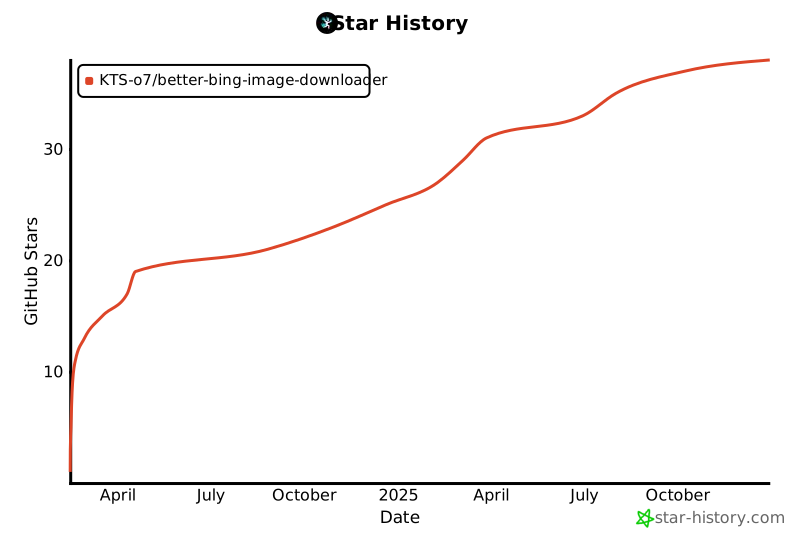
Star History
1 maintainer

Release files for better-bing-image-downloader 3.8.1
For a detailed explanation of source distributions (sdists) and built distributions (wheels), please see the package formats documentation.
Source distribution (sdist)
| File | Size | Uploaded | |
|---|---|---|---|
| better_bing_image_downloader-3.8.1.tar.gz | 94.1 kB | Details |
Built distribution (wheel)
| File | Interpreter | ABI | Platform | Reset |
|---|---|---|---|---|
| better_bing_image_downloader-3.8.1-py3-none-any.whl | Python 3 | none | any | Details |
Total release size: 154.3 kB
Release files / better_bing_image_downloader-3.8.1.tar.gz
| Download URL | better_bing_image_downloader-3.8.1.tar.gz |
|---|---|
| Size | 94.1 kB |
| Tags | Source |
|
SHA-256 checksum How to use checksums |
bd7dc264704f6183203da8223825c90945244c3f9554a05441f17be143d37240
|
|
BLAKE2b-256 checksum How to use checksums |
3b547e548e37218f8ca9f62a95567eb637f7423c0899c9f629ffdd7e172fa3e3
|
| Upload date | |
|
Uploaded using Trusted Publishing? What is trusted publishing? |
No |
| Uploaded via |
twine/6.2.0 CPython/3.9.25
|
Release files / better_bing_image_downloader-3.8.1-py3-none-any.whl
| Download URL | better_bing_image_downloader-3.8.1-py3-none-any.whl |
|---|---|
| Size | 60.2 kB |
| Tags | Python 3 |
|
SHA-256 checksum How to use checksums |
db2cdd9f4761b0118b89d8392f9c6c8a5a7dcef5af9c99c055c147617e1d15cb
|
|
BLAKE2b-256 checksum How to use checksums |
86ee4cd5fbbab2e26929f71e10d1d74564a3051cdad1d590722ca054bac6aaea
|
| Upload date | |
|
Uploaded using Trusted Publishing? What is trusted publishing? |
No |
| Uploaded via |
twine/6.2.0 CPython/3.9.25
|














