





BetterMDPTools
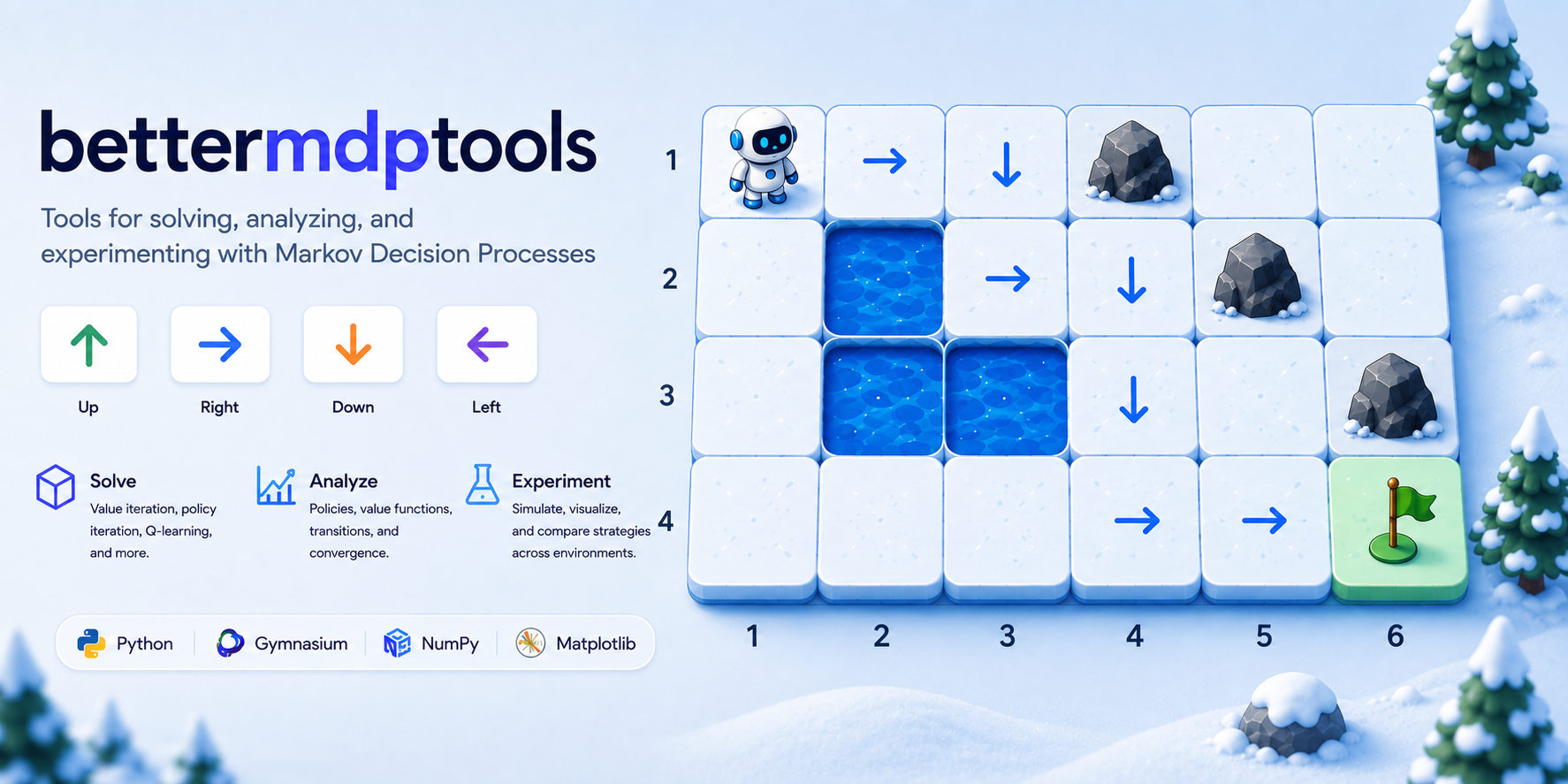
Learn how classic Markov decision process algorithms work by solving, experimenting with, and visualizing tabular Gymnasium environments. BetterMDPTools gives you direct access to value iteration, policy iteration, Q-learning, and SARSA, with inspectable NumPy results and composable plotting tools.
See values and policy together
Turn a solved FrozenLake environment into a value map and readable policy with the public plotting API:
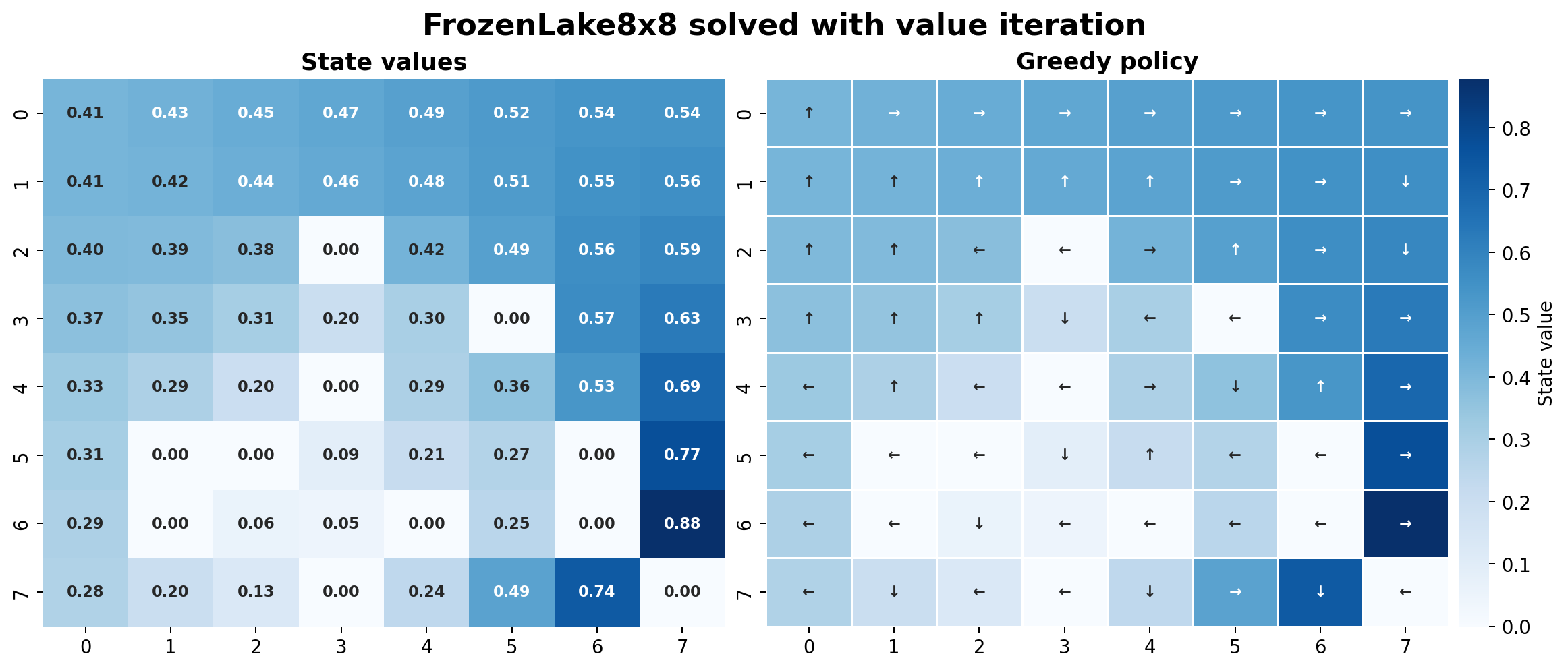
Plot preparation is separate from rendering. Every renderer draws on explicit, caller-owned Matplotlib axes, so plots compose naturally in notebooks, applications, and reports.
What you can explore
| Area | Included tools |
|---|---|
| Planning | Planner.value_iteration, vectorized value iteration, and Planner.policy_iteration for tabular transition models |
| Tabular reinforcement learning | RL.q_learning and RL.sarsa for learning through Gymnasium interactions |
| Environments | Native discrete Gymnasium environments plus model and discretization wrappers for Blackjack, CartPole, Acrobot, and Pendulum |
| Experiments | A reusable run entrypoint, ExperimentBuilder, seeded evaluation, and optional Optuna search |
| Visualization | Learning curves, value and policy convergence, value heatmaps, policy grids, and combined value-policy figures |
Planning methods return state values, valid convergence history, and a policy. Model-free methods also return action values, per-episode policy history, and rewards, making the learning process available for analysis rather than hiding it behind a training loop.
Installation
BetterMDPTools supports Python 3.12 through 3.14, NumPy 2.x, and Gymnasium 1.3. The standard installation includes planning, training, evaluation, plotting, and non-rendering notebook workflows:
pip install bettermdptools
Quick start
This example solves the built-in 8 by 8 FrozenLake transition model and plots the values and greedy policy side by side:
import gymnasium as gym
import matplotlib.pyplot as plt

from bettermdptools.algorithms.planner import Planner
from bettermdptools.plotting import plot_value_policy, prepare_policy_grid

env = gym.make("FrozenLake8x8-v1", render_mode=None)

V, V_track, pi = Planner(env.unwrapped.P).value_iteration(gamma=0.99)
grid = prepare_policy_grid(
    policy=pi,
    values=V,
    action_labels={0: "←", 1: "↓", 2: "→", 3: "↑"},
    shape=(8, 8),
)

fig, axes = plt.subplots(1, 2, figsize=(11, 4), layout="constrained")
plot_value_policy(grid, value_ax=axes[0], policy_ax=axes[1])
plt.show()
plt.close(fig)
env.close()
For policy iteration, replace value_iteration(...) with
policy_iteration(...). For model-free learning, pass the environment to
RL(env).q_learning(...) or RL(env).sarsa(...).
Gymnasium's built-in tabular transition models live on env.unwrapped.P.
BetterMDPTools wrappers expose their generated models through .P and convert
continuous or context-dependent observations into discrete state spaces.
Examples and documentation
The examples/
directory contains executed notebooks with saved plots and results:
frozen_lake.ipynbintroduces planning and a value heatmap.blackjack.ipynbcompares planning and Q-learning on the exact Blackjack model.cartpole.ipynbapplies planning and Q-learning to discretized CartPole.plots.ipynbcovers learning curves, convergence diagnostics, figure composition, and style controls.callbacks.ipynbexplains how episode and transition callbacks add training diagnostics beyond standard policy-evaluation scores.experiments_demo.ipynbruns planning and Q-learning across discrete and wrapped environments.optuna_search_examples.ipynbtunes Q-learning, SARSA, and value iteration.
Detailed guides are available for the plotting API, experiment API, and Optuna integration. The generated Python API reference documents every public module.
Optional rendering and Optuna
Install local Gymnasium rendering support, Optuna search, or both:
pip install "bettermdptools[rendering]"
pip install "bettermdptools[optuna]"
pip install "bettermdptools[rendering,optuna]"
The rendering extra installs pygame-ce>=2.5.5,<3, which supplies the
pygame interface used by Gymnasium. Classic pygame is not supported and
should not be installed alongside pygame-ce. Rendering is not supported on
Google Colab, but core non-rendering workflows work there without this extra.
The optuna extra installs optuna>=4.6,<5. It is only needed when calling
bettermdptools.experiments.optimize.
The package requires Python >=3.12,<3.15, NumPy >=2,<3, Gymnasium
>=1.3,<1.4, and Matplotlib >=3.8,<4.
Development and contributing
Poetry owns dependency resolution, builds, tests, and documentation tooling:
poetry install --with docs
poetry run pytest -q
poetry run ruff check .
poetry run black --check .
poetry check --lock
poetry build
See CONTRIBUTING.md
for the complete contributor workflow.
License
BetterMDPTools is distributed under the BSD 3-Clause License.
1 maintainer

Metadata
1 maintainer
Release files for bettermdptools 0.11.0
For a detailed explanation of source distributions (sdists) and built distributions (wheels), please see the package formats documentation.
Source distribution (sdist)
| File | Size | Uploaded | Provenance | Actions |
|---|---|---|---|---|
| bettermdptools-0.11.0.tar.gz | 45.0 kB | Without provenance | Details for bettermdptools-0.11.0.tar.gz |
Built distribution (wheel)
| File | Interpreter | ABI | Platform | Actions Reset |
|---|---|---|---|---|
| bettermdptools-0.11.0-py3-none-any.whl | Python 3 | none | any | Details for bettermdptools-0.11.0-py3-none-any.whl |
Total release size: 100.3 kB
Release files / bettermdptools-0.11.0.tar.gz
| Download URL | bettermdptools-0.11.0.tar.gz |
|---|---|
| Size | 45.0 kB |
| Tags | Source |
|
SHA-256 checksum How to use checksums |
4fe92ff74155ef7345e7c69a86b6afd14ceb4a435fad003b51bbf3c2fc00aa5a
|
|
BLAKE2b-256 checksum How to use checksums |
d0db7c5cd486cbd8506149409e4831f9aed1736232a5ebce65b94564c088d9fe
|
| Upload date | |
|
Uploaded using Trusted Publishing? What is trusted publishing? |
No |
| Uploaded via |
poetry/2.2.1 CPython/3.13.9 Darwin/25.6.0
|
Release files / bettermdptools-0.11.0-py3-none-any.whl
| Download URL | bettermdptools-0.11.0-py3-none-any.whl |
|---|---|
| Size | 55.3 kB |
| Tags | Python 3 |
|
SHA-256 checksum How to use checksums |
5c38d2b06260b836f46376a6402b388dec656bd2710825697ab269d6a78cb9bd
|
|
BLAKE2b-256 checksum How to use checksums |
a164196a39a0c56fb445e6044fd726676e3ae7bb74b4f754acc134283497e5ca
|
| Upload date | |
|
Uploaded using Trusted Publishing? What is trusted publishing? |
No |
| Uploaded via |
poetry/2.2.1 CPython/3.13.9 Darwin/25.6.0
|
Security for bettermdptools 0.11.0
Provenance
Provenance describes where a file came from. On PyPI, provenance is shared via attestations, which provide a verifiable record of the build or publishing details. View details, limitations and caveats.
No provenance found
None of the files in this release were uploaded with provenance metadata.
A note on package security
PyPI is a repository for distributing packages, not a service for auditing them. While third-party security researchers and our staff do their best to detect and remove malicious packages, PyPI cannot guarantee the quality, security or suitability of any given package.
To learn more about protecting yourself from malicious actors, visit our package security documentation.














