
Python wrapper for BGFX Library

Project description
BGFX Python
Python 3.6+ wrapper for the BGFX library.







Key Features • How To Use • Build CPP bindings • Using ImGUI • Examples • Logging • Credits • License
Key Features
- Uses Pyind11 and Builder to natively wrap the C++ interface. No CTypes or ugly C interfaces.
- Functions, classes and methods respect the PEP 8 notation.
- Unless specified, the GIL is released for every invocation and pointers are passed by reference. This will ensure great overall performances.
- Maintains the original documentation; use
help()on a class or function to view it. - Compiles shaders on-the-fly, so you don't have to.
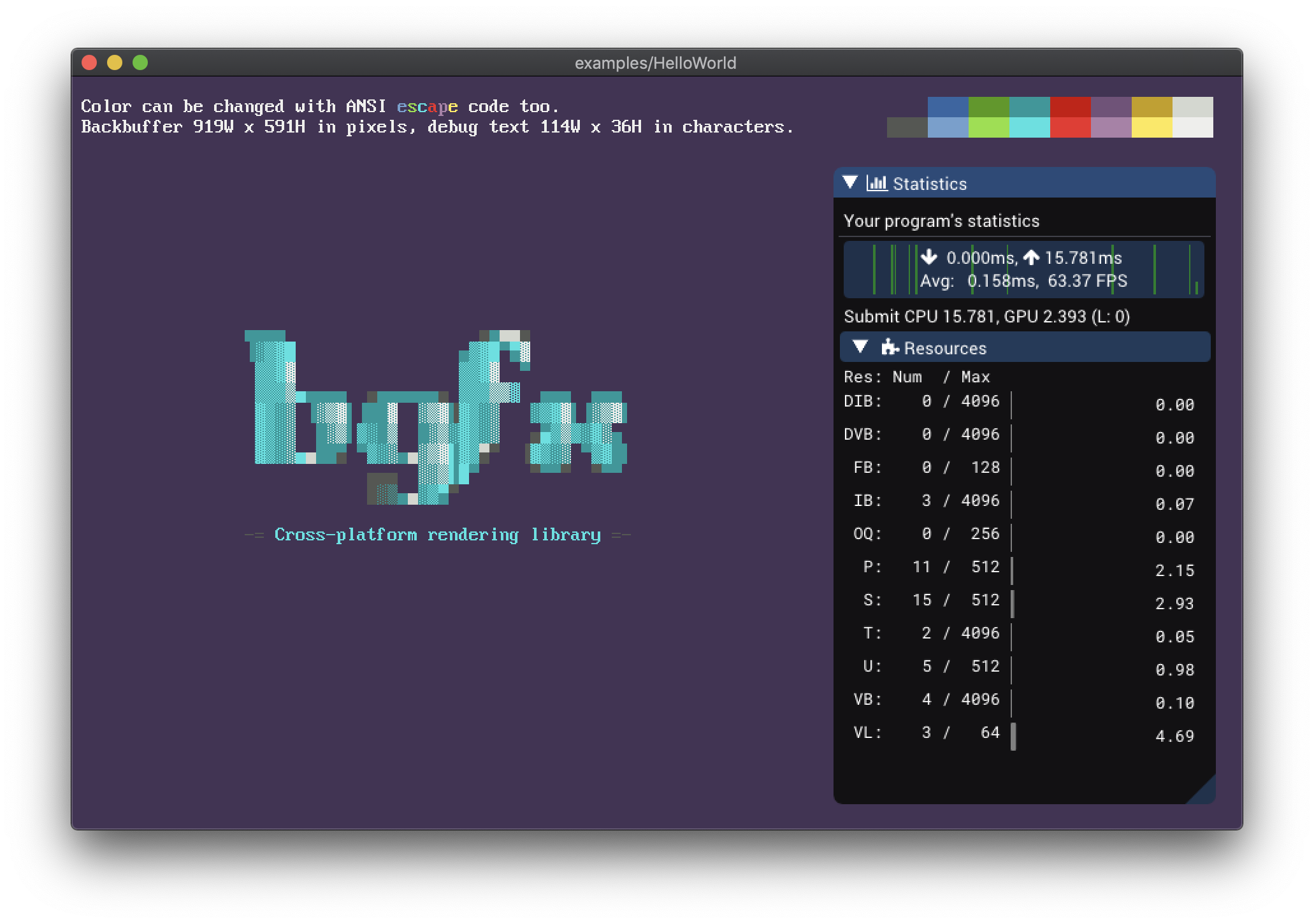
- Ships with ImGui integrated in the BGFX rendering pipeline.
How To Use
Precompiled wheels
Precompiled wheels are available for Windows, Linux and MacOS. To install the latest published release, simply run:
$ pip install bgfx-python
Linux wheels are built with the help of the ManyLinux project and, unfortunately, are too large for the PyPi repository. You can download those wheels from the Bintray Repository.
Install from source
To install the latest version, you'll need to clone this repository and its submodules:
$ git clone --depth=1 https://github.com/fbertola/bgfx-python
$ git submodule update --init --recursive
Then, make sure to have make, cmake and ninja installed in your system.
Finally, simply build and install the wheel.
$ pip setup.py install
Installing on MacOS
Building on MacOS X > 10.14 requires you to also install the SDK headers:
xcode-select --install
open /Library/Developer/CommandLineTools/Packages/macOS_SDK_headers_for_macOS_10.14.pkg
Installing on Windows
The easiest way is to install Visual Studio 2019 Community Edition. If you have Chocolatey installed, then run:
choco install visualstudio2019community
Before building the package, make sure to activate all the environment variables required by the compiler:
call "C:\Program Files (x86)\Microsoft Visual Studio\2019\Community\VC\Auxiliary\Build\vcvarsall.bat" x86_amd64
Build CPP bindings
bgfx-python uses Binder and Pybind11 to wrap the original library. A script to generate such binding is provided inside the scripts directory.
Make sure that all the paths are corrects then simply launch the various scripts, e.g:
$ python make_bindings_bgfx.py
Building on MacOS X could be a little trickier, since system headers are in the SDK location. Make sure to also include these paths; you can check where the headers are located running this command:
g++ -E -x c++ - -v < /dev/null
Using ImGUI
Two modules are exposed:
- ImGui, which provides a standard wrapper around all the ImGui funcions and classes.
- ImGuiExtra, which provides some additional functions to integrate ImGui in the BGFX rendering pipline.
To use it in your application, simply follow this template:
# Setup the application
def init():
    ImGuiExtra.imgui_create()

# Destroy the application
def destroy():
    ImGuiExtra.imgui_destroy()

# Update the application, rendering each fram
def update():
    ImGuiExtra.imgui_begin_frame(
        mouse_x, mouse_y, buttons_states, 0, width, height
    )

    # Other ImGui drawing directives...

    ImGuiExtra.imgui_end_frame()
All ImGui API that provides user input (such as InputText, SliderFloat, etc.) modifies their arguments by reference. However, in Python, such objects as integers, floats and strings are passed always by value. Because of this, bgfx-python provides special wrappers, that allow passing those variables by reference.
For example, to use SliderFloat, you will need first to create a variable that will hold the state:
f = ImGui.Float();
You can access the value in the following way: f.value
To use it with slider_float simply pass it to that function:
ImGui.slider_float("float slider", f, 0.0, 1.0)
Logging
Loguru is used for logging inside bgfx_python. By default the logger is disabled; to enable it, use the following instructions:
from loguru import logger

logger.enable("bgfx")
Examples
You will find some examples in the examples folder, be sure to check them out.
For a more advanced example, see the Natrix project.
Credits
This software uses the following open source packages:
License (BSD 2-clause)

BSD 2-Clause License

Copyright (c) 2019, Federico Bertola
All rights reserved.

Redistribution and use in source and binary forms, with or without
modification, are permitted provided that the following conditions are met:

1. Redistributions of source code must retain the above copyright notice, this
   list of conditions and the following disclaimer.

2. Redistributions in binary form must reproduce the above copyright notice,
   this list of conditions and the following disclaimer in the documentation
   and/or other materials provided with the distribution.

THIS SOFTWARE IS PROVIDED BY THE COPYRIGHT HOLDERS AND CONTRIBUTORS "AS IS"
AND ANY EXPRESS OR IMPLIED WARRANTIES, INCLUDING, BUT NOT LIMITED TO, THE
IMPLIED WARRANTIES OF MERCHANTABILITY AND FITNESS FOR A PARTICULAR PURPOSE ARE
DISCLAIMED. IN NO EVENT SHALL THE COPYRIGHT HOLDER OR CONTRIBUTORS BE LIABLE
FOR ANY DIRECT, INDIRECT, INCIDENTAL, SPECIAL, EXEMPLARY, OR CONSEQUENTIAL
DAMAGES (INCLUDING, BUT NOT LIMITED TO, PROCUREMENT OF SUBSTITUTE GOODS OR
SERVICES; LOSS OF USE, DATA, OR PROFITS; OR BUSINESS INTERRUPTION) HOWEVER
CAUSED AND ON ANY THEORY OF LIABILITY, WHETHER IN CONTRACT, STRICT LIABILITY,
OR TORT (INCLUDING NEGLIGENCE OR OTHERWISE) ARISING IN ANY WAY OUT OF THE USE
OF THIS SOFTWARE, EVEN IF ADVISED OF THE POSSIBILITY OF SUCH DAMAGE.
GitHub @fbertola


Download files
Download the file for your platform. If you're not sure which to choose, learn more about installing packages.
Source Distribution
Built Distributions
Filter files by name, interpreter, ABI, and platform.
If you're not sure about the file name format, learn more about wheel file names.
Copy a direct link to the current filters
File details
Details for the file bgfx-python-1.0.1.tar.gz.
File metadata
- Download URL: bgfx-python-1.0.1.tar.gz
- Upload date:
- Size: 81.5 kB
- Tags: Source
- Uploaded using Trusted Publishing? No
- Uploaded via: twine/3.1.1 pkginfo/1.5.0.1 requests/2.23.0 setuptools/41.2.0 requests-toolbelt/0.9.1 tqdm/4.46.0 CPython/3.7.7
File hashes
| Algorithm | Hash digest | |
|---|---|---|
| SHA256 |
7722c9383a21f592056bf9a4fdee5d70268717d23cb31c1d8c671fd12ea7660a
|
|
| MD5 |
d35093f1bc08304c52d7b73558e16597
|
|
| BLAKE2b-256 |
b691f330159213f066ec2dc9ee91c78a35f5d91683ce663a4fb3380313925ccb
|
File details
Details for the file bgfx_python-1.0.1-cp38-cp38-win_amd64.whl.
File metadata
- Download URL: bgfx_python-1.0.1-cp38-cp38-win_amd64.whl
- Upload date:
- Size: 3.5 MB
- Tags: CPython 3.8, Windows x86-64
- Uploaded using Trusted Publishing? No
- Uploaded via: twine/3.1.1 pkginfo/1.5.0.1 requests/2.23.0 setuptools/41.2.0 requests-toolbelt/0.9.1 tqdm/4.46.0 CPython/3.7.7
File hashes
| Algorithm | Hash digest | |
|---|---|---|
| SHA256 |
8aa86de3b4d5abb886b38f718f0791ab9f3a7d02b3410b9950f4152003e62e2a
|
|
| MD5 |
467ef15b3a72ad94d5bbe3ededab972e
|
|
| BLAKE2b-256 |
181f390a224c62e88652a4fdb2e8fd1012c282ed6e8810adb25e0df1f9d92a78
|
File details
Details for the file bgfx_python-1.0.1-cp37-cp37m-win_amd64.whl.
File metadata
- Download URL: bgfx_python-1.0.1-cp37-cp37m-win_amd64.whl
- Upload date:
- Size: 3.4 MB
- Tags: CPython 3.7m, Windows x86-64
- Uploaded using Trusted Publishing? No
- Uploaded via: twine/3.1.1 pkginfo/1.5.0.1 requests/2.23.0 setuptools/41.2.0 requests-toolbelt/0.9.1 tqdm/4.46.0 CPython/3.7.7
File hashes
| Algorithm | Hash digest | |
|---|---|---|
| SHA256 |
d52ba02378993d3b47021afce004af1dbe2ea55c5b452697c42f863dc5b09528
|
|
| MD5 |
d36827dc810d4211694052d65070b61d
|
|
| BLAKE2b-256 |
db1149a8fda59b04df43ad012fec12eac30a8c26a8363130e1291739eb8e3ec9
|
File details
Details for the file bgfx_python-1.0.1-cp37-cp37m-macosx_10_14_x86_64.whl.
File metadata
- Download URL: bgfx_python-1.0.1-cp37-cp37m-macosx_10_14_x86_64.whl
- Upload date:
- Size: 5.2 MB
- Tags: CPython 3.7m, macOS 10.14+ x86-64
- Uploaded using Trusted Publishing? No
- Uploaded via: twine/3.1.1 pkginfo/1.5.0.1 requests/2.23.0 setuptools/41.2.0 requests-toolbelt/0.9.1 tqdm/4.46.0 CPython/3.7.7
File hashes
| Algorithm | Hash digest | |
|---|---|---|
| SHA256 |
d82e4ddc775c9d462398727b101f992e77c1fd0a4f8b304c77160328bbb9a3ea
|
|
| MD5 |
593fbdc9fbaaea25d5393217c5797a41
|
|
| BLAKE2b-256 |
e45845cea3a704e99eea7ee3d6e5f16a3504f2aef77775f66681edb42057b8e3
|
File details
Details for the file bgfx_python-1.0.1-cp36-cp36m-win_amd64.whl.
File metadata
- Download URL: bgfx_python-1.0.1-cp36-cp36m-win_amd64.whl
- Upload date:
- Size: 3.4 MB
- Tags: CPython 3.6m, Windows x86-64
- Uploaded using Trusted Publishing? No
- Uploaded via: twine/3.1.1 pkginfo/1.5.0.1 requests/2.23.0 setuptools/41.2.0 requests-toolbelt/0.9.1 tqdm/4.46.0 CPython/3.7.7
File hashes
| Algorithm | Hash digest | |
|---|---|---|
| SHA256 |
c6407134cfefd080a5ee2ed92eab21ebc5771eb28612e6db4e15391d8daa625a
|
|
| MD5 |
48c5ef3c6b42db154077b838ea233f42
|
|
| BLAKE2b-256 |
aa223109fc6e1b87234fa5552efae037a70389544d8ae4b8c2b5dec7cb930d95
|
File details
Details for the file bgfx_python-1.0.1-cp36-cp36m-macosx_10_14_x86_64.whl.
File metadata
- Download URL: bgfx_python-1.0.1-cp36-cp36m-macosx_10_14_x86_64.whl
- Upload date:
- Size: 5.2 MB
- Tags: CPython 3.6m, macOS 10.14+ x86-64
- Uploaded using Trusted Publishing? No
- Uploaded via: twine/3.1.1 pkginfo/1.5.0.1 requests/2.23.0 setuptools/41.2.0 requests-toolbelt/0.9.1 tqdm/4.46.0 CPython/3.7.7
File hashes
| Algorithm | Hash digest | |
|---|---|---|
| SHA256 |
6bf91f44f63143f76e8c652f6830a03a7a9031373c41dee3adc73266ecbc2064
|
|
| MD5 |
bbd0605bbb54b12724101cbef3849c85
|
|
| BLAKE2b-256 |
1f20e4ae0edbc18fa55a13fdf0e2d99d332bd689d14c7eb900c14c5943788227
|






