






bib-optimizer
Oh, sure, because who doesn't love manually cleaning up messy .bib files? bib_optimizer.py heroically steps in to remove those lazy, unused citations and reorder the survivors exactly as they appear in the .tex file—because, clearly, chaos is the default setting for bibliographies.
In layman's terms, it automates bibliography management by:
- removing unused citations,
- reordering the remaining ones to match their order of appearance in the
.texfile.
Input Files:
main.tex– The LaTeX source file.ref.bib– The original bibliography file.
These input files will remain unchanged.
Output File:
ref_opt.bib– A placeholder filename for the newly generated, cleaned, and ordered bibliography file.
Installation
Install from PyPI with pip
Create and activate a virtual environment, then install the latest release from PyPI:
python -m venv .venv

# Linux/macOS
source .venv/bin/activate

# Windows
.venv\Scripts\activate

python -m pip install --upgrade bib_optimizer
Alternatively, install the command in an isolated environment with uv:
uv tool install bib_optimizer
After either installation method, the bibopt command is available in your terminal.
Install from source for development
This repository uses uv for project and dependency management.
-
Clone the repository
git clone https://github.com/kwyip/bib_optimizer.git
cd bib_optimizer
-
Install environment
# This creates the virtual environment and installs all dependencies
uv sync
-
Activate environment
# Linux/MacOS
source .venv/bin/activate

# Windows
.venv\Scripts\activate
🐍 This requires Python 3.8 or newer versions
Steps to Clean Your Bibliography
-
Prepare the input files (e.g., by downloading them from Overleaf).
-
Run the command to generate a new
.bibfile (for example, you may name itref_opt.bib):bibopt main.tex ref.bib ref_opt.bib -
Use the Cleaned Bibliography
Replaceref.bibwithref_opt.bibin your LaTeX project.
Test
You may test the installation using the sample input files (sample_main.tex and sample_ref.bib) located in the test folder.
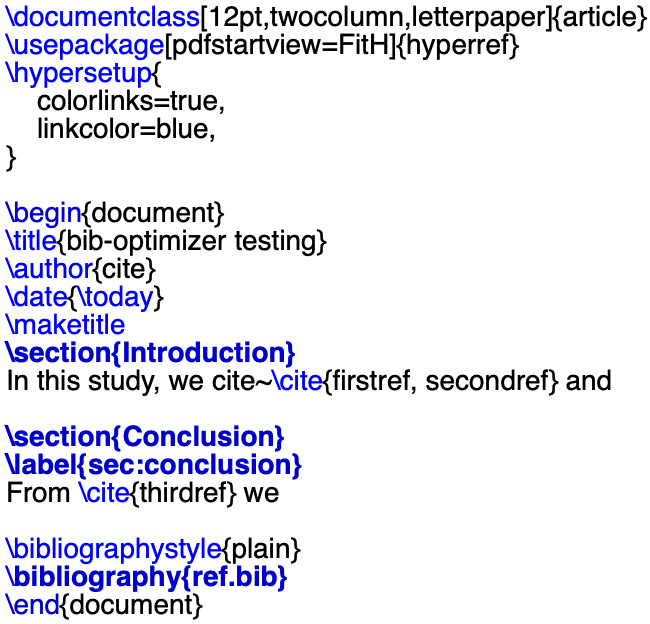
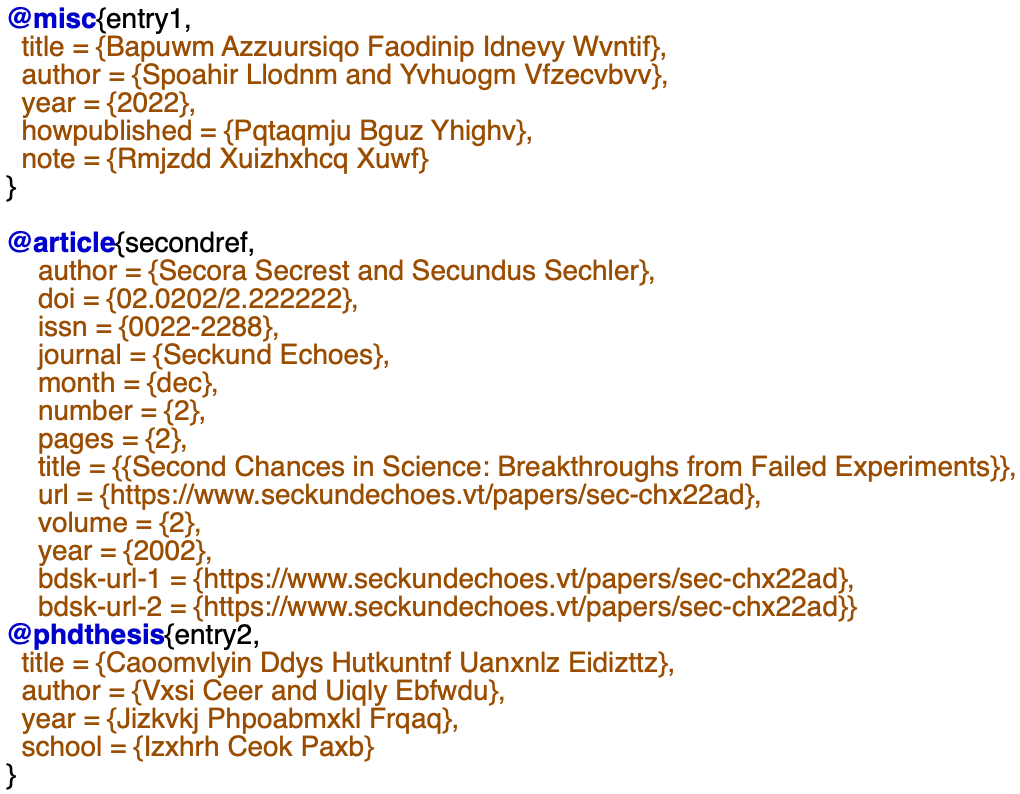
sample_main.tex and sample_ref.bib
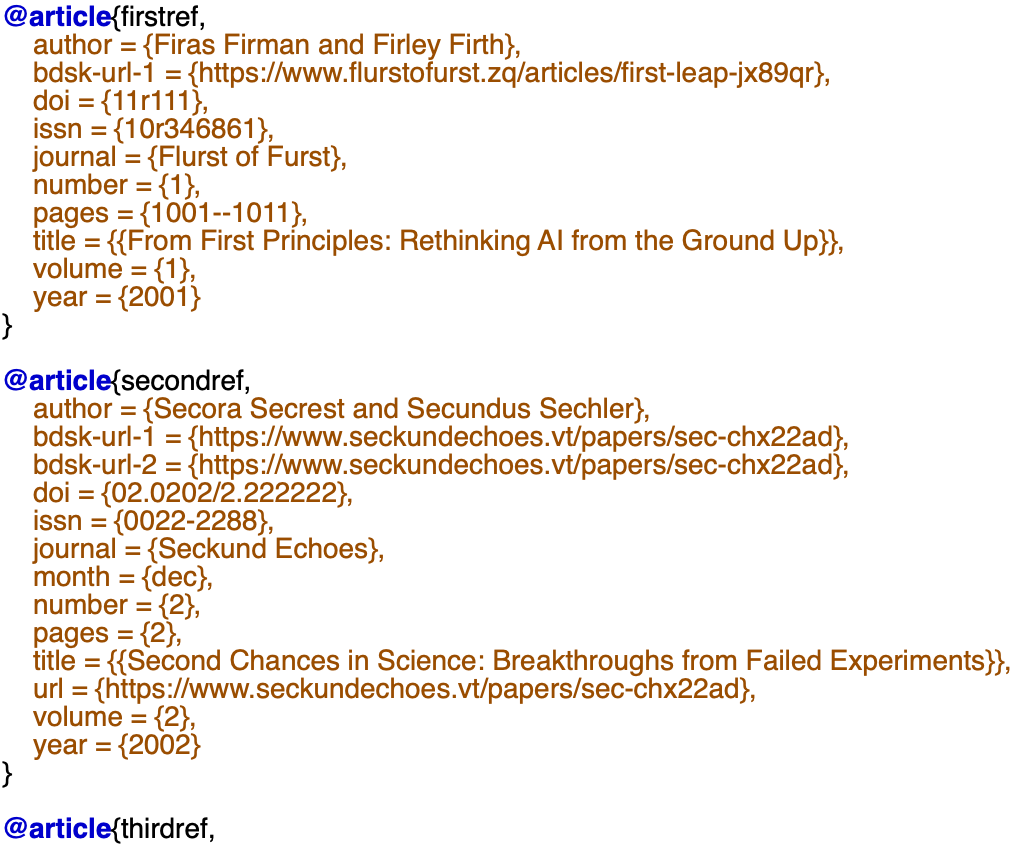
A sample ref_opt.bib created after running bibopt sample_main.tex sample_ref.bib ref_opt.bib
Code-free use with an AI agent
Download SKILL.md, then upload these files to your AI agent:
SKILL.md,- the root
.texfile, - the source
.bibfile, and if any: - every
.texfile referenced through\inputor\include.
https://github.com/user-attachments/assets/2b4e3224-2aee-44c1-974c-812dead72e2f
New feature (version 0.4.0)
If the main.tex calls inputs from other .tex (e.g., with \input{...}), the newly generated ref_opt.bib will preserve the order of appearances in the main.tex with each inputted .tex as well.
(The dependent .tex files need to be placed in the same directory as main.tex.)
New feature (version 0.4.1)
On top of version 0.4, skip any \input .tex file if not found.
New feature/Fix (version 0.4.2)
Added support for the \include{...} command in addition to \input{...}, fixing missing citations when a LaTeX project uses \include to split its content across files.
New feature/Fix (version 0.4.3)
Added Python 3.14 support and constrained bibtexparser to the compatible 1.x release series, fixing ModuleNotFoundError: No module named 'bibtexparser.bwriter' during fresh installations.
New feature/Fix (version 0.5.0)
Add code-free SKILL.md
♥ Lastly executed on Python 3.14 on 2026-09-29.
1 maintainer

Metadata
1 maintainer
Release files for bib-optimizer 0.5.2
For a detailed explanation of source distributions (sdists) and built distributions (wheels), please see the package formats documentation.
Source distribution (sdist)
| File | Size | Uploaded | Provenance | Actions |
|---|---|---|---|---|
| bib_optimizer-0.5.2.tar.gz | 7.9 kB | Without provenance | Details for bib_optimizer-0.5.2.tar.gz |
Built distribution (wheel)
| File | Interpreter | ABI | Platform | Actions Reset |
|---|---|---|---|---|
| bib_optimizer-0.5.2-py3-none-any.whl | Python 3 | none | any | Details for bib_optimizer-0.5.2-py3-none-any.whl |
Total release size: 14.8 kB
Release files / bib_optimizer-0.5.2.tar.gz
| Download URL | bib_optimizer-0.5.2.tar.gz |
|---|---|
| Size | 7.9 kB |
| Tags | Source |
|
SHA-256 checksum How to use checksums |
6b972d062ff76bfb0b64679c2e73f1c7e70bfaa6e59b7348f8665d898399491d
|
|
BLAKE2b-256 checksum How to use checksums |
451e5ec36e0f277a1c786a60fbf89d68990cd82cda8a0bfb4d6286b97956b584
|
| Upload date | |
|
Uploaded using Trusted Publishing? What is trusted publishing? |
No |
| Uploaded via |
twine/7.0.0 CPython/3.14.5
|
Release files / bib_optimizer-0.5.2-py3-none-any.whl
| Download URL | bib_optimizer-0.5.2-py3-none-any.whl |
|---|---|
| Size | 6.9 kB |
| Tags | Python 3 |
|
SHA-256 checksum How to use checksums |
24665bf753f4fd835579062c9d40b39343e938e59f7594ea8c8357ed5a948907
|
|
BLAKE2b-256 checksum How to use checksums |
5d5776d6075dad5499a8e3eae6dbf55110f54509ae4e6041dfe2222365d6f424
|
| Upload date | |
|
Uploaded using Trusted Publishing? What is trusted publishing? |
No |
| Uploaded via |
twine/7.0.0 CPython/3.14.5
|
Security for bib-optimizer 0.5.2
Provenance
Provenance describes where a file came from. On PyPI, provenance is shared via attestations, which provide a verifiable record of the build or publishing details. View details, limitations and caveats.
No provenance found
None of the files in this release were uploaded with provenance metadata.
A note on package security
PyPI is a repository for distributing packages, not a service for auditing them. While third-party security researchers and our staff do their best to detect and remove malicious packages, PyPI cannot guarantee the quality, security or suitability of any given package.
To learn more about protecting yourself from malicious actors, visit our package security documentation.














